


 Login
Smart Notifications for Production and Maintenance TeamsKnow a line has stopped without walking to it. Alerts go to the people who can act.
Fabrico's OEE software can send a "line has stopped" alert, with rules per role. It reaches a phone or smart watch.
- Push, in-app, email
- Rules by role, shift
- ISO/IEC 27001
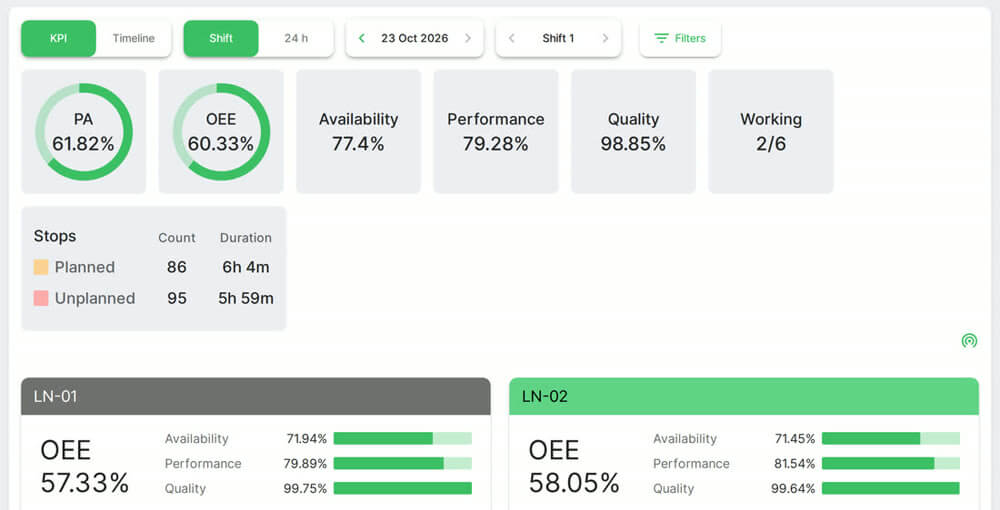 Plant and line OEE. Real Fabrico screen, sample data.
Trusted by manufacturing groups







Click the alert, land on the stop
A "line has stopped" notification takes you to the exact time of that stop.

Decide who hears about what
Set rules by event, role and channel.
Operator: line has stopped
Technician: new task
The alert follows the stop reason
Alerts reach the right technician by reason.

Urgent or not, the colour says
Colour separates urgent alerts from information. A counter shows what is unseen.
Red: urgent
Green: for information
Counter: unseen alerts
See how alerts reach the right technician in a live demo.
FAQs
Does Fabrico send SMS?
No. Notifications go by push, in-app and email.
What if someone misses an alert?
They can open the notification history and act on it from there.
Does a phone need a connection?
Yes. The app has no offline mode, so a phone needs a network connection to receive alerts.
More detail
Alerts for maintenance work
A technician is notified when a task is assigned, see work orders and tasks. Low stock can raise a notification too, see spare parts inventory.
Where this sits in Fabrico
Alerts also cover emergency repairs and the rest of Fabrico's CMMS software.
Find out what your losses cost. Recover the output you already own.
See how losses get a price tag in a live demo.