


 Login
Turning Manufacturing Data into IntelligenceAI on your own line data. Inside Fabrico, with no extra tool.
Fabrico classifies stops and changeovers, then adds AI modules on top of that data.
- Computer vision
- Fabrico Assistant
- Custom AI modules
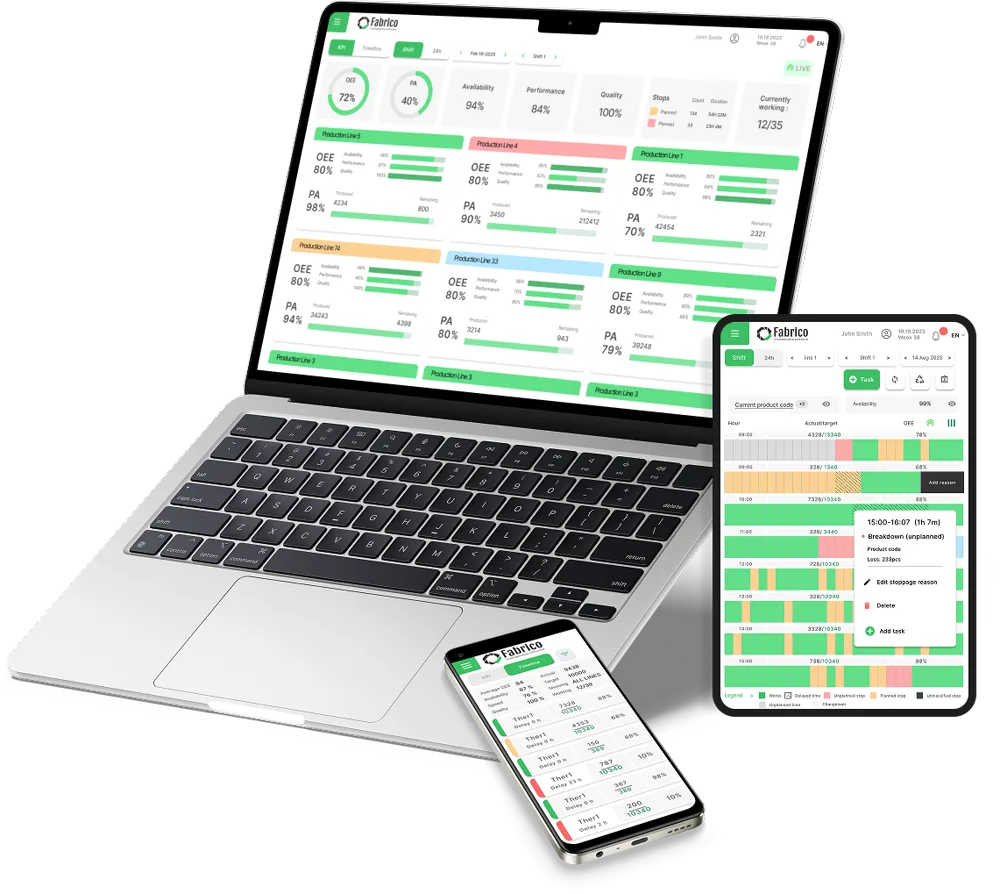 Product render, sample data
Trusted by FMCG, food and industrial manufacturing groups







Stops classified and time-stamped
Downtime and changeovers from IoT devices, PLCs, operators and cameras, in one data layer.

Computer vision for what sensors miss
Cameras above the line record stops and suggest likely causes, linked to your OEE data.
See computer visionSuggested: no material
Suggested: operator absence
Suggested: broken part
Fabrico Assistant
Answers from machine manuals and your own stop history, on the line, when they are needed.
See the assistant Stock footage
See it in a live demo.
How a custom AI project works
- 1Choose the use case
- 2Connect your data
- 3Build and validate with your engineers
- 4Go live inside Fabrico
Scope, data and timeline are agreed per plant.
FAQs
What does AI need first?
Accurate, structured data. Fabrico classifies production events, time-stamps them and links them to their cause.
Do we need another tool?
No. AI modules appear inside Fabrico's dashboards and alerts.
Is the AI agent live?
No. The AI agent is on our roadmap. The assistant, computer vision and custom modules are available today.
More detail
What custom modules can do
The Fabrico AI team builds models on your plant's data for challenges such as defect classification or energy efficiency. See custom AI modules.
Why it works on the shop floor
Insights sit inside Fabrico, where operators, planners and managers work. Fabrico connects to your current systems. Every module is validated with your process engineers and production leaders. See the MES and OEE overview and the AI agent roadmap.
Find out what your losses cost. Recover the output you already own.
See your own losses with a price tag in a live demo.