
TL;DR
A light MES, also called MES lite or a lightweight MES, is the part of a manufacturing execution system that watches the machines. It collects machine data, shows what each line is doing now, records every stop with its cause and turns all of it into OEE. Orders, BOMs, routings and genealogy stay in your ERP.
Most plants do not lack an MES. They lack an answer to one question: where did the time go on line 2 last night? A full MES can answer it at the end of a plant-wide project. A light MES is built to answer it first, on one line, with the machines you already have.
This guide explains what a light MES covers, what it leaves out, how to tell whether it is enough for your plant and how to start. It stays vendor-neutral until the section on where Fabrico fits. For the full-suite picture and the ISA-95 levels, read our guide to what a manufacturing execution system is.
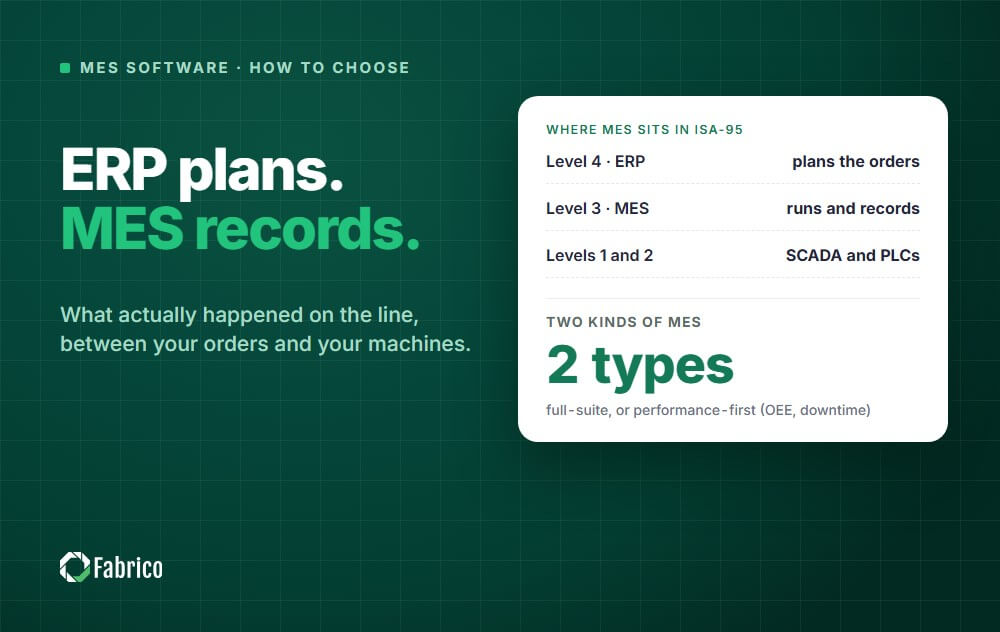
A manufacturing execution system sits between the ERP, which plans what should be made, and the machines, which make it. A full MES covers that whole span: it schedules and dispatches orders, enforces routings and work instructions, traces every unit and records what happened.
A light MES covers the half closest to the machine. It records what each machine actually did, shift by shift, and why it stopped. It does not decide what runs next. That decision stays where it already is in most plants: in the ERP, a planning tool or the supervisor's head.
The trade is deliberate. You give up order control you may not need yet, and in return you get the loss data that most plants are missing, without changing how orders flow.
There is no standard behind the term, and the market uses it for three different products. All three are legitimate. They solve different problems, so it pays to know which one is on the screen.
| What is sold as "light MES" | Built around | What it records | The problem it solves |
|---|---|---|---|
| Performance-first MES | The machine | Run, stop and count from machine signals, plus the stop causes operators tag | Nobody can say where the time went or rank the losses by cause |
| Station app or "paper on glass" | The operator's task | Digital work instructions, checklists and forms filled in at the workstation | Paper instructions, missed checks and forms nobody reads |
| Trimmed full MES | The production order | Order status, operator feedback, quantities and scrap per order | Nobody knows where an order is or how far along it is |
One question sorts them in a demo: what does the system record without anyone typing it? If the answer is machine run time, stops and counts, you are looking at a performance-first MES. If the answer is "nothing, the operator fills it in", it is a station app or a trimmed order system.
The rest of this guide uses light MES in the first sense, performance-first, because that is what most plants mean when they search for it: they want to see and fix their losses before they take on a plant-wide project.
A performance-first light MES is built on one data stream, the machine signal, and everything else is calculated from it.
Some products also keep maintenance on the same machine record, so a stop that needs a repair becomes a work order without retyping it. That is a useful extra, not the core.
In the 1990s MESA International described an MES as 11 functions. The list is still the clearest way to see where a light MES stops. Read the right-hand column before you buy: everything marked "elsewhere" must have a home that already works.
| MES function (MESA-11) | Light MES | Where it usually lives instead |
|---|---|---|
| Data collection and acquisition | Core | |
| Performance analysis (OEE, losses) | Core | |
| Resource status | Live machine status | Allocation of people and tools: ERP or the supervisor |
| Quality management | Good and scrap counts for the OEE quality factor | Inspection plans and SPC: a quality system |
| Maintenance management | In some products | A CMMS or the ERP maintenance module |
| Operations scheduling | No | ERP or a planning and scheduling tool |
| Dispatching production units | No | ERP orders, the shift plan |
| Document control and work instructions | No | A station app, a document system or paper |
| Labor management | Rarely | HR and time-and-attendance systems |
| Process management | No | SCADA and process control |
| Product tracking and genealogy | No | ERP batch records or a full MES |
If a row in the right-hand column has no good home in your plant today, and it is the row that hurts most, a light MES will not fix it. If the rows that hurt are the first two, a light MES is aimed at exactly that.
The two are not better and worse versions of one thing. They start from different questions.
| Question | Light MES | Full MES |
|---|---|---|
| The question it answers first | Where did the time go, and why? | What runs next, and was it made right? |
| Main data source | Machine signals, plus stop causes from operators | Orders, routings and operator confirmations |
| Typical start | One pilot line | Several functions, often plant-wide |
| Who uses it every day | Operators, shift leads, maintenance, the plant manager | Planners, operators, quality and the plant manager |
| Where orders and BOMs live | Stay in the ERP | Partly moved into the MES |
| Main risk | Order-level gaps you have to fill elsewhere | A long wait before the first result |
For the cost side of a full project, see what an MES implementation takes in cost, time and team, and for the ways those projects go wrong, why MES implementations fail.
Answer these for your own plant, with the people who run it, not from the org chart.
How to read it. "No" to questions 1 and 2, "yes" to 3, "no" to 4 and "at the machine" for 5 is the classic light MES case: the plan works, the line loses time, and nobody can say where. A "yes" to question 4 means you need genealogy, which a light MES does not provide, so plan for a full MES or keep traceability in the ERP. "At the station" for question 5 points to a station app or a full MES, not to a performance-first system.
Many plants that pass the test still add order functions later. Starting light does not close that door. It means the first project pays for itself before the second one is approved.
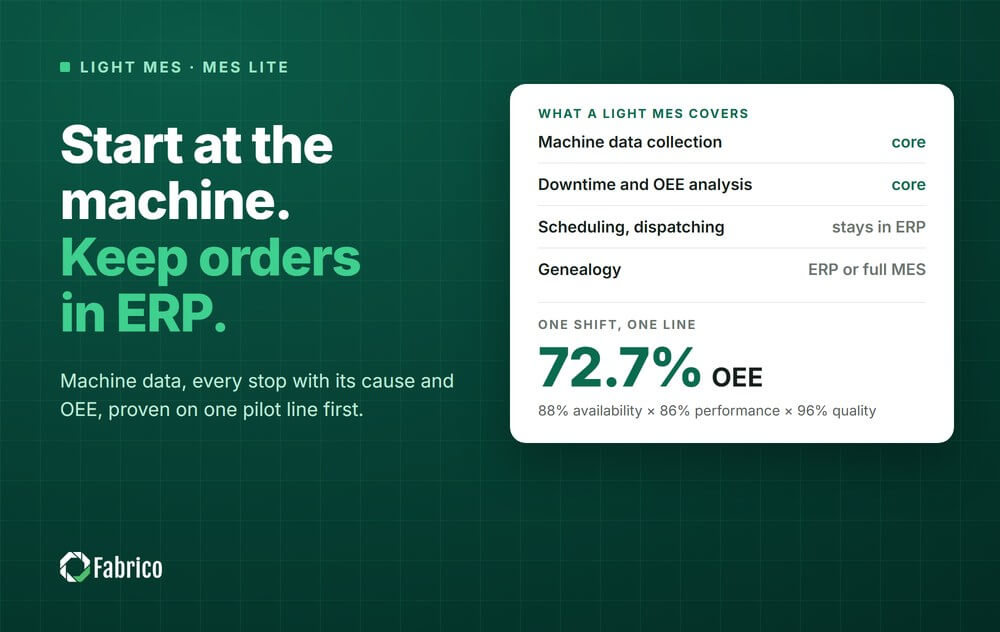
This is the kind of figure a light MES produces at the end of every shift, without anyone adding it up.
The figure on its own says little. The split says where to look: quality is fine, and the line lost about the same output to stops as to slow running. A shift log on paper usually lists the long stops. It rarely lists the four-minute ones, and those land in "performance" with no cause attached. A light MES records each of them with its time and length, so the 54 minutes and the slow running can both be ranked by cause the next morning.
For the formula and more worked cases, see our guide to OEE calculation and the full guide to overall equipment effectiveness.
A light MES is meant to prove itself small before it grows. The pilot that convinces a plant manager has four moves.
What your side needs ready: network access at the line, access to the PLC where there is one, a first list of stop reasons short enough for an operator to use, and one owner who reviews the numbers each week. For a week-by-week view, read the cloud MES rollout timeline.
A demo on sample data proves little. Ask each vendor to answer these for one of your own lines.
Our MES software buying guide goes deeper on each point, and the light MES alternatives review compares five products side by side.
Sometimes, and it depends on the product. Some vendors add order functions over time, some integrate with a planning tool or the ERP, and some expect you to move to a full MES once you need genealogy.
The data you collect is not wasted either way. Clean machine data, a stop-reason list the operators actually use and a habit of weekly loss reviews are what a full MES project needs on day one, and most plants do not have them. That is why a light MES is often the first step of a larger project, not a substitute for it. More on how the two relate in OEE software vs MES.
Fabrico is a light MES in the performance-first sense: machine data collection, production monitoring, OEE and downtime analytics, and integration with SAP and other ERP systems. Job dispatching, BOMs, routings and genealogy stay in your ERP, and production planning and scheduling are not part of Fabrico today.
Most customers reach ROI in 3 months. The full scope is on our MES and OEE software page. To see your own losses with a price tag, book a demo or start with a pilot on one representative line.
MES lite, light MES and lightweight MES are names for an MES that covers only part of the full function set. Most often it means the performance-first part: machine data collection, production monitoring, downtime tracking and OEE, with orders and BOMs left in the ERP. Some vendors use the same name for station apps or for a trimmed order system, so ask what the product records without anyone typing.
The two overlap. OEE software measures where each machine loses time and output. A light MES usually wraps that measurement in live production monitoring, data collection from every kind of machine and a link to the ERP. Neither one plans or dispatches production orders.
No. Machines with a usable PLC can be read directly, older machines can get add-on sensors, and manual stations can be covered by cameras or by operator input. Ask the vendor how each machine on your pilot line will report before you sign.
A pilot line can show live data within days to a few weeks, depending on the vendor and on how ready your network and machines are. A plant-wide rollout takes longer because every line needs its connection, its reason list and its trained shift leads. With Fabrico, a pilot line is live in days and the full rollout is complete in 3 to 4 months.
No. The ERP keeps orders, BOMs, routings and costs. The light MES adds what the ERP cannot see: what each machine did, when it stopped and why. The two exchange data, so planners and the shop floor work from the same figures.
Plants whose biggest losses are downtime, slow running and scrap, and whose ERP already runs orders well enough. That includes small and mid-sized manufacturers with no MES team, and manufacturing groups that want the same loss data from every site before they commit to a plant-wide project.
When regulators or customers require full genealogy or electronic batch records, when high-mix production makes dispatching and routing the daily pain, or when work instructions with sign-offs must be enforced at every station. Those are full MES functions.
See a light MES on your own line: book a demo.







 Login
Login
 Blog
Blog