"We run on Microsoft, but our technicians run on paper."
This is a common paradox. Companies invest millions in Microsoft Dynamics 365, only to find that the maintenance team refuses to use it. Why? Because clicking through 10 screens to log a "Filter Change" is inefficient.
The result: "Shadow Data." Technicians keep their own notes, and the ERP data becomes inaccurate.
In 2026, you don't have to choose between the ERP and the User Experience. You can integrate. The best CMMS tools act as a "Mobile Skin" for Dynamics. They give the technician a fast, easy app, while automatically feeding the cost data back to Microsoft for the finance team.
Here are the 5 best tools to bridge the gap.
The Comparison Matrix (2026)
| Software |
Best For... |
Integration Method |
Dynamics Module Focus |
Mobile UX |
| 1. Fabrico |
Unified (OEE + Maint) |
API / Power Automate |
Supply Chain (Assets) |
Best-in-Class |
| 2. Dynaway |
Native Extension |
Built inside Dynamics |
Asset Management |
High (Native) |
| 3. Fiix |
Rockwell Users |
Integration Hub |
Finance / POs |
High |
| 4. UpKeep |
Facilities |
Zapier / API |
Purchase Orders |
High |
| 5. Microsoft Power Apps |
DIY Customization |
Native Platform |
Any |
Varies (DIY) |
1. Fabrico: The "Operational" Layer
Verdict: The best choice for manufacturers who want to feed Machine Data (PLC/OEE) into Dynamics, not just Work Orders.
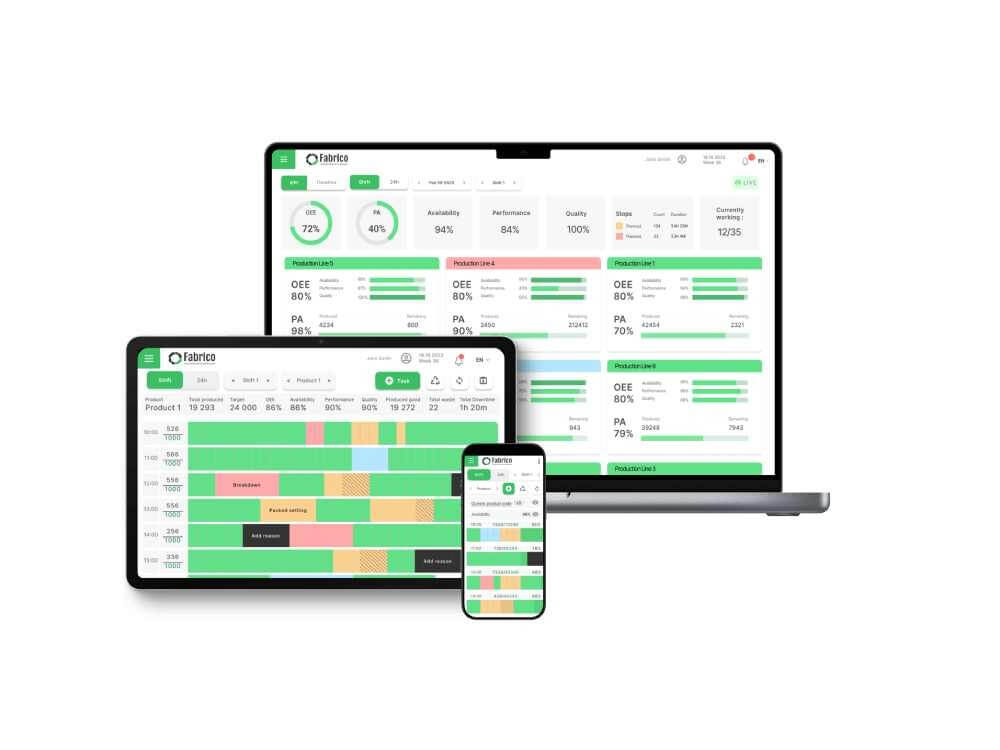
Fabrico extends Dynamics by adding the "Machine Intelligence" layer. While Dynamics tracks the asset's book value, Fabrico tracks its real-time health.
Why It Wins with Dynamics:
-
Two-Way Sync: Fabrico pulls Asset and Spare Parts master data from Dynamics. It pushes Labor Hours and Part Consumption back to Dynamics. This keeps Finance happy without slowing down Maintenance.
-
OEE Enrichment: Dynamics doesn't natively track OEE or Micro-Stops well. Fabrico captures this granular production data and can summarize it for the ERP, giving you a true "Cost of Goods Sold" calculation.
-
Visual Context: Dynamics stores text. Fabrico stores Video. When a work order is synced to Dynamics, it includes the link to the "Inefficiencies Zoom-In" video clip, giving engineers context that the ERP lacks.
Best For: Manufacturing plants running Dynamics 365 Supply Chain Management (F&O).

2. Dynaway: The "Built-In" Extension
Verdict: The standard for companies that want a CMMS that lives inside the Dynamics interface.
Dynaway is a Microsoft ISV (Independent Software Vendor). Their software is built specifically to sit on top of the Dynamics 365 Asset Management module.
Pros:
-
Native Look & Feel: It doesn't look like a third-party app; it looks like Microsoft.
-
No Integration Headaches: Because it lives inside the D365 environment, data sync is seamless.
Cons:
-
Complexity: Because it adheres to Microsoft's logic, it can inherit some of the rigidity and "click-heaviness" of the ERP.
-
Siloed from OEE: It focuses on Maintenance, but doesn't necessarily bring the deep Production OEE or Computer Vision capabilities of an independent platform like Fabrico.
Best For: Companies who want a "Single Vendor" (Microsoft) strategy.
3. Fiix (Rockwell Automation): The "Enterprise" Connector
Verdict: A strong choice for companies that need to connect Dynamics to Rockwell Automation hardware.
Fiix has a robust "Integration Hub" that includes pre-built connectors for Microsoft Dynamics.
Pros:
Cons:
Best For: Large enterprises with mixed Rockwell/Microsoft environments.
4. UpKeep: The "Lightweight" Connector
Verdict: Good for facilities teams using Dynamics Business Central (NAV) or simpler ERP instances.
UpKeep connects to Microsoft via API or middleware (like Zapier/Workato). It’s great for syncing simple inventory transactions.
Pros:
Cons:
Best For: Small to mid-sized businesses (SMBs) using Business Central.
5. Microsoft Power Apps (DIY): The "Build Your Own"
Verdict: For IT teams who want to build a custom maintenance app on the Power Platform.
Since you already own Dynamics, you likely own Power Apps. You can build a custom "Technician Interface" that feeds directly into the ERP.
Pros:
Cons:
-
Maintenance Burden: You are now a software development company. You have to maintain the app, fix bugs, and update it when Dynamics updates.
-
No Pre-Built Logic: You have to build the PM scheduling logic, the inventory logic, and the OEE logic from scratch.
Best For: IT-heavy organizations with developers on staff.
Take a live tour with a product expert


 Login
Login
 Blog
Blog