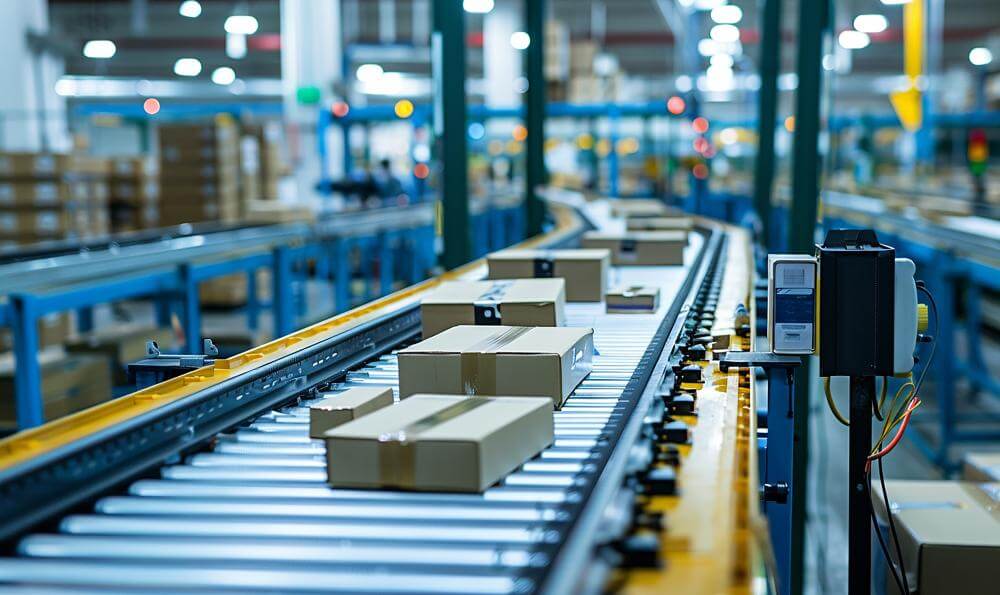
If you manage a modern Warehouse or Distribution Center, you aren't managing static shelves anymore.
You are managing a complex machine.
Automated Storage and Retrieval Systems (ASRS), high-speed Sorters, and miles of Conveyors make your facility look more like a car factory than a warehouse.
-
If a Motor fails on the main sorter, 50 trucks miss their departure window.
-
If a Photo-Eye gets dirty, packages jam and pile up.
Generic "Facility" software (used for fixing lights and toilets) cannot handle the precision maintenance required for automation. You need Warehouse Control Maintenance Software.
Here are the 5 Best CMMS Tools for Logistics and Warehouse Automation in 2026.
1. Fabrico: The "Uptime-First" Solution
Best For: Automated DCs that need to link Conveyor Health to Operational Throughput.
Fabrico treats your warehouse automation like production equipment.
We integrate OEE (Availability/Performance) with Maintenance to ensure your material handling equipment (MHE) never becomes the bottleneck.
Why Logistics Leaders Choose Fabrico:
-
Jam & Stop Detection: Fabrico connects to the Warehouse Control System (WCS). If the main sorter jams, Fabrico logs the downtime event and triggers a "Rapid Response" work order for the floor technician.
-
Conveyor Health Monitoring: We track the runtime hours of critical drive motors. Instead of waiting for a belt to snap, Fabrico triggers a tension check after 1,000 running hours.
-
Spare Parts Speed: In a DC, speed is everything. Fabrico’s mobile app allows technicians to scan a broken roller, find the exact spare part bin, and issue it instantly. No walking back to the shop.
-
Visual Troubleshooting: Automation systems are complex. Fabrico allows you to attach "Fault Recovery Guides" (Digital SOPs) to specific error codes, helping new technicians clear jams faster.
The Verdict: If you view your warehouse as a high-speed production line, Fabrico is the specialized choice.

2. Honeywell Forge (EAM)
Best For: Honeywell / Intelligrated ecosystems.
If your facility runs on Honeywell Intelligrated hardware, their native software is a strong contender.
-
Pros: Seamless integration with Honeywell loop sorters and palletizers. It provides deep "Asset Health" diagnostics for their specific hardware.
-
Cons: It is a "Walled Garden." It works great for Honeywell assets but can be clunky when managing third-party equipment (e.g., Dematic or Vanderlande) or general facility assets.
-
The Difference: Honeywell is for the OEM assets; Fabrico is for the whole facility.
3. Fiix (Rockwell Automation)
Best For: DCs with heavy PLC integration.
Many conveyor systems run on Rockwell (Allen-Bradley) controls. Fiix connects well to this layer.
-
Pros: Strong ability to pull tag data from PLCs to trigger maintenance. Good multi-site reporting if you manage a network of regional hubs.
-
Cons: It is an enterprise manufacturing tool. It can feel heavy and complex for a logistics team that wants a lighter, faster user interface.
-
The Difference: Fiix is a heavy engineering tool; Fabrico is an agile operational tool.
4. UpKeep
Best For: Facility-heavy warehouses.
If your maintenance team spends 80% of their time on dock doors, lighting, and HVAC (and less on automation), UpKeep is ideal.
-
Pros: "Mobile First" design. It is excellent for tracking facility requests ("The dock leveler is stuck"). Very easy to deploy across a large network of simple warehouses.
-
Cons: It lacks the "Machine Data" depth required for predictive maintenance on high-speed sorters. It treats a complex ASRS crane the same as a bathroom fan.
-
The Difference: UpKeep is for the building; Fabrico is for the automation.
5. IBM Maximo
Best For: Global logistics giants (FedEx/DHL scale).
Maximo is the standard for massive asset portfolios.
-
Pros: Infinite scalability. It manages the fleet (trucks), the facility (hubs), and the automation in one database. Unrivaled supply chain logic.
-
Cons: Extremely expensive and slow to implement. It requires a dedicated IT team. It is not agile enough for a single mid-sized distribution center.
-
The Difference: Maximo is for the global network; Fabrico is for the site reliability.
Comparison Matrix: Logistics vs. Facilities
| Feature |
Fabrico |
Honeywell |
Fiix |
UpKeep |
Maximo |
| Automation Integration |
✅ Native |
✅ Native |
✅ Native |
❌ No |
✅ Custom |
| Asset Hierarchy |
✅ Deep |
✅ Deep |
✅ Deep |
⚠️ Flat |
✅ Deep |
| Mobile Experience |
Excellent |
Technical |
Good |
Excellent |
Complex |
| Spare Parts |
✅ Advanced |
✅ Advanced |
✅ Good |
✅ Basic |
✅ Advanced |
| Setup Speed |
Weeks |
Months |
Months |
Days |
Years |
Summary: Don't Let the Sorter Stop
In logistics, every second of downtime is a package that misses its flight.
-
Choose Honeywell if you run 100% Intelligrated hardware.
-
Choose UpKeep if you just need to fix dock doors and lights.
-
Choose Fabrico if you manage Automation. If you need to keep the belts moving, the scanners scanning, and the sorters sorting using real-time data and predictive maintenance, Fabrico is the robust solution.
Deliver on time.
[Book a Demo with Fabrico] to see how we help distribution centers maximize uptime.


 Login
Login
 Blog
Blog