Dozuki is famous for creating beautiful, step-by-step documentation.
If you need to write a user manual for a medical device or a strict ISO procedure, it is a fantastic tool.
But a manual is not a workflow.
In a factory, instructions need to be tied to action.
-
When the machine breaks, the "Troubleshooting Guide" should appear automatically.
-
When the PM is due, the "Lubrication Steps" should be part of the ticket.
-
When the part is replaced, the "Inventory" should update.
Dozuki is a Library. Manufacturers need an Operating System.
Here are the 5 Best Dozuki Alternatives for 2026.
1. Fabrico: The "Actionable SOP" Solution
Best For: Manufacturers who want to embed instructions directly into Maintenance & Production workflows.
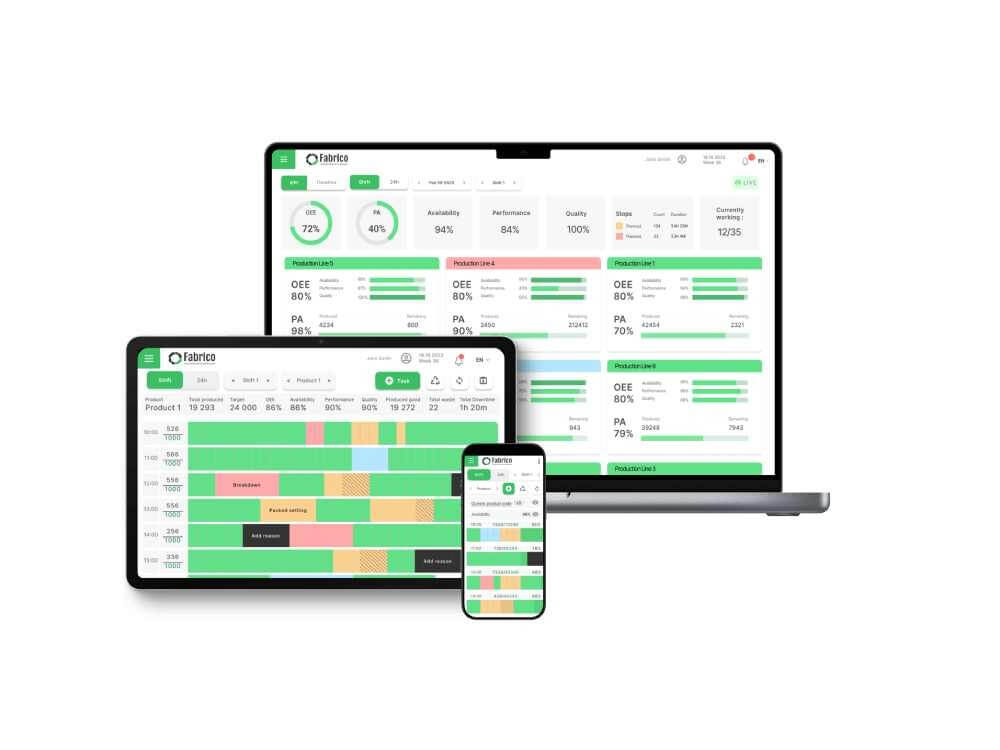
Fabrico takes the documentation power of Dozuki and puts it inside the CMMS.
We believe that an instruction is useless unless it is attached to a Work Order.
Why Quality Leaders Switch to Fabrico:
-
Embedded Instructions: Instead of searching for a manual, the technician opens the Work Order and sees the Digital SOP right there. Step 1, Step 2, Step 3.
-
Forced Compliance: You can make steps mandatory. The technician cannot close the repair ticket until they upload a photo of the torque setting. Dozuki tracks "Reads"; Fabrico tracks "Compliance."
-
OEE Triggers: If a machine throws an error code (via PLC), Fabrico automatically serves the correct troubleshooting guide to the operator. The "Instruction" meets the "Need" instantly.
-
One Platform: You don't need a separate documentation bill. Your SOPs, Maintenance Schedule, and Spare Parts live in one system.
The Verdict: If you want your SOPs to be executed, not just archived, Fabrico is the integrated choice.

2. Poka (IFS)
Best For: Video-based training and skills management.
Poka is the "YouTube" of the factory floor.
-
Pros: Best-in-class video support. Operators can film a 30-second "One Point Lesson" on how to clear a jam and share it with the team. It is excellent for capturing tribal knowledge.
-
Cons: It focuses on Training and Knowledge Sharing. It is less rigorous on the Asset Management side (Spare Parts, Lifecycle Costing) than a dedicated CMMS like Fabrico.
-
The Difference: Poka is for learning; Fabrico is for doing.
3. SwipeGuide
Best For: Minimalist, mobile-first instructions.
SwipeGuide focuses on simplicity. It forces authors to write short, clear steps that fit on a phone screen.
-
Pros: Great user experience (UX). The "Swipe" interface is very intuitive for operators. It reduces the cognitive load of complex text manuals.
-
Cons: Like Dozuki, it is an instruction island. It doesn't natively trigger the maintenance work order or track the spare parts consumption associated with the task.
-
The Difference: SwipeGuide simplifies the text; Fabrico automates the process.
4. Parsable
Best For: Complex "Connected Worker" flows.
Parsable is an enterprise tool for digitizing complex human processes.
-
Pros: Powerful logic engine. You can build "If/Then" workflows (e.g., "If Pressure > 50, Show Safety Warning"). It collects granular data on how long each step takes.
-
Cons: It is heavy and expensive. Implementation is a project. It is often too complex for a maintenance team that just wants a checklist attached to a repair order.
-
The Difference: Parsable is for process engineers; Fabrico is for maintenance teams.
5. SafetyCulture (iAuditor)
Best For: Inspection checklists and audits.
SafetyCulture is the standard for "Pass/Fail" inspections.
-
Pros: Extremely easy to build forms. Great for Safety Audits, Quality Checks, and simple SOPs.
-
Cons: It creates a data silo. The inspection happens in SafetyCulture, but the fix happens in the CMMS. You have to manually bridge the gap.
-
The Difference: SafetyCulture checks the standard; Fabrico executes the work.
Comparison Matrix: Library vs. Workflow
| Feature |
Fabrico |
Dozuki |
Poka |
SwipeGuide |
Parsable |
| Work Order Link |
✅ Native |
❌ No |
❌ No |
❌ No |
✅ Native |
| OEE Trigger |
✅ Native |
❌ No |
❌ No |
❌ No |
⚠️ API |
| Version Control |
✅ Yes |
✅ Deep |
✅ Yes |
✅ Yes |
✅ Deep |
| Video Support |
✅ Yes |
✅ Yes |
✅ Deep |
✅ Yes |
✅ Yes |
| Cost |
Value |
Premium |
Premium |
Mid |
Premium |
Summary: Don't Just Read. Act.
Standardized Work is the foundation of quality.
-
Choose Dozuki if you are an ISO auditor who needs perfect version history.
-
Choose Poka if you need to train new hires using video.
-
Choose Fabrico if you are a Plant Manager. If you want your SOPs to drive daily maintenance execution and machine reliability, Fabrico is the operational solution.
Operationalize your knowledge.
[Book a Demo with Fabrico] to see how we turn static manuals into dynamic workflows.


 Login
Login
 Blog
Blog