Microsoft Excel is the most popular maintenance software in the world. It is also the most dangerous.
Excel is a "System of Record." It is a digital filing cabinet. It is fantastic for analyzing data after the fact, but it is terrible at managing work during the shift.
-
Excel doesn't buzz a technician's phone when a conveyor stops.
-
Excel doesn't automatically deduct a spare part when you use it.
-
Excel doesn't work when you are in a basement without Wi-Fi.
Eventually, every Maintenance Manager hits the "Spreadsheet Wall." You spend more time fixing broken formulas and managing "Version Control" issues than fixing machines.
In 2026, switching from Excel to a CMMS is easier than ever. Here are the 5 best Excel Alternatives for Maintenance Management.
Why Excel is Costing You Millions
The hidden cost of Excel is Latency.
-
The Excel Way: A breakdown happens. The tech fixes it. At 4:00 PM, they write it on paper. On Friday, the clerk types it into Excel. You analyze the data on Monday. Lag Time: 5 Days.
-
The CMMS Way: A breakdown happens. The tech logs it on their phone instantly. You see the data immediately. Lag Time: 0 Seconds.
To run a proactive factory, you need a "System of Action"—software that drives the workflow, rather than just recording it.
Top 5 Excel Alternatives for Maintenance Management (Ranked)
1. Fabrico
Best For: Manufacturing Execution (From Static to Dynamic).
The "Easy Migration" Advantage:
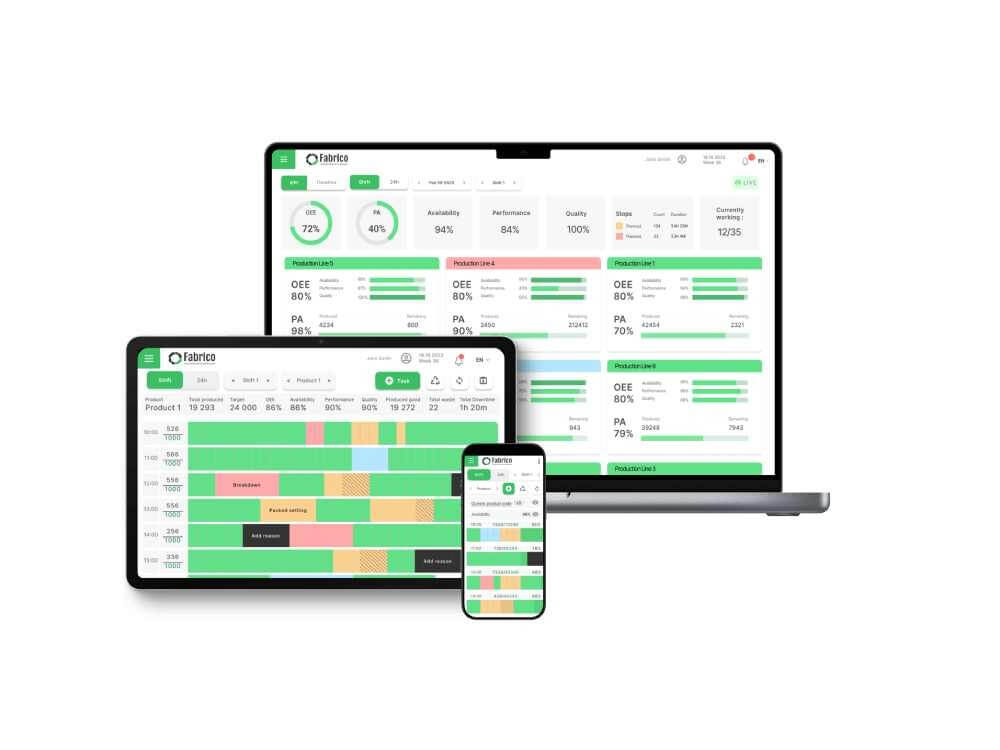
Fabrico is designed for teams graduating from Excel. It keeps the things you like (simple tables, easy filtering) but adds the "Smart Factory" features you need (Mobile App, OEE, Alerts).
Why It Beats Excel:
-
Bulk Import: You don't have to start from scratch. Drag your existing Asset List .csv into Fabrico, and it populates your hierarchy instantly.
-
Automated Triggers: In Excel, you have to remember to schedule the PM. In Fabrico, the system triggers the PM automatically based on dates or PLC Cycle Counts.
-
Unified Inventory: When a part is used, Fabrico deducts it from stock and updates the cost. Excel requires a complex (and fragile) web of VLOOKUP formulas to do this.
-
Field-Ready: Technicians carry the database in their pocket via the offline-capable app.
Pros:
-
Fastest migration path for manufacturing teams.
-
Native OEE integration (Excel can't talk to your machines).
-
User-friendly interface drives high adoption.
Cons:

2. Smartsheet
Best For: Project Management Lovers.
Overview:
If your team loves the Grid View of Excel and refuses to change, Smartsheet is the gentle upgrade. It looks exactly like a spreadsheet but adds cloud collaboration, file attachments, and basic alerts.
Key Features:
-
Grid View: Familiar spreadsheet interface.
-
Gantt Charts: Great for planning long shutdowns or projects.
-
Forms: Easy way to collect work requests.
Pros:
Cons:
3. MaintainX
Best For: Mobile-First Users.
Overview:
Excel is a desktop tool. MaintainX is a mobile tool. If your primary goal is to get data out of the office and onto the shop floor, MaintainX is the polar opposite of a spreadsheet. It creates a chat-based, feed-style workflow.
Key Features:
-
Digital Procedures: Turns rows of Excel checklists into tappable mobile forms.
-
Chat: replaces email/notes.
-
Photo Capture: You can't put a photo in an Excel cell easily. In MaintainX, it's native.
Pros:
Cons:
4. Limble CMMS
Best For: Self-Service Setup.
Overview:
Limble CMMS has built its reputation on being the "Easiest CMMS." Their onboarding wizards are specifically designed to ingest Excel data. They offer templates that map your spreadsheet columns to their database fields (Asset Name, Make, Model, Serial #).
Key Features:
-
Import Wizard: Step-by-step guide to uploading data.
-
Asset Cards: Turns a row of data into a visual "Card" with QR codes.
-
PM Scheduler: Automates the recurring tasks you used to track in columns.
Pros:
Cons:
5. Airtable
Best For: DIY Low-Code Builders.
Overview:
Airtable is "Excel on Steroids." It is a relational database that looks like a spreadsheet. If you are a technical manager who likes building your own systems, Airtable allows you to create a custom CMMS from scratch without knowing how to code.
Key Features:
-
Relational Linking: Link "Assets" to "Parts" to "Vendors" easily (better than VLOOKUP).
-
Interface Designer: Build custom dashboards.
-
Automations: "When status changes to Broken, send Slack message."
Pros:
-
Infinite flexibility.
-
Modern, clean interface.
Cons:
Comparison Matrix: Excel vs. Alternatives
| Feature |
Fabrico |
Excel |
Smartsheet |
MaintainX |
Airtable |
| Mobile Access |
Native App |
Poor |
App (Grid) |
Best-in-Class |
App (Data) |
| Auto-Triggers |
Yes (Time/PLC) |
No (Manual) |
Basic (Date) |
Yes |
Basic (Date) |
| Inventory Logic |
Native |
Manual Formula |
No |
Native |
Custom Build |
| Offline Mode |
Yes |
No |
No |
Yes |
No |
| Best For |
Manufacturing |
Analysis |
Projects |
Communication |
DIY Builders |
The Migration Strategy: Don't Fix It in Excel
The biggest mistake managers make is trying to "clean" their data in Excel before buying software.
Don't do it.
-
Export: Save your messy spreadsheet as a CSV.
-
Import to Fabrico: Use the Bulk Import tool.
-
Clean in Fabrico: It is much faster to merge duplicates, add photos, and generate QR codes inside the software than to fiddle with rows and columns.
Conclusion
-
If you just want Alerts on your spreadsheet, use Smartsheet.
-
If you want to Build Your Own app, use Airtable.
-
If you want to replace your spreadsheet with a Professional Manufacturing System that automates Work Orders, Inventory, and OEE without the IT headache, Fabrico is the best Excel alternative.
Import your spreadsheet today. Get a free Fabrico Demo.


 Login
Login
 Blog
Blog