Managing Maintenance, Repair, and Operations (MRO) inventory is vastly different from managing finished goods.
In a warehouse, inventory moves in predictable pallets. In maintenance, inventory moves in chaotic bursts. A technician needs a $5 bearing right now to fix a machine that is losing $10,000 an hour.
If your MRO Inventory Management Software is clunky or requires walking back to a desktop PC, technicians won't use it.
They will take the part, not log it, and create "Ghost Inventory" (where the system says you have 5, but the shelf is empty).
In 2026, the best software moves inventory control to the Point of Use. Here are the 5 best tools to secure your spares.
Why MRO Inventory Management is Different from ERP
Many companies try to run spare parts through their ERP (like SAP or NetSuite). This usually fails on the shop floor.
-
ERPs are for Finance: They care about value, not location or speed.
-
Adoption Friction: If it takes 12 clicks to issue a bolt in the ERP, the technician will skip it.
-
The Solution: You need specialized MRO software that integrates with the ERP but gives the technician a "One-Click" mobile interface.
Top 5 MRO Inventory Management Software Tools (Ranked)
1. Fabrico
Best For: Point-of-Use Accuracy & Mobile Consumption.
The "Scan-to-Consume" Advantage:
Fabrico solves the #1 cause of inventory inaccuracy: Human Laziness.
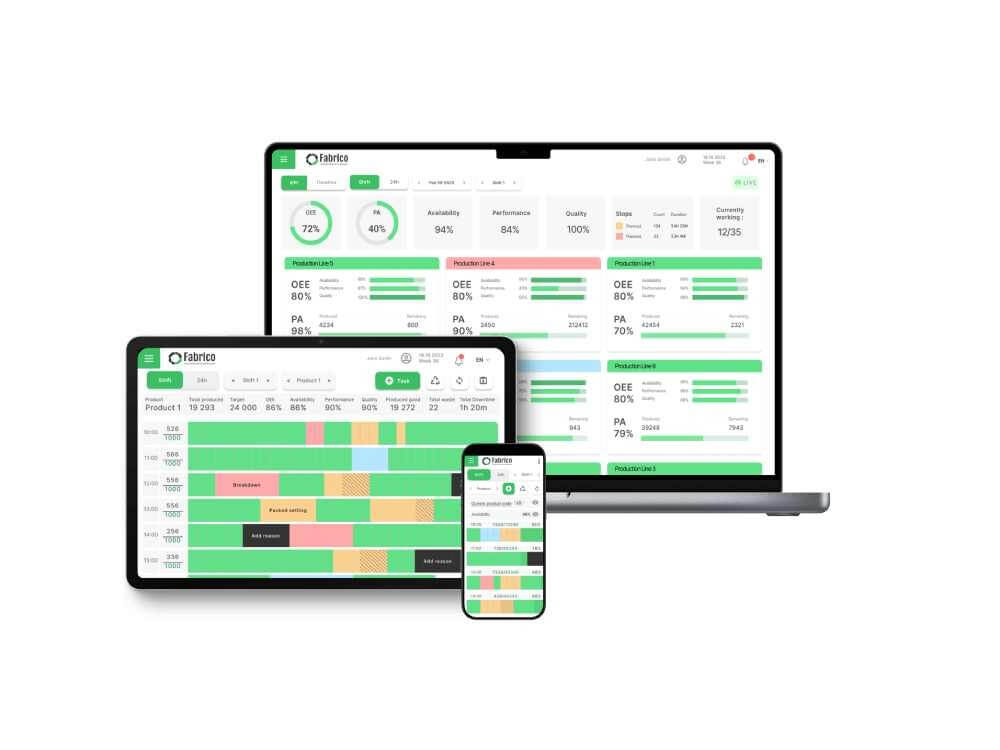
Fabrico’s mobile app turns every technician’s smartphone into a barcode scanner. When a technician grabs a part, they scan the QR code on the bin and the QR code on the machine.
-
The part is instantly deducted from inventory.
-
The cost is automatically assigned to that specific asset (for Lifecycle Costing).
-
If stock hits the "Min" level, a purchase request is auto-generated.
Key Inventory Features:
-
Offline Write-Off: Techs can issue parts even in Wi-Fi dead zones; data syncs when they reconnect.
-
Multi-Site Visibility: See if a sister plant has the critical motor you need before ordering a new one.
-
Supplier Management: Track vendor lead times and pricing directly in the app.
-
Audit Trail: See exactly who took the part and when, eliminating the "Mystery Missing Part" phenomenon.
Pros:
-
Highest adoption rate (easy to use).
-
Eliminates "Ghost Inventory."
-
Links Inventory directly to Maintenance Execution (Work Orders).
Cons:

2. Fiix (Rockwell Automation)
Best For: Kitting & Planned Work.
Overview:
Fiix is a strong contender for organizations that rely heavily on Planned Maintenance. Its standout feature is "Parts Kitting." When you schedule a 500-hour service on a packer, Fiix allows you to "Reserve" the specific belt and filter needed for that job.
Key Inventory Features:
-
Stock Reservation: Prevents one tech from using a part that was meant for tomorrow's big overhaul.
-
Rotating Assets: Tracks repairable spares (like motors) that are sent out for refurbishment and returned to stock.
-
Cycle Counting: Generates random cycle count tasks to keep inventory accurate.
Pros:
Cons:
3. UpKeep
Best For: Facilities & Barcode Search.
Overview:
UpKeep is fantastic for visual searching. If your spare parts room is messy, UpKeep helps technicians find things. Its mobile app focuses heavily on the "Search" experience, allowing users to scan a part to see which bin it should be in, or search by name to find the aisle.
Key Inventory Features:
-
Bin Location Tracking: Clear hierarchy of Room > Aisle > Shelf > Bin.
-
Warranty Tracking: Alerts you if a broken part is still under warranty.
-
Request Portal: Allows staff to request new parts easily.
Pros:
Cons:
4. Sortly
Best For: Simple Visual Inventory (Small Teams).
Overview:
Sortly is not a CMMS; it is a pure Inventory Management app. It is incredibly visual and easy to use. You take pictures of everything, organized in folders. For smaller manufacturing shops that just need to "know what we have" without complex maintenance logic, Sortly is a cheap, fast solution.
Key Inventory Features:
-
Visual Folders: Looks like a photo album of your parts.
-
QR/Barcode Generation: Prints custom labels easily.
-
Low Stock Alerts: Simple email notifications.
Pros:
Cons:
5. SAP PM / MM (Materials Management)
Best For: Financial Compliance (Enterprise).
Overview:
For global enterprises, SAP is the inescapable reality. The Materials Management (MM) module is the "System of Record" for all purchasing and valuation. It is powerful for finance but painful for maintenance.
Key Inventory Features:
-
Global Purchasing: Centralized procurement for 50+ plants.
-
Valuation: Precise depreciation and ledger tracking.
-
Master Data: Single source of truth for part numbers.
Pros:
Cons:
-
Usability: It is nearly impossible for a technician to use SAP MM on a phone while fixing a machine.
-
Recommendation: Use SAP as the "Backend" and a tool like Fabrico as the "Frontend" interface for the technicians.
Comparison Matrix: Inventory Features
| Feature |
Fabrico |
Fiix |
UpKeep |
Sortly |
SAP MM |
| Primary Focus |
Point-of-Use Execution |
Planned Kitting |
Visual Search |
Simple Counting |
Finance/Purchasing |
| Mobile Write-Off |
Excellent (Offline) |
Good |
Good |
Excellent |
Poor |
| Work Order Link |
Native |
Native |
Native |
No (Disconnected) |
Complex |
| Min/Max Alerts |
Yes |
Yes |
Yes |
Yes |
Yes |
| Best For |
Manufacturing |
Enterprise |
Facilities |
Small Shops |
Global Finance |
The "Cycle Count" Strategy
Don't wait for the annual audit to fix your inventory. Use your MRO software to implement Cycle Counting:
-
Classify Parts: Identify your "Category A" (High Value/Critical) parts.
-
Daily Tasks: Have the software automatically generate a task for the storekeeper to count 10 distinct "Category A" bins every morning.
-
Correction: Adjust the count instantly in the app.
Conclusion
If you want simple, disconnected counting, choose Sortly.
If you are a financial controller protecting the ledger, stick with SAP.
But if you are a Maintenance Manager who needs to ensure the right part is ready for the right job, Fabrico is the best MRO Inventory Management Software. It bridges the gap between the Warehouse and the Work Order.
Stop stockouts today. See Fabrico’s MRO Inventory features in action.


 Login
Login
 Blog
Blog