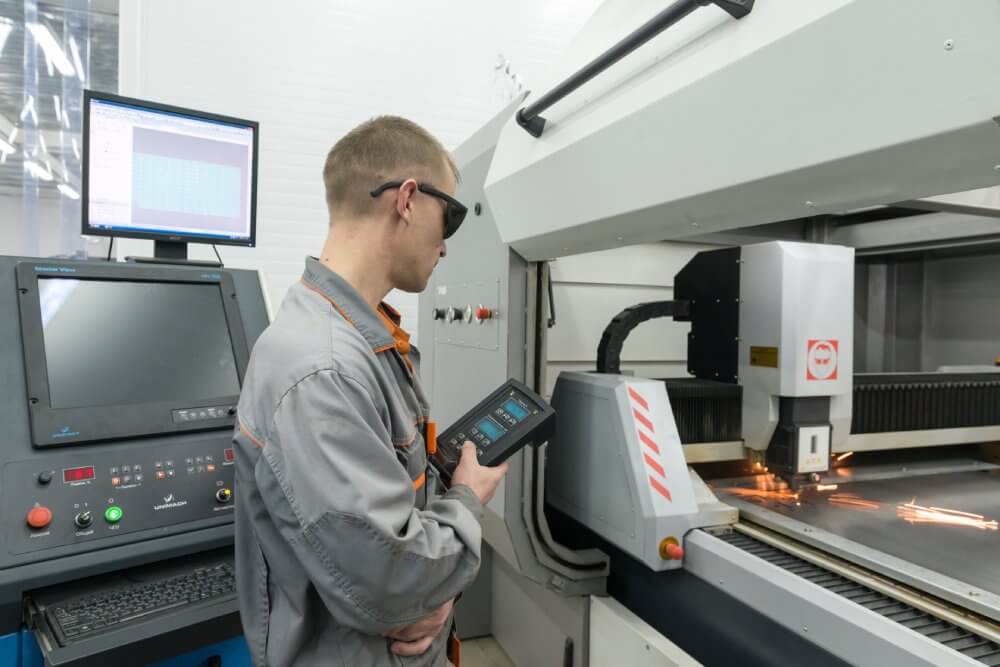
For a CNC machine shop, time is quite literally money.
If a spindle isn't turning, you aren't billing.
But "Spindle Utilization" is often a deceptive metric. A machine can run at 100% utilization while producing scrap. Or it can be "Running" (Green Light) while the operator is actually doing a dry run or "cutting air."
To survive in the low-margin world of precision machining, you need OEE (Overall Equipment Effectiveness) software that digs deeper than just "On/Off."
You need to know why the spindle stopped. Was it a tool change? A part loading delay? Or a maintenance failure?
Here are the 5 best OEE monitoring tools specifically designed for CNC machine shops.
1. Fabrico (Best for Linking OEE to Maintenance)
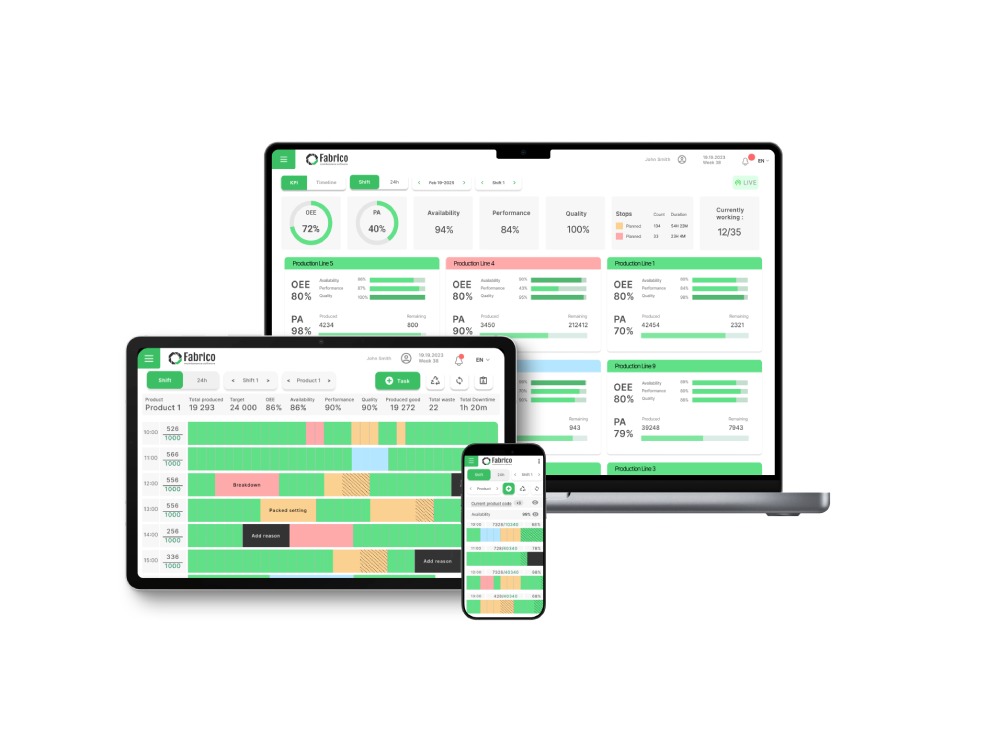
Fabrico takes a unique stance in the CNC market: "OEE Diagnoses, CMMS Cures."
Most monitoring tools are great at displaying a red dashboard when a machine goes down. But they stop there. They leave it up to the manager to yell at someone to fix it.
Fabrico closes the loop. When the OEE system detects a "Spindle Fault" or a "Coolant Low" alarm from the PLC, it doesn't just log it on a chart. It automatically generates a maintenance task for the floor team.
Key Features for CNC Shops:
-
Unified Data: Combines machine signals (Fanuc/Haas/Siemens) with operator input (setup codes).
-
Condition-Based Triggers: Automatically schedule spindle lubrication or coolant flushes based on actual runtime hours.
-
Visual Root Cause: Uses "Inefficiencies Zoom-In" (Computer Vision) to show video clips of load/unload cycles to identify bottlenecks.
-
Tool Management: Tracks tool life and automates replacement requests.
Best For: Shops that want to turn machine data into immediate maintenance action.
2. MachineMetrics (Best for Deep Analytics)
MachineMetrics is the heavyweight champion of pure CNC data extraction.
They have developed specialized adapters that can pull an incredible amount of data directly from the control of almost any modern CNC machine.
If you need to visualize the exact torque load on the Z-axis motor for every part produced, MachineMetrics is the tool for you. Their analytics engine is world-class for engineering teams looking to optimize cycle times by milliseconds.
However, they are a "Data-First" platform. Their maintenance execution features (Work Orders, Spare Parts) are lighter than dedicated CMMS tools.
Best For: High-volume production shops focused on cycle time engineering.
3. Amper (Best for Legacy Machine Retrofitting)
Amper solved the "Old Machine" problem brilliantly.
Instead of trying to hack into the serial port of a 1990s lathe, Amper uses a non-invasive clip-on sensor that monitors the electrical current of the machine.
It "learns" the electrical signature of the machine (e.g., "This spike means the spindle is cutting").
This makes installation incredibly fast—often under 15 minutes per machine.
The downside is that it lacks the deep alarm data you get from a direct PLC connection. It knows the machine stopped, but it doesn't know the specific error code.
Best For: Shops with a lot of legacy equipment where digital integration is impossible.
4. Scytec DataXchange (Best for Deep Integration)
Scytec is a favorite among manufacturing engineers who love the technical details.
It supports protocols like MTConnect, OPC UA, and Focas right out of the box. It is highly customizable and allows for complex logic scripting.
If you want to build a custom dashboard that triggers a robot arm when OEE drops below 80%, Scytec can probably do it.
However, the user interface feels more like an engineering tool than a shop-floor management system. It has a steeper learning curve for the average operator.
Best For: Technical shops with strong internal IT/Engineering resources.
5. JobBOSS² (Best for Job Shops / ERP Focus)
JobBOSS² (formerly E2) is primarily an ERP and Shop Management System, but it has strong "Shop Floor Data Collection" capabilities.
For "High-Mix / Low-Volume" job shops, OEE is less about "Machine Speed" and more about "Job Costing."
JobBOSS² excels at tracking exactly how many hours were spent on Job #1234.
While it isn't a dedicated OEE optimization tool (it won't analyze micro-stops efficiently), it is excellent for the financial side of shop management.
Best For: Job shops that need to bill customers based on accurate time tracking.
Comparison: Choosing the Right Tool
Here is how the top contenders compare for a CNC environment.
| Feature |
Fabrico |
MachineMetrics |
Amper |
Scytec |
| Primary Strength |
Actionable Maintenance & OEE |
Deep Machine Analytics |
Easy Retrofit (Clip-on) |
Custom Integration |
| Connection Method |
PLC / IoT / Vision |
Direct Control Adapter |
Electrical Current |
MTConnect / OPC UA |
| Maintenance Link |
Native (Auto-Work Orders) |
Limited |
Limited |
Limited |
| Setup Time |
Fast (Cloud/QR) |
Medium (Hardware install) |
Very Fast (Clip-on) |
Slow (Custom setup) |
| User Interface |
Technician-Friendly |
Engineer-Friendly |
Simple |
Technical |
Conclusion: Data Without Action is Waste
In Lean Manufacturing, gathering data that you don't use is considered "Waste" (Muda).
If you install a system that gives you beautiful charts of your downtime but doesn't give your team the tools to fix that downtime, you have only solved half the problem.
For shops that need deep engineering analysis, MachineMetrics is a great choice.
But for shops that want to keep spindles turning by integrating machine health with maintenance execution, Fabrico is the unified solution.
Ready to stop cutting air?
See how Fabrico connects your spindles to your technicians.
Book a Demo with Fabrico Today


 Login
Login
 Blog
Blog