Is your maintenance team busy, but your machines keep breaking?
This is a classic sign of PM Bloat. Over the years, factories accumulate Preventive Maintenance (PM) tasks like junk in a garage.
-
The manufacturer suggested a weekly check (to be safe).
-
A manager added a daily check after a breakdown 5 years ago.
-
The result: Your technicians spend 80% of their time inspecting healthy machines ("Pencil Whipping") and have no time to fix the sick ones.
Preventive Maintenance Optimization (PMO) is the process of trimming the fat. It means moving from "Just in Case" (Calendar) to "Just in Time" (Condition).
In 2026, you need software that makes this transition easy. Here are the 5 best tools for PM Optimization.
Why Your PM Schedule is Bloated
Most legacy CMMS tools encourage bloat because they are Calendar-First.
-
The Calendar Trap: You set a PM for "Every Monday." If the machine didn't run all week, the PM still triggers. The technician does it anyway (waste).
-
The Optimization Fix: You need software that listens to the machine. "Only trigger this PM if the machine ran > 50 hours."
-
The Feedback Loop: You need a way for technicians to say: "This PM finds nothing. Delete it."
Top 5 Software Tools for Preventive Maintenance Optimization (Ranked)
1. Fabrico
Best For: Usage-Based Optimization (From Calendar to Condition).
The "Data-Driven" Advantage:
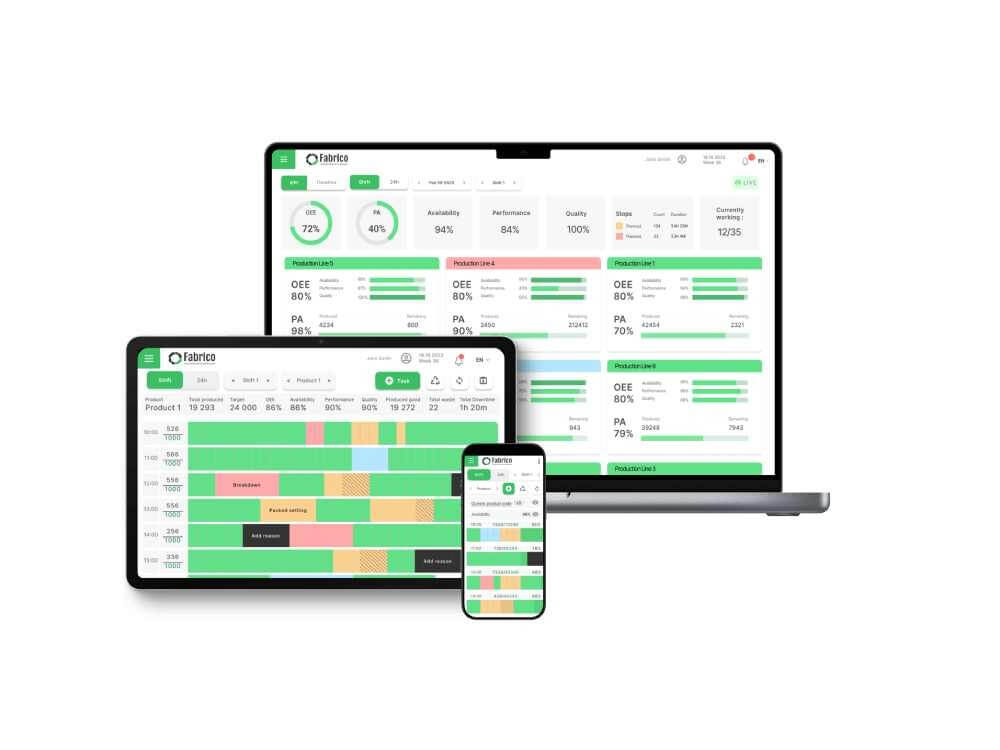
Fabrico is the ideal tool for PMO because it connects the Plan to the PLC. It allows you to move up the maintenance maturity ladder without a complex engineering project.
How It Optimizes PMs:
-
Usage Integration: Instead of guessing "Weekly," you map the PM to the PLC's "Run Hours" tag. If the machine is idle, the PM doesn't generate. You instantly save labor hours.
-
Visual Validation: Not sure if a "Cleaning PM" is needed? Use the Inefficiencies Zoom-In (Video) to watch the machine run. If it isn't dirty, extend the interval.
-
Technician Feedback: Fabrico’s mobile app allows technicians to add notes/photos to the PM completion. If they log "Clean" for 10 weeks in a row, the manager knows to extend the interval to "Monthly."
Pros:
-
Easiest tool for converting Calendar PMs to Usage PMs.
-
Unified Data: Links PM history to Breakdown history to see if the PM is actually working.
-
Eliminates "Maintenance on Idle Assets."
Cons:

2. Fiix (Rockwell Automation)
Best For: PM Library Management.
Overview:
Fiix is excellent for organizing the chaos. If you have 5,000 active PMs, Fiix’s Nested PM structure helps you group them logically. You can create "A/B/C" schedules (e.g., A=Monthly, B=Quarterly, C=Yearly) to ensure tasks don't overlap or conflict.
Key PMO Features:
-
Nested Scheduling: Automatic suppression of small PMs when a big PM is due.
-
Asset Health Monitor: Highlights assets that are "Over-Maintained" (High Cost, High Reliability).
-
Compliance Reporting: Identify which PMs are constantly skipped (a sign they might be useless).
Pros:
Cons:
3. ReliaSoft (HBK)
Best For: RCM Analysis (Heavy Engineering).
Overview:
ReliaSoft is not a CMMS; it is a Reliability Engineering tool. It is used for "Weibull Analysis"—the statistical math used to determine the exact perfect time to replace a component.
If you are running a nuclear plant or an aircraft engine line, you use ReliaSoft to calculate that the bearing fails at exactly 10,000 cycles, so you set the PM for 9,500.
Key PMO Features:
-
Weibull Analysis: Statistical failure modeling.
-
RCM++: Reliability Centered Maintenance planning.
-
Simulation: "What if" modeling for changing PM intervals.
Pros:
Cons:
4. Limble CMMS
Best For: Technician Feedback Loop.
Overview:
Limble CMMS believes the Technician knows best. Its PMO strategy is social. When a technician completes a PM, Limble makes it very easy for them to rate the task or flag it.
If a technician marks a PM as "Not Needed" or "Instructions Unclear," the Manager gets a specific report: "Unnecessary PMs." This allows the manager to delete waste based on front-line intelligence.
Key PMO Features:
-
PM Rating: Techs rate the quality/necessity of the task.
-
Custom Forms: Easy to update instructions on the fly.
-
Time Tracking: See which PMs take longer than estimated.
Pros:
Cons:
5. UpKeep
Best For: Route Optimization (Facilities).
Overview:
For Facilities Management (HVAC, Lighting), "PM Bloat" often comes from travel time. UpKeep optimizes the Route. Instead of generating 50 separate Work Orders for 50 fire extinguishers, UpKeep allows you to build a single "Route-Based PM."
Key PMO Features:
-
Location grouping: Groups tasks by building/floor.
-
Map View: Visualizes the route.
-
Batch Completion: Check off multiple assets in one flow.
Pros:
Cons:
Comparison Matrix: PMO Features
| Feature |
Fabrico |
Fiix |
ReliaSoft |
Limble CMMS |
UpKeep |
| Optimization Method |
Usage Data (PLC) |
Nested Scheduling |
Statistical Math |
Tech Feedback |
Route Grouping |
| Data Source |
Real-Time Usage |
Calendar |
Failure History |
Human Opinion |
Location |
| Ease of Use |
High |
Medium |
Low (Expert) |
High |
High |
| Actionable? |
Direct Action |
Planning |
Analysis Only |
Feedback Loop |
Execution |
| Best For |
Manufacturing |
Large Libraries |
Engineering |
Team Input |
Facilities |
The "Delete 10%" Challenge
You don't need a PhD to start PMO. Start with the 10% Rule.
Use Fabrico to filter your PMs by "Completion Notes." Find the PMs that have been marked "Clean/Good" for the last 12 months straight. Delete them (or move them to 6 months).
You just saved 10% of your labor budget.
Conclusion
-
If you need Statistical Precision, use ReliaSoft.
-
If you need Technician Feedback, use Limble.
-
If you want to automate Usage-Based Maintenance and use real machine data to eliminate wasteful calendar tasks, Fabrico is the best software for Preventive Maintenance Optimization.
Stop over-maintaining. Optimize your PMs with a Fabrico Demo.


 Login
Login
 Blog
Blog