






 Login
Login
 Blog
Blog
Choosing a CMMS After a Failed Implementation: 2026 Guide

Key takeaways
- A failed CMMS rollout is almost never a software failure. In the great majority of cases it is one of four things: nobody owned it, the data was never cleaned, the technicians were never given a reason to use it, or the scope was too large for the first release.
- Diagnose before you shop. If you replace the tool without changing the cause, you will reproduce the failure at higher cost, and the second failure is much harder to recover from politically.
- The single strongest predictor of adoption is whether a technician can complete a job on a phone in under a minute, without typing an asset number. Test that in the demo, on a real phone, with your own asset list.
- Do not migrate the old data wholesale. Migrate the asset register and open work, and archive the rest. Importing a decade of bad records is how a fresh start inherits the old system's reputation.
- Ask every vendor what happens in week five, not week one. Implementations are supported; the fifth week, when the consultant has left and the first backlog builds, is where systems are actually abandoned.
Our last CMMS implementation failed. What should we do differently when choosing the next one?
Start by naming the failure precisely, because the fix is different for each cause. If technicians never used it, the next selection is decided on mobile usability and on scanning, and you test both with real technicians before signing. If the data was wrong, you fix the asset register and the naming convention before any system is chosen, because bad data breaks the second system exactly as it broke the first. If nobody owned it, you name a system owner with time allocated, and no purchase happens until that person exists. If scope was too big, you cut the first release to reactive work plus the top 20 assets and add the rest later.
Then change what you evaluate. Judge candidates on time to complete a job on a phone, on whether an asset is found by scanning a QR code rather than typing, and on how quickly a real technician from your team can complete a task unaided.
Fabrico ships native iOS and Android apps with QR scanners for machines and parts, a personal working card for each technician, and an auto timer so duration is captured without anyone entering it. Setup is quoted as 3 days of Fabrico-side work including bulk import, and support response is contractually under 2 hours.
The four causes, and how to tell which one you had
Cause 1: no owner. The tell is that nobody can say who decided anything after go-live. A system needs a person whose job includes it: someone who closes duplicate assets, fixes a schedule that fires too often, and answers a technician's question the same day. Where that role was assumed rather than assigned, the system decays quietly, and by month six the whiteboard is back.
Cause 2: dirty data. The tell is that people stopped trusting search. If an asset appears three times under three names, or half the register is a location and the other half is a machine, technicians route around the system rather than fight it. This is not a software problem and buying different software will not touch it. Our guide to asset hierarchy design covers the structure to agree before any import.
Cause 3: no reason for the technician to use it. The tell is that data goes in and nothing comes back. If the system only takes, meaning it demands entry and returns nothing useful, technicians correctly conclude it is a reporting tool for management.
The counter is to make it give: the manual on the phone at the machine, the history of what was tried last time, the part number without a walk to the store.
Cause 4: scope too large. The tell is that go-live included preventive plans, inventory, purchasing, condition monitoring and dashboards at once. Everything is half configured, so everything is slightly wrong, so nothing is trusted. A first release that does reactive work orders well beats one that does six modules badly, every time.
There is a fifth cause that is rarer and worth naming: the software genuinely could not do the job, usually because it was bought for a different industry. If that was you, the diagnosis is easy and the rest of this article still applies to the rebuild.
What to do before you look at any vendor
Write down the failure in one paragraph, and circulate it. This is uncomfortable and it is the highest value hour in the project. A second attempt that pretends the first did not happen inherits all the scepticism and none of the learning. A second attempt that opens with "here is what went wrong and here is what we are changing" gets a hearing.
Fix the asset register offline. One naming convention, one hierarchy, duplicates removed, criticality assigned. Do it in a spreadsheet if you like; the point is that it is agreed before it is imported. This work is portable across any vendor you eventually choose, so it is never wasted.
Name the owner and give them the hours. A percentage of a real person's week, written down. If the organisation will not fund that, the honest conclusion is that it is not ready to buy again yet, and saying so now is cheaper than saying so in a year.
Cut the first release. Reactive work orders, the asset register, and preventive plans for the top assets by criticality. Inventory, purchasing and analytics come after the first release is genuinely in use. Resist the pull to include everything because "we are paying for it anyway".
Ten questions to ask vendors, given a failed history
- Put a phone in my technician's hand and let them close a job unaided. How long does it take, and how many taps?
- Can an asset be found by scanning a code on the machine, and what happens if the code is damaged?
- What does a technician get out of the system at the machine, not just what do they put in?
- Who from your side is involved after go-live, for how long, and what happens in week five?
- Can we go live with reactive work only, and add preventive plans later without a re-implementation?
- What does your import expect, and will you help us clean the register or only load it?
- How do we change a preventive schedule ourselves, without raising a support ticket?
- What does the system look like for a technician who is not comfortable with software, and is the interface available in their language?
- Can we run a two week trial on one line, with our assets and our people, before we commit?
- What is your support response time, contractually, and in which hours?
Question 1 is not a formality. Run it with an actual technician from your plant, not with a supervisor, and watch where they hesitate. Every hesitation you see in a demo becomes an abandonment in month three.
The adoption test that predicts everything
If you only do one thing differently this time, do this. Take two technicians, one comfortable with technology and one not. Give each a phone with the candidate app and no training beyond a one minute orientation. Ask them to do three things: find a specific machine, look at what was done to it last, and record a completed job with a note and a photo.
Measure the time and count the moments they ask for help. Anything that takes a technician more than about a minute, or that requires typing an asset code from memory, will not survive contact with a wet, noisy, gloved shift.
This test costs an hour and it is more predictive than any feature comparison, because features are what a system can do and adoption is what it will actually be asked to do.
Language is part of this. If half your team works in a language the interface does not offer, adoption is capped before you start. Fabrico's interface is available in English, Bulgarian, German, French and Polish, with further languages straightforward to add.
Where Fabrico fits
Against the four causes above, the relevant capabilities are: native iOS, Android and web clients with QR scanners for machines and parts, so identification is a scan; a personal working card per technician so each person sees their own work rather than a shared queue; an auto timer so duration is captured without data entry; a machine registry holding manuals, files and full history, so the system gives back at the machine; calendar and drag-and-drop scheduling that a maintenance planner can change without a support ticket; and recurring templates, conditional tasks and approval workflows for when you are ready to add structure.
On the implementation side, the CMMS layer is quoted at 3 days of Fabrico-side setup covering configuration, users, roles and bulk import, with bulk-import support, live and on-site training, and an Operational Assessment available as a paid add-on where the underlying process needs work rather than just the tool. Support response is contractually under 2 hours by email and phone callback, with a knowledge base in Bulgarian, English and German.
Where OEE is in scope, availability, performance and quality come from the PLC, with IoT sensors or AI cameras where no usable signal exists. That matters for a second attempt because machine-recorded downtime does not depend on adoption at all, so it produces value even in the weeks when work order discipline is still building.
Note that connecting machines is a separate exercise from the CMMS setup, paced by your equipment and line access, so plan them as two timelines.
Worked example: the second attempt that worked
A plant with 300 assets bought a well regarded CMMS, spent four months configuring six modules, went live across the whole site on one date, and by month seven had 11 percent of work orders closed in the system. Maintenance ran on the whiteboard again. The system stayed on the invoice for another two years.
The post mortem found all four causes. There was no owner, only a project manager who returned to their day job at go-live. The register had 340 entries for 300 assets. Technicians got nothing back from the app and had to type asset codes. And the scope had included purchasing, which nobody in maintenance had ever asked for.
The second attempt inverted the order. Six weeks were spent on the register before any vendor conversation, ending with 300 clean assets, one convention, and criticality assigned. A planner was given one day a week as system owner, in writing.
Selection was decided by a phone test with two technicians on the shop floor. Go-live covered reactive work and the asset register only, on one line, then the rest of the plant four weeks later. Preventive plans were added in month three, inventory in month six, and purchasing never.
The lesson is not that the second software was better. It is that the first attempt bought a tool and the second attempt fixed a system. Sequencing beat selection, and the cheapest six weeks in the project were the ones spent before anyone opened a vendor website.
Frequently asked questions
Should we tell vendors that our last implementation failed?
Yes, and in detail. A vendor who hears the real story can tell you whether their approach addresses it or not, and the ones who dismiss it are telling you something useful about how the next twelve months will go. Withholding it means every vendor pitches the standard implementation, which is exactly the thing that did not work last time.
How much of the old data should we migrate?
The asset register, open work orders, and any statutory or warranty-relevant history. Archive the rest to a read-only export you can search if you ever need it. The instinct to bring everything is strong and it is usually wrong: the old history is mostly incomplete, and importing it recreates the distrust that made people stop using the old system.
Is it worth trying to fix the existing system instead of replacing it?
Often, yes, and it is worth an honest hour before you spend a budget cycle. If the failure was ownership, data or scope, those causes travel with you and the incumbent tool may be perfectly capable once they are fixed.
Replace when the tool genuinely cannot do the job, when the mobile experience cannot be improved because it is not the vendor's priority, or when the system is so discredited internally that a fresh name is worth more than the migration cost. That last reason is soft but it is real.
How long should the second implementation take?
The software configuration is not the long pole and never was. Vendor-side setup for a CMMS layer is measured in days. The realistic path is a few weeks of data preparation you do yourself, a short configuration, a pilot on one line, then a plant rollout, with preventive plans layered in afterwards. Anything promising a full multi-module go-live in a fortnight is describing the software install, not the change.
What single metric tells us it is working this time?
The share of work that goes through the system, measured weekly and watched in the first two months. Not compliance, not MTTR, not cost. If reactive jobs are being raised and closed in the system rather than in a conversation, everything else becomes possible. If they are not, no other metric means anything, because the data underneath it is a sample of the work rather than the work.
Related reading: how to switch CMMS software for the mechanics of a move, the data migration guide for what to bring, and the our guide to what OEE is if machine data is part of the second attempt.
If you want to run the phone test with your own assets and your own technicians, book a demo and say that is what you want to do.
Last updated: 7 August 2026.
See how Fabrico unifies OEE and maintenance in one platform.
Request a demo





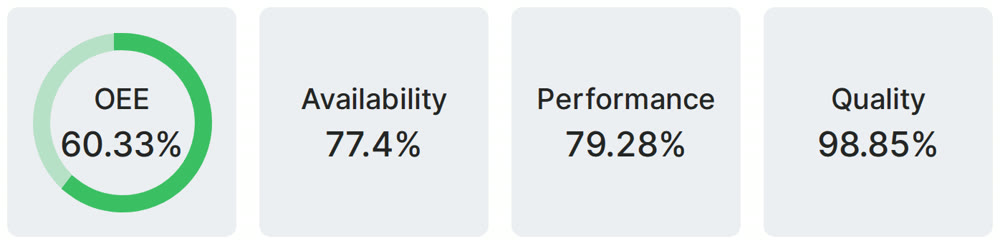
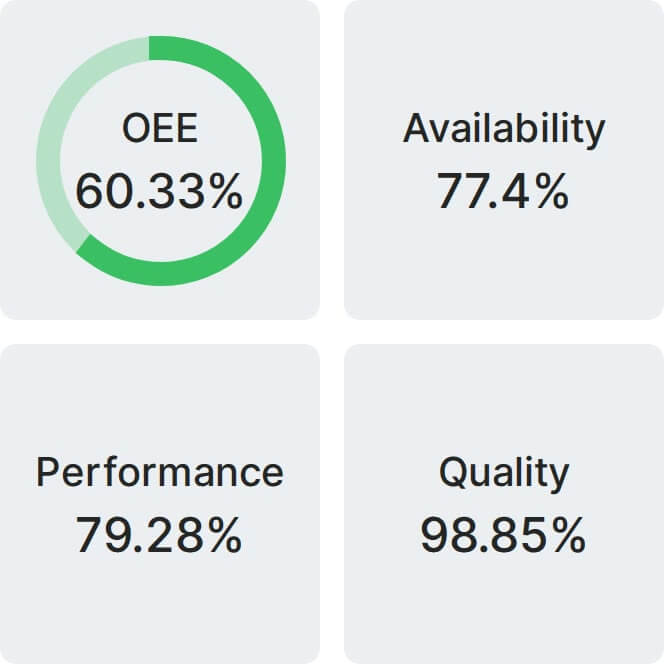
Real Fabrico tiles, sample data.