In every factory, there are "Ghosts."
These are the problems that don't trigger a hard alarm but still haunt your production targets.
-
The packaging machine that runs at 95% speed instead of 100%.
-
The conveyor that jams only on Tuesdays.
-
The motor that runs 5 degrees hotter than it did last month.
Traditional maintenance software waits for a Failure (Binary: Broken/Fixed).
Anomaly Detection Software looks for Deviation (Analog: Normal vs. Abnormal).
But you don't need a million-dollar "Black Box AI" to find these ghosts.
You just need a system that monitors the right signals: Performance (OEE), Physics (PLC), and Vision (Video), and alerts you when they drift.
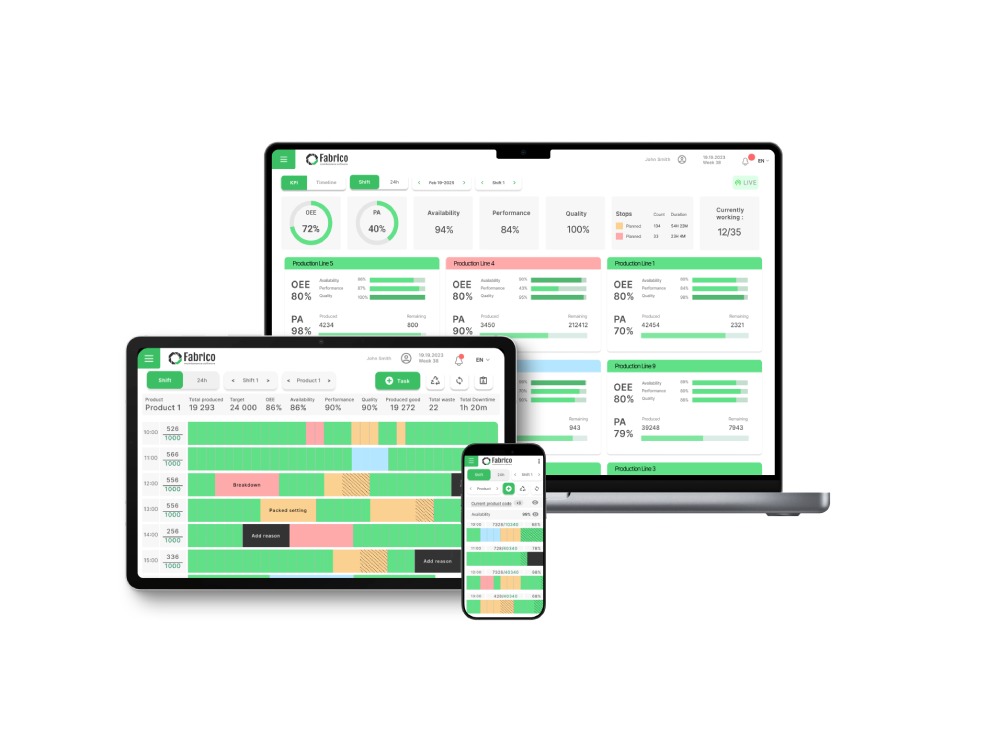
Here is a practical guide to detecting anomalies using the data you already have, with Fabrico as your monitoring engine.
1. Detecting Performance Anomalies (The OEE Signal)
The most sensitive sensor in your factory isn't a vibration probe; it's your Cycle Timer.
Mechanical issues almost always manifest as speed loss before they manifest as smoke.
-
The Ghost: A bearing is starting to seize. It doesn't trigger the overload relay yet, but the friction adds 0.2 seconds to every cycle.
-
The Detection: Fabrico’s Native OEE engine tracks "Ideal Cycle Time" vs. "Actual Cycle Time."
-
The Alert: When the Performance Metric drops below 95%, Fabrico flags a "Speed Anomaly."
-
The Action: The Reliability Engineer receives a notification: "Line 3 is running slow. Investigate Drive Train." You fix it before it stops.
2. Detecting Visual Anomalies (The Camera)
Some anomalies are invisible to sensors but obvious to the eye.
-
The Ghost: A guide rail is loose. It doesn't stop the machine, but it causes boxes to twist slightly, leading to occasional jams.
-
The Detection: Fabrico’s "Inefficiencies Zoom-In" uses Computer Vision cameras to buffer video of the line.
-
The Verification: When a micro-stop occurs, the system captures the clip. You watch the replay. You see the rail wobbling.
-
The Action: You tighten the rail. The ghost is gone.
3. Detecting Contextual Anomalies (The PLC Logic)
Data without context is just noise.
A motor running at 50 Amps might be normal if the machine is under full load. But if the machine is idling, 50 Amps is a massive anomaly (Binding/Drag).
Fabrico connects the dots.
By integrating with the PLC, we know the Machine State (Running, Idle, Changeover).
Comparison: Alarm vs. Anomaly
| Feature |
Standard Alarm (HMI/SCADA) |
Anomaly Detection (Fabrico) |
| Trigger |
Threshold Breached (Hard Limit) |
Trend Deviation (Soft Limit) |
| Timing |
Too Late (Damage done) |
Early Warning (Pre-failure) |
| Data Source |
Single Sensor |
Triangulated (Sensor + Speed + Video) |
| Insight |
"Motor Fault" |
"Performance Degradation Detected" |
| Resolution |
Emergency Repair |
Planned Adjustment |
The Fabrico Framework: Practical Detection
We don't sell magic. We sell visibility.
-
Establish Baselines: Use Fabrico to record "Golden Run" data. What does the machine look like when it's running perfectly? (Speed, Temp, Video).
-
Set "Soft" Thresholds: Configure alerts for drifts, not just failures. (e.g., Alert if Speed drops by 5% for >10 mins).
-
Review the Tape: When an anomaly alert comes in, check the Zoom-In Video first. Verify the physical condition.
-
Intervene: Schedule a "Precision Maintenance" task to bring the machine back to baseline.
Conclusion: Don't Wait for the Bang
Waiting for a breakdown is expensive. Detecting a drift is cheap.
Manufacturing Anomaly Detection is simply the discipline of listening to your machine's whispers before they become screams.
Catch the ghost.
[Request a Demo] and see how Fabrico visualizes machine deviations.


 Login
Login
 Blog
Blog