What are the essential requirements for OEE software?
The essential requirements for OEE software include real-time machine connectivity (PLC/IoT), automated "Six Big Losses" categorization, visual root cause analysis (Computer Vision), and a native CMMS integration.
A modern system must move beyond "Lagging Indicators" to provide proactive work order triggers that address performance degradation before a total breakdown occurs.
1. Unified Intelligence: OEE Diagnoses, CMMS Cures
The most common mistake in manufacturing digital transformation is purchasing an OEE tool and a CMMS from different vendors. This creates a "Silo Tax."
Your requirement should be a unified dataset. When OEE data diagnoses a performance drop on a critical bottleneck, the system must have the native capability to trigger a maintenance "Cure" instantly. This closes the "OEE Gap" and ensures Mike (the Tactical Manager) isn't spending his morning manually bridging production reports and technician schedules.
2. Visual Root Cause: The "Zoom-In" Capability
Traditional OEE software relies on operators to manually code downtime reasons. This leads to "Tribal Knowledge" errors and "Pencil Whipping."
A modern requirement is Computer Vision. In high-speed environments, micro-stops (under 2 minutes) are the primary killers of OEE. Your software should use overhead cameras to capture video segments of these moments, allowing the team to visually validate the root cause. If you can't see the jam, you can't fix the standard work instruction (SOP).
3. The "Pull" Maintenance Logic (RCM-Based)
Most legacy OEE systems are passive. They tell you what happened yesterday. A strategic requirement is the ability to shift to a "Pull" Maintenance System.
Based on the Smith & Hinchcliffe RCM Framework, your software should trigger Condition-Directed (CD) tasks. For example, if a machine's "Performance" score drops below its rated threshold for 60 minutes, the system should automatically "pull" a prioritized work order to the technician's mobile device. This preserves the function of the asset rather than just waiting for a calendar-based repair.
4. Technician-Friendly Mobile UX
Tom (the Technician) is the most important user in your digital stack. If the software is too complex for him to use while holding a wrench, your data integrity will fail.
The requirement is a native, "Field-Ready" mobile app with offline capability and QR code scanning. This increases Wrench Time and ensures that every repair is logged with a digital audit trail, which is essential for IATF 16949 and ISO 9001 compliance.
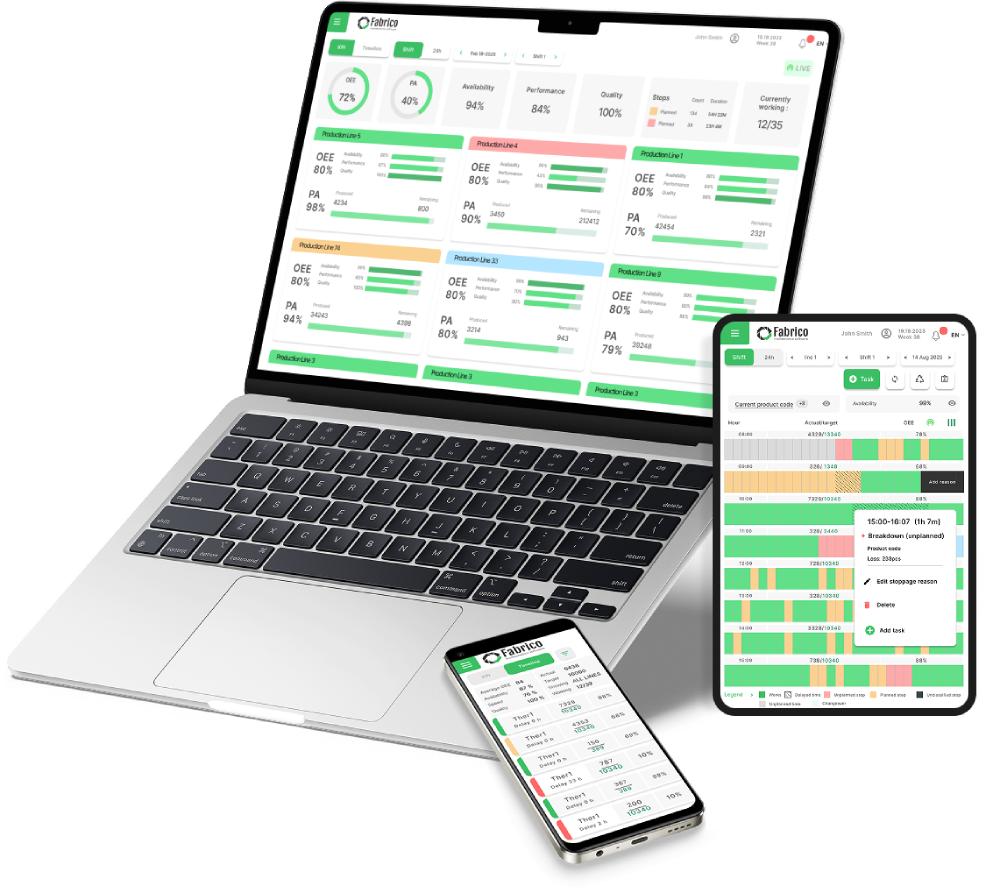
Comparison: Reporting Tool vs. System of Action
| Requirement |
Generic OEE Reporting |
Fabrico System of Action |
| Data Source |
PLC / Manual Input |
PLC + IoT + Computer Vision |
| Maintenance Link |
API Integration (Lagging) |
Native CMMS Loop (Instant) |
| Root Cause |
Operator Drop-down |
Visual/Video RCA Evidence |
| Scheduling |
Static Assumptions |
Real-time Interactive Board |
| RCM Support |
❌ No |
✅ Usage & Performance Triggers |
| Implementation |
⚠️ Months of Config |
✅ Field-Ready in 3-4 Months |
The ROI of Unified Requirements
For Paula (the Strategic Leader), the Value Fulcrum is revenue recovery. If your OEE software doesn't reduce the Mean Time to Detect (MTTD) or the Mean Time to Repair (MTTR), it is a lagging expense.
Fabrico is designed to be the "System of Action" for high-speed manufacturing. By identifying the 20% of "Bad Actor" assets and automating the technical response, it recovers the capacity hidden in your existing machines. Don't just buy a dashboard; buy the loop that fixes the floor.


 Login
Login
 Blog
Blog