Open your current CMMS and look at the last 10 closed Work Orders.
How many of them contain one-word descriptions like "Done," "Fixed," or "Reset"?
This is the "Text Trap."
Text is a terrible medium for maintenance. It is slow to type on a mobile screen.
It is open to interpretation. And crucially, it fails to capture the complexity of a machine failure.
If a sensor is misaligned by 3 millimeters, writing "Sensor Misaligned" doesn't help the next technician. A photo of the misalignment does.
Visual Maintenance Software is the shift from "Telling" to "Showing."
In 2026, the most advanced factories are replacing logbooks with Video Libraries and Photo Streams. Here is why you need to stop reading about your machines and start seeing them.
Why Text Fails the Factory Floor
-
Subjectivity: "Tighten the belt" means different things to a 20-year veteran and a 1-year rookie.
-
Language Barriers: In diverse workforces, text manuals create safety risks. Visuals are a universal language.
-
Loss of Context: A text description cannot convey the speed of a jam or the sound of a bearing.
Visual Maintenance Software solves this by making Media the primary data type, not text.
The 3 Pillars of a Visual System
1. Visual Diagnostics (The "Instant Replay")
The hardest part of fixing a machine is knowing what happened before you arrived.
Operators often reset the machine to clear a jam, destroying the evidence.
-
The Old Way: Interrogating the operator: "What did you see?" (Unreliable).
-
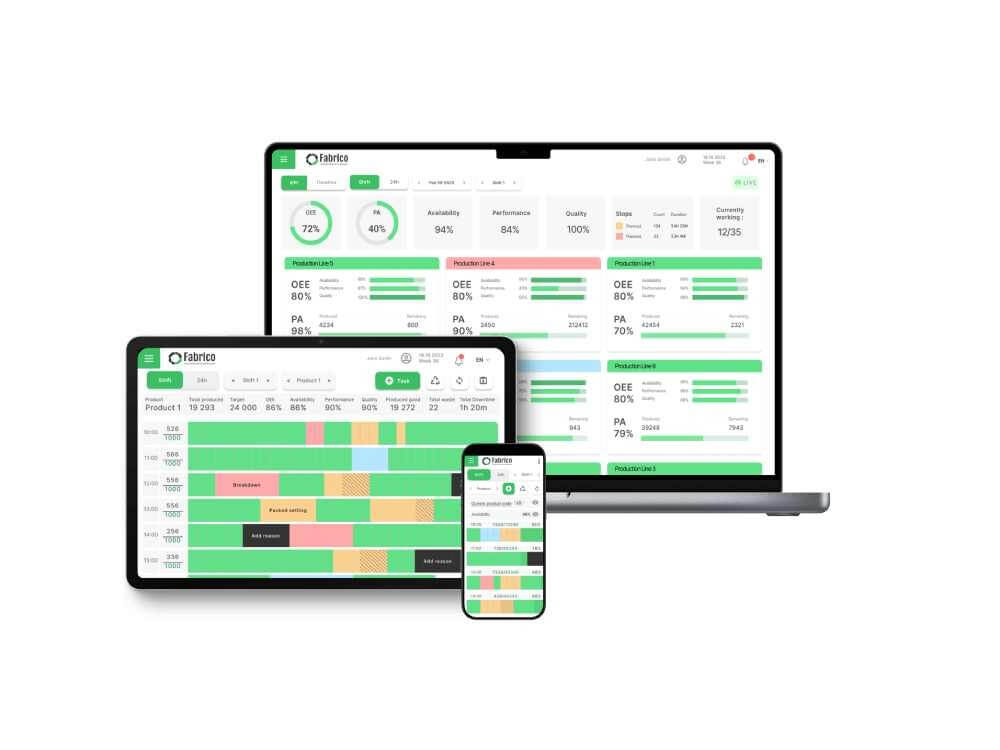
The Visual Way: Fabrico’s "Inefficiencies Zoom-In" captures the video buffer from the line camera.
-
The Value: The technician watches the 60 seconds leading up to the stop. They see the box hit the guide rail at an angle. The diagnosis is instant and indisputable.
2. Visual Work Instructions (The Standard)
Standard Operating Procedures (SOPs) usually sit in dusty binders because they are too hard to read.
-
The Old Way: "Page 42: Inspect the seal for wear."
-
The Visual Way: The software displays two images side-by-side on the tablet:
-
The Result: The technician compares reality to the image. There is no ambiguity. This allows junior technicians to perform inspections with the accuracy of experts.
3. Visual Verification (The Proof)
How do you know a PM task was actually done?
-
The Old Way: A signature or a checkbox. (Easily faked).
-
The Visual Way: Mandatory Photos.
-
The Result: You build a permanent visual history of the asset. An auditor can scroll through 12 months of photos to verify compliance without leaving their desk.
The "Universal Translator" for the Workforce
Manufacturing workforces are increasingly multilingual. Relying on English (or German/French) text creates friction.
Visuals bypass the language center of the brain.
By moving to Visual Maintenance Software, you make your safety and training programs accessible to 100% of your staff instantly.
Comparison: Text vs. Visual Maintenance
| Feature |
Text-Based CMMS (Legacy) |
Visual Maintenance (Fabrico) |
| Primary Input |
Typing / Dropdowns |
Photos / Video / Scanning |
| Diagnostic Speed |
Slow (Reading/Guessing) |
Fast (Watching Replay) |
| Clarity |
Low (Subjective) |
High (Objective) |
| Audit Trail |
Signatures |
Timestamped Photos |
| Training Value |
Low (Requires reading) |
High (Mimicry) |
The Fabrico Framework: The "See-Do-Prove" Cycle
-
See (Diagnosis): Use the "Zoom-In" video to identify the root cause without touching the machine.
-
Do (Execution): Follow visual SOPs (Images/Video) to perform the repair standardly.
-
Prove (Closing): Snap a photo of the completed work to validate quality and update the asset history.

Conclusion: A Picture is Worth 1,000 Logs
Your technicians have cameras in their pockets (smartphones/tablets). Why are you forcing them to use keyboards?
Visual Maintenance Software aligns with how humans naturally learn and communicate.
Stop writing. Start showing.
[Request a Demo] and see Fabrico’s visual features in action.


 Login
Login
 Blog
Blog