TL;DR
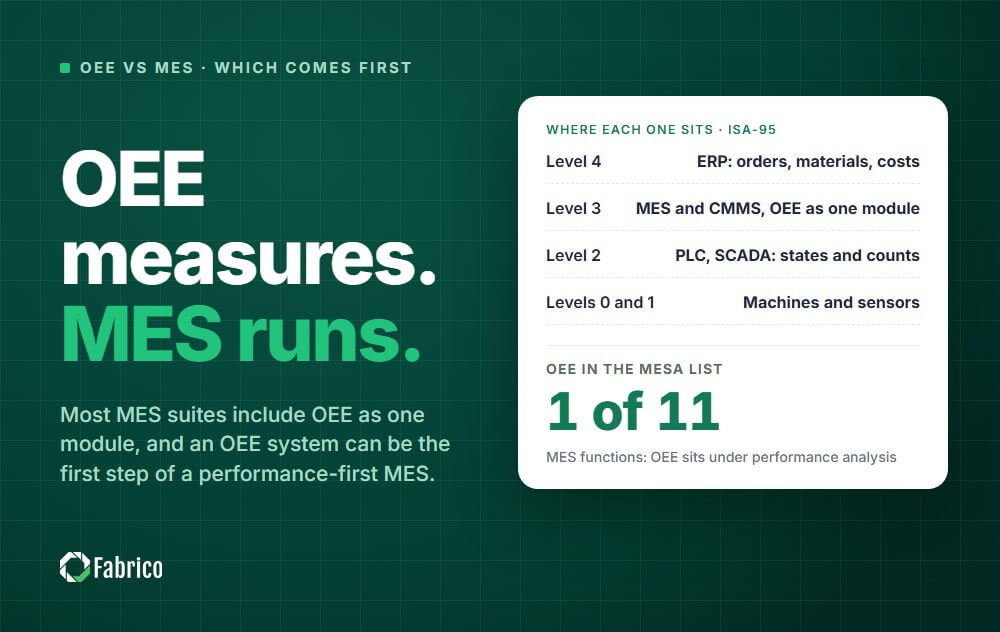
OEE vs MES comes down to scope. OEE is a metric, and the system that measures it: how much of the planned time a machine or line turns into good output. An MES (manufacturing execution system) is the ISA-95 Level 3 layer that runs and records production, and most MES suites include OEE as one module.
Most plants meet this question in a vendor meeting: one supplier proposes a plant-wide MES project, another a screen that shows OEE by line. They answer different questions, and this guide shows what each records on a real line, how both connect to ERP and maintenance, and which to start with.
OEE measures how well production runs; an MES runs and records production. Most of the confusion comes from the fact that one usually sits inside the other.
Overall equipment effectiveness (OEE) multiplies availability, performance and quality to show how much of the planned production time became good parts at the ideal speed.
An OEE system collects the facts behind that number from the machines: when they ran, when they stopped, how fast they cycled and how many parts were rejected. It measures and explains losses; it does not run orders.
A manufacturing execution system sits between the business systems and the machine controls. In the ISA-95 model it is Level 3, manufacturing operations management, which also covers maintenance, quality and inventory operations.
An MES dispatches orders to work centers, enforces the routing, records which materials went into which product and keeps the quality and labour records that prove how each batch was made.
Above it, Level 4 is ERP, which plans orders, buys materials and books costs. Below it, Level 2 is the PLC, SCADA and HMI layer that controls the machine and is the source of states and counts. Levels 0 and 1 are the machines and sensors themselves.
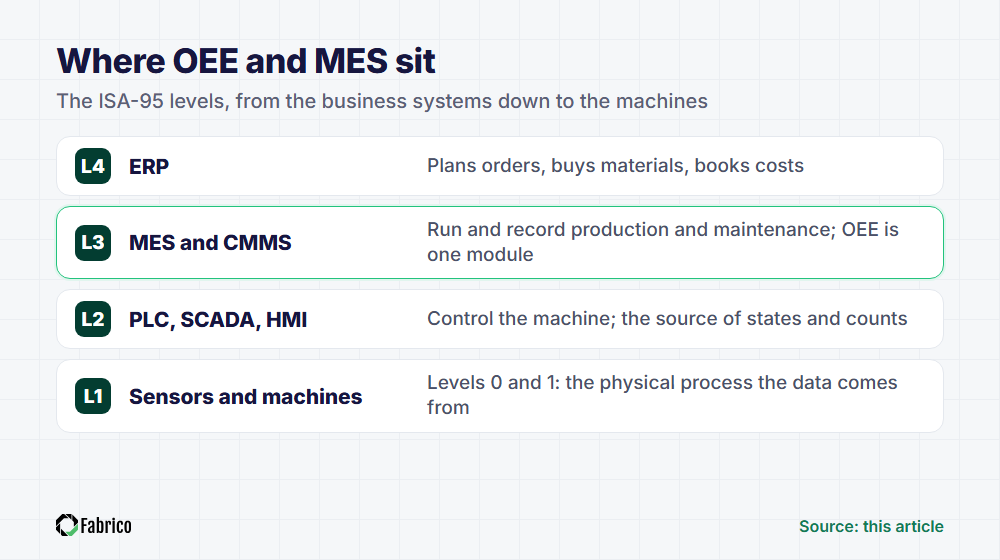
In the classic MESA list of 11 MES functions, OEE sits under one of them: performance analysis. That is why most MES suites include OEE as one module rather than as the core of the product.
The relationship also runs the other way. An OEE system can be the first step of a performance-first MES, which starts with machine data and adds orders, quality and maintenance later.
Follow one event through both systems. A filler on a bottling line stops at 10:14 with a bottle jam at the infeed and restarts at 10:28.
| What gets recorded | OEE system | MES |
|---|---|---|
| The event | Stopped 10:14 to 10:28, state read from the PLC or a sensor | Filling operation of the running order paused |
| The reason | Operator tags "infeed jam" on the line tablet | Deviation note, if the procedure asks for one |
| Output | Good and rejected bottle counts before and after the stop | Quantity booked against the order, cap and label lots in use |
| People | Who tagged the reason | Operators clocked on the order and their labour hours |
| What happens next | The stop joins the shift's downtime Pareto and, with a CMMS link, becomes a work order | A quality check on bottles filled around the stop, if the routing requires one |
| The question it answers | Where did our output go today? | What exactly did we make, from what, and who made it? |
To calculate OEE, a system needs an equipment hierarchy (site, area, line or work center, machine), a state log with a start, end and reason for every event, counts, a shift calendar and an ideal cycle time per product.
An MES adds the order layer: which order, product and operation ran on each machine in each time slice. Join the two on machine and time, and OEE can be split by product, order, shift or crew.
That join is where many projects stumble. If the MES books orders against a work center but OEE is measured per machine, decide early which level carries the ideal cycle time. The OEE calculation guide shows how each factor is computed.
Three options usually end up on the shortlist: a standalone OEE system, a full-suite MES, and a performance-first MES that starts with OEE and grows. The table compares them on the points that decide a purchase.
| Dimension | OEE system | Full-suite MES | Performance-first MES |
|---|---|---|---|
| Main job | Measure and reduce losses on machines and lines | Run and record every production order end to end | Measure losses first, then add orders, quality and maintenance |
| Scope | Machines, lines, shifts | Orders, routings, materials, quality, labour, genealogy | Machines and lines first, then orders and work orders |
| Typical first data | Machine states, counts, stop reasons | Orders, routings and bills of materials from ERP | Machine states, counts and stop reasons, then the order feed |
| Who uses it daily | Operators, shift leads, improvement engineers | Operators, quality staff, planners, supervisors | Operators, shift leads, maintenance technicians, plant managers |
| Integration points | PLC or sensors, optional ERP order feed | ERP, PLC and SCADA, quality and warehouse systems | PLC, sensors or cameras, ERP, CMMS |
| Rollout effort | Light: one line at a time, little process change | Heavy: process mapping, master data, training, validation in regulated plants | Light to start, then one module and one line at a time |
| Biggest risk | A good number that nobody acts on | A long project the shop floor never adopts | Growing without a plan, so modules sit unused |
Read the rollout row twice. A full suite asks the plant to describe every process before go-live, while an OEE system asks for a machine signal and a list of stop reasons.
A fourth option sits close by. If live machine status and counts are all you need, production monitoring software may be enough. A shorter companion piece covers the difference and when you need both.
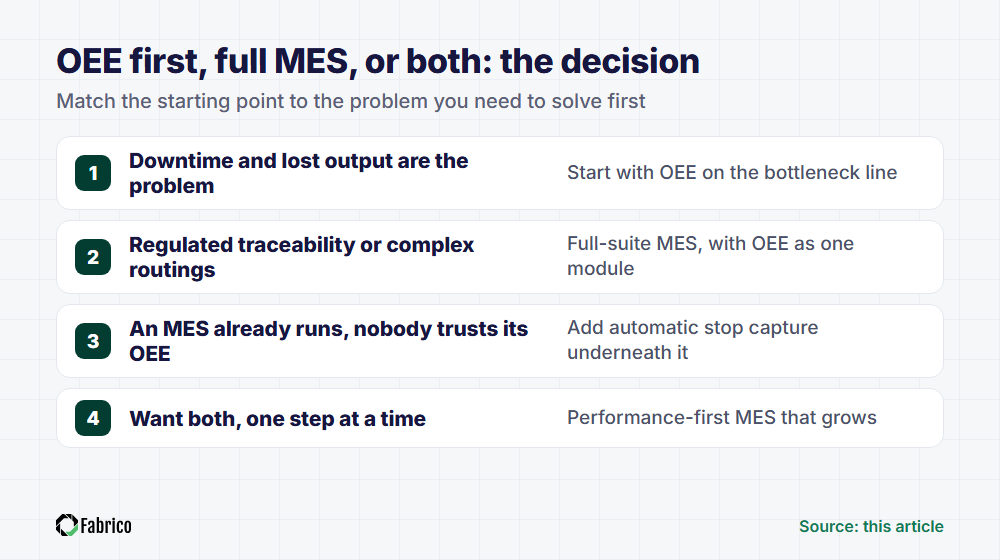
In that situation, start with OEE on the bottleneck line. It answers the question that matters first: where the hours go. Dedicated downtime tracking software covers part of the same ground.
With regulated traceability or complex routings, choose a full-suite MES, with OEE as one module.
If an MES already runs but nobody trusts its OEE number, add automatic stop capture underneath it rather than replacing the MES. The MES keeps the orders and records, and the machine data makes the loss figures believable.
Many plants want both, one step at a time, because they cannot stop for a long project. The hybrid path starts with OEE on one line and adds MES functions in the order the plant needs them:
Most of the value of either system shows up at its boundaries. Two connections matter most: ERP above it, and maintenance beside it.
ERP sends production orders, product master data and planned quantities down. The MES or OEE system sends back good and scrap quantities, order confirmations and machine hours, which ERP uses for inventory and costing.
One trap: standard times in ERP routings are often set for costing, with allowances built in. Do not copy them in as the ideal cycle time, or performance will look better than the line really runs.
The OEE system knows that a machine stopped, when, for how long and why. The CMMS knows who repaired it, which parts were used and what the failure was.
Joined, they turn a logged stop into a work order with the machine, time, reason and operator note already attached. When the technician closes it, the repair time and cause flow back to the stop record.
That gives production and maintenance one shared clock. Availability, mean time to repair and mean time between failures come from the same events, so the morning meeting argues about causes instead of numbers.
Whether you shortlist OEE software or full MES software, run every vendor through the same script. The MES selection guide with 12 questions covers production and maintenance in one list.
Run the pilot on the line that limits plant output, not on the easiest one. By the end it should show that:
Fabrico is a cloud-based MES and OEE platform for manufacturers with maintenance management (CMMS) built in. It follows the performance-first path described above.
It logs stops automatically from the PLC, an IoT sensor or a camera. Operators tag stop causes on a tablet, and a technician opens the work order straight from the logged stop in the built-in CMMS.
A pilot site is operational in days. For OEE with hardware, connecting the machines takes about a month and the full rollout 3 to 4 months, and most customers see ROI within 3 to 6 months.
Results so far: ABB 20% less downtime, and Ficosota 14% more output with a 27% OEE improvement across 3 plants, 60 lines and 500+ machines.
Fabrico holds ISO/IEC 27001, ISO/IEC 20000-1 and ISO 9001 (DNV), is an SAP Silver Partner and is hosted on AWS in an EU region. Production planning and scheduling are on the roadmap, not in the product today, so weigh that if detailed scheduling is a day-one requirement.
See how Fabrico unifies OEE and maintenance in one platform.
Request a demoSome MES suites include a maintenance module, and ISA-95 places maintenance operations at Level 3 next to production. Many plants still run a separate CMMS. What matters is the link: a stop logged on the line should open a work order without retyping, and the repair time should flow back to the stop record.
Usually, through an API or a file export, but check what actually crosses: a stop should create a work order automatically, with machine, time and reason attached, and the closed work order should send repair time and cause back. A one-way export that someone re-keys is not an integration.
When the plant must enforce and prove how every unit is made: electronic batch or device history records, part genealogy, or complex routings with checks before each step. If the main problem is downtime and lost output, a full suite is more than the plant needs as a first step.
In most suites, yes. In the MESA list of 11 MES functions, OEE falls under performance analysis. Check how the MES module gets its data, though: if it derives OEE from order bookings and operator entries rather than machine states, short stops and slow running will be missing from the number.
MES stands for manufacturing execution system: the software layer that runs and records production between the business systems (ERP) and the machine controls (PLC and SCADA). In ISA-95 terms it sits at Level 3, manufacturing operations management, alongside maintenance, quality and inventory operations.
Cloud OEE means the software runs on hosted servers: a PLC link, IoT sensor or gateway sends states and counts, and people open the dashboards in a browser or on a tablet. Many cloud-based MES systems now work the same way. Ask where the data is hosted, which certifications cover it and what happens when the network drops.
Score every platform on the same points: stops captured from the machine signal rather than typed, support for older machines, OEE split by product, order and shift, a direct path from stop to maintenance work order, and the effort to add the next line. Ask to see each point live, not on slides.
No. Machines without a usable PLC can be monitored with an IoT sensor on a signal such as motor current or a stack light, or with a camera (see machine connectivity for new and older machines). The OEE system runs alongside the existing ERP and paper processes, so the first line can go live without an IT overhaul.










 Login
Login
 Blog
Blog