

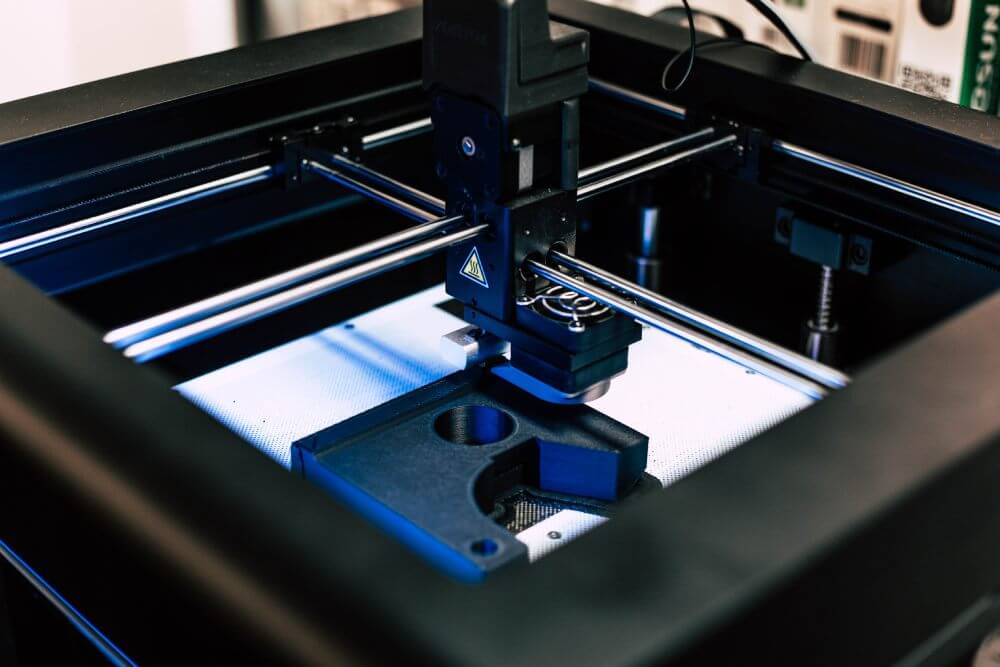

The "Print Hour" Standard: 3D Printers (FDM, SLA, Metal) need maintenance based on Print Hours or Material Usage, not calendar days.
The "Batch" Factor: In additive manufacturing, quality is determined by the machine's health during a 40-hour build. If the printer fails at hour 39, the entire batch is scrap.
The Top 5: We review Fabrico, Link3D, AMFG, and others to help you manage your additive fleet.
Turn downtime into a number your team can actually act on.
Get a demoManaging a fleet of Industrial 3D Printers is not like managing a lathe or a conveyor.
You are dealing with long cycle times (prints can take days) and sensitive materials (powder, resin).
If a Nozzle clogs mid-print, you lose the part.
If a Laser drifts, you lose structural integrity.
If a Filter clogs, you risk fire (Metal printing).
Generic facility software doesn't understand "Print Jobs" or "Material Batches." You need Additive Manufacturing Maintenance Software that links Machine Cycles to Asset Health.
Here are the 5 Best CMMS Software Tools for Additive Manufacturing in 2026.
Best For: Manufacturers who want to link Print Hours to Maintenance Triggers.
Fabrico is the best choice for Additive Manufacturing because it automates the "Usage-Based" maintenance that printers require.
Print Hour Tracking: Fabrico connects to the machine (via API or OEE sensor). It tracks exact print hours. "Clean Optical Window every 100 Print Hours." The work order triggers automatically.
Material Batch Tracking: You can link specific resin/powder batches to the asset history. If a print fails, you know exactly which material batch was loaded.
Visual PMs: 3D printers are complex. Fabrico’s digital SOPs show photos of the exact cleaning procedure for the laser window or re-coater blade, ensuring technicians don't damage sensitive optics.
Environment Monitoring: Metal powder is explosive. Fabrico tracks humidity and temperature sensors in the print room, alerting you if conditions drift outside safety limits.
The Verdict: If you want to protect your expensive printers and ensure print success, Fabrico is the integrated choice.
Best For: Workflow automation and scheduling.
AMFG is a specialized MES for Additive Manufacturing.
Pros: Incredible scheduling tools. It nests parts automatically to maximize build volume. It tracks the "Digital Thread" of the part from CAD to Finish.
Considerations: It is an MES (Manufacturing Execution System). It focuses on the Part, not the Printer. It tells you the print failed, but it doesn't necessarily manage the spare parts inventory to fix the printer.
The Niche: Additive Workflow.
Best For: Service bureaus and order management.
Link3D (now part of Materialise) is designed for shops running high-mix printing for external customers.
Pros: Great for quoting and order tracking. It manages the queue of print jobs across hundreds of machines.
Considerations: Like AMFG, it is production-focused. It lacks the deep "Asset Reliability" features (Root Cause Analysis, Failure Codes) needed to solve chronic machine issues.
The Niche: Service Bureaus.
Best For: Mixed fleets (Printers + CNCs).
If your shop has both 3D Printers and traditional CNC machines, Fiix is a good bridge.
Pros: Strong asset management. It handles the "Facility" side (Air Compressors, Chillers) that supports the print room better than the niche additive tools.
Considerations: It requires configuration to handle "Print Hours." It is less focused on the native "Build Plate" logic of AMFG or Fabrico.
The Niche: Hybrid Manufacturing.
Best For: Lab management and prototyping shops.
If you run a smaller prototype lab with a mix of desktop and industrial printers, UpKeep is easy to deploy.
Pros: Very simple mobile app. Great for tracking inventory of consumables (Filament, Resin bottles).
Considerations: It is less focused on the deep integration with industrial printer controllers (EOS, Stratasys) to pull automated cycle counts. You rely on manual entry.
The Niche: Prototyping Labs.
| Feature | Fabrico | AMFG | Link3D | Fiix | UpKeep |
| Print Hour Logic | ✅ Native | ✅ Native | ✅ Native | Varies Custom | Varies Manual |
| Maintenance Link | ✅ Deep | Varies Basic | Varies Basic | ✅ Deep | ✅ Good |
| Env. Monitoring | ✅ IoT Link | Varies | Varies | Varies Add-on | Varies |
| User Experience | Modern | Technical | Technical | Good | Excellent |
| Focus | Reliability | Workflow | Workflow | Assets | Work Orders |
In 3D printing, cleanliness is reliability.
Choose AMFG or Link3D if you need to manage customer orders and nesting.
Choose UpKeep if you are managing a small R&D lab.
Choose Fabrico if you are running Production Parts. If you need to ensure your printers are maintained based on actual runtime, and you want to prevent failed builds due to dirty optics or worn belts, Fabrico is the operational solution.
Print with confidence.
[Book a Demo with Fabrico] to see how we automate maintenance for additive manufacturing.
See how Fabrico unifies OEE and maintenance in one platform.
Book a demo


















 Login
Login
 Blog
Blog