TL;DR
Manufacturing analytics software turns production data into answers about why output looks the way it does. The six tools below fall into three kinds: platforms that collect the data at the machine and analyze it (Fabrico, MachineMetrics), industrial analytics platforms that work on historian and plant data (Seeq, Sight Machine), and business intelligence tools that report on data other systems collect (Power BI, Tableau).
Monitoring tells you what a machine is doing now. Analytics tells you why the same line keeps losing the same hour, which shift it happens on and what it costs. Most plants have some monitoring. What they lack is the history, organized by cause, that turns it into a decision.
Most of the value sits in two kinds of analysis done well: descriptive (what happened, by line, shift and cause) and diagnostic (why it happened). Prediction needs a long, clean history first. Our guide to what to look for in manufacturing analytics software covers the data-quality side in detail.
| Kind | Starts from | Who builds the analysis | Examples below |
|---|---|---|---|
| Light MES and OEE platforms | Machine signals and the causes operators give for stops | Reports come prebuilt; the plant sets up lines, shifts and reasons | Fabrico, MachineMetrics |
| Industrial analytics platforms | Historians, time-series data and plant data models | Engineers and process experts, with AI assistance | Seeq, Sight Machine |
| Business intelligence | Databases, ERP, files and data lakes | Analysts and report creators | Power BI, Tableau |
One question sorts them: does the tool collect the shop floor data itself, or does it analyze data that another system already collected? If nothing collects it yet, that is the first gap to close.
Fabrico is listed first because it is our product. The other five are in alphabetical order, not ranked.
| Tool | Kind | Where the data comes from, per the vendor | What you get out of the box, per the vendor |
|---|---|---|---|
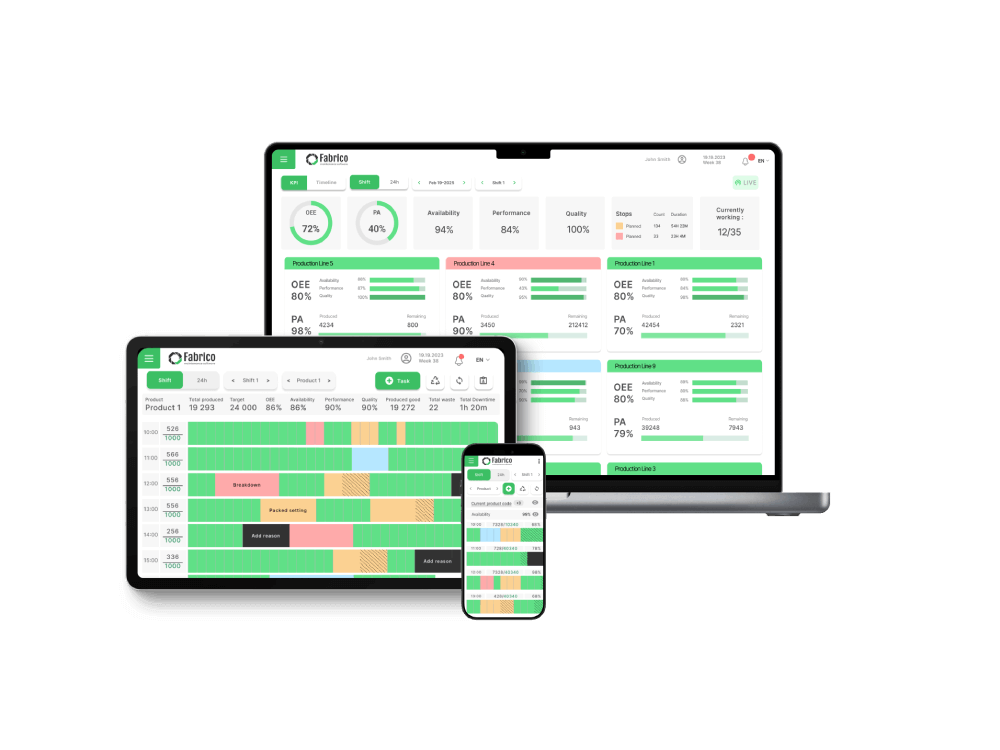
| Fabrico | Light MES | PLCs, IoT devices with external sensors, AI cameras | OEE by machine, line and shift, downtime by cause, shift reports |
| MachineMetrics | Manufacturing operations system for discrete manufacturing | Machine controls over OPC UA, FOCAS, MTConnect and other protocols, plus I/O for older machines | Utilization, OEE, downtime and setup reports |
| Microsoft Power BI | Business intelligence | More than 100 data sources, such as Excel, SQL Server and SAP HANA | A drag-and-drop report canvas, template apps and Copilot |
| Seeq | Industrial analytics | Historians and databases, such as OSIsoft PI and AspenTech IP.21 | Point-and-click time-series analysis, reports and dashboards |
| Sight Machine | Industrial AI platform | Controls, historians, MES and ERP | A data model of cycles, parts, downtime and defects, with AI agents |
| Tableau | Visual analytics | Databases and applications, such as Excel, SQL Server, SAP HANA and Snowflake | Dashboards, plus manufacturing Accelerators on Tableau Exchange |
Disclosure: Fabrico is our product.
What it is: a light MES, the monitoring and OEE layer of an MES. It collects the data at the machine, so the analytics start from run, stop and count signals instead of figures typed in after the shift.
The PLC on automated lines, a Fabrico IoT device with external sensors on older machines and AI cameras at manual or hybrid steps. Every source feeds the same OEE calculation, so lines connected in different ways can be compared side by side.
What it is: MachineMetrics describes its platform, MaximaOS, as "one platform, running on real-time machine data, purpose-built for discrete manufacturing."
Discrete manufacturers. MachineMetrics lists aerospace and defense, automotive, contract manufacturing, job shops, medical devices and industrial equipment.
What it is: "Power BI is a unified, scalable platform for self-service and enterprise business intelligence (BI)," according to Microsoft.
Organizations that want one reporting layer across finance, sales, supply chain and operations, with report creators to build it. Microsoft says Power BI serves business users, report creators and developers.
What it is: Seeq says "Seeq Analytics unlocks the value of your operational data for faster, better decision-making through intuitive, AI-enabled analytics."
Process industries with historian data. Seeq lists oil and gas, chemicals, pharma and life sciences, mining and metals, power and utilities, food and beverage and semiconductors.
What it is: Sight Machine describes "agent-powered manufacturing that continuously finds more output, eliminates more waste, and improves with every run."
Sight Machine names food and beverage, automotive, consumer packaged goods, industrial equipment, and metals, glass, paper and process industries.
What it is: Tableau calls itself "a visual analytics platform transforming the way we use data to solve problems."
Organizations with analysts who want visual dashboards across many data sources. Tableau says it is used across all industries and departments.
These are not either-or choices. A common setup is a light MES that collects and analyzes machine data on the floor, with a BI tool that combines its exports with finance and ERP data for management.
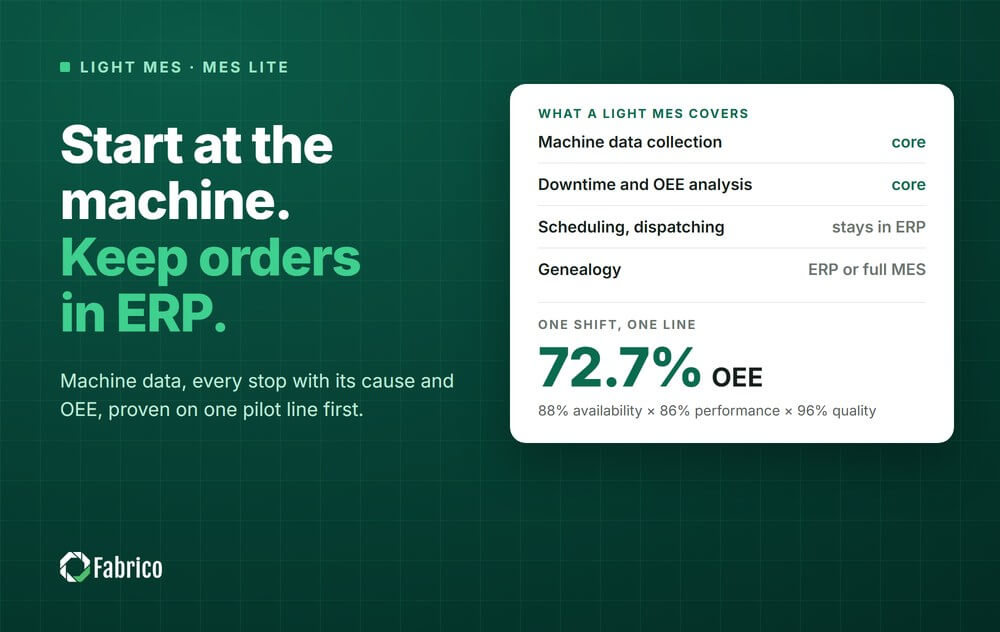
If you are still deciding how much system you need, our guide to light MES explains what the machine layer covers and what stays in the ERP.
Turning production, equipment and quality data into answers about why output looks the way it does. It works with machine time series and event data, not only the transactional records a business reporting tool expects.
BI is built for business questions over rows and periods. Manufacturing data is high frequency, event driven and depends on context: a stop means little without the machine state around it. BI can display the results, but something has to collect and structure the shop floor data first.
Machine run state, output counts, reject counts and stop reasons. Those four support most useful analysis. Adding sensor streams before you have reliable state and reason data produces volume rather than insight.
Yes, and many plants do. The OEE system collects and analyzes the shop floor data, and the BI tool combines it with finance or ERP data for management reports. Fabrico exports any list to Excel or CSV and offers a REST API and webhooks.
Because dashboards get built before anyone agreed what decision they support. If no one changes what they do because of a chart, the chart is a cost. Decide the action first and work back to the metric.
Losses broken into availability, performance and quality on one line, because the split points at a cause rather than just reporting a number. See our guide to overall equipment effectiveness.
See your own losses analyzed by line, shift and cause: book a demo.











 Login
Login
 Blog
Blog