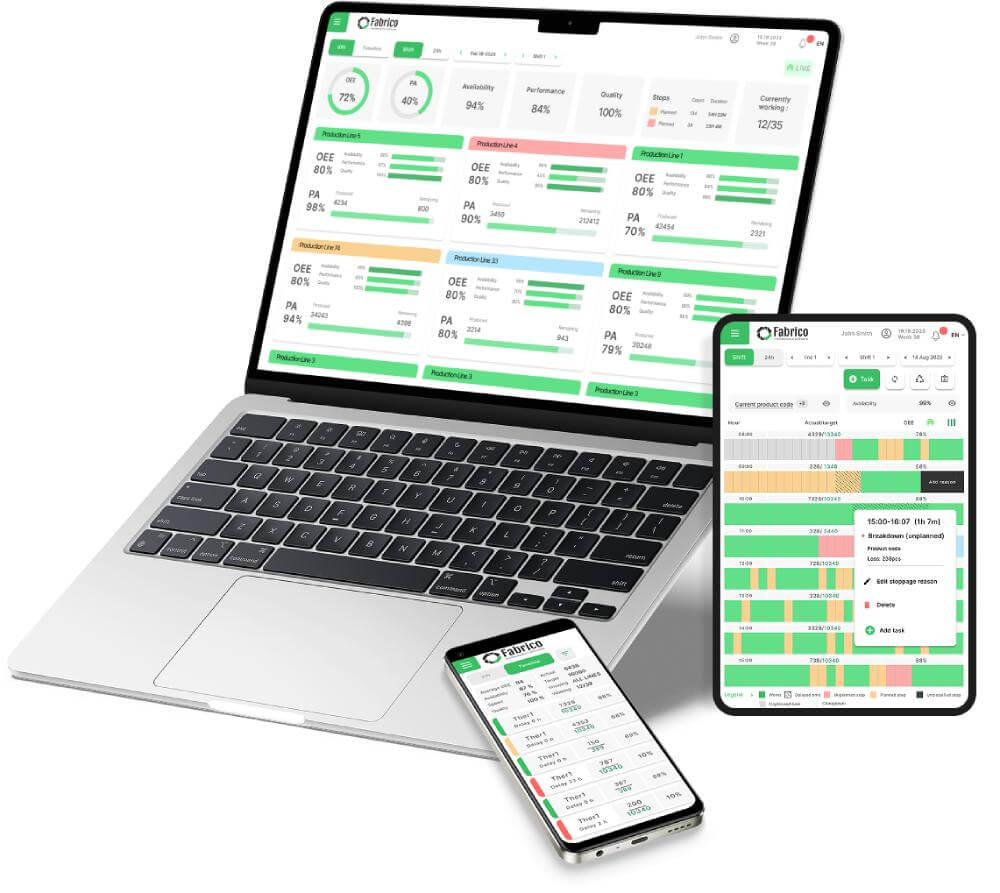
The Visual Factory is a core Lean Manufacturing concept.
The rule is simple: "Any person should be able to walk onto the floor and understand the status of production within 5 seconds."
In the past, this meant whiteboards, Andon lights, and taped floors.
In 2026, this means Digital Signage and Mobile Dashboards.
If your data is hidden inside a computer in the manager's office, you do not have a Visual Factory. You have a "Black Box."
To drive accountability and speed, you need software that broadcasts the truth to the people who can act on it.
Here are the 7 Best Visual Factory Software Tools for 2026.
1. Fabrico: The "Digital Twin" Solution
Best For: Manufacturers who want to visualize Maintenance Health and OEE on a single map.
Fabrico brings the Visual Factory to life by creating a digital representation of your production lines. It doesn't just show numbers; it shows context.
Why Lean Leaders Choose Fabrico:
-
The Visual Asset Tree: Instead of a spreadsheet list of assets, Fabrico uses a hierarchical tree. You can drill down from "Factory" -> "Line" -> "Machine" -> "Motor" visually.
-
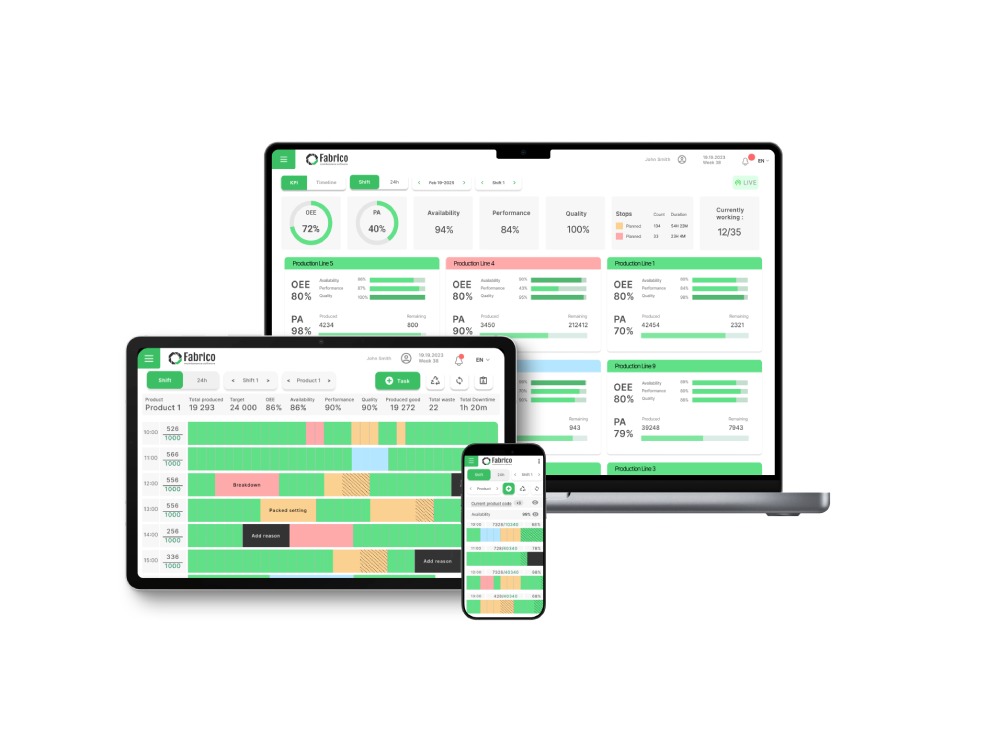
Real-Time Status Broadcasting: Fabrico pushes OEE data (Red/Green status) to TV screens on the shop floor and tablets in technicians' pockets. Everyone knows the score.
-
Visual Work Orders: Technicians don't just read text. They see photos, diagrams, and digital markups of the breakdown. "See it, fix it."
-
The "Andon" Link: When an operator triggers a digital Andon alert in Fabrico, it visualizes the call for help on the dashboard, showing exactly where the bottleneck is physically located.
The Verdict: If you want to see your factory's pulse in real-time, Fabrico is the modern standard.
2. Tulip
Best For: Custom shop floor apps and interfaces.
Tulip is a "No-Code" platform that lets you build your own visual interfaces.
-
Pros: You can build a "Digital Shadow Board" or a custom interactive map of your facility. You can overlay live data onto a photo of the machine.
-
Cons: It requires design effort. You are building the visualization from scratch. It is not a "plug-and-play" solution for maintenance management.
-
The Niche: DIY Engineering teams.
3. Vorne XL
Best For: The "Big Red Scoreboard."
Vorne is the classic hardware solution for Visual Factories.
-
Pros: Unmatched physical visibility. A giant LED sign showing "Target vs. Actual" is the ultimate visual cue. It requires no interaction to be effective.
-
Cons: It is limited to production counts. It doesn't visualize maintenance backlogs, spare parts locations, or detailed failure modes.
-
The Niche: High-volume production lines.
4. L2L (Leading2Lean)
Best For: Dispatch visualization.
L2L excels at visualizing the "Flow of Work."
-
Pros: Their "CloudDISPATCH" screen shows a live feed of problems and who is fixing them. It’s like an "Air Traffic Control" screen for the factory floor.
-
Cons: The interface can be dense. It is focused on dispatching people rather than visualizing asset health.
-
The Niche: Large, multi-team facilities.
5. MachineMetrics
Best For: CNC machine status monitoring.
If you run a machine shop, MachineMetrics provides the best visualization of spindle status.
-
Pros: Color-coded timelines show exactly when a machine was cutting, idle, or in setup. The "Load Meter" visualizations are excellent for operators.
-
Cons: It focuses on the machine controller data. It doesn't visualize the broader factory context (safety, facilities, manual assembly) as well as a broader platform.
-
The Niche: Precision Machining.
6. Redzone
Best For: Social visualization and team huddles.
Redzone uses visuals to drive culture.
-
Pros: The "Huddle Board" feature replaces the physical whiteboard. It shows team wins, trends, and actions in a format designed for group meetings.
-
Cons: It is expensive. It visualizes people performance more than asset reliability.
-
The Niche: Workforce engagement.
7. iObeya
Best For: Digitizing "Lean Rooms" and whiteboards.
iObeya essentially puts sticky notes on a giant touchscreen.
-
Pros: If you love your physical Kanban board or SQDIP board but want it digital, this is the direct replacement. Great for morning meetings.
-
Cons: It is disconnected from the equipment. It doesn't pull live data from the PLC; humans have to move the digital sticky notes.
-
The Niche: Digital War Rooms.
Comparison Matrix: Static vs. Dynamic
| Feature |
Fabrico |
Tulip |
Vorne |
L2L |
iObeya |
| Live Machine Data |
✅ Native |
✅ Custom |
✅ Native |
✅ Native |
❌ No |
| Interactive |
✅ Yes |
✅ Yes |
❌ No |
✅ Yes |
✅ Yes |
| Maintenance Link |
✅ Deep |
⚠️ DIY |
❌ No |
✅ Dispatch |
❌ No |
| Setup Speed |
Fast |
Slow |
Fast |
Medium |
Fast |
| Cost |
Value |
High |
Hardware |
High |
Mid |
Summary: Make the Problem Visible
A problem hidden in a database is a problem that won't get fixed.
-
Choose Vorne if you just want a scoreboard.
-
Choose iObeya if you just want a digital whiteboard.
-
Choose Fabrico if you want a Live Operating Picture. If you want to see OEE drops, maintenance tickets, and safety alerts on a single visual platform that drives action, Fabrico is the integrated choice.
Turn the lights on.
[Book a Demo with Fabrico] to see how our Visual Factory tools expose waste and improve response times.


 Login
Login
 Blog
Blog