


 Login
 Blog
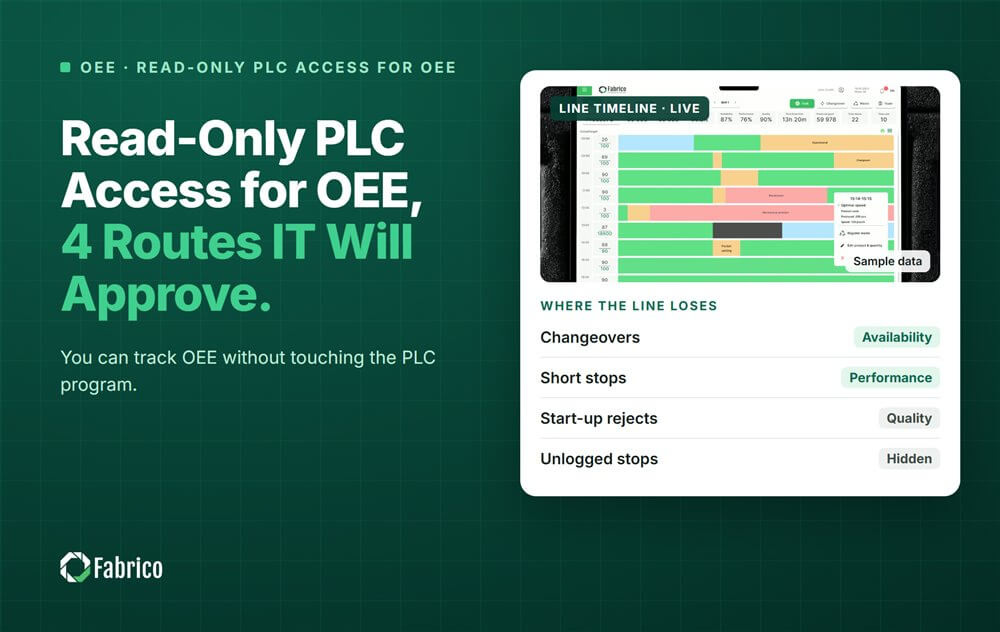
Read-Only PLC Access for OEE: 4 Routes IT Will Approve

Key takeaways
- Read, never write. Every route below only listens to the machine.
- Four routes, cheapest first: PLC tags read-only, the signal tower and an external sensor. A camera comes last.
- Wire in parallel. Heavy changes inside a machine can put its CE declaration of conformity at risk.
- The machine says it stopped; a person says why. Plan the one-tap reason step from day one.
- Mix routes on one line. One OEE can cover a modern filler and a manual packing table.
Most controls engineers will not let a new vendor change a running PLC program, and they are right. OEE only needs to know when a machine runs, when it stops and how many good units it makes. All of that can be read without changing one line of logic.
Fabrico, OEE and light MES software with AI cameras, connects a machine through its PLC, a Fabrico IoT device or an AI camera. Its site states that "the machine itself needs no PLC". This guide shows the four read-only routes, what each one gives you, and where each one stops.
Why do plants refuse PLC changes for OEE?
A PLC change needs a change window, a tested program, a backup and a person who signs for it. On a line that runs around the clock, that window may be months away. A mistake can stop the line or break a safety function.
Then there is the machine builder. Some supply contracts say the program belongs to the builder. Change it, and the support may end.
So most IT and OT leads set one simple rule: the OEE system may read, and it may never write. That rule is good practice anyway. Writing to the PLC is the first mistake to avoid in any OEE connection.
What does OEE actually need from a machine?
Less than most people think. Per machine you need four things:
- Run or stop, with a start and end time for each stop.
- A count of cycles or units.
- Good or bad, from a reject signal or a count at the next station.
- The reason for each stop that matters.
The first three can come from the machine. The fourth rarely can. A study by the University of Stuttgart and Fraunhofer IAO (Procedia CIRP, 2024) tried to compute OEE from OPC UA data alone. The split between setup time and production time could not be read reliably from the machine. People or the MES decide that split later.
Which read-only ways can connect a machine for OEE?
Here are the four routes, cheapest first.
1. Read the PLC tags, read-only
If the PLC already holds run state, cycle count, fault code and a reject flag, a gateway can read them. It uses OPC UA or the PLC's own protocol. Nothing in the program changes. You only map which tag means what.
Tags differ by PLC brand, model and the person who wrote the program. On some older controllers the signals are not exposed at all. Then a short job by a controls engineer may be needed. That is a program change, so treat it as the last resort.
2. Tap the signal tower
The stack light already shows the machine state: green for running, red for a fault, amber for waiting. A connected light tower takes as many as six digital signals and passes each one on as data. It works in parallel to the lamps and stays out of the control logic.
3. Add an external sensor
A current clamp on the main motor tells running from idle. A photo eye or a proximity sensor counts cycles or products. This route works on machines with no PLC at all, and nobody needs access to the controller.
4. Point a camera at the station
A camera counts output and records stops where there is no signal to read: manual packing, hand loading, very old machines. In Fabrico, the camera clip is the evidence for the stop. The operator confirms the reason in one tap. The camera suggests, and the person decides.
| Route | PLC program change? | What you get | Watch out for |
|---|---|---|---|
| PLC tags, read-only | No | State, count, fault code, rejects | Tags differ per machine; some are missing |
| Signal tower tap | No | Running, fault, waiting | No count unless you add a sensor |
| External sensor | No | Running or idle, cycle count | Mounting and set up per machine |
| Camera | No | Count, stops, a clip of each stop | Field of view, lighting, works council |
Worked example: one line, four routes
Sample line (illustrative numbers, not a customer). A packaging line with five machines runs one 480 minute shift. The plant allows no PLC changes, so each machine gets the cheapest read-only route it supports.
- Filler and labeller: modern PLCs, tags read over OPC UA with a read-only account.
- Shrink wrapper: an old PLC with no usable tags, so the signal tower is tapped and a photo eye counts packs.
- Case erector: no PLC, so a current clamp sits on the motor cable.
- Manual palletising: a camera above the station.
| Machine | Route | Stop minutes | Minutes with a confirmed reason |
|---|---|---|---|
| Filler (bottleneck) | PLC tags | 48 | 39 |
| Labeller | PLC tags | 31 | 27 |
| Shrink wrapper | Signal tower and photo eye | 22 | 15 |
| Case erector | Current clamp | 12 | 6 |
| Manual palletising | Camera | 18 | 18 |
The filler ran 432 of 480 minutes. Its Availability = 432 / 480 = 90%. Of its 48 stop minutes, 39 have a confirmed reason, so reason coverage = 39 / 48 = 81.3%.
Two rows stand out. The camera station has every minute explained, because the clip is there when the operator confirms. The case erector has half of its minutes unexplained. That gap must close before anyone acts on its OEE. And none of the five connections touched a PLC program.
How do you keep a read-only connection safe and trusted?
- Ask for read-only in writing. The gateway's account on the PLC or OPC UA server gets no write rights.
- Let your controls engineer see every tag. Share the tag list and what each tag means.
- Keep the gateway outbound only. Nothing from the internet should connect into the OT network.
- Stamp time at the source. Use the PLC or gateway clock, kept in sync, not the database clock.
- Keep the raw signal. Filter short flickers as a separate step, so stop times do not shift.
Our guide to PLC connectivity for OEE monitoring covers the network side in more detail.
Which route should you choose for each machine?
Start with what the machine already offers. A modern filler with clean tags needs nothing else. An old wrapper with a working stack light is a signal tower job. A table where people pack by hand needs a camera.
Most lines end up with a mix. Our comparison of computer vision and PLC data for OEE explains why. PLC timing is the most exact. Cameras catch micro stops and manual work. Neither is better everywhere, and running both is common. For machines with no controller at all, read OEE monitoring without a PLC.
Where does Fabrico fit?
Fabrico is a computer vision enabled Manufacturing Performance Platform. OEE and light MES come first. It logs downtime from whichever signal a machine has, and it covers manual stations with a camera.
- Automatic downtime logging from PLC tags, IoT devices or cameras.
- The operator confirms the reason in one tap, with a camera clip as evidence where a camera watches.
- OEE live by line and shift, with every loss priced in money.
- A pilot on one line first, with a baseline and a decision date.
The site states that devices are connected in about one month, and full rollout takes 3 to 4 months. Network and gateway details are agreed with Fabrico's technical team for each plant. See how it works on the computer vision OEE page or the machine connectivity page.
There is no free plan and there are no tiers: each plant gets a quote.
Frequently asked questions
Can you track OEE without a PLC?
Yes. A current clamp, a photo eye or a camera can show when a machine runs and count what it makes. Fabrico's site states that the machine itself needs no PLC. The stop reason still comes from the operator, who confirms it in one tap on the line.
Does reading PLC tags change the PLC program?
No. A gateway reads tags that already exist, over OPC UA or the PLC's own protocol, with a read-only account. The program stays as it is. A change is only needed when a signal is not exposed at all, and that is a job for your own controls engineer.
Is tapping the signal tower safe for the CE marking?
Wire the module in parallel to the lamps and keep it out of the control logic. Larger changes inside a machine can put its CE declaration of conformity at risk. Check the plan with the machine builder or your safety engineer before anyone opens the cabinet.
How exact is OEE from a camera compared with the PLC?
PLC timing is the most exact. A camera is less exact on timing, but it sees micro stops and manual work that tags miss. Many plants use both: the PLC for state and counts, and the camera clip as evidence of what happened during each stop.
How long does it take to connect a line this way?
It depends on how many machines there are and which route each one needs. Fabrico's site states that installing and connecting the devices takes about one month. A full rollout across the lines in scope takes 3 to 4 months. A pilot on one line comes first.
See your line connected without a PLC change
Bring one line's machine list. We will show which route fits each machine and what its stops cost per shift.
Latest from our blog



Real Fabrico tiles, sample data.