


 Login
 Blog
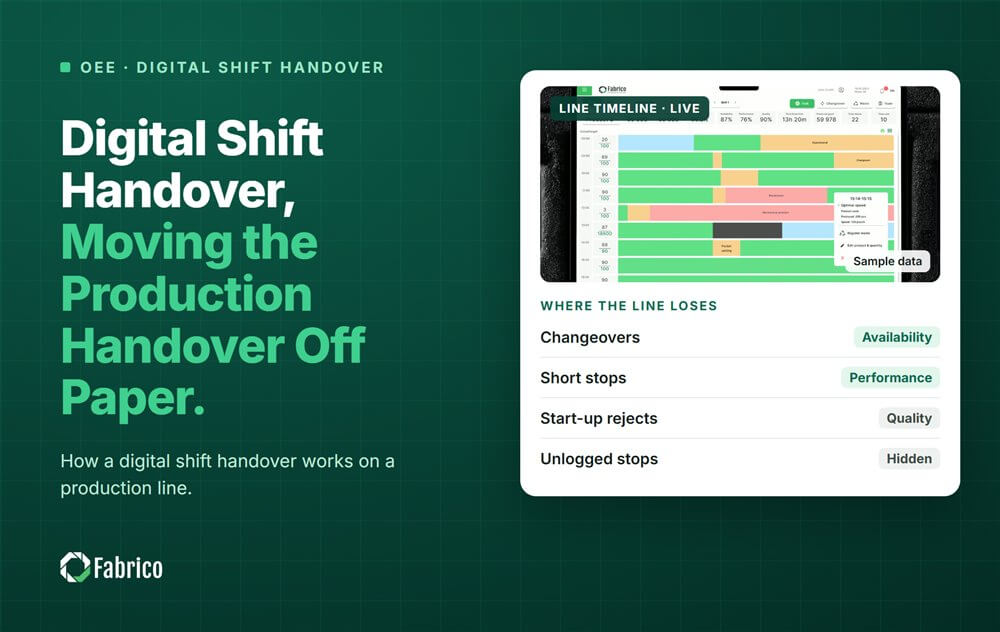
Production Shift Handover: Moving the Line Log Off Paper

Key takeaways
- A digital shift handover replaces the paper log with the shift's real line data.
- The outgoing shift shows four things: output against plan, top losses, open problems and what changed.
- The incoming shift confirms each open problem has an owner before they take the line.
- Keep the handover short: about 10 minutes at the line, on one screen.
- Measure the process, not the person, so people log stops honestly.
The short answer: a digital shift handover is the change of shift done from live line data instead of a paper log. Both supervisors look at the same screen, see what really happened, and agree what the next shift must do.
This guide is for production supervisors and line managers on two or three shift lines. Fabrico, a computer vision enabled Manufacturing Performance Platform, logs downtime automatically and shows OEE by line and shift, which is the base a digital handover needs.
What goes wrong with a paper shift handover?
- The log is written at the end of the shift, from memory.
- Short stops are left out, because nobody wrote them down.
- "Filler stopped, about 20 minutes" hides three different causes.
- The next shift learns about a problem when it happens again.
Paper is still the main competitor: 54.4% of small and medium manufacturers run on pen and paper or spreadsheets. The goal is not a nicer form. It is a handover built on what the line recorded.
What should a digital shift handover show?
| Item | What it shows | Why it matters |
|---|---|---|
| Output against plan | Good units made vs planned, and OEE for the shift | Tells the next shift how far behind it starts |
| Top 3 losses | Biggest losses by minutes and by money | Points the next shift at what to watch |
| Open problems | Anything not fixed, with an owner | Nothing falls between shifts |
| What changed | Product or format change, new material lot, settings changed | Explains a new problem before it starts |
Split losses into own stops, starved and blocked time. Otherwise the shift that ran behind a broken labeller looks like the shift that ran badly. Our OEE shift handover guide covers the OEE side in more depth.
How do you run the handover in 10 minutes?
- Minute 0 to 2: output against plan and shift OEE.
- Minute 2 to 5: the top 3 losses, with the stop timeline on screen.
- Minute 5 to 8: open problems. Each one gets an owner and a next step.
- Minute 8 to 10: what changed, and what the incoming shift will run.
Do it at the line, standing, on one screen. For a layout that works, see how to design a shift handover board. For a printable list, use our shift handover checklist.
A worked shift handover
Sample line (illustrative numbers, not a customer): a bottling line rated at 300 bottles a minute, shift with 450 minutes of planned production time, planned output 120,000 bottles.
| Handover item | Value |
|---|---|
| Good output | 99,000 bottles (82.5% of plan) |
| Shift OEE | 99,000 / (450 x 300) = 99,000 / 135,000 = 73.3% |
| Loss 1 | Labeller glue faults, 6 stops, 24 minutes |
| Loss 2 | Filler starved, 15 minutes, caused by the bottle feed |
| Loss 3 | Micro stops at the capper, 38 stops, 19 minutes |
| Open problem | Labeller glue nozzle worn, part ordered, owner: maintenance day shift |
| What changed | New label reel lot at 14:10 |
On paper this shift might read "labeller problems, about half an hour". The digital handover shows the glue faults started after the new label lot, that the capper lost almost as many minutes in 38 short stops, and who owns the open fix. The incoming shift knows to watch the labeller and the capper from minute one.
At the Siemens 2024 figure of $36,000 for a lost hour in FMCG, the 58 lost minutes in this sample would be worth about $34,800. Your own contribution per unit is the better basis; the Siemens figure is an average for large plants.
How do you switch from paper to digital?
- Start on one line and run paper and digital side by side for two weeks.
- Keep the same four items the paper log had, so nobody has to relearn the meeting.
- Drop the paper once the supervisors trust the screen.
- Copy it to the next line with the same items and screen.
Make it safe to log stops. Research by Amy Edmondson found that teams who feel safe to speak up learn more and perform better. If the handover turns into blame, the stops stop getting logged.
What should the incoming shift check?
The handover is two way. Before taking the line, the incoming supervisor checks:
- Every open problem has an owner and a next step.
- The product, format and materials for the first hours are ready.
- Any stop that was not given a reason gets one now, while the outgoing shift is still there.
- Any planned stop, such as a cleaning or a changeover, is on the plan.
If something is missing, it is fixed during the handover, not discovered an hour later.
Mistakes to avoid
- Rebuilding the paper form on a tablet, still filled in from memory.
- Showing every number on the screen instead of the top 3 losses.
- Open problems with no owner.
- Using the handover to rank operators.
Where Fabrico fits
Fabrico is a computer vision enabled Manufacturing Performance Platform. OEE and light MES come first: automatic downtime logging that keeps own stops, starved and blocked time apart, and OEE live by line and shift.
- Automatic downtime logging, so short stops show up in the handover.
- The operator confirms the reason in one tap, with a camera clip as evidence where a camera watches the line.
- OEE live by line and shift, with losses priced in money.
- A work order with its cost to the right technician when an open problem is a breakdown.
You start on one line, with a baseline and a decision date agreed in advance. There is no free plan and there are no tiers: each plant gets a quote. See our light MES page.
Frequently asked questions
What is a digital shift handover?
The change of shift done from live line data on one screen, instead of a handwritten log.
What should a shift handover include?
Output against plan, the top 3 losses, open problems with owners, and what changed during the shift.
How long should a shift handover take?
About 10 minutes at the line is enough when the data is already on the screen.
Who should attend?
The outgoing and incoming supervisors, plus the maintenance lead when a breakdown is open.
Do we still need a paper log?
Keep it for two weeks next to the digital one, then drop it once the supervisors trust the screen.
See a digital handover in a demo
Bring one shift report. We will show the same shift as a digital handover.
Latest from our blog


Real Fabrico tiles, sample data.