


 Login
 Blog
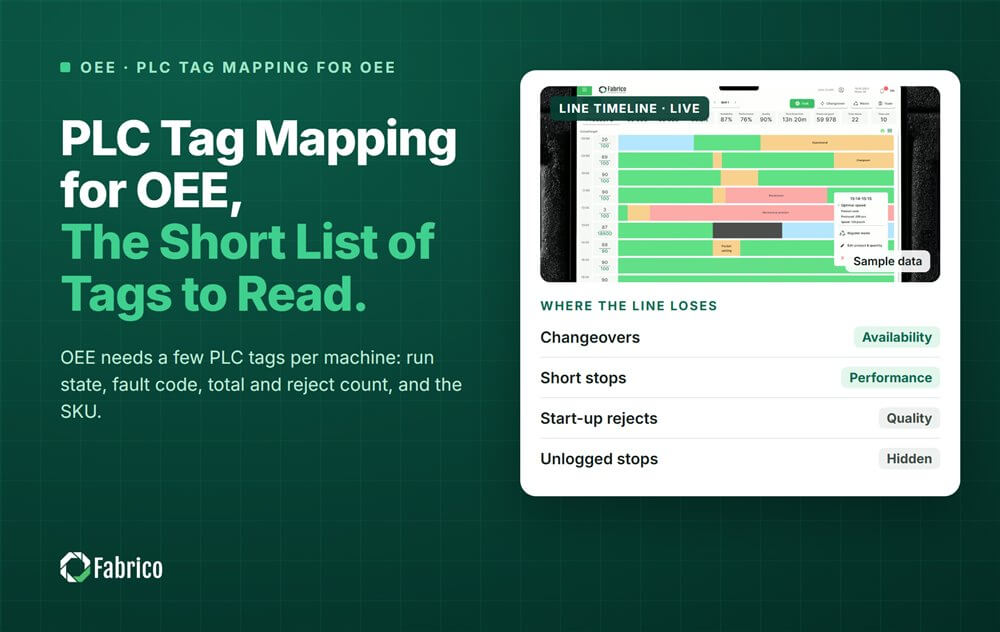
PLC Tag Mapping for OEE: The Short List of Tags to Read

Key takeaways
- Five tags per machine cover most of OEE: run state, fault code, total count, reject count and the running SKU.
- Speed and starved or blocked signals are useful extras, not must-haves.
- Write the tag list down once, and have your controls engineer sign it.
- Read only. OEE never needs to write a value back to the PLC.
- Test each tag against reality before anyone trusts the numbers.
Reading a machine for OEE does not mean reading hundreds of PLC tags. A handful per machine is enough to compute Availability, Performance and Quality. The work is in finding the right ones, checking them, and writing down what each one means.
Fabrico, OEE and light MES software with AI cameras, connects a machine through its PLC, a Fabrico IoT device or an AI camera. Where a PLC is read, the tag list below is the starting point your controls team and Fabrico's technical team agree on.
Which PLC tags does OEE need?
| Tag | What it tells OEE | Typical type |
|---|---|---|
| Run state | Running or stopped: the base of Availability | Boolean or state number |
| Fault or alarm code | Which fault was active when the machine stopped | Integer |
| Total count | Cycles or units made: the base of Performance | Counter |
| Reject count | Units rejected at the machine: the base of Quality | Counter |
| Recipe or SKU number | What is running, so the right ideal speed is used | Integer |
| Extras | Actual speed, infeed empty, outfeed full, auto or manual mode | Real or Boolean |
The infeed and outfeed signals are worth the effort on linked lines. They tell starved and blocked apart from the machine's own faults.
Keep the list short on purpose. Every extra tag is one more thing to map, test and keep current when the program changes. Start with the five, prove them on one machine, and add extras only when a real question needs them.
How do you build a tag list?
- List the machines and the PLC brand, model and protocol of each.
- Find the tags with your controls engineer. Tags differ by brand, model and the person who wrote the program.
- Record each tag: its address, type, meaning, unit and any scaling.
- Test it against the line, as described below.
- Sign the list and keep it with the machine documents.
On some older or non-standard controllers, the signals are not exposed at all. Then a short job by a qualified controls engineer, often 1 to 4 hours, may be needed to expose them. That is a program change, so plan it like one. Our guide to PLC data extraction methods covers the options.
How do you check each tag against reality?
- Count by hand. Run the machine for a few minutes, count the units yourself and compare with the counter.
- Force a stop. Stop the machine and check that the run state changes at once.
- Check the reject path. Make sure a reject is counted once, at one place.
- Change the SKU. Check that the recipe number really changes when the product does.
- Watch the counter wrap. Find out when the counter rolls over or resets.
Worked example: a tag list for one filler
Sample line (illustrative numbers, not a customer). A filler fills 400 bottles a minute, 4 at a time. Its tag list has six entries.
| Tag | Type | Meaning and note |
|---|---|---|
| Filler.Running | Boolean | True while filling |
| Filler.FaultCode | Integer | Active fault, 0 when none |
| Filler.CycleCount | 16-bit counter | Cycles, 4 bottles per cycle |
| Filler.RejectCount | 16-bit counter | Bottles rejected at the filler |
| Filler.RecipeNo | Integer | Running SKU, set at changeover |
| Filler.Speed | Real | Bottles a minute |
Two traps hide in this list. First, the counter counts cycles, not bottles. Total count = cycles x 4, or Performance comes out four times too low.
Second, a 16-bit counter wraps after 65,535. At 100 cycles a minute, it wraps every 65,535 / 100 = 655 minutes, about 11 hours. The gateway must handle the wrap, or one shift a day shows a huge negative count.
Mapping effort grows with machines. A line of 12 machines at 1 to 4 hours of controls work each needs 12 to 48 hours, before network work and review.
Which mistakes break tag mapping?
- Counters that reset at shift change without anyone noticing.
- Cycles read as units on multi-head or multi-lane machines.
- Rejects counted twice, at the machine and again downstream.
- A recipe number the crew forgets to change, so the wrong ideal speed is used.
- A gateway account with write rights. Read only, always.
Fault codes need their own care when you turn them into downtime reasons. Our guide to PLC fault code design explains how good fault codes are built.
Where does Fabrico fit?
Fabrico is a computer vision enabled Manufacturing Performance Platform. OEE and light MES come first, read from the signals each machine already has.
- Automatic downtime logging from PLC tags, IoT devices or cameras.
- The operator confirms the reason in one tap, because a fault code is a hint, not always the cause.
- OEE live by line and shift, with every loss priced in money.
- A pilot on one line, so the tag list is proven before more machines follow.
The tag list and connection for each plant are agreed with Fabrico's technical team. There is no free plan and there are no tiers: each plant gets a quote. See the product on the computer vision OEE page, and the network side in our PLC connectivity guide.
Frequently asked questions
What is a PLC tag?
A tag is a named value inside a PLC, such as a running flag, a counter or a fault number. Each tag has an address, a data type and a meaning set by whoever wrote the program. OEE reads a few of them to know when the machine runs and what it makes.
How many PLC tags do you need for OEE?
Usually five per machine: run state, fault code, total count, reject count and the running SKU or recipe. Speed and starved or blocked signals help on linked lines. More tags rarely improve OEE; checking the few you read matters far more.
Do you need to change the PLC program to read tags?
Not when the tags already exist. A gateway reads them over OPC UA or the PLC's own protocol, with a read-only account. A change is only needed when a signal is not exposed at all, and then it is a short job for your controls engineer.
How do you handle counter rollover?
Find out the counter's size and when it wraps or resets, then make sure the gateway handles it. A 16-bit counter wraps after 65,535. The gateway should add the difference across the wrap, not take the raw drop as a negative count.
Who should own the PLC tag list?
The plant's controls engineer, because they know the program and sign off any change. The OEE vendor proposes the list and tests it. Keep the signed list with the machine documents, and update it whenever the PLC program changes.
Map your first machine with us
Bring one machine's PLC brand and program. We will show which tags OEE needs and what its stops cost.
Latest from our blog


Real Fabrico tiles, sample data.