


 Login
 Blog
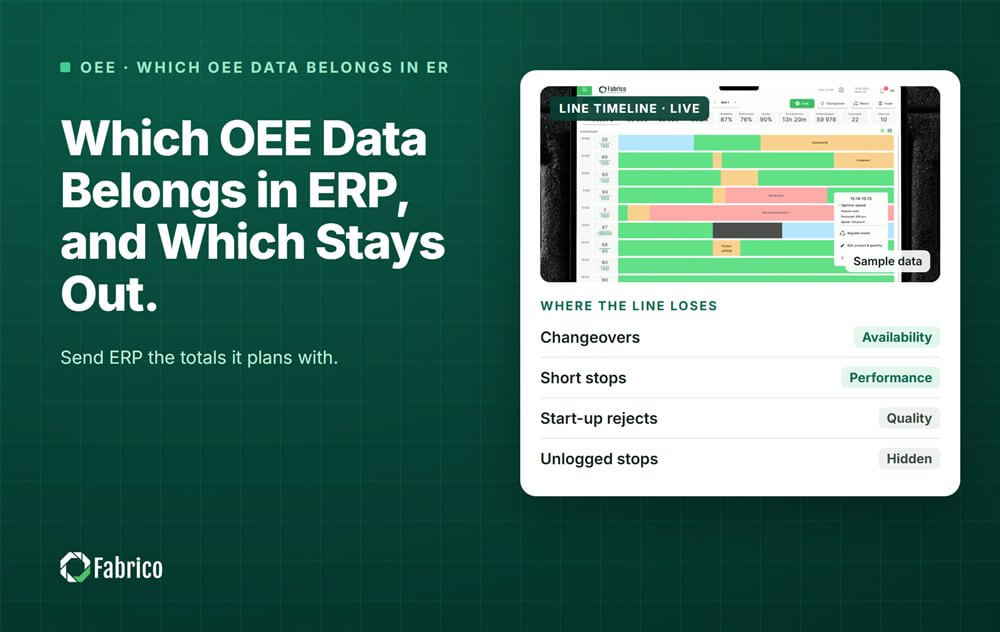
Which OEE Data Belongs in ERP, and Which Stays Out

Key takeaways
- ERP gets totals per order and per shift, not single stops.
- The order and the SKU come down from ERP; quantities and hours go back up.
- Agree one master for each field before anything is connected.
- Post at a fixed moment, and book corrections as new postings.
- Keep micro stops, reasons and clips in the OEE layer.
ERP plans in days and weeks, while OEE works in minutes and seconds. So ERP should get the totals it plans and costs with. The stop by stop detail should stay in the OEE or MES layer, where people act on it.
Fabrico, OEE and light MES software with AI cameras, works in the Level 2 to Level 3 space of the ISA-95 model. In its own words, it "is not an ERP and does not replace Level 4". This guide covers the vendor-neutral split. How a connection works for your plant is a question for Fabrico's technical team.
Why should ERP not get the stop detail?
Because the two systems work on different clocks. ISA-95, the standard for linking plant systems with business systems, puts them on different levels:
- Level 2, control: the PLC answers in sub-seconds.
- Level 3, MES and OEE: works in days, shifts, hours, minutes and seconds.
- Level 4, ERP: works in months, weeks and days.
A planner does not need a 40 second jam on the capper. A line lead does. Send each single stop to ERP and you fill it with detail nobody there will use. Postings get slow and hard to correct. Our guide to ISA-95 explains the levels in more detail.
What should go from OEE to ERP?
Send the numbers ERP needs to close orders, value stock and plan capacity.
| Data | Grain | What ERP uses it for |
|---|---|---|
| Good quantity | Per order, per shift | Order confirmation and stock |
| Scrap quantity, by scrap group | Per order | Yield and material cost |
| Machine run hours | Per order or per shift | Actual cost and capacity |
| Downtime minutes by loss group | Per shift | Capacity planning and cost |
| Order start and end time | Per order | Order status and lead time |
Keep the groups coarse. Breakdown, changeover, material and quality are enough for a planner. The fine reason codes stay where the line team uses them.
What should stay in the OEE or MES layer?
- Every single stop, with its start, end, machine state and reason.
- Micro stops and speed loss, which only make sense on a timeline.
- Camera clips that show what happened during a stop.
- Live machine states for the screen at the line.
- Confirmations and edits by the shift, each with its time.
This is the data that drives the daily meeting and the next fix. It changes by the minute, which is exactly why ERP should not hold it.
What should come down from ERP?
The OEE layer needs to know what the line is making. From ERP it usually takes the order number, the SKU, the planned quantity and the due date.
The ideal cycle time per SKU and line needs an owner. Some plants keep it in ERP routings, others in the MES. Pick one master, or the two will drift apart and OEE will be computed against the wrong speed.
Worked example: one order, one shift
Sample line (illustrative numbers, not a customer). Line 4 runs order 5512 for 1 litre bottles on shift B. Planned production time is 480 minutes. The ideal rate is 100 bottles a minute.
During the shift the line ran 420 minutes. It counted 39,500 bottles, of which 39,100 were good and 400 were scrap. The OEE layer logged 37 stop events, 60 minutes in total, plus the micro stops between them.
- Availability = 420 / 480 = 87.5%
- Performance = 39,500 / (420 x 100) = 94.0%
- Quality = 39,100 / 39,500 = 99.0%
- OEE = 39,100 x 0.01 minutes / 480 = 81.5%
| Goes to ERP (one posting) | Stays in the OEE layer |
|---|---|
| Good quantity: 39,100 | 37 stop events with start, end and reason |
| Scrap: 400 (fill level 250, label 150) | Every micro stop and its timing |
| Run hours: 7.0 of 8.0 planned | Camera clips of the longest stops |
| Downtime: breakdown 22, changeover 18, material 12, other 8 minutes | Who confirmed each reason, and when |
ERP gets one posting with a handful of numbers. The 37 stops stay where the line team can sort them by cost and fix the top one.
What should IT and operations agree before connecting the two?
Connecting plant data to ERP is a top concern for buyers. In one survey of 1,560 manufacturing decision makers in 17 countries, integration was the first buying requirement for an MES, named by 44%. Only 23% had fully integrated systems. Most of the trouble comes from decisions nobody wrote down.
- One master per field. Orders and SKUs from ERP; counts, stops and run time from the line.
- One unit. Bottles, cases or pallets, converted once, in one place.
- The posting moment. At the end of the order, the end of the shift, or both.
- Corrections. A late scrap count is a new posting, never a silent edit of an old one.
- Outages. When the link is down, postings wait and go later, in order.
- The ideal cycle time. One owner, one value per SKU and line.
For the wider comparison of the two systems, read OEE vs ERP and ERP vs MES. If your IT team is small, our guide to connecting OEE data to ERP without heavy IT work covers the simple options.
Where does Fabrico fit?
Fabrico is a computer vision enabled Manufacturing Performance Platform. It is the OEE and downtime layer: a light MES that sits under your ERP, not in place of it.
- Automatic downtime logging, stop by stop, from the machine signal.
- OEE live by line and shift, using the same time model on every line.
- Every loss priced in money and ranked, so the shift totals have a cost.
- One view across plants for groups with several sites.
Fabrico is not an ERP. Questions about connecting it to your ERP are answered plant by plant by Fabrico's technical team. You start with a pilot on one line. There is no free plan and there are no tiers: each plant gets a quote.
Frequently asked questions
Should OEE be calculated in ERP?
Usually not. ERP does not see when a machine stops, for how long or why, so it cannot compute Availability or Performance from its own data. Compute OEE in the OEE or MES layer from the machine signal. ERP can then show the shift result next to the order.
What OEE data should go to SAP or another ERP?
The same totals as for any ERP. That means good and scrap quantity per order, machine run hours, downtime minutes by loss group per shift, and the order start and end. Which interface carries them depends on your ERP and your vendor. Ask both before you design the flow.
How often should production data be posted to ERP?
Most plants post at the end of each order, at the end of each shift, or both. Posting single stops adds load without adding value. Book late corrections, such as a scrap count found the next morning, as new postings so the history stays clear.
Who should own the ideal cycle time, ERP or MES?
Either can, but only one may. If ERP routings and the MES hold different speeds for the same SKU, OEE uses the wrong ideal. Planners then plan with yet another number. Pick one master and copy the value to the other system.
What is the difference between MES data and ERP data?
MES data is what happened on the line, minute by minute: stops, counts, states and reasons. ERP data is the business view: orders, stock, costs and plans over days and weeks. They meet at the order: ERP says what to make, and the MES reports what was made.
See the line detail behind your ERP totals
Bring one order from last week. We will show the stops behind its totals and what each one cost.
Latest from our blog


Real Fabrico tiles, sample data.