Login
 Blog
How to Integrate OEE Data With Your ERP Without Heavy IT Work

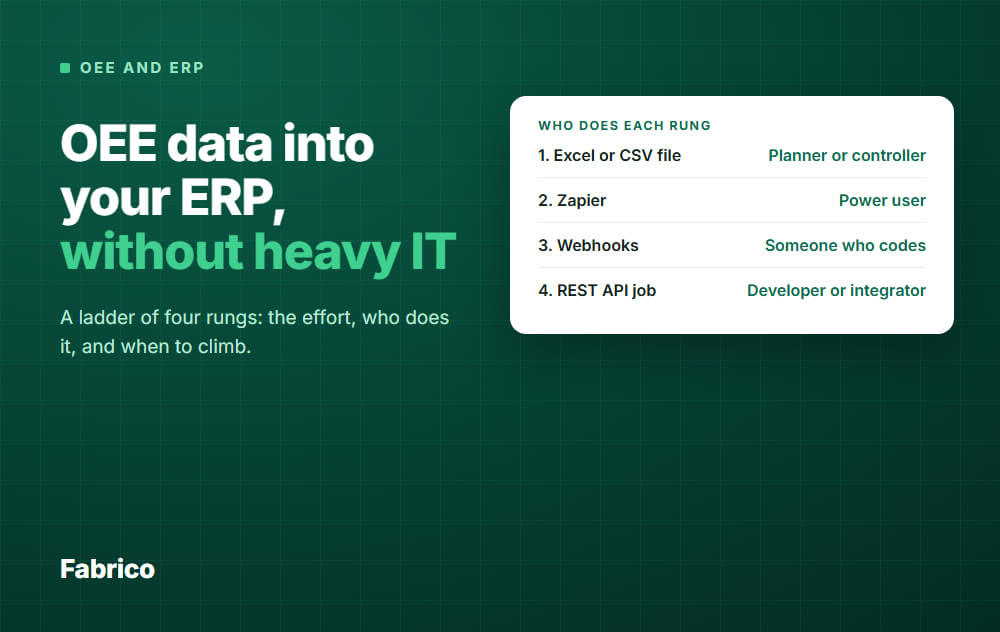
The answer: Start with a file, and climb only when a clear sign tells you to. Much of the work is agreeing what to send and matching IDs, not the connection itself.
- Rung 1: an Excel or CSV file, moved by a person.
- Rung 2: Zapier, built by a power user.
- Rung 3: webhooks, built by someone who codes.
- Rung 4: a scheduled REST API job, built by a developer or integrator.
- Send counts and minutes per order and shift, not the OEE percent.
Your OEE data is in one system and your orders are in another. Someone asks for the two to meet, and the first quote mentions middleware and a long project.
You may not need that. This page is a ladder with four rungs.
For each one you get the effort, who does it, and the sign that you have outgrown it.
Three questions before any rung
Ask these first. The answers decide how high you need to climb.
- Which ERP decision changes with this data? Costing, order closing and capacity planning each need different fields. If nobody can name a decision, stop here.
- How late can the data be? Order closing can often wait for the end of a shift. Decide this with the person who uses the number.
- Who fixes a failed row? Name one person. A link with no owner can fail for weeks before anyone notices.
The ladder at a glance
| Rung | Who does it | Climb when |
|---|---|---|
| 1. Excel or CSV file | Planner or controller | The run is late, skipped or retyped |
| 2. Zapier | Power user | Limits bite, or IT rejects a third party in the path |
| 3. Webhooks | Someone who codes | A missed event costs you, or totals must balance |
| 4. REST API job | Developer or integrator | You need a scope the job cannot cover: talk custom integration |
The effort on this page means working time for one simple one-way link, once the ID map exists. Elapsed time is often longer, because approvals and firewall changes take their own time.
The rungs describe methods in general. They do not tell you what any one product's route carries, so check that with the vendor.
Rung 1: an Excel or CSV file
Export the data, check it, then import it into the ERP. If the ERP has no safe import route, a controller can key in the totals from the file.
That counts as integration. The two systems now meet on a schedule, and you learn which fields really matter.
- Who: a planner or controller, with the ERP admin for the first import.
- Effort: the smallest. One test import to set up, then a short manual run each time.
- IT work: close to none, once the import is allowed.
Many ERPs have an import tool, so ask your admin what yours offers. One example: Microsoft's data import and export jobs in Dynamics 365 finance and operations apps accept Excel and delimited files, can use staging tables to check data first, and show failed records in the job history.
Also ask what a posted row triggers: stock moves, costs or order status. Try it on a test order before you trust it.
Climb when: the run is late or skipped, someone retypes columns by hand, or the person who does it goes on holiday and it stops.
Rung 2: Zapier
Zapier moves data between apps when something happens, with no code. A power user can build a flow such as "when this event arrives, add a row to the sheet the planner imports".
- Who: a power user in operations or finance.
- Effort: small. One flow, on top of the import route from rung 1.
- IT work: small, but your data now passes through one more company, so ask IT first.
Read the limits before you build:
- Webhooks by Zapier is not on all Zapier plans, and it has payload and rate limits. Check this if your flow uses it.
- One request with several records can start one run per record, which adds up on a busy line.
- If you hit your task limit, runs are held, not lost. Someone has to notice and replay them once tasks are available.
Climb when: your ERP has no route from Zapier, limits start to bite, or IT will not accept a third party in the path.
Rung 3: webhooks
A webhook is a push: the source sends data to your address when an event happens. It suits single events more than totals.
Which events a system sends is a question for its vendor.
A small program receives the event, checks it and passes it to the ERP.
- Who: someone who can write and host a small program.
- Effort: real. A small program to write, host and own.
- IT work: real. A cloud system must be able to reach your address, which can mean a firewall discussion when the ERP runs on site.
The weak spot is silence: a webhook can fail quietly if your address is down and the sender does not retry.
Your program has to handle retries, check signatures and log what failed.
Climb when: a missed event costs you money, or finance needs totals that balance at the end of a shift.
Rung 4: a scheduled REST API job
A job runs on a schedule, such as at the end of a shift. It pulls the data, maps the IDs, posts to the ERP and logs the result.
- Who: a developer or an integrator.
- Effort: the largest, mostly mapping and testing failures. Expect more if the ERP has no ready API for what you post.
- IT work: planned, with credentials, hosting and a named owner.
This rung is heavier to build but can be easier to run than rung 3. Pulling is the usual choice when you cannot accept inbound requests or need to reconcile full state on a schedule.
Because the job calls out from your side, it may need no new inbound firewall opening.
Build it so a rerun is safe. Use order number, work center, date and shift as the key, so posting twice does not double the count.
Many ERPs add a new posting instead of updating the old one. If yours does that, make the job check for the key before it posts.
Climb when: you need something a one-way job cannot do, such as a two-way sync with rules for conflicts. That is a custom integration project, and it is the point where "heavy IT" is a fair description.
The job no tool does: the ID map
The machine called Line 3 in your plant has a different code in the ERP. No connector fixes that by itself.
Make one table before you build anything:
| In the OEE system | In the ERP |
|---|---|
| Line 3 (example) | Work center WC-0310 |
| Filler 2 (example) | Resource R-2207 |
| Product "500 ml" (example) | Material 100045 |
Use the ERP codes as the master, and name one person to update the table when a line or product changes. On all four rungs, a stale table is a common reason for failed rows.
For the wider question of who owns which object, read this guide on data flows and ownership between MES, OEE and ERP.
Where Fabrico sits on this ladder
We sell Fabrico, a light MES for OEE and downtime, so weigh this section with that in mind. Here is the route it offers for each rung:
- Rung 1: any list exports to Excel or CSV, and data can be imported in bulk from Excel.
- Rung 2: Zapier.
- Rung 3: webhooks.
- Rung 4: a REST API.
Above the ladder, these ERP links exist:
- SAP PM: syncs both ways. SAP PM is the SAP maintenance module, so do not read this as a production confirmation link.
- SAP S/4HANA: Fabrico connects to it. Agree which objects are in scope before you plan around it.
- Microsoft Dynamics or Oracle: linked through a custom integration, so treat this as a project, not a switch.
Other systems connect through webhooks, the REST API or Zapier. There is no Epicor or AVEVA PI connector today.
A route existing does not tell you what it carries, and this page does not say. Before you plan around one, ask us which of the seven fields below it can send, as you would ask any vendor.
What Fabrico does not do: job dispatching, BOMs, routings and genealogy stay in your ERP, and production scheduling is not part of it. If you need those in one system, Fabrico is not it.
The data comes from the machine: a PLC over OPC UA, Modbus, PROFIBUS, PROFINET, EtherNet/IP or EtherCAT, an IoT device with sensors on older machines, or an AI camera where there is no machine signal.
Operators tag stop causes on a tablet or phone. See the Fabrico MES and OEE overview.
Fabrico is cloud software and the app has no offline mode, so the app needs a working connection at the line. If the link drops, the gateway buffers machine data for a period agreed with you, as standard up to 30 days.
Plan on about 1 month to install and connect devices, and 3 to 4 months for a full rollout. The ERP link can follow once the line data is trusted.
Request a demo or Contact us, and tell us which ERP you run.
Common mistakes
- Sending raw stops. An ERP has no use for a 40 second stop. Send summaries.
- Building a full two-way sync first. Get one flow right before you add the next.
- Skipping the parallel run. For a set period, two weeks for example, compare good quantity in both systems for each order, and keep the old way running.
- No rule for a mismatch. Agree a tolerance, and agree which system wins when the gap is bigger.
- Trusting the word "integrated". It can mean anything from a live read to a nightly file. Ask for the field list.
The smallest data set to send
Whichever rung you are on, start with these fields. Everything else can wait until someone asks for it.
| Field | Why the ERP needs it |
|---|---|
| ERP order number | Ties the row to the order |
| ERP work center code | Ties the row to the resource |
| Date and shift | Lets a rerun update the row |
| Good quantity | Output against plan |
| Scrap quantity | Yield and material cost |
| Scheduled minutes | Time the order held the line |
| Stopped minutes | Actual run time and capacity |
Send the ingredients, not the OEE percent
A percent cannot be added up or simply averaged.
Example: 80 percent OEE over 8 hours and 40 percent over 2 hours looks like 60 percent on a plain average. Weighted by time, it is 72 percent.
Send counts and minutes, and a report can work out availability and quality totals correctly.
To rebuild the full OEE, it also needs the ideal cycle time for each product. See OEE calculation for how these parts combine.
A worked example: one order, two shifts
ERP orders often cross a shift change, while OEE is usually read by shift. So send one row per order and shift, and let the rows add up to the order.
Before you build on any rung, check that your OEE system can produce these seven fields.
The order number is the usual gap. Data can only be split by order if something records which order ran when, such as an order list from the ERP or a person noting start and end times.
Solve that first.
What people ask next
Which integration tool should I buy for real-time sync?
Ask first which ERP decision needs it. If the number is used at shift end, a shift-end job is simpler and easier to check.
If you do need a tool, the types are no-code automation tools, integration platforms for linking many systems, and a custom job built by an integrator.
Use a faster route for the single events where a delay costs you.
Can we do this with no IT at all?
Rung 1 comes close, and rung 2 needs a light review. Rungs 3 and 4 need someone who codes and someone who owns the result.
Tell IT early either way, because import rights and data transfers are their call.
Should ERP data also flow into the OEE system?
Often, and the order list may have to come first, because a row per order needs to know which order ran. Products and master IDs are other usual candidates.
Keep it small: one line, and only the data the next step needs.
Our ERP is not named on this page. Are we stuck?
No. A file, a webhook or an API job needs a way into your ERP, not a named connector.
Ask your ERP admin what import routes exist, then ask the OEE vendor for the field list.
What should I check when comparing OEE tools for this?
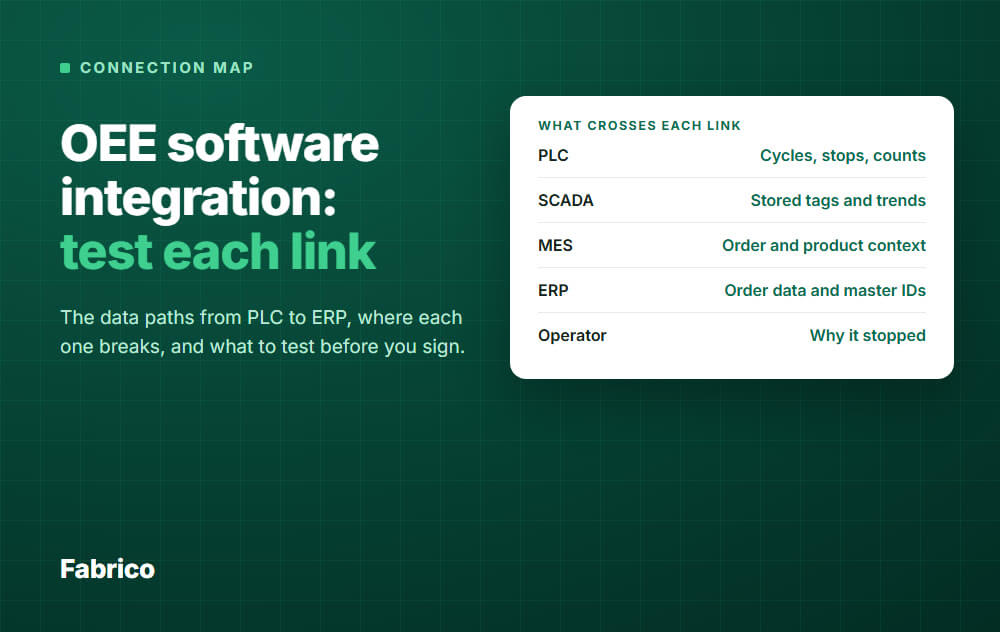
Ask for a sample export, the field list, and what happens to a failed row. For more tests to run on a link, read OEE software integration with MES, SCADA and PLC.
Then use this guide to OEE software categories to build your shortlist.
Want to see which rung fits your plant? Request a demo or Contact us.
Latest from our blog