


 Login
 Blog
Edge or Cloud? A Worksheet and Outage Drill for IT and Operations

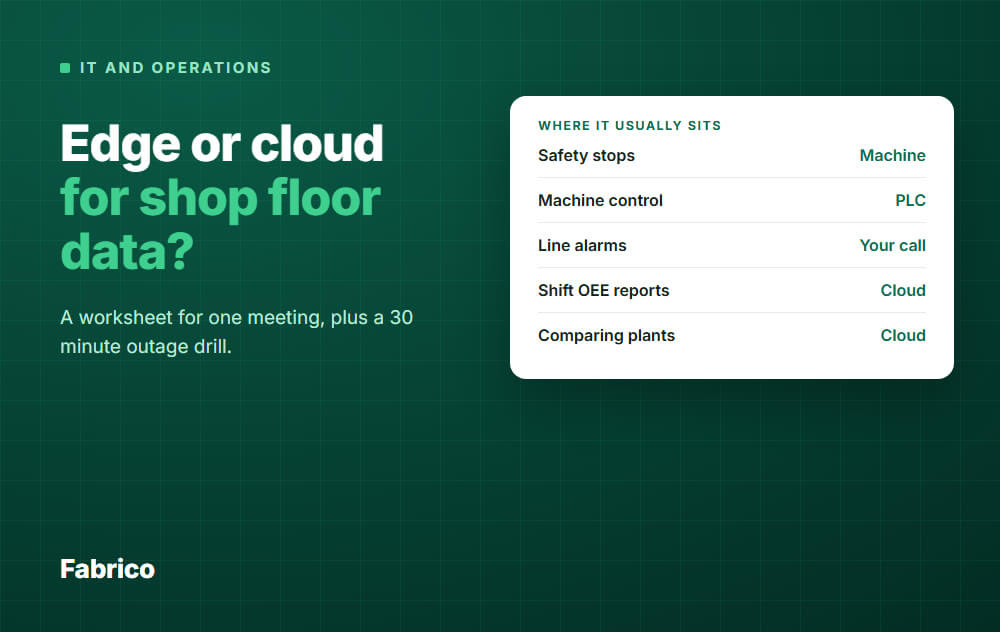
The rule: whatever must keep working when the internet link is down stays next to the machine. The rest can go to the cloud, if IT and operations agree on what a gap in the data costs.
- Safety stops and machine control never depend on the cloud.
- Reports, loss rankings and plant comparisons suit the cloud.
- The real debate is the middle: signal capture, line alarms and operator input.
- This page is a worksheet for one meeting, plus a 30 minute outage drill that settles the arguments.
Edge means data is handled on or near the machine. Cloud means it is handled on remote servers, over an internet link.
IT asks what happens to the plant network, and operations asks what happens to the line. Both are right, and the definitions alone answer neither.
Edge or cloud processing for shop floor data: which is better?
Neither is better for every job. Keep anything that must work during a link loss near the machine, and send reporting and plant comparisons to the cloud.
The hard part is the jobs in the middle, so use the rest of this page as a meeting agenda. Each block has an owner, and the meeting ends with a signed page.
A word on our side of this: we sell Fabrico, which is cloud software. So we also list the cases where cloud-only is the wrong answer, and those include cases where you should not buy from us.
Before the meeting
Book one hour. You need four people, or two people wearing four hats:
- Production or plant manager: decides what a gap in the data costs.
- Controls or automation engineer: knows what the PLCs do and what signals exist.
- IT network owner: knows the plant link and the line coverage.
- IT security owner: decides what may cross into the machine network.
Ask IT to bring one number: how many hours the plant link was down in the last 12 months.
No log? Start logging it now, because the answer drives block 2.
Block 1: sort every job by three questions
Owner: operations and controls. List the jobs and ask three things about each one, before any talk of technology.
- How late can the answer be before something goes wrong on the line?
- If the link is down for 4 hours, what breaks?
- Who needs the result: the person at the machine, or someone elsewhere?
Here is a starting sheet. The last column is the usual home, not a law, so change it where your plant differs.
| Job | How late is OK? | If it relied on the link, down 4 hours | Usual home |
|---|---|---|---|
| Safety stops, interlocks | No delay | Must not change at all | Machine |
| Machine control and sequence | No delay | Must not change at all | PLC |
| Rejecting a bad part at the line | Part still in reach | Bad parts pass | Machine |
| Line alarm for a stopped machine | Seconds | People notice late | Your call |
| Capturing run, stop and cycle signals | Timestamp must be right | Possible gap in the record | Your call |
| Operator tags the stop cause | Minutes | Causes go on paper or get lost | Your call |
| Live OEE on a line screen | Seconds to a minute | Screen goes stale | Your call |
| Shift and weekly OEE reports | Hours | Report comes later | Cloud |
| Ranking stop causes, comparing plants | Hours | Nothing urgent | Cloud |
| Sync with the ERP | Minutes to hours | Catches up later, if queued | Cloud |
Top rows are closed and bottom rows are rarely disputed. The four "your call" rows are what the meeting is for.
Short stops raise the stakes on signal capture. A 40 second micro-stop only appears if the signal is read often enough and stamped with the right time.
Block 2: price the gap before you buy anything
Owner: plant manager, with IT's number. Separate two things that often get mixed up.
- Lost production: if control stays in the PLC, a dropped internet link should not stop the machine.
- Lost record: what you can lose is the data for that window, and the causes nobody tagged.
So the fair question is how much of your run time would have a hole in it.
All numbers here are example data, for a line running 2 shifts of 8 hours, 250 days a year: 4,000 hours. Each drop is assumed to fall in run time.
| Example plant | Link down per year | Share of run time | Sensible reaction |
|---|---|---|---|
| Two 30 minute drops a month | 12 hours | 0.3 percent | Accept and label the gap |
| One hour lost on each working day | 250 hours | About 6 percent | Fix the link first |
At 0.3 percent, a local server to protect the record may cost more than the gap does. At 6 percent, your OEE calculation rests on holes, and a better link helps any system you choose.
Some plants cannot accept any gap. If a customer or an auditor requires a complete record for each run, write that on the sheet, because it overrides the sums above.
Block 3: network requirements for a cloud MES
Owner: IT network. Ask vendors for real figures for your setup in writing, then check these yourself. For the wider buying questions, see our guide to cloud MES.
Measure at the line, not in the office
- Walk the line with a tablet and test at each station where an operator will stand.
- Test at each spot where a device or camera will sit, during a normal run.
- Decide per device: wired, Wi-Fi or cellular. A fixed device is a good case for a cable.
Size signals and video separately
This is the sum that surprises people. Example data: 40 machines, one cycle every 30 seconds, about 1 KB per event.
- Signals: 40 x 2 events a minute x 1 KB is 80 KB a minute, or about 11 kbit/s.
- One camera streaming video at an example 4 Mbit/s uses hundreds of times more than all 40 machines together.
Run, stop and cycle signals rarely strain a plant link. Video can, and so can raw high-speed sensor data.
Ask each vendor whether cameras send video or only results such as counts.
Questions for the sheet
- Which devices need to reach the internet, and to which addresses and ports?
- Does the system still work if the plant routes traffic through a proxy?
- Is there a second link, and does it switch over by itself?
- Who fixes a dead access point on the night shift, and how fast?
Block 4: security questions IT should ask
Owner: IT security. NIST's guide to OT security starts from the point that plant systems have their own performance, reliability and safety requirements, so office rules do not simply carry over.
The secure connectivity principles for OT from the UK NCSC, CISA and partners make a useful checklist. The eight principles include limiting exposure, hardening the OT boundary, logging and monitoring all connectivity, and having an isolation plan.
The authors present them as goals, not minimum requirements.
Turn those into questions for each vendor:
- Who starts the connection? Is anything allowed inbound to the machine network?
- Where exactly does data cross the boundary, and through which device?
- Who patches that device, and who holds its credentials?
- Does the vendor read signals only, or can anything write to the PLC?
- Are connections logged, and can you see those logs?
- Where is the data hosted, and is it encrypted in transit and at rest?
- Which certificates can you show, and is there a data processing agreement?
For the full vendor review, use this vendor security questionnaire.
The outage you choose yourself
Your isolation plan may cut the link on purpose. During a cyber incident, IT may disconnect the plant from the internet, and nobody can promise for how long.
The same guidance wants that plan tied to your business continuity plan and tested regularly.
So ask: if we isolate the plant, how do we run and record production? Cloud screens will be out of reach in that window, so the answer needs to exist before the incident.
Block 5: the 30 minute outage drill
Owner: IT and operations together. Vendor answers and slides are opinions until you see this run.
Do it on your first connected line, whichever system you choose, before you commit the rest of the plant.
- Agree the limits. Cut only the line's internet uplink. Never touch safety circuits or the link between PLC and machine. Check what else shares that uplink first.
- Read the counter. Note the machine or HMI count and the exact time.
- Pull the link for 30 minutes. Keep the line running as normal.
- Watch the floor. Can operators tag a stop? What does the line screen show? Does an alarm still reach someone?
- Restore the link. Read the counter again after a full hour from the start.
- Compare. Check counts, stops and timestamps against what the machine says.
| What you see | What it means | What to write down |
|---|---|---|
| Counts match the machine | Data was held and sent later | How long it can hold, in writing |
| Counts match, times are wrong | Data was stamped when it arrived, not when it happened | Fix it, or stops land in the wrong hour |
| Counts short by the outage window | That window was not recorded | How it will be labelled in reports |
| Gap shown as a stop | Downtime looks worse than it was | Fix it, or OEE will mislead |
| Gap shown as normal running | Hidden holes in your numbers | Treat this as a serious finding |
| Operators could not tag causes | Causes need a fallback | A paper sheet and who enters it |
Sign the page: five possible outcomes
Close the meeting by picking one line. Then write the owner and the date next to it.
- Any safety or control job depends on the internet: move it to the machine. This is not up for debate.
- The link is poor, by your own log: fix the network first. No software choice removes this problem.
- The link is good and a labelled gap is acceptable: cloud-only is fine, with a written fallback for operators.
- The record must be complete through an outage: make it a written requirement. Each vendor confirms it in writing, and the drill proves it.
- Screens must work during an outage, or the plant has no internet route by policy: you need local software, either an edge layer that keeps running or an on-premise system.
Revisit the sheet when you add a line or a camera, or when IT changes the plant link.
Where Fabrico lands on this worksheet
Fabrico is a light MES for OEE and downtime. Fabrico is cloud software and the app has no offline mode, so the app needs a working connection at the line.
If you landed on the last outcome above, Fabrico is not the right product for you. If you need a complete record through a link loss, check the buffer period below against your longest outage before you decide.
- Machine signals: Fabrico reads cycles, stops and output from the PLC over OPC UA, Modbus, PROFIBUS, PROFINET, EtherNet/IP or EtherCAT. Older machines get a Fabrico IoT device with external sensors, and AI cameras count output at manual steps.
- Stops: they are recorded where a machine, sensor or camera signal exists, and the operator tags the cause.
- During a link loss: the gateway can store machine data offline for up to 30 days, with automatic recovery within 72 hours by default. The app has no offline mode, so agree a fallback for operators.
- Hosting: AWS in the EU, encrypted in transit and at rest, backed up daily.
- Controls: ISO/IEC 27001, ISO 9001 and ISO/IEC 20000-1 certificates, role-based access, an audit log, and a data processing agreement. SSO with SAML is a custom integration.
Which connection fits each machine is agreed with the Fabrico team before installation. Bring your sheet, and get the device list and network needs for your setup in writing too.
Then run the drill on your first line.
Fabrico does not do job dispatching, BOMs, routings or genealogy: those stay in your ERP. Production planning and scheduling are not included today.
Plan on about 1 month to install and connect devices, and 3 to 4 months for a full rollout. See the Fabrico MES and OEE overview.
Request a demo or Contact us to go through your worksheet.
What people ask next
Do I need an edge server to run OEE?
Not by default. You need something that reads the machine signal, and a link that is good enough for your gap tolerance.
Add local processing when the worksheet gives a reason, such as a complete record or heavy video.
Will my machines stop if the cloud goes down?
They should not, as long as control stays in the PLC and the cloud system only reads signals.
Confirm that with your controls engineer, and watch it during the drill.
Is edge more secure than cloud?
Neither is secure by location alone. Edge adds devices on site to patch and protect, while cloud adds a connection to control and a vendor to review.
Compare the answers from block 4, not the labels.
How much bandwidth does a cloud MES need?
It depends on what you send. Machine events are small, as the example above shows, while video can be far larger.
Ask the vendor for figures based on your machine and camera count.
What is different about cloud OEE compared with cloud MES?
OEE is one job within a wider MES, so the link question is narrower. See this guide to cloud OEE software.
Who owns the connection after go-live?
Write a name down. A common split is IT for the link and coverage, controls for the signals, and production for the fallback routine.
Finished the sheet, and cloud fits? Request a demo or Contact us.






