


 Login
 Blog
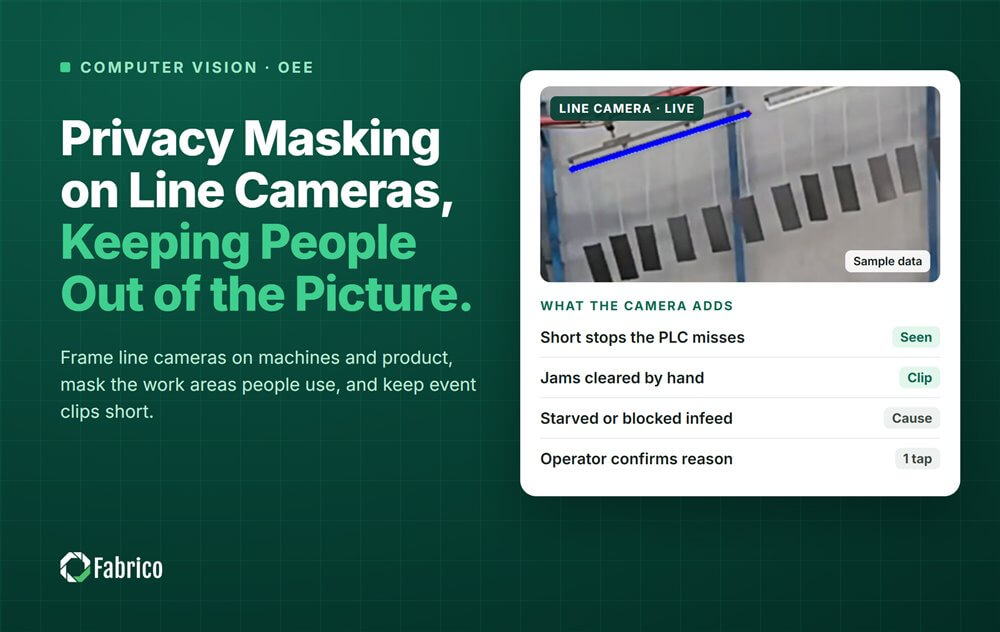
Privacy Masking on Line Cameras: Keeping People Out of the Picture

Key takeaways
- Frame the machine and the product, not the people working at the line.
- Mask the places people stand: operator panels, walkways, doors and break areas.
- Keep event clips, not the whole shift. A short clip around each stop is the evidence.
- Erase clips after a few days, ideally automatically. Past 72 hours you need a stronger reason.
- Ask the vendor's technical team about masking, where video is processed and how long clips are kept.
By the numbers
- 29% of large US manufacturers use AI or machine learning at facility or network level, and another 23% are piloting it. (Deloitte, 2025)
- 28% of large US manufacturers rank vision systems as a first or second investment priority for the next 24 months. (Deloitte, 2025)
- 51% of top global manufacturers in Europe were implementing at least one AI use case in operations in 2019, with product quality control among the three best starting use cases. (Capgemini Research Institute, 2019)
You keep people out of a line camera's picture by aiming it at the machine and the product, and masking the spots where people stand. Then save short clips of stops instead of hours of video, erase them after a few days and limit who can view them. The steps below apply to any line camera.
Fabrico is a computer vision enabled Manufacturing Performance Platform. It is OEE (overall equipment effectiveness) and light MES (manufacturing execution system) software. It logs stops automatically, prices each loss in money and shows OEE live by line and shift.
Why keep people out of a line camera's picture?
An OEE camera needs to see the process: product moving, a station stopping, a jam forming. It does not need faces, names or the way someone walks. A person in the frame adds privacy risk and no OEE value.
The European Data Protection Board's video guidelines (3/2019) say an employee is in most cases not expecting to be monitored by the employer. They also say employers should not rely on consent. Our GDPR buyer's guide covers the rest.
The same guidelines say the GDPR's biometric rules (Article 9) apply when templates are made to uniquely identify a person. An OEE camera has no reason to build one.
Privacy by design means building these limits in before the first camera goes up, not after a complaint.
How do you frame the camera and mask where people stand?
Start with the field of view: the part of the scene the camera captures. Make it as small as the job allows.
- Aim at the loss point: the filler infeed, the capper head, the label applicator.
- Mount high and look down. A top-down view of a conveyor shows product and hands, rarely faces.
- Angle away from faces. Point the lens along the line, not at the operator panel or a workbench.
- Choose a lens with a narrow view. A tight frame keeps walkways and the next line out of the image.
Then mask what is left: black out or blur the operator panel, walkways, doors and any break or changing area in view.
Some masks are applied before the video is stored; others may hide the area on screen while the stored video still holds it. Ask which kind you are buying.
Hands will still appear when someone clears a jam; the clip is about the jam, not the person. Faces and whole people should stay outside the frame or under a mask.
For mounting and light, see camera placement and lighting on a production line.
Why record event clips instead of the whole shift?
An OEE camera needs the stop, not the hours around it. An event clip is a short piece of video saved around one stop, for example 10 seconds before and 20 seconds after. The rest of the shift is not kept.
- Short retention. The European Data Protection Board says footage should be erased after a few days, ideally automatically. Keeping it beyond 72 hours needs more justification.
- Limited access. Name the roles that can view clips, such as the line lead and the improvement engineer. Log who opened what.
- One purpose. Clips explain line stops. They are not used to judge a person.
Where clips travel is a question for IT; see our guide to line camera network requirements.
What does a camera plan for a filling line look like in a worked example?
Sample line (illustrative numbers, not a customer). A juice line has a filler, a capper with a labeller and a case packer, and runs two shifts of 480 minutes a day. The plant plans three cameras, one row each.
| Camera | What it sees | Must not see | Masking zone | Clip length | Retention | Who can view |
|---|---|---|---|---|---|---|
| 1. Filler infeed | Bottles on the infeed conveyor | Faces at the filler panel | Touch screen and the spot in front | 30 s (10 before, 20 after a stop) | 72 hours, erased automatically | Line lead, shift supervisor |
| 2. Capper and labeller | Capper heads, label applicator, bottle gaps | People on the walkway | Walkway strip beside the guard | 30 s | 72 hours, erased automatically | Line lead, improvement engineer |
| 3. Case packer | Cases forming, case infeed and outfeed | Changing room door, break corner | Door and break corner | 20 s | 72 hours, erased automatically | Line lead, improvement engineer |
Method note: Sample line, illustrative numbers, not a customer. Every result above comes from the inputs listed and the formula shown with it, so you can repeat the calculation with your own line's numbers.
Inputs for camera 1: it logs 24 stops on a typical shift, each with a 30 second clip.
- Clips per shift: 24 x 30 s = 720 s = 12 minutes, against 480 minutes of continuous recording.
- Share of the shift kept as video: 12 / 480 = 2.5%.
- Most stored at once, with clips kept 72 hours: 3 days x 2 shifts x 12 minutes = 72 minutes, against 2,880 minutes of continuous video.
Result: camera 1 holds at most 72 minutes of clips instead of 48 hours of footage. Each clip shows a machine stop, and the mask keeps the filler panel out of it.
What should staff be told before the camera goes live?
Tell people before the first camera goes up, not after someone spots it.
- What each camera watches, with a picture of its view.
- What it is for: finding and fixing line stops, not judging people.
- A sign at each camera that says what it watches and who to ask.
A clip of a late pallet or an empty infeed also protects the operator blamed for the stop.
In Germany, even a camera that records nothing needs a works agreement under section 87(1) no. 6 BetrVG. Our works council approval guide walks through it, and cameras on the production line without surveillance covers the policy.
This is not legal advice: check with your data protection officer and, in Germany, your works council.
Which masking questions go to the camera vendor?
Whether a given system supports masking or blurring, where it processes video and how long it keeps clips are questions for the vendor's technical team. Get the answers in writing:
- Can we draw privacy zones, and are they applied before anything is stored?
- Can faces be blurred, and does the system create any template that identifies a person?
- Can recording be limited to event clips, with a clip length we set?
- Where is the video processed, and where are clips stored?
- How long are clips kept by default, and is erasing automatic?
- Who can view clips, and is each view logged?
Fabrico starts with a pilot on one line. See how a stop gets its clip and its confirmed reason on the computer vision OEE feature page. There is no free plan and there are no tiers: each plant gets a quote.
Proof from a named plant: Ficosota raised factory-wide OEE from 53.1% to 59.6%, with good output up 23.2% a month from June to September 2026. Read the Ficosota case.
The European Data Protection Board notes that an employee "is in most cases not likely expecting to be monitored by his or her employer." (EDPB, Guidelines 3/2019 on video devices)
Frequently asked questions
What is privacy masking on a camera?
Privacy masking blacks out or blurs fixed areas of a camera image, such as an operator panel, a walkway or a door. People stay out of the picture while the machine and the product stay in view. Ask the vendor whether masks apply before video is stored.
How long can a plant keep line camera clips?
Days, not weeks. The European Data Protection Board's video guidelines want footage erased after a few days, ideally automatically, and ask for more justification beyond 72 hours. Pick the shortest period that still lets the morning meeting review yesterday's stops.
Can we ask staff to consent to line cameras?
The European Data Protection Board's guidelines 3/2019 say employers should not rely on consent for video at work. Plan on another legal basis, which your data protection officer should confirm. Tell staff clearly what each camera watches, and keep it on the process.
Will privacy masks hide the stop from the OEE data?
Not if you place them well: masks cover where people stand, and the camera still sees the machine and the product. Test each mask on a real shift: a stop at the infeed must stay visible in its clip. If it does not, move the camera.
Latest from our blog


Real Fabrico tiles, sample data.