







 Login
 Blog
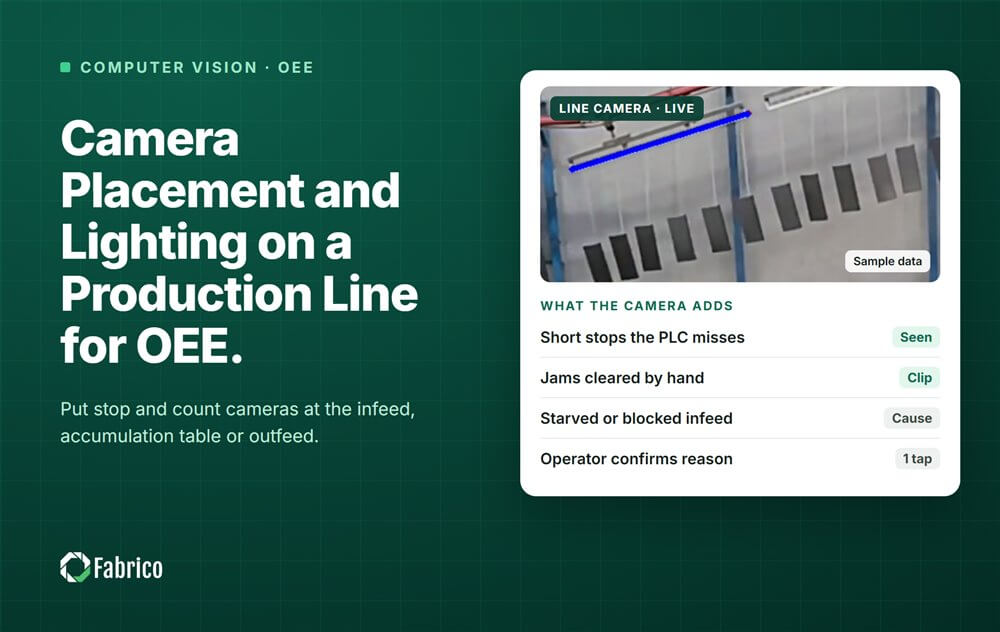
Camera Placement and Lighting on a Production Line for OEE

Key takeaways
- Give each camera one question: is product moving here, or how many units passed?
- The spots that earn a camera most often are the infeed, the accumulation table and the outfeed of a station.
- Look down on the flow from above head height, on the side away from the operator.
- Light changes and blocked views are the documented failure modes.
- Prove each position on your own line: stops caught out of real stops, and false alarms.
Mount a line camera where the machine signal is blind and aim it at the product flow. Put it high enough that hands do not hide the product, and give it steady light. For stops and counts, that usually means the infeed, the accumulation table or the outfeed of a station.
Fabrico is OEE (overall equipment effectiveness) and light manufacturing execution system (MES) software, with AI cameras as an add-on. The cameras count output and record stops, and each vision event gets a short clip. The operator confirms the reason in one tap. Placement decides whether that works.
Where on the line should a camera go?
Where the machine signal tells you least and stops are most frequent. If the PLC (programmable logic controller) already reports clean stops for a station, it stays the clock there. Our camera OEE pilot plan shows how to find the blind stations one by one.
On a packaging line, three spots come up again and again:
- The infeed of a station. Is product arriving? A conveyor that runs empty is starved, not running, and only a camera sees the empty belt.
- The accumulation table. Is it draining or filling? Empty means the next machine will be starved. Full means the machine before it will be blocked.
- The outfeed. How many units left the station? This is the counting view.
A fourth spot is the jam point, such as a label applicator, where the clip shows what stopped the machine.
What should the camera's field of view cover?
One scene that answers one question. A camera sees a region, in a lighting range, for a set of events. Ask one view to count, watch a jam point and check labels, and each job pulls the best position a different way.
- For stops, frame a stretch of conveyor long enough to see product move.
- For counts, frame the place where units pass one at a time. Someone who runs the line defines once what the start and end of a unit look like.
- Keep the event away from the edge of the picture, where a small knock pushes it out of view.
- Keep people out where you can: no faces, workstations or walkways. Our guide to cameras on the line without surveillance explains why.
What angle, height and distance work best?
Look down on the flow, from above head height, close enough that each unit is clear. No standard sets the numbers. These rules of thumb come from conveyor geometry; a test on your line proves them.
- Angle. A view from above keeps bottles and packs apart. A low side view lines them up behind each other, and every passer-by fills the frame.
- Height and side. Mount above head height, away from where operators work. The hand that clears a jam then covers less of the product, at the very moment of the stop.
- Distance. Close enough that each unit is clear, far enough to cover the stretch you need.
- Mount. Rigid, clear of forklifts and washdown hoses. A knocked camera changes the scene the model learned.
How does line speed change the setup?
The camera has to see each unit move between frames, without two units merging. Confirm the shortest event you need to catch, then test at top rated speed, not at start-up speed.
Our computer vision vs PLC comparison rates PLC timing as high and vision timing as moderate. So the PLC stays the clock where its signal is good. The camera based production monitoring guide lists frame rate as a planning check; the example below does the arithmetic.
Why do lighting changes break camera counts?
Because the model learned the scene in one light, and the light changed. A patent for camera cycle detection names illumination changes and occlusion as the core error sources. Glare, steam and big swings in light cause false stops and missed counts.
- Daylight. Keep windows and skylights out of the scene, or shade them. Sun moves across a table all afternoon.
- A fixed lamp. It makes daylight a small share of what the camera sees, so morning and evening look alike.
- Glare. Wet bottles, film and foil reflect lamps into the lens. Move the lamp or the camera until the shine is gone.
- Steam and spray. Keep clear of washers and blowers, and check the lens on every cleaning round.
What blocks the view, and how do you prevent it?
Hands, tools and bodies. Vision engineers call it occlusion. The worst part is the timing: the operator stands between camera and product exactly while clearing a stop. So mount from above or from the far side, and keep pallets and bins out of the line of sight.
Recheck the view after every change to guards, guides or change parts. One vision vendor described a plant that moved a jig a month in, and its labels were wrong from then on. Published accuracy figures are thin and self-reported, so measure your own.
How do you test camera placement on a sample line?
Sample line (illustrative numbers, not a customer): a bottling line with the filler at 300 bottles a minute. Camera A watches the labeller infeed. Camera B looks straight down on the accumulation table before the case packer.
First, the speed check for camera A:
- 300 bottles a minute = 5 bottles a second.
- Bottles stand 8 cm apart, so the belt moves 5 x 8 = 40 cm a second.
- At 25 frames a second, a bottle moves 40 / 25 = 1.6 cm between frames: a fifth of the gap.
Then one test week per position, against a person's log and the PLC. Recall = stops caught / real stops. Precision = stops caught / all alarms raised.
| Camera and position | Real stops | Caught | False alarms | Recall | Precision |
|---|---|---|---|---|---|
| A, 1.2 m, side view | 40 | 32 | 4 | 0.80 | 0.89 |
| A, 2.5 m, from above | 44 | 42 | 3 | 0.95 | 0.93 |
| B, sun on the table | 30 | 29 | 18 | 0.97 | 0.62 |
| B, hood and fixed lamp | 33 | 32 | 3 | 0.97 | 0.91 |
Camera A first sat low, beside the conveyor. Six of its 8 missed stops came while an operator stood in front of it, picking up a fallen bottle. Raised to 2.5 m (about 8 feet), looking down from the far side, it missed 2 of 44.
Camera B raised 18 false alarms. Fifteen came between 13:00 and 16:00, when sun from a skylight crossed the table. A hood and a fixed lamp cut that to 3.
A false alarm costs about ten seconds of review: 18 x 10 seconds is only 3 minutes a week. The real cost is trust, because a screen that cries wolf every sunny afternoon gets ignored. Missed stops are worse: their minutes never reach the log.
What should a camera placement checklist include?
Run it for every camera before install, and again after any change to the line.
| Check | What good looks like | What it prevents |
|---|---|---|
| Question | One per camera: stops or counts | A view doing three jobs |
| Spot | Where the signal is blind | Repeating a good PLC signal |
| Field of view | The event, away from the edge, no people | Missed events, privacy trouble |
| Angle and height | Looking down, above head height, far side | Stops hidden behind hands |
| Mount | Rigid, clear of forklifts and hoses | A knocked view |
| Line speed | Tested at top rated speed | Counts that slip at full speed |
| Light | Fixed lamp, no sun, glare or steam | False alarms at certain hours |
| Change control | Rechecked after guide or format changes | Process drift |
| Proof | Recall and precision on your line | Trusting vendor percentages |
Where Fabrico fits
Fabrico is a computer vision enabled Manufacturing Performance Platform. OEE and light MES come first. It joins machine signals and camera clips on one timeline. There is no free plan and there are no tiers: each plant gets a quote.
- Automatic downtime logging, with cameras only at the blind stations.
- AI cameras count output and record stops, each with a short clip.
- The operator confirms the reason in one tap. The camera suggests; it does not decide.
- OEE live by line and shift, with losses ranked by money.
Devices are connected in about a month, and the full rollout takes 3 to 4 months. You start with a pilot on one line. See it on the computer vision OEE and MES page.
Frequently asked questions
How many cameras does a production line need?
As many as there are blind stations with a clear question. On a packaging line that is often two or three, such as the labeller, the filler infeed or the case packer's collation area. One camera for the whole line cannot see any station in detail.
How high should a camera be mounted over a conveyor?
No standard sets a height. Mount above head height and look down on the flow, from the side away from the operators. A hand clearing a jam then does not cover the product. Prove the position with a test week: stops caught out of real stops, and false alarms.
Does a vision system for OEE need special lighting?
It needs steady light more than bright light. Illumination changes are a documented source of errors. Keep sun and glare out of the scene, and add a fixed lamp if daylight reaches it. Test the view on every shift, including nights and cleaning, before you trust its numbers.
What happens to the camera when the line changes?
The scene changes, and detections can drift. New change parts, a moved guide or a new guard can hide the product or change what a stop looks like. Recheck the view and rerun a short test after every change, and keep each camera's view marked on the line drawing.
Plan your camera positions in a demo
Bring a line drawing and your last downtime log. We will show which stations are blind and what a camera there would record.
Related articles



Real Fabrico tiles, sample data.