


 Login
 Blog
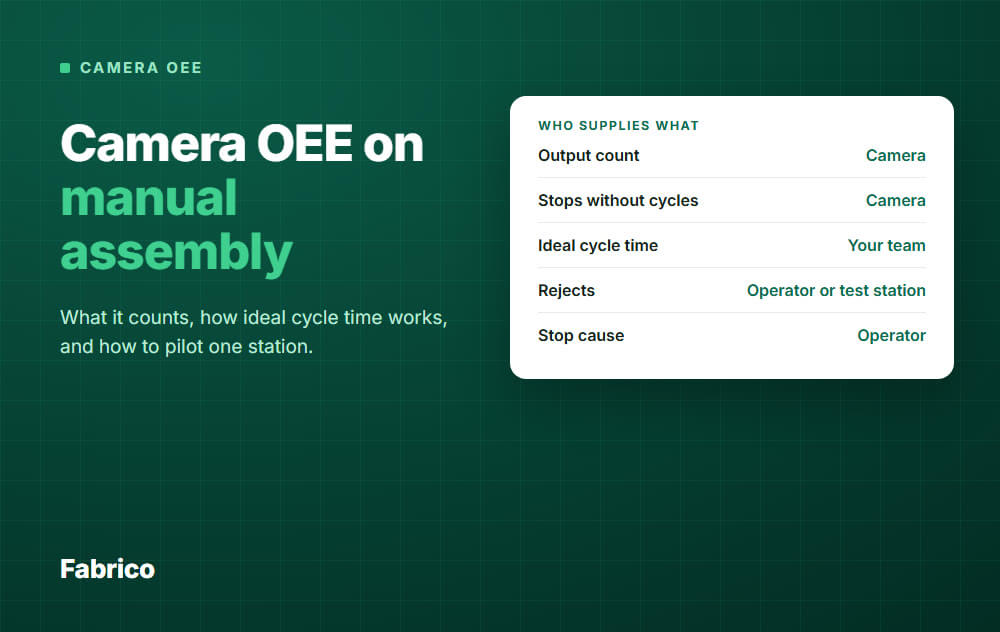
Computer Vision OEE for Manual Assembly: What a Camera Can Measure

In short: Yes, a camera can give you OEE at a manual station, if finished units pass a spot it can see. It gives you the output count and the time with no cycles. You still supply the ideal cycle time, the rejects and the stop causes.
- Good fit: repeated work, short cycles, and a clear "done" spot such as an outfeed or tray.
- Biggest risk to the number: the ideal cycle time. It is your decision, not a camera reading.
- No accuracy figure carries over to your station. Test it against a hand count.
- On a one-person station, station data can point to one person. Settle privacy and works council questions before you install.
You have manual stations with no PLC and no machine signal. Your OEE stops where the machines stop, and you want to know if a camera can fill the gap.
It can, with limits.
We sell camera-based OEE software, so read this with that in mind. We also say when a camera is the wrong tool.
Where each OEE input comes from
OEE needs the same inputs on a manual station as on a machine. See OEE calculation for the full math.
| OEE input | Source at a manual station | Main weak point |
|---|---|---|
| Planned time | Shift calendar | Breaks and meetings left in by mistake |
| Output count | Camera | Blocked view, several units placed at once |
| Stops without cycles | Camera | The threshold you set for a stop |
| Ideal cycle time | Your team | Choosing the wrong basis |
| Rejects | Operator or test station | Rejects and rework found later, downstream |
| Stop cause | Operator | Busy people skip the tag |
Good count is the camera count minus the rejects. So camera OEE is not hands-free OEE: it removes the counting and the stopwatch, not the decisions.
What a camera can and cannot see at a manual station
What it can do
- Count finished units at a defined spot, and detect cycles.
- Show when the station stands still.
- Give you video of the moment a stop began, so people can look and not argue.
What it cannot do
- Read values or hidden quality, such as the torque on a screw or a bad joint inside a closed unit.
- Know why someone stopped. Waiting for parts and waiting for an answer can look the same.
- Tell look-alike variants apart. Something must tell the system what is on the station.
Count the product, not the hands
Count the unit when it lands on the outfeed. A finished unit in a fixed spot is easier to see, and it keeps the frame on the product, which helps with trust later.
How ideal cycle time works when a person sets the pace
A machine has a design rate. A person does not.
Performance compares actual output with what the ideal cycle time allows in the run time. So the number you choose decides the score.
| Basis | What it is | Use it as ideal? |
|---|---|---|
| Takt time | The pace demand asks for | No. It measures demand, not what the station can do. |
| Fastest single cycle | One good moment | No. Nobody can hold it. |
| Standard time | Normal time plus allowances | Not for OEE. It builds losses into the target. |
| Normal time | Rated pace, no allowances | Useful cross-check, if you have a good study. |
| Sustained best rate | Fastest rate held over a stable run of good units, at a safe pace | Yes, our default. |
On human work, "sustained" must mean a full work block between breaks, by a trained person using the agreed method. A 10-minute sprint does not count.
Machines follow the same rule. See ideal cycle time for the reasoning.
Example: same station, two ideal cycle times
All numbers here are example data, for one shift at one station.
- Planned time: 450 minutes, with the break already removed.
- Stops: 45 minutes, so run time is 405 minutes. Availability is 90 percent.
- Output: 324 units, of which 318 are good. Quality is 98.1 percent.
- Sustained best rate: 60 seconds per unit. Standard time: 72 seconds per unit.
With 60 seconds: performance is 324 x 1 minute / 405 = 80 percent, and OEE is 70.7 percent.
With 72 seconds: performance is 324 x 1.2 minutes / 405 = 96 percent, and OEE is 84.8 percent.
Nothing changed on the floor. The gap of 14 points is only a choice of target.
Rules that keep the number honest
- Set one ideal per product and method, for the station. Never one per person.
- Set a new ideal when crew size changes.
- Name one owner, and change the ideal only when the method or product changes.
- Take planned breaks out of planned time.
- Decide how to score an empty station. If nobody was planned there, it is not planned time. If the person was pulled away, it is a stop.
- If performance keeps reading above 100 percent, your ideal is too slow. Fix the ideal, do not cap the score.
Our default has a flaw: if your whole team works below a good method, the sustained best rate is low too. A method study can still find that, and OEE will not.
What counts as a stop when a person pauses
People pause all the time: to reach for a part, read a label or stretch. You must set how long a gap has to be before it counts as a stop.
For total OEE, this threshold does not matter. It moves time between availability and performance, but OEE equals good units times ideal cycle time, divided by planned time, so run time drops out.
It matters for who has to act. Too low, and operators get asked to tag each short pause, so they stop tagging.
Too high, and real waits disappear into slow running.
Accuracy: what to expect, and how to test it
Treat any general accuracy claim with care. Our camera page gives no figure, and no single figure would fit your station. Research shows how much the task matters:
- One study on repetitive assembly reached 92.8 percent in recognizing the action, but 82.1 percent in judging how many times it was done.
- A preprint built to handle blocked views on manual assembly reported an 82.9 percent success rate in estimating progress.
Neither study counts units at an outfeed, and neither is a forecast for any product, ours included. They do show that hands, tools and blocked views are hard.
What breaks a count at a manual station
- A body or arm between the camera and the done spot.
- Several units placed at once, or stacked.
- Rework: the same unit passes the spot twice.
- Changed lighting, or a new product, tray or bench layout.
Why count errors matter
Good count comes from the camera count, so count errors pass straight into OEE. In the example above, if the camera misses 1 unit in 20, OEE reads about 3.6 points too low.
That can hide a real gain, so measure the error before you trust a trend.
A simple test
- Tally units by hand, or from a video replay, for at least several full shifts.
- Note each real stop over your threshold, then compare count error, missed stops and false stops with the camera.
- Split the result by product, shift and operator.
The operator split matters most. If the count is worse for one person because of height or a habit, the system scores that person unfairly.
Keep this split to count error only, and agree it with employee representatives first.
Set the limit before you test. Example only: count error within 2 percent, on each product and shift.
Operator trust and privacy: the plain problem
On a machine line, a camera can point at the machine. At a manual station, the person is the process.
Our guide to line cameras without surveillance sets the rule: cameras point at the process, not at people. At a manual station, hands still enter the frame.
A tight frame is not enough. If one person works a station each shift, a report by station and shift points to that person, even with no name on it.
The law you need to check
This is not legal advice, and rules differ by country.
- GDPR. The EDPB guidelines on video devices warn against misuse for purposes such as employee performance monitoring, and say employers should in most cases not rely on consent. For security footage, they say it should in most cases be erased after a few days, and that keeping it beyond 72 hours needs more justification. Set your own period with your data protection officer.
- Works councils. In Germany, section 87(1) no. 6 of the Works Constitution Act gives the works council co-determination over devices to monitor behaviour or performance. Germany's Federal Labour Court has held that a device only needs to be objectively suitable for monitoring. A stated intent not to monitor does not settle it.
- EU AI Act. Annex III lists AI systems intended to monitor and evaluate the performance and behaviour of workers as high risk. Have counsel check your case.
What to agree before the camera goes up
- Purpose in writing: find losses at the station. No use for discipline, ranking or pay.
- Frame: the done spot first. Add the bench only if the count needs it, and show operators the actual view.
- Reporting level: by station, product and week for one-person stations, or by line. No operator league tables.
- Video: who can replay it, why, and for how long it is kept.
- Who decides: employee representatives join before the install, not after.
- Clips: never in a performance talk. One time can end the trust.
When a camera is the wrong tool
| Your situation | Better first step |
|---|---|
| Very long cycles, or every job is different | Tablet entry at completion. A fixed ideal is hard to set. |
| Units pass a clear single point on a conveyor | Try a simple sensor first. |
| No visible done spot, work moves around the bench | Redesign the outfeed, or use tablet entry. |
| Works council says no to any camera | Sensor or tablet entry. Do not push a pilot through. |
How to pilot one station
For line-level scoping and the decision meeting, use our computer vision OEE pilot guide. These are the steps for one manual station.
- Pick the station. Repeated work, a short cycle, a visible done spot, few variants. Pick one that limits output if you can.
- Talk first. Agree the rules above with operators and their representatives. Bring one operator in to check the count.
- Frame and test. Mount the camera, show operators the view, and run the test above.
- Set the ideal. Collect a few weeks of cycles, take the sustained best rate per product, and check it with the team on the floor.
- Add the people data. Agree a short list of stop causes, and how rejects get recorded.
- Use it for one fix. Show results as what blocked the station, fix the top cause, and see if the number moves.
- Decide. Scale, change the setup or stop, using limits you set at the start.
A pilot passes when the count holds up, operators still tag causes, and one real loss was fixed.
How Fabrico fits
Fabrico is a light MES: cloud software for OEE and downtime, with machine data from PLCs, IoT sensors and AI cameras in the same plant.
- On manual stations, AI cameras count output and detect cycles where there is no machine signal. See camera-based OEE.
- Cameras detect standstill, and the video syncs with the timeline so you can go to the moment it stopped.
- The AI model suggests the likely reason for a stop, and an operator or shift lead confirms it on a tablet or phone.
- Good parts and scrap are entered on a tablet where no sensor counts them.
- Data is hosted on AWS in the EU, encrypted, under ISO/IEC 27001, with a data processing agreement for GDPR.
Camera count is agreed after a process review. Plan on about 1 month to install and connect devices, and 3 to 4 months for a full rollout.
What Fabrico does not do: it does not set your ideal cycle time for you, judge hidden quality from a camera at the bench, or replace a time study. Job dispatching, BOMs, routings and genealogy stay in your ERP.
Ask us about framing, video retention and who can see clips, and get the answers in writing for your works council.
Request a demo or Contact us to talk through one of your stations.
What people ask next
Can one camera cover several manual stations?
Sometimes, if each done spot is in clear view. It depends on the layout.
Can I compare manual station OEE with machine OEE?
Be careful. The ideal cycle time rests on a different basis, so compare each station with itself over time.
What about a team of several people at one station?
Measure output at the last step. Set the ideal per crew size, and record crew changes, or the score jumps for no real reason.
Can the camera check that each assembly step was done?
That is harder than counting output and needs a closer view of the hands. Treat it as a separate project with its own test.
Have a manual station with no data today? Request a demo or Contact us.






