


 Login
 Blog
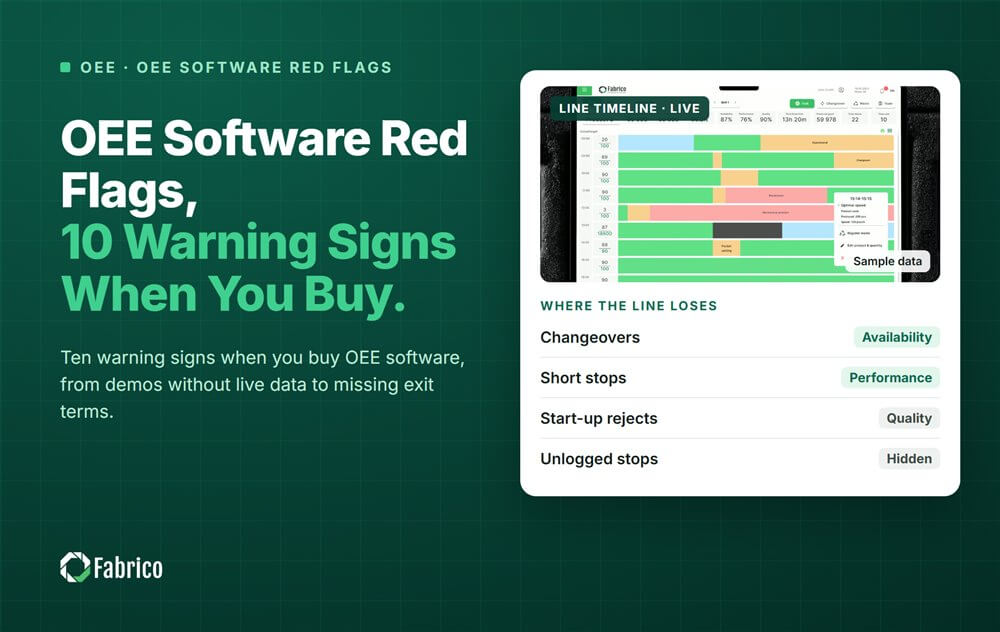
OEE Software Red Flags: 10 Warning Signs When You Buy

Key takeaways
- The main OEE software red flags are no live data, hidden OEE definitions, results with no source, and pressure to sign before a pilot on one line.
- A camera that "decides" the cause on its own is a warning: the clip shows it, the operator confirms it.
- Numbers without a customer, a baseline and a period are stories, not proof.
- No written exit terms puts your data and devices at risk if you leave.
- Most red flags have a fair answer. Ask the clearing question in writing and log the reply.
The short answer: slow down when an OEE software vendor cannot show live data or hides how it calculates OEE. Slow down too when it quotes results with no source, says its camera decides the cause, or pushes you to sign before a pilot on one line. Each red flag below comes with the question that clears it.
The demo screen shows OEE climbing smoothly on a demo line. You ask to see one real stop from last night's shift, with its reason and who confirmed it. The answer is that this view comes later.
This guide is for plant managers, continuous improvement leads and IT people buying OEE (overall equipment effectiveness) software. It comes from Fabrico, a vendor of OEE and light MES software with computer vision on stops, so hold us to this list too.
What are the red flags in an OEE software demo?
The demo is where most red flags first show. Watch for these three.
- No live data. Only a polished demo plant, never a real line. Ask: "Can you show one real stop, with its reason, from a running line?"
- OEE definitions they will not show. Ideal cycle time and planned stops decide the number. Ask: "Where are these set, and who can change them?"
- Short stops hidden. Some tools filter out stops under a set length by default. Ask: "Are short stops counted, and where do I see them?"
Short stops are often a line's biggest loss in total, as our guide to micro stops shows.
What red flags hide in the numbers?
Numbers are easy to show and hard to check. These three need a direct question.
- Results with no source. "Plants see big gains" with no customer, baseline or period. Ask: "Which customer, which line, measured from when to when?"
- Results promised before a baseline. A promised gain before anyone has measured your line. Ask: "How will we measure the baseline, and who agrees it?"
- OEE over 100% on a screen. It means the ideal cycle time is set too slow. Ask: "How does the tool catch a wrong ideal rate?"
Our article on why OEE numbers go wrong lists the definition traps behind these flags, and OEE under ISO 22400 gives the standard terms.
Which camera and people claims should worry you?
Be wary of any claim that the software judges on its own, or judges people.
- A camera that "decides" the cause. A camera sees one view of one station. It can suggest a reason and keep a clip, but the operator should confirm it. Ask: "Who confirms the reason, and how?"
- Screens that rank named people, or claims about reading people's mood or effort. Ask: "Is OEE shown by line and shift, or by person?"
The law points the same way. The EU AI Act has banned AI that infers emotions at work since 2 February 2025. It treats AI that evaluates workers' performance as high risk. Measure the process, never the person.
What red flags sit in the contract?
Two red flags only show up when the paper arrives.
- No exit terms. Nothing on data export, deletion or who owns the devices. Ask: "If we leave, what do we get back, in what format, and by when?"
- Pressure to sign before a pilot on one line, such as a discount with a deadline or a multi-site deal before line one runs. Ask: "Can we agree a pilot on one line first, with success criteria and a decision date?"
How do you check a red flag fairly?
A red flag is a question, not a verdict. Some are simple misunderstandings.
- Send the clearing question in writing, so the answer is on record.
- Ask the technical team, not only sales.
- Log each flag as open, cleared or not seen.
- Drop a vendor only on flags that stay open after a clear question.
Our list of common OEE implementation mistakes shows what happens when flags are ignored.
Sample: a red-flag log from 3 vendor meetings
Sample line (illustrative numbers, not a customer): a beverage plant met 3 vendors for its canning line and logged each red flag after the meeting.
| Red flag | Vendor A | Vendor B | Vendor C |
|---|---|---|---|
| 1. No live data | Not seen | Open | Cleared |
| 2. Definitions hidden | Not seen | Open | Not seen |
| 3. Short stops hidden | Cleared | Open | Not seen |
| 4. Results with no source | Not seen | Open | Open |
| 5. Results before a baseline | Not seen | Open | Not seen |
| 6. OEE over 100% | Not seen | Not seen | Cleared |
| 7. Camera decides | Not seen | Not seen | Open |
| 8. Ranks named people | Not seen | Not seen | Not seen |
| 9. No exit terms | Cleared | Open | Not seen |
| 10. Pressure to sign | Not seen | Not seen | Not seen |
- Vendor A: 2 raised, 2 cleared, so 2 minus 2 = 0 open.
- Vendor B: 6 raised, 0 cleared, so 6 open.
- Vendor C: 4 raised, 2 cleared, so 4 minus 2 = 2 open, and 2 / 4 = 50% cleared.
- All three: 2 + 6 + 4 = 12 flags raised, 2 + 0 + 2 = 4 cleared.
Vendor A goes forward. Vendor C gets written questions on flags 4 and 7 before the next meeting. Vendor B is dropped unless it answers its six open flags in writing.
Mistakes plants make with OEE software red flags
- Ignoring a flag because the demo looked polished.
- Treating every flag as fatal, without asking the question.
- Keeping flags in people's heads instead of a log.
- Asking only the salesperson, never the technical team.
- Finding the contract flags after the decision is made.
Where Fabrico fits
Fabrico is a computer vision enabled Manufacturing Performance Platform. OEE and light MES come first, and this list applies to us as much as to anyone.
- Automatic downtime logging: stops come from the machine signal, through a PLC, a Fabrico IoT device or an AI camera.
- The operator confirms the reason in one tap: the camera suggests a reason, it never decides alone.
- A camera clip as evidence for a stop, so the talk is about the machine, not the person.
- OEE live by line and shift, never by named operator.
You start on one line, with a baseline and a decision date agreed in advance. There is no free plan and there are no tiers: each plant gets a quote. See how the camera side works on our computer vision OEE page.
Frequently asked questions
What should I look for in an OEE software demo?
Look for a real stop on a running line, with its reason and who confirmed it. Ask where ideal cycle time and planned stops are set, and whether short stops are counted. A good demo shows OEE by line and shift and the losses in money, not only a polished dashboard.
Is it a red flag if a vendor does not publish prices?
Not by itself. Many OEE vendors build a quote per plant, because lines, machines, connection types and sites change the scope. The red flag is a vendor that cannot explain what drives its quote. Another is one that pushes for a signature before a pilot on one line.
Can a camera find the cause of a stop by itself?
A camera can suggest a likely reason and keep a clip of what happened. It sees one view of one station, so it should not decide alone. The operator confirms the reason in one tap, and the clip stays as evidence for the shift review.
What exit terms should an OEE software contract have?
The contract should say who owns the data and which export formats you get. It should give the login period after the end, the deletion date, and who owns and removes the devices. Agree these before you sign, not when you want to leave.
How do I raise a red flag without spoiling the talks?
Treat it as a question, not an accusation. Send the clearing question in writing to the vendor's technical team, and give a fair chance to answer. Good vendors welcome clear questions, because a clear answer is easier to sell than a vague one.
Check your shortlist for red flags
Bring one line and your red-flag log. We will answer each clearing question on screen, with your own stops and losses.
Latest from our blog


Real Fabrico tiles, sample data.