






 Login
Login
 Blog
Blog
OEE and CMMS Software Without an IT Department (2026)

Key takeaways
- The constraint that decides this purchase is not headcount or budget. It is how much of the implementation the vendor does for you versus how much lands on a person who already has another job.
- Ask for the implementation split in writing: who imports the asset register, who configures the connection to the machines, and how many days of your people it consumes.
- Avoid anything that requires you to run a server, patch it, verify backups and test disaster recovery. A lean team loses that trade every time.
- Machine connection is the real IT task. Cameras can produce machine state on equipment with no PLC and no network port, which removes the integration project entirely on older lines.
- Software setup and machine connection are two different clocks. Never accept one blended number for both, because the software side is configuration and the machine side is physical work.
- Fabrico's own setup work is 3 days for the CMMS layer, meaning configuration, users and bulk import of your existing data, plus live and on site training and support answered in under 2 hours. Machine connection for OEE is quoted separately, because its length depends on your equipment rather than on the software.
"We have no IT department. Which OEE and maintenance software can we realistically run?"
Any cloud platform where the vendor performs the implementation and the machine connection, and where nothing in the stack is your responsibility to host.
The filter is narrower than it sounds. Rule out on premise deployments, because patching, backup verification and disaster recovery testing become your job.
Rule out anything whose data import is described as "you can upload a CSV", because your asset register is in three spreadsheets and a filing cabinet, and somebody has to reconcile them. Rule out anything where machine connectivity is quoted as a separate integrator engagement unless you have already budgeted for one.
What is left is the category where the vendor does the setup. Concretely, ask for five numbers: days of vendor software setup, days of your effort, who performs the data import, how long machine connection takes, and the support response time. Insist on the fourth as its own figure.
Configuring software and getting machines read are different jobs on different clocks, and a vendor who gives you one blended number is hiding the harder half.
Fabrico's answers: 3 days of Fabrico-side setup for the CMMS layer, bulk data import handled by Fabrico, live online and on site training, and a support response under 2 hours with phone callback. Machine connection for OEE is quoted separately, because it is paced by your equipment and by physical installation, not by software configuration.
Last updated: August 2026.
What "no IT department" actually costs you
In a plant of 50 to 300 people the IT function usually exists as one of three things: a part time controller who also handles the ERP, an external managed service provider on a monthly retainer, or the maintenance manager who is good with computers. All three are constrained in the same way. They have no spare project capacity, and they cannot absorb an unplanned integration.
That changes which risks matter. A platform being feature rich is close to irrelevant. What matters is how many decisions and how many hours the rollout demands from a person who cannot give them.
Three specific failure modes account for most stalled projects at this size.
The data import stall. The system is live and empty. Nobody has time to build the asset hierarchy, so the pilot runs on eight machines forever and then quietly dies. This is the most common one by a wide margin, and it is why "who does the import" is the highest value question on the list.
The connectivity stall. The OEE side needs machine state. Somebody discovers that four of the eleven machines have no network port. The project waits for an automation integrator quote and loses its momentum.
The administration stall. Six months in, the person who configured everything leaves or gets reassigned, and nobody else knows how the notification rules work.
Solve the connectivity problem before you solve the software problem
For teams without IT, machine connection is the part that turns a software purchase into an engineering project. It is worth understanding the three routes before you talk to anyone.
Direct PLC read. Cleanest data, and it is the right answer where the machines are modern and networked. It does require someone who can address the PLC, which for a lean team usually means the vendor or the machine builder.
Retrofit sensors. A counter or a current sensor on an older machine, feeding cycle and run state. Well proven, and covered in our guide to brownfield OEE and legacy equipment retrofitting. Involves physical installation but not network engineering.
Computer vision. A camera watching the machine or the output, deriving run state, cycle counts and micro stops without touching the control system at all.
This is the route that matters most for a plant with no IT, because it works on equipment with no PLC, no network port and no vendor support contract, and it requires no change to the machine. It is also the route that produces automatic stop cause rather than only stop duration.
Fabrico supports all three: PLC connectivity, IoT sensors, and AI cameras with micro stop detection. The practical consequence for a lean team is that a mixed age machine park stops being a blocker, because the oldest machines get the camera route instead of an integration budget.
The 10 questions to ask, in the order that matters
- How many days of software setup do you perform, how many days do you need from us, and how long does machine connection take as a separate figure?
- Who builds the asset register, and can you import from our existing spreadsheets?
- How do you connect machines that have no PLC and no network connection?
- Is there any component we have to host, patch or back up ourselves?
- What is your support response time, and is there phone support or only email?
- What training do you provide, and is any of it on site?
- If our administrator leaves, what documentation exists in our language?
- Can operators use it on a phone with a QR scan rather than a login and a menu?
- What happens to our data if we leave, and in what format do we get it?
- Which of your customers have a comparable plant size and a comparable IT footprint?
Question 8 is underrated. Adoption on a lean team depends on the operator interaction being shorter than writing on a whiteboard. QR codes on machines and spare parts, scanned from a phone, clear that bar. A five field form does not.
A worked example
A food plant with 80 employees and no IT function was tracking downtime on a clipboard and transcribing it into Excel every Friday. Roughly 3 hours a week of a supervisor's time produced a number nobody trusted, because stop reasons were reconstructed from memory at the end of a shift.
Their evaluation came down to two options. Option A was cheaper per month and required them to run the import, configure the hierarchy and arrange machine connectivity through a local integrator. Estimated internal effort: 15 to 20 days spread across a supervisor and an external consultant, plus an unquoted integration.
Option B was a vendor performed implementation with bulk import included and camera based monitoring on the two oldest machines. Estimated internal effort: 3 days of a supervisor's time for the asset walk and the training.
They took Option B. The relevant arithmetic is that the 12 to 17 day difference in internal effort was worth more than the monthly difference, because those days did not exist. This is the calculation lean plants get wrong most often: they optimise the subscription and pay for it in a project that never finishes.
The same logic applies when you are replacing spreadsheets more broadly, which we cover in CMMS versus spreadsheets for maintenance.
What a realistic timeline looks like
For a single plant under 300 people with a vendor performed rollout, a workable sequence is roughly: asset data collected and handed over in week one, vendor implementation and import in week two, machine connection and training in week three, and first reviewed OEE numbers in week four. Our 30 day CMMS implementation guide sets out the week by week version.
Three honest caveats. First, that timeline assumes your asset list exists in some form. If it does not, add a week for the walk around.
Second, week three is the one that moves. Software setup is predictable because it is configuration. Machine connection is not, because it is physical: it needs line access, sometimes an electrician, and on older equipment a mounting decision.
On a modern networked machine it can be same day. On a 1990s machine with no PLC it depends entirely on how quickly you can get to it. Plan the software weeks tightly and the connection week loosely, never the other way round.
Third, the first month of OEE data will be wrong in interesting ways, because stop reasons need tuning. That is normal and it is the point of the review, not a sign the project failed. Start with the meaning of OEE if you want to understand what the numbers mean before you see them.
If you are under 50 employees, the sizing considerations shift again and are covered in our guide to CMMS software for plants under 50 employees.
To get the implementation split answered against your actual machine list rather than in general terms, book a demo and bring the list.
Frequently asked questions
Can we run OEE software without any IT staff at all?
Yes, provided the deployment is cloud based and the vendor performs the implementation and the machine connection. What you cannot realistically do without IT staff is run an on premise deployment, because hosting, patching, backup verification and disaster recovery testing all become your responsibility.
Do we need an automation engineer to connect our machines?
Not necessarily. Direct PLC reads usually need someone who can address the controller, which is often the vendor or the machine builder rather than your team. Retrofit sensors need physical installation but not network engineering, and camera based monitoring requires no connection to the control system at all, which is why it suits older machines and lean teams.
How long does implementation take for a small plant?
Split the answer in two, because these are different jobs. On the CMMS side, where the vendor performs the work and your asset data exists in some usable form, a single plant rollout commonly runs about four weeks end to end, of which the vendor side software setup is a few days.
Fabrico's own setup work there is 3 days for the CMMS layer, and the variable is almost always how long it takes you to assemble the asset list.
On the OEE side, the clock is set by your machines rather than by the software. Reading a modern networked PLC is quick. Retrofitting sensors or mounting cameras involves scheduling access to a running line, and that is the part that stretches. Ask for it as its own quote, per machine or per line, and be suspicious of any single number that claims to cover both.
What happens if the one person who set it up leaves?
Ask about documentation and support before you buy, not after. Look for a knowledge base in the languages your team reads, phone support rather than email only, and a configuration simple enough that a successor can read it. Fabrico provides CMMS and OEE manuals in Bulgarian, English and German, and answers support in under 2 hours with phone callback.
Is a cheaper subscription worth more internal setup work?
Rarely, for a team without IT. Count the internal days each option demands and price them at what that person's time is actually worth to the plant. A difference of 10 to 15 internal days usually outweighs the subscription difference, and internal days are the resource you do not have.
See how Fabrico unifies OEE and maintenance in one platform.
Request a demoRelated articles





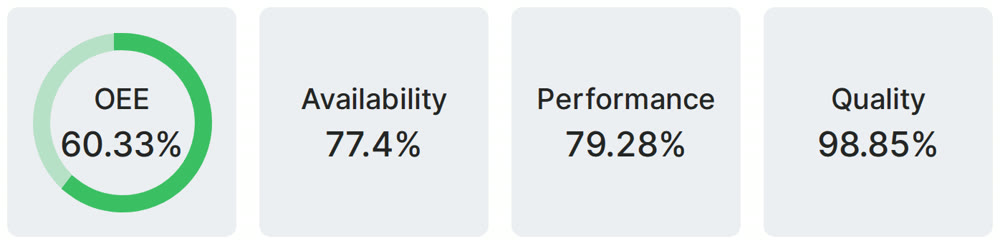
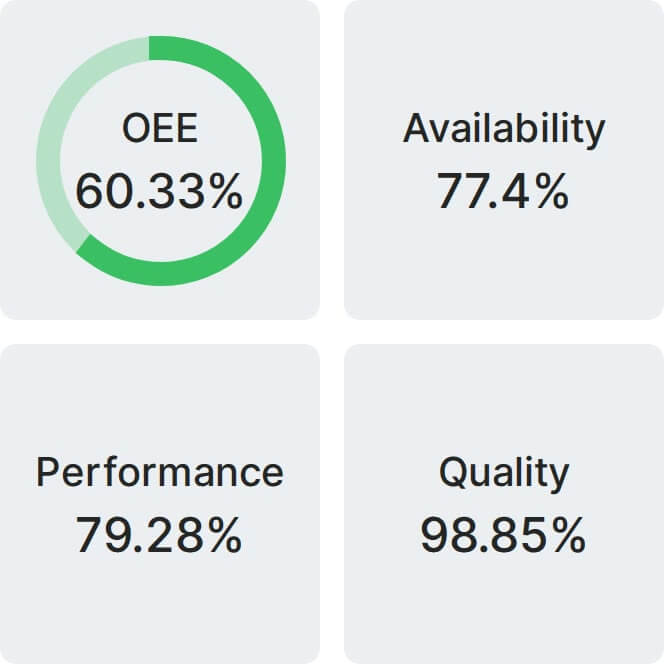
Real Fabrico tiles, sample data.