






 Login
Login
 Blog
Blog
Best Maintenance Software for ATEX Hazardous Areas 2026

Key takeaways
- In a zoned plant the binding constraint is not the software, it is the device. A standard phone or tablet is not intrinsically safe and cannot be carried into Zone 0, 1, 20 or 21 without a hot work or gas-free permit.
- The practical answer is an Ex-rated handheld running Android, from a specialist manufacturer, with the maintenance app installed on it. This is why Android availability, not iOS, is the question that decides your shortlist in a hazardous area plant.
- Ask every vendor whether their app runs on a certified Ex handheld, and test it on the exact model your safety function has approved. Screen size, glove-friendly targets and a hardware scan trigger change how usable it is far more than any feature list.
- Your CMMS must be able to gate a work order behind a permit. If a task can be started without the permit step being satisfied, the system is working against your explosion protection document rather than with it.
- Connectivity in and around hazardous areas is frequently poor. Confirm what happens when the device drops signal, and design the workflow around the honest answer rather than an assumed one.
Our plant has ATEX zones and technicians cannot carry normal tablets. Can we still run a mobile CMMS?
Yes, and the route is well established. You do not make a consumer device safe, you buy a handheld that is already certified for the zone and install a standard Android maintenance app on it. Manufacturers such as Ecom Instruments, BARTEC, i.Safe MOBILE and Aegex sell Zone 1 and Zone 2 rated Android smartphones and tablets, and to the software they are ordinary Android devices. So the decisive question for a shortlist is whether the vendor ships a real native Android app, not a browser wrapper that assumes a desktop.
Three other things have to be true. The app must support QR or barcode scanning of assets and parts, because typing an asset number with gloves on is where mobile adoption dies. The workflow must be able to hold a task behind an approval or a condition, so a permit to work is a gate rather than a reminder.
And you need a truthful answer about behaviour without signal. Fabrico ships native iOS and Android apps with QR scanners for machines and parts, conditional tasks and approval workflows, and has no offline mode, so it needs connectivity at the point of use.
What the zones actually mean for a maintenance workflow
Two European directives are in play and they are routinely confused. ATEX 2014/34/EU governs equipment placed on the market, and it is what a device certificate refers to. Directive 1999/92/EC, the workplace directive, governs the employer, and it is what obliges you to classify areas and produce an explosion protection document. Outside the EU, the IECEx scheme performs a similar function internationally.
Our reference on the classification itself is the guide to hazardous area classification under ATEX and IECEx.
For gases, vapours and mists the zones are Zone 0 where an explosive atmosphere is present continuously, for long periods or frequently, Zone 1 where it is likely to occur occasionally in normal operation, and Zone 2 where it is not likely in normal operation and would be short lived if it happened.
For combustible dusts the equivalents are Zone 20, 21 and 22. Equipment categories map onto them: category 1 equipment for Zone 0 and 20, category 2 for Zone 1 and 21, category 3 for Zone 2 and 22.
The concept that matters for anything handheld is intrinsic safety, marked Ex ia or Ex ib, which limits the electrical and thermal energy available so that neither sparks nor hot surfaces can ignite the atmosphere.
Certified handhelds also carry a temperature class, T1 to T6, where T6 is the most restrictive with a maximum surface temperature of 85 degrees Celsius. Your safety function will specify the zone, the gas or dust group and the temperature class. That specification, not a software feature, determines which devices you may buy.
None of this is negotiable by procurement, which is the point buyers most often miss. A CMMS evaluation in a zoned plant has a hard external boundary drawn by the explosion protection document, and the software has to fit inside it.
The four capabilities that actually matter in a zoned plant
1. A native Android app that runs on certified hardware. Almost every Zone 1 and Zone 2 rated handheld on the market runs Android.
If a vendor is iOS first, or delivers a responsive web page and calls it mobile, the plant either cannot use it in the zone at all or ends up with technicians writing on paper and transcribing later, which is the failure mode you were buying software to end.
2. Scanning, not typing. Certified handhelds have smaller screens than a consumer phone, thicker housings, and are used with gloves. Asset identification has to be a scan. A QR code on the machine that opens its history, its documents and its open work orders removes the single largest source of wrong-asset data entry.
3. Permit gating through conditional tasks and approvals. A hot work permit, a gas test, or an isolation certificate is a precondition, not a note. A CMMS that can require an approval step before a task becomes startable, or make subsequent steps conditional on an earlier answer, encodes your procedure into the tool. A CMMS that can only attach a PDF leaves the procedure in a human's memory.
4. Honest behaviour at the edge of coverage. Zoned areas frequently sit inside metal structures, below grade, or in areas where wireless coverage was never a priority. Ask each vendor plainly what the app does when the connection drops. Some hold a local cache, some do not.
Fabrico does not, so in a Fabrico deployment the sensible pattern is coverage at the working face, or preparation and closure at the zone boundary with the work itself done from a printed permit. That is a legitimate design, but it should be a decision, not a surprise on go-live day.
Nine questions to ask a vendor before you shortlist
- Do you ship a native Android application, and what is the minimum Android version supported?
- Has your app been run on Zone 1 or Zone 2 certified handhelds, and can you name the models?
- Does the app support hardware scan triggers on rugged devices, or only the camera?
- Can a work order be blocked from starting until an approval or a permit condition is satisfied?
- Can task steps be made conditional on the answer to a previous step, for example a gas test result?
- What exactly happens if the device loses connectivity mid task, and is any work in progress lost?
- Can we attach and version control documents, such as the explosion protection document and equipment certificates, against a specific asset?
- Does the asset register hold custom fields, so we can record zone, gas group, temperature class and certificate expiry per item of equipment?
- Can the system report on equipment whose certification or inspection interval is approaching expiry?
Question 9 is the one that pays for itself. In a zoned plant, a large share of statutory inspection work is triggered by a certificate date rather than by runtime, and tracking those dates in a spreadsheet is how plants end up with expired equipment in a live zone.
Which industries this applies to
Hazardous area classification is far more widespread than the phrase suggests. It applies across chemical manufacturing and coatings, oil and gas, pharmaceutical solvent handling covered in our pharmaceutical CMMS guide, and a long list of dust zone operations that surprise people: flour milling, sugar handling, wood working, powder coating, metal powder processing, animal feed and grain storage.
A bakery with a flour silo has a Zone 20 or 21 inside it just as surely as a solvent store has a Zone 1.
If most of your plant is unzoned and only one area is classified, do not let the exception design the whole system. Choose on the plant-wide requirement and verify that the zoned area is workable within it. That is the practical order of operations.
Where Fabrico fits
Fabrico is a combined CMMS and OEE platform with native iOS, Android and web clients, so it installs on the Android based Ex handhelds used in zoned plants.
It includes QR scanners for both machines and parts, a machine registry holding documents and full history per asset, conditional tasks and approval workflows that can gate a job behind a permit step, an emergency and reactive flow with reaction time tracking, annual preventive maintenance planning, and work shift handling.
On the compliance side it is ISO 27001, ISO 9001 and ISO/IEC 20000-1 certified, hosted in an AWS EU region, with a 4 hour recovery time objective and a 4 hour recovery point objective. Setup on the CMMS side is quoted as 3 days of Fabrico-side work, covering configuration, users, roles and bulk import of your asset register.
Connecting machines for OEE is a separate exercise paced by your equipment and line access rather than by software, so treat those two timelines separately when you plan.
The limitation to weigh honestly: Fabrico has no offline mode. In a plant where the classified areas have no wireless coverage and cannot get it, that is a real constraint on where the tablet can be used, and you should size it before you commit rather than after.
Worked example: a solvent-handling site with one Zone 1 room
Consider a coatings plant: 90 employees, one solvent mixing room classified Zone 1, a drum store classified Zone 2, and the remaining 80 percent of the floor unclassified. Maintenance runs on a shared mailbox and a whiteboard.
The naive plan is to buy Ex handhelds for the whole team. That is the expensive answer. Only two technicians routinely enter the Zone 1 room, and they enter it under permit, which means someone is already at the boundary with a clipboard.
The proportionate plan is standard rugged Android devices for the eight person team, two certified Zone 1 handhelds shared from a charging point at the boundary, QR codes on every asset including those inside the zone, and permits configured as an approval step so a job in the mixing room cannot be started in the system until the permit is signed off.
Certificate expiry dates for the Ex equipment go into the asset register as custom fields with a scheduled task attached, so renewals are generated automatically rather than remembered.
The result is that the two hardest requirements, permit discipline and certificate tracking, are met by configuration rather than by hardware spend, and the certified device budget covers two units instead of eight. That ratio, a small number of certified devices at the boundary plus scanning and gating in the software, is the pattern that works in most single-zone plants.
Frequently asked questions
Can we just use a normal phone in a Zone 2 area?
No, not as a general rule. Zone 2 requires category 3 equipment and a standard consumer phone carries no such certification, so bringing one in is a breach of your own explosion protection document even though the atmosphere is not normally present.
Some sites permit consumer devices in Zone 2 only under a specific written risk assessment and gas-free permit. That is a decision for your safety function, never for procurement or for a software vendor.
Do we need certified devices if the CMMS is only used at a desk?
No. If technicians record work at a workstation outside the classified area, no certified hardware is needed at all. The trade-off is transcription: work is recorded from memory at the end of a shift, which reduces the accuracy of duration and cause data. That data is exactly what MTTR, MTBF and downtime analysis depend on, so the saving on hardware shows up later as weaker analysis.
Does ATEX certification apply to the software itself?
No. ATEX 2014/34/EU covers equipment and protective systems, meaning physical products. Software is not certified under ATEX and no vendor can supply an ATEX certificate for an application. What is certified is the handheld it runs on. Treat any claim of ATEX certified software as a misunderstanding at best.
How should we record zone and certificate data in a CMMS?
As structured fields on the asset, not as a note or an attachment. Zone, gas or dust group, temperature class, equipment category, certificate number and certificate expiry should each be their own field, because only then can you report on them.
The single most useful report in a zoned plant is a list of Ex equipment whose certification expires in the next 90 days, and that report is impossible if the data lives inside PDFs.
Does OEE monitoring work in a hazardous area?
Yes, because OEE data normally comes from the control system rather than from a person in the zone. Where the signal is taken from a PLC, the data path is already outside the classified area.
Where a machine has no usable PLC signal, a sensor or camera solution has to be specified for the zone like any other equipment, which is an instrumentation decision made with your safety function. See the the OEE definition guide for how the calculation itself is built.
If you want to test the Android app on your own certified handheld model before committing, book a demo and say which device you use.
Last updated: 7 August 2026.
See how Fabrico unifies OEE and maintenance in one platform.
Request a demoRelated articles






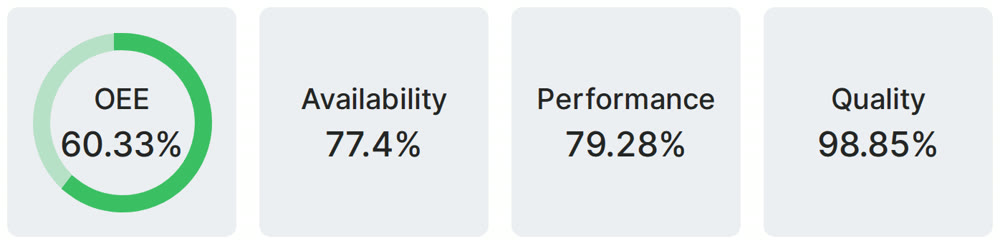
Real Fabrico tiles, sample data.