


 Login
 Blog
ShopFloorConnect Alternatives: Vorne XL, Guidewheel or OEE First

In short: the right ShopFloorConnect alternative depends on what your press shop needs on record and who should supply the stop reason. Vorne XL also puts a box at the machine. Guidewheel reads machines through power sensors without PLC work. MachineMetrics runs an operations platform on machine data. Fabrico, which wrote this page, times halts from the machine signal, lets operators add causes afterwards and prices the lost time.
- ShopFloorConnect is production tracking software from Wintriss Controls Group, not from Caron Engineering.
- It pairs software with Wintriss hardware: the wireless SFC Tracker, the SMI 2 touch-screen interface and SmartPAC press controls.
- Its SMI 2 can hold a restart until a downtime reason is entered, while its Tracker collects data with no operator input.
- Vendor facts are drawn from vendor websites read on 13.11.2026, each with its link.
A stamping plant runs eight presses, two press brakes and a row of older welders. Supervisors know the presses stop, because they hear it. What nobody can say on Friday is how many minutes went to die changes, how many to coil waits, and how many to a dozen misfeeds an hour.
That gap is what ShopFloorConnect was built for, and it is what the tools below compete on. We start with what ShopFloorConnect is and who makes it, set it against Vorne XL, and then cover the alternatives by the job each does first. Fabrico is the author and one of the options, so the order below carries no verdict.
What ShopFloorConnect is (per wintriss.com, as of 13.11.2026)
The ShopFloorConnect site describes the production tracking software by Wintriss Controls Group, with asset utilization software and hardware that collect shop floor data automatically and report machine downtime and production inefficiencies in real time. On its pages, checked on 13.11.2026:
- Collection. Real-time data from manufacturing equipment and processes, with compatibility for diverse machines, PLCs and databases (features).
- Wireless Tracker. The SFC Tracker is a wireless machine monitor for any machine or line, with four inputs for digital or analog signals, tracking run time, idle time, counts and rate with no operator input (Tracker). Examples on that page include injection molding machines and press brakes.
- SMI 2 interface. A 6.5 inch color touch screen with 32 customizable downtime codes, operator and job entry, a parts counter, and a Forced Dialog mode that can inhibit restart until a downtime reason is sent (SMI 2).
- Press data. SmartPAC PRO and SmartPAC 2 press controls connect with a firmware option, adding press tonnage over time and total hits per die across the presses that run it (SmartPAC).
- OEE. Running time drives availability, performance compares output with part-specific ideal rates, and quality is good over total parts (OEE page).
- Alerts. Text or email messages to recipients chosen by shift schedule, for example when an unattended machine stops (alerts).
- Data sharing. An API receives job schedules from ERP or MES software and an event notification service reports results back; the database is open to SQL and ODBC queries (API).
Worth confirming with Wintriss: which presses and older machines each interface suits, and how a reason entered at the SMI 2 lines up with the Tracker's automatic data.
One baseline for every option below: OEE is the KPI defined in ISO 22400-2 KPI standard, and MES scope follows the operations level of the ISA-95 integration standard, published internationally as IEC 62264-1.
ShopFloorConnect, Wintriss or Caron?
Some buyers search for "Caron ShopFloorConnect". The ShopFloorConnect copyright line and product pages name Wintriss Controls Group. Caron Engineering is a different company: its products page, checked on 13.11.2026, lists TMAC tool monitoring, ToolConnect, AutoComp, DTect-IT, Smart Light, MiConnect Technology and Blum-Novotest measuring products. If a Caron device already sits on your CNC machines, ask both companies how its data would reach the monitoring system you pick.
When ShopFloorConnect still fits
Stay with it, or shortlist it, when these sound like your plant:
- SmartPAC controls run your presses, and die hits and tonnage belong in the same history as uptime.
- You want a reason before the restart, and supervisors back the Forced Dialog rule on the floor.
- A mix of machines needs a simple box each, from presses to molding machines and press brakes.
- IT wants the data in its own database, reachable by SQL or ODBC and linked to the ERP through an API.
If the open question is less about collecting data and more about what the lost minutes cost and which to fix first, keep reading. For stamping specifics see OEE software for stamping and press operations.
ShopFloorConnect vs Vorne XL
Both answer the same plant-floor need with a device per machine, counts, downtime reasons and OEE. Side by side, paraphrased from each website on 13.11.2026:
| Question | ShopFloorConnect | Vorne XL |
|---|---|---|
| At the machine | SFC Tracker, SMI 2, SmartPAC | XL device with digital inputs |
| Signal source | Digital or analog inputs, PLCs | Photo-eye, relay, PLC, proximity switch |
| Stop reasons | Touch screen, optional forced entry | Scanned by barcode |
| Operator view | 6.5 inch touch screen | Scoreboard on any TV or monitor |
| Reports | OEE, downtime causes, alerts | OEE, TEEP, downtime Pareto |
| Where data lives | SFC database, SQL and ODBC access | On the device, optional cloud |
Forced reason, later reason, or no reason?
The design choice that matters most on a press line is where the stop reason comes from. ShopFloorConnect itself offers two ends of the range: its SMI 2 can block a restart until someone answers, and its Tracker records run and idle time with nobody typing anything. Fabrico, Vorne XL and Guidewheel sit in between, timing the halt from the machine and letting a person add the cause afterwards; MachineMetrics describes a rules engine that assigns reasons from alarms and machine state.
None of the three is wrong. A forced reason suits long, costly halts on a press that should not restart blind. Short, frequent halts are better counted automatically, or the operator spends the shift answering prompts. Our guide to operator-friendly reason codes covers how short the list should be.
Comparison table: ShopFloorConnect and four alternatives
Cells condense each vendor's website as checked on 13.11.2026; links are in the sections that follow. It maps the options without ranking them; confirm details with each vendor. Fabrico wrote the page and is listed first.
| Tool | How it hears the machine | Who adds the reason | What to confirm on a call |
|---|---|---|---|
| ShopFloorConnect (for reference) | Wintriss interfaces, SmartPAC | Operator at SMI 2, optionally forced | Which machines get which box? |
| Fabrico | PLC, IoT sensors, camera add-on | Operator on tablet or phone | How are short halts kept apart? |
| Vorne XL | Sensor or PLC inputs to XL | Operator by barcode scan | How do reports reach the office? |
| Guidewheel | Sensors on the power conductor | Team entry on a dashboard | How is idle told from down? |
| MachineMetrics | Machine data and ERP | Rules engine, operator resolves | Which machines connect directly? |
Thinking about press downtime in money rather than minutes? Book a demo; a week of halt notes from one press makes a good test.
Fabrico: halts timed by the signal, causes added after, losses priced
Fabrico is our product: cloud OEE software that doubles as a light MES. ShopFloorConnect starts from Wintriss hardware at the machine; Fabrico starts from whatever signal the machine already gives, as our MES and OEE overview describes.
In the stamping plant from the top of this page, presses and brakes with a PLC report cycles, stops and output through it (protocols on the machine connectivity page). The older welders get a Fabrico IoT device with external sensors. A manual bench with no signal can use the camera add-on, which counts parts; video for a chosen moment of the shift is streamed on request and not stored by default (camera add-on page).
Run the press shift from the worked example below through it. The 38 minute die change and the 15 minute coil wait are logged with start and duration, and the operator tags their causes later from a short plant list on a tablet or phone, so the press does not wait for an answer. The 19 misfeeds are short stops, reported apart from the long ones, so they surface as one 22 minute block rather than 19 questions. Live OEE by line and shift shows the losses in money, which puts the die change and the feeder side by side on cost. When the feeder needs a fix, the technician opens a work order from the stop on that press's record.
Press control, die protection and tonnage monitoring stay with the press controls, and the ERP keeps dispatching, routings and BOMs. A scheduling module and camera add-on halt detection that proposes a cause are on the Roadmap, not live. Data goes out through the REST API, webhooks, or an Excel or CSV export, and an SAP or other ERP link is scoped per customer. EU customers are hosted on AWS in Frankfurt. Related reading: OEE for press brakes and our OEE software guide.
Vorne XL: a standalone box with a scoreboard
On Vorne's homepage, XL is a self-contained unit with its own I/O for the process; the XL product page pitches it as an all-in-one IIoT platform. As of 13.11.2026, those pages say:
- Signals come from sensors already on the machine, such as a photo-eye, relay or proximity switch, and the product page adds PLCs.
- Any size of TV or monitor can serve as the operator scoreboard.
- Operators start part runs and scan down time reasons with a plugged-in barcode scanner.
- Built-in reports include OEE, downtime and TEEP, with no software to install and browser-based reporting over Ethernet.
- XL Enterprise, the cloud side, is described as entirely optional.
- Industries on the homepage include metal stamping, metal forming, automotive and packaging.
Compared with ShopFloorConnect: both put a device at the machine with counts and reasons. Vorne's pages lead with the scoreboard and on-device reports; ShopFloorConnect's add press data from SmartPAC controls and a forced reason option.
Fits plants that want a self-contained box per machine with a big visible scoreboard for operators.
Guidewheel: power sensors, no PLC project first
Guidewheel's homepage pitches a practical operating platform for factories. As of 13.11.2026:
- A sensor on the machine's power cable reads its electrical activity, which yields run, idle and down states before any PLC work.
- Teams follow OEE by machine and plant, and track machine stops with team-entered reasons.
Compared with ShopFloorConnect: both offer a way onto machines with no usable controller. Guidewheel reads electrical activity; the SFC Tracker takes digital or analog inputs. Our Guidewheel alternatives page goes deeper.
Fits plants that want quick run, idle and down data on many older machines and are happy to add reasons as a team.
MachineMetrics: reasons assigned by rules from alarms
MachineMetrics' homepage presents a single platform for discrete plants, fed by live machine data, with MaximaOS underneath. As of 13.11.2026:
- Old and new machines connect, along with ERP and CMMS data.
- Its downtime tracking page says events are detected straight from machine data with no operator input and no minimum duration.
- A configurable rules engine assigns reasons from alarms, alarm messages and machine state, and events that need judgment reach the operator grouped.
Compared with ShopFloorConnect: both collect machine data and OEE. MachineMetrics' pages lean on rules that assign reasons from machine alarms; ShopFloorConnect's lean on operator entry at an interface. See our MachineMetrics alternatives.
Fits plants that want reasons assigned from machine alarms and an operations platform tied to the ERP.
Which ShopFloorConnect alternative fits your plant
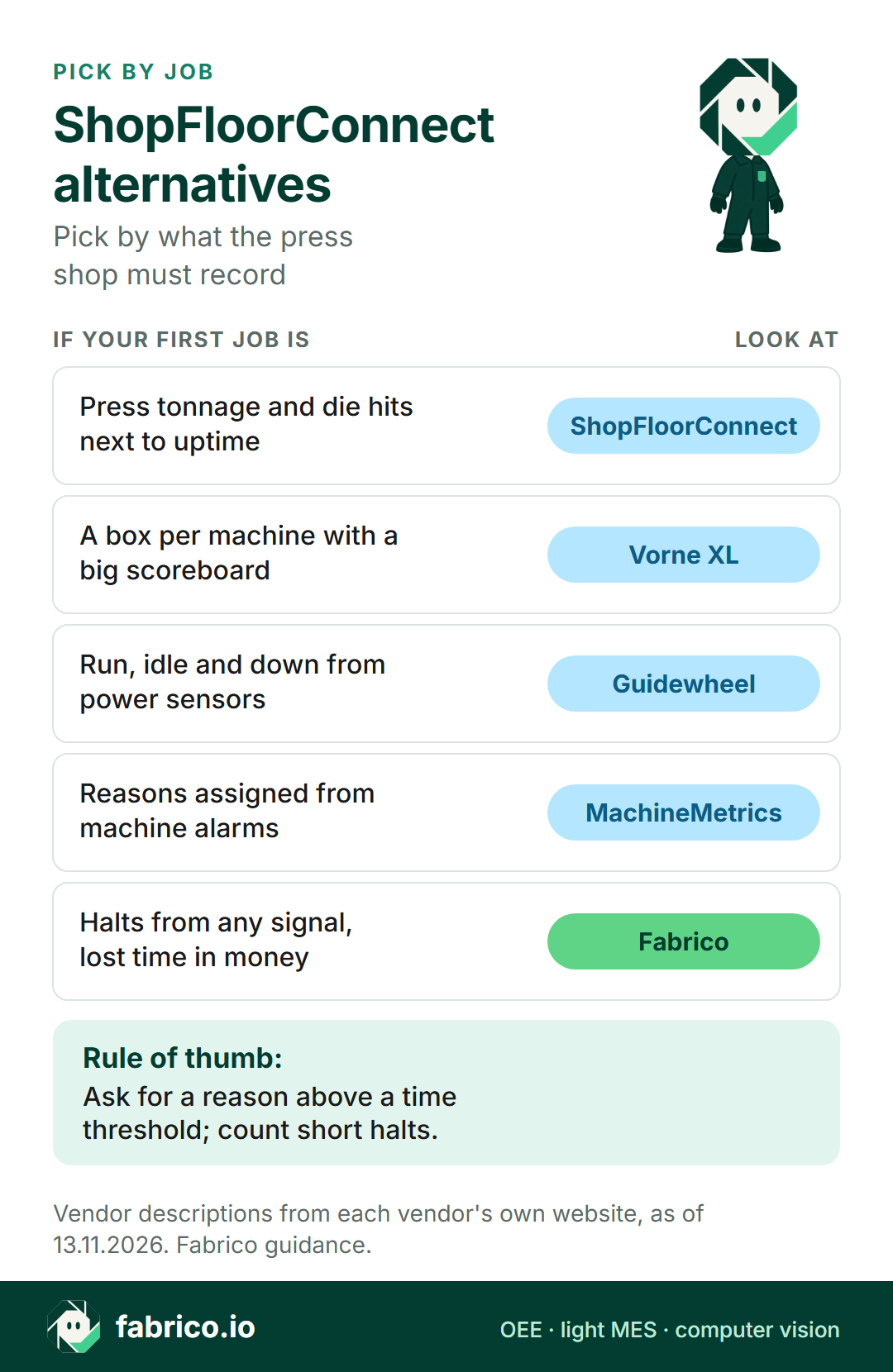
- Press tonnage and die hits next to uptime, with an optional forced reason: ShopFloorConnect.
- A self-contained box per machine with a scoreboard on any screen: Vorne XL.
- Run, idle and down from power sensors, without PLC work first: Guidewheel.
- Reasons assigned by rules from machine alarms, on an operations platform: MachineMetrics.
- Halts timed from any signal, causes added later, losses ranked in money across presses and other machines: Fabrico.
Text version of this infographic
Pick-by-job card for ShopFloorConnect alternatives: press data and forced reasons (ShopFloorConnect), a standalone box with a scoreboard (Vorne XL), power sensors with no PLC work (Guidewheel), an operations platform on machine data (MachineMetrics), or downtime priced by cause across the plant (Fabrico).
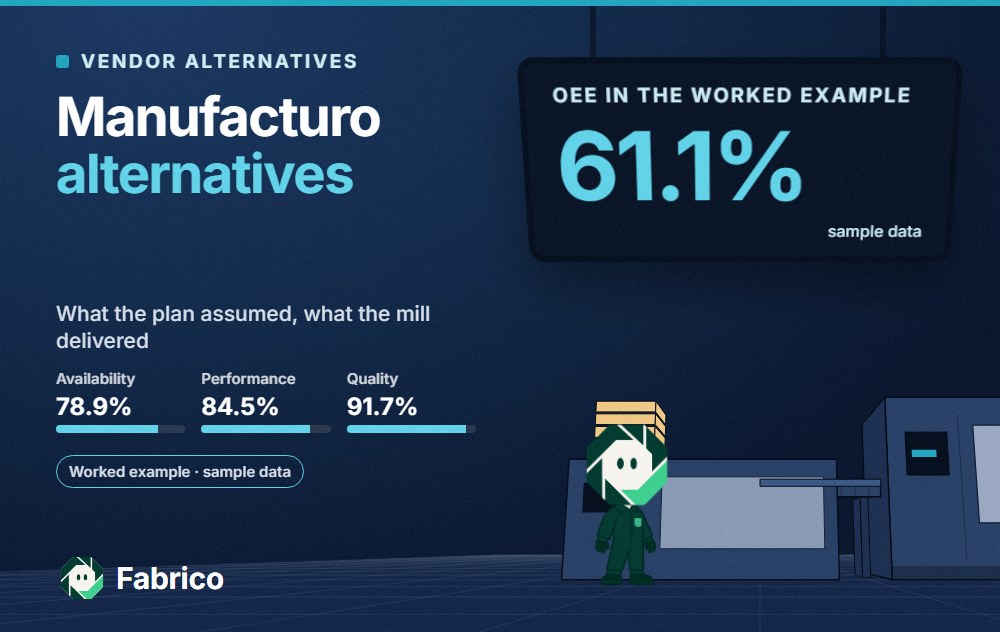
Worked example: one press shift, 22 halts, how many prompts?
These numbers are made up for illustration and come from no real plant or Fabrico screen. A progressive die press works an eight hour shift; after the half hour break, 450 minutes are planned. Its ideal rate is 40 parts a minute. To keep it simple, every halt here counts against availability.
The press halted 22 times for 87 minutes in all, so it ran 363 minutes: availability is 80.7%. At 40 parts a minute those 363 minutes allow 14,520 parts. It made 12,600, so performance is 86.8%.
Inspection scrapped 250, leaving 12,350 good: quality is 98.0%. OEE is 80.7% x 86.8% x 98.0% = 68.6%, which matches 12,350 good parts over the ideal 18,000.
Now the reason question. A prompt at every restart asks the operator 22 times, 19 of them for misfeeds lasting about a minute. A rule that asks only for halts over 2 minutes asks 3 times and still explains 65 of the 87 lost minutes. The misfeeds are not lost either: they show up as 19 short halts, 22 minutes in total, which points straight at the feeder. The die change at 38 minutes is the single biggest loss, and quick die change is where that conversation goes next. For the formula, see OEE calculation.
Five questions for a ShopFloorConnect shortlist
Ask them of each vendor here, Fabrico included, using one press and one older machine as the test.
- What does the press tell you directly? Strokes, counts, tonnage, die hits, or run and idle only.
- What goes on a machine with no controller? A sensor box, a power sensor, a camera or manual entry.
- When is the operator asked for a reason? At restart, after the halt, above a threshold, or never.
- How are short halts reported? As a count with total minutes, or one by one.
- Where does the data live? On a local database, a device or a cloud service, and how it is exported.
What people ask next
Who makes ShopFloorConnect?
Wintriss Controls Group. The ShopFloorConnect site, read on 13.11.2026, calls it the production tracking software by Wintriss Controls Group and pairs it with Wintriss hardware: the SFC Tracker, the SMI 2 interface and SmartPAC press controls.
Is ShopFloorConnect a Caron Engineering product?
Its own site names Wintriss Controls Group as the maker. Caron Engineering's products page, read on 13.11.2026, lists TMAC, ToolConnect, AutoComp, DTect-IT, Smart Light, MiConnect Technology and Blum-Novotest. If a Caron device is already on your machines, ask both companies how the data would reach a monitoring system.
How does Vorne XL compare with ShopFloorConnect?
Both put a device at the machine that counts parts and takes downtime reasons. Vorne pitches XL as a self-contained unit with sensor inputs, a scoreboard on any TV and built-in OEE, TEEP and downtime reports, with reasons scanned by barcode. ShopFloorConnect describes interfaces with a touch screen, a Forced Dialog mode and a press data set for SmartPAC controls.
How is Fabrico different from ShopFloorConnect?
ShopFloorConnect pairs its software with Wintriss machine interfaces and press controls, per its site. Fabrico takes its signal from a PLC, an IoT box wired to sensors, or the camera add-on, lets operators add the cause after a halt on a tablet or phone, and reports OEE per line and shift with the lost time priced.
Should a press shop force a reason before restart?
It depends on the halt mix. A forced reason means no halt goes unexplained, but the press waits for an answer, which hurts most with frequent short halts such as misfeeds. Many shops ask for a reason above a time threshold and count the short halts automatically.
Want a press shift split into long halts, short halts and what each block cost? Book a demo. Questions first? Use our contact page.
Related articles



Real Fabrico tiles, sample data.