


 Login
 Blog
Okuma Connect Plan Alternatives: OEM Monitoring or a Brand-Neutral Layer

In short: the right Okuma Connect Plan alternative depends on how mixed your machine fleet is. Connect Plan is Okuma's own monitoring system, built around its OSP control. FANUC and DMG MORI offer their own control-side and builder-side routes, while brand-neutral layers such as MachineMetrics and Fabrico connect machines from many builders into one view.
- Connect Plan links the OSP control to a PC running Okuma's Factory Monitor suite, per Okuma's pages.
- Okuma says accommodations can be made for non-Okuma controls, and its NET BOX suite-C connects machines from other manufacturers.
- On a mixed floor, the deciding question is which system holds one machine list, one shift calendar and one OEE definition.
- Every vendor fact below comes from that vendor's own pages, checked on 13.11.2026 and linked. Nothing is priced or ranked.
Picture a contract machining shop with fourteen Okuma lathes and machining centres on OSP controls, six mills from two other builders, and a band saw and deburring cell with no control worth reading. The Okumas have shown up on the factory map for a year. Now the plant manager wants one utilisation figure for the whole floor, and a customer audit asks for OEE by shift.
This page sets Connect Plan next to four other routes: a control maker, another machine builder and two brand-neutral layers. Fabrico is ours, so the page ranks nobody.
What Okuma Connect Plan is (as of 13.11.2026, per Okuma's sites)
Okuma Europe's December 2024 press release describes Connect Plan as a solution for networking, monitoring, analysing and optimising entire machine fleets, developed by a CNC machine tool builder. Its Connect Plan page and Okuma America's Connect Plan page add the detail. As of 13.11.2026:
- How machines join. The OSP control connects to a PC with the Factory Monitor suite installed. Okuma notes that accommodations can be made for non-Okuma controls, and that its NET BOX suite-C connects to machines from other manufacturers.
- Factory map. Green means a machine is running smoothly, yellow an interruption, red an alarm that needs someone. Status is visible from the shop floor, the office or a smartphone.
- Reports and alarms. Daily reports analyse machine status, operating history and alarm history to flag unwanted machine stops. Alarm history links to the alarm manual, and alarm emails go out.
- Traceability. The ID of a machined workpiece is tied to its machining data and gauging results for each machine.
- Maintenance and service. Recorded data points to maintenance windows for tank cleaning and filter changes. An AI Machine Diagnostic function checks feed axes at the touch of a button, tool life estimates go to the OSP, and remote diagnostics let an Okuma service engineer see the machine's screen.
- A lite app. Okuma's App Store offers Connect Plan lite, which shows operating history, production rates and alarm history in graphs.
Worth asking Okuma: which data a non-Okuma machine sends through NET BOX suite-C, and how an operator records the reason for a stop.
For a common baseline, OEE on this page is the availability, performance and quality KPI defined in ISO 22400-2 OEE definition; machine monitoring and MES sit at the operations level of the ISA-95 model of plant levels (internationally IEC 62264-1).
When Connect Plan is the natural fit
- Most spindles are Okumas on OSP controls, and that will stay true for the next machine purchases.
- Builder features matter to you: alarm manual links, feed axis diagnostics, tool life estimates and remote help from Okuma service.
- Workpiece traceability from part ID to gauging results is a customer requirement on Okuma cells.
If most of your machines come from one builder, start by listing what that builder's own route covers. If they come from several, compare the routes below.
OEM monitoring vs a brand-neutral layer on a mixed floor
A machine builder knows its own control in detail: alarm codes, axis data, tool life, service history. A brand-neutral layer starts from the other end and puts every machine on one timeline, whoever built it.
Both approaches can reach other brands. Okuma, FANUC and DMG MORI each describe a route for machines they did not build, and MachineMetrics and Fabrico each describe a route for older machines. So the useful question is not "OEM or neutral" in general. It is, for each group of machines on your floor, how does it report and to which screen? Our MTConnect guide explains the common machine tool protocol, and MES vs machine monitoring covers where monitoring stops.
In practice, three things differ: who maps a new control, where OEE is defined, and who you call when a machine goes dark.
Connect Plan and four alternatives at a glance
Our summary of each vendor's site on 13.11.2026, linked below. Rows are not ranked. Connect Plan is the reference row, and Fabrico follows it since this is our page.
| Tool | Starts from, per its site | Machines from other builders | Ask the vendor |
|---|---|---|---|
| Okuma Connect Plan (reference) | OSP control to a Factory Monitor PC | Non-Okuma accommodations, NET BOX suite-C | What does a non-Okuma machine send? |
| Fabrico | PLC or IoT device, plus operator reasons | PLC, or sensors on a Fabrico IoT device | How is the ideal cycle set per part? |
| FANUC MT-LINKi | FANUC CNCs over Ethernet | Robots and PLCs through OPC UA | Which data comes from each device? |
| DMG MORI Connectivity | IoTconnector on DMG MORI machines | Third-party machines via IoTconnector flex | Which apps read the data? |
| MachineMetrics | An edge that speaks native protocols | FANUC, Siemens, Okuma, Mazak and more | What does an I/O machine report? |
Want to see downtime by cause across machines from several builders? Book a demo; a list of machines, builders and controls is all you need to bring.
Fabrico: one OEE layer across builders, with operator reasons
We make Fabrico, so read this section with that in mind. Fabrico is cloud OEE software and a light MES. It does not stand in for Okuma's diagnostics; it puts the Okumas, the other mills and the saw under one OEE definition. Our MES and OEE overview has the detail.
Picture the contract shop from the top of this page. Machines with a reachable PLC report cycles, stops and output through it, and the protocols are on our machine connectivity page. The band saw gets a Fabrico IoT device with external sensors. The deburring cell has no signal, so the camera add-on counts parts there; its video for a chosen moment on the timeline is streamed on request, not stored by default (camera add-on details).
Now one of the other builders' mills loses 72 minutes on a shift, as in the worked example below. Fabrico logs when the stop began and how long it ran, and the operator picks the cause, say waiting for a first-off inspection (sample data), from the shop's own reason list on a tablet or phone. Short stops are reported apart from long ones, and running slower than the ideal cycle shows as performance loss. Live OEE per line and shift then puts the losses in money, so the plant manager compares the Okuma cells and the other mills on one figure. If the mill needs a repair, the technician opens a work order from that stop on the machine's record.
Feed axis checks, tool life estimates and remote screen sharing stay in the builder's tools, and your ERP keeps job dispatching, routings and BOMs. Data leaves Fabrico through a REST API, webhooks or an Excel or CSV export, and an SAP or other ERP link is scoped per customer. EU customers are hosted on AWS in Frankfurt. Many shops begin with a one-line pilot, and our OEE software guide covers the basics.
FANUC MT-LINKi: the control maker's collector
FANUC makes CNC controls that many machine builders fit, so its software reaches across builders through the control. FANUC America's MT-LINKi page says, as of 13.11.2026:
- MT-LINKi and its Integration Server are scalable, out-of-the-box monitoring that runs from one machine up to two thousand, using a PC and an Ethernet connection.
- It collects alarm history, macro variables, signal history, servo and spindle motor currents and temperatures, battery and fan status, and feed rate overrides.
- It connects to FANUC CNCs, and to robots and PLCs through an OPC UA server. Some legacy FANUC CNCs connect through an Ethernet converter.
- Data is viewed in web browsers or on a tablet, and stored in MongoDB, which upper systems or custom web screens can read.
Compared with Connect Plan: both come from the machine side and collect deep alarm detail. MT-LINKi follows the FANUC control into machines from many builders; Connect Plan follows the OSP control into Okuma machines, with NET BOX suite-C for other makes.
Fits plants that run many FANUC-controlled machines from different builders and want control-level data, from one cell up to several sites.
DMG MORI Connectivity: a builder's network for other brands too
DMG MORI sells connectivity as a product group. Its connectivity page says, as of 13.11.2026:
- New DMG MORI machines from 2020 are networked as standard, and existing DMG MORI machines and third-party machines can be connected too.
- Machine data, availability status, productivity indicators, process data and other signals are made available over OPC-UA, MTconnect and MQTT.
- The IoTconnector retrofit covers existing DMG MORI machines up to 10 years old, and the IoTconnector flex covers third-party machines and peripheral devices.
- Messenger shows the status of connected machines, and CELOS X change is a cloud data hub that passes production data to company IT. Installation is by DMG MORI Service or by the customer's own company electrician.
Compared with Connect Plan: both are machine builders with a route for other brands. DMG MORI's page names open protocols (OPC UA, MTConnect, MQTT) and its CELOS X change data hub; Okuma's names the OSP, Factory Monitor and NET BOX suite-C.
Fits plants that run mostly DMG MORI machines and want builder-supported connectivity that feeds other applications through open protocols.
MachineMetrics: brand-neutral connectivity at fleet scale
MachineMetrics describes one platform built on real-time machine data for discrete manufacturing (home page). Its machine connectivity page says, as of 13.11.2026:
- Native connections over MTConnect, FANUC FOCAS, OPC-UA, EtherNet/IP and Allen-Bradley, Siemens S7, Modbus TCP, MQTT and Heidenhain LSV-2. The CNC controls it names include FANUC, Siemens, Okuma, Mazak, Brother and Heidenhain.
- Digital I/O captures activity, cycles and states from machines with outdated controls or no network interface, and a Virtual Part Counter computes counts where the machine cannot report them.
- All traffic starts at the edge and goes outbound to the cloud, on purpose-built hardware or a virtual machine the customer already runs.
Compared with Connect Plan: MachineMetrics lists Okuma among the controls it connects, so the two can meet on the same machine. Connect Plan starts from Okuma's control and service tools; MachineMetrics starts from one edge for many builders. For a closer look at it, read our MachineMetrics alternatives review.
Fits plants that run large fleets from many builders and want them connected in batches through one platform.
Which Connect Plan alternative fits
- Mostly Okuma machines, with builder diagnostics and workpiece traceability: Okuma Connect Plan.
- Many FANUC-controlled machines across builders and sites: FANUC MT-LINKi.
- Mostly DMG MORI machines, with open protocols for other apps: DMG MORI Connectivity.
- Large fleets from many builders, connected in batches through one edge: MachineMetrics.
- One OEE definition across builders, stop causes from operators and lost time in money, older machines on IoT sensors: Fabrico.
Keeping a builder's tool next to a neutral layer works when one of the two owns the OEE figure. For the wider picture, see CNC machine monitoring and MES for metal fabrication. If you also run packing lines, our computer vision guide for FMCG plants is a better starting point.
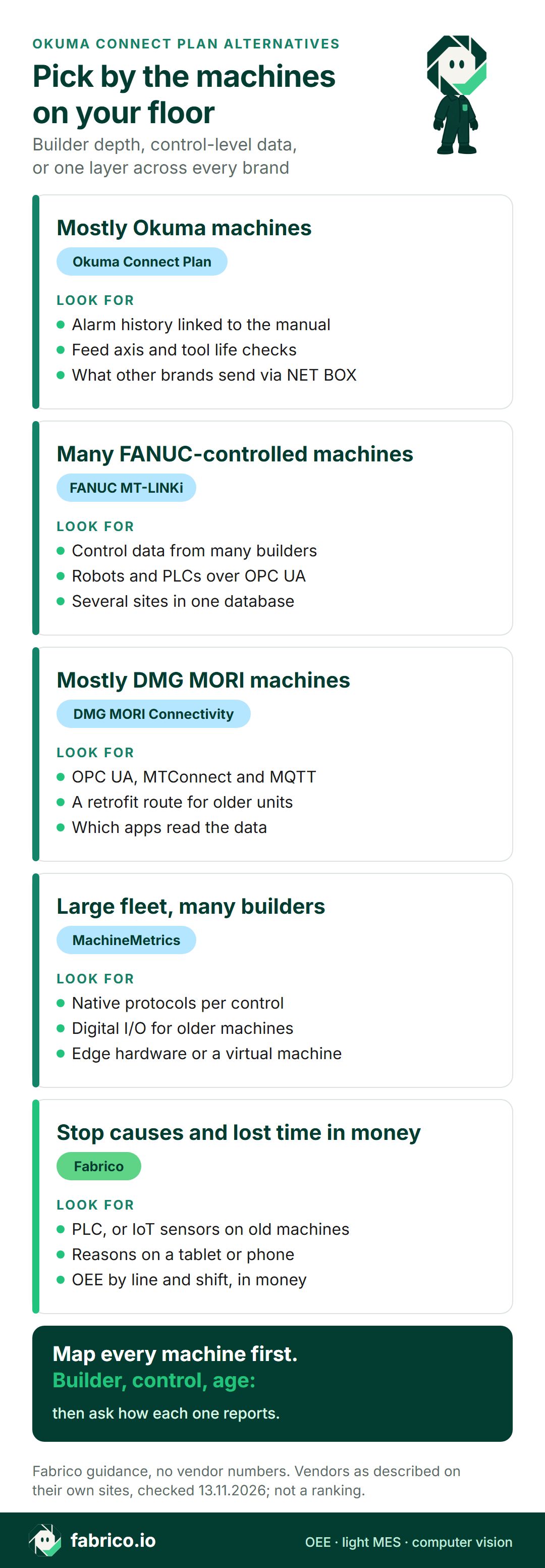
Text version of this infographic
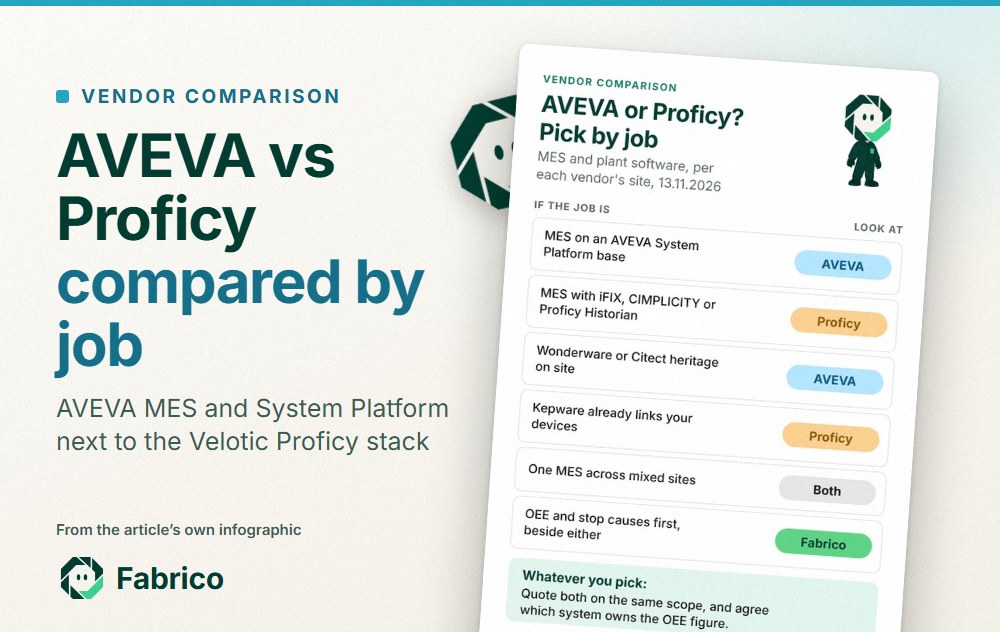
Pick-by-job card for Okuma Connect Plan alternatives: builder depth on Okuma machines (Connect Plan), control-level data across builders (FANUC MT-LINKi), a builder network with open protocols (DMG MORI), one edge for many builders (MachineMetrics), downtime reasons and losses in money (Fabrico).
Worked example: the number a partial fleet gives you
Sample data for a 12 machine shop, not a customer and not a product screen. Six Okuma machines, four mills from other builders and two older machines with no network port. Say a dashboard shows the six machines that were easiest to connect.
The six connected machines ran 72% of planned time. The four mills ran 55% and the two older machines 40%. Across all 12, the running share is (6 x 72 + 4 x 55 + 2 x 40) / 12 = 61.0%. The 11 point gap is not a fault in any tool. It is the part of the floor nobody was measuring yet, whichever system you use.
Running share is also not OEE. Take one of the mills on a 450 minute shift. It stopped for 72 minutes, so availability is 378 / 450 = 84.0%. At an ideal cycle of 3 minutes, 378 minutes allow 126 parts; it made 108, so performance is 85.7%. Three parts were scrapped, leaving 105 good: quality is 97.2%. OEE is 84.0% x 85.7% x 97.2% = 70.0%, the same as 105 good parts x 3 minutes over 450 minutes. See OEE vs utilization and OEE calculation for the method.
Questions for any vendor before you change
Pick one machine from each group and ask each vendor, Fabrico too, about that machine.
- How does this machine connect? Native protocol, converter, edge device, digital I/O or a sensor.
- What does that route report? States, part counts, alarms, program number, spindle load.
- Who sets the ideal cycle time, and can it change by part number?
- How does an operator give the reason when a machine stops, and how long does it take?
- Who installs and looks after the hardware: the builder's service team, your electrician or the vendor?
- If a builder tool stays in place, which system owns the OEE figure and the downtime categories?
What people ask next
What is Okuma Connect Plan?
It is Okuma's machine monitoring system. Per Okuma's pages, the OSP control connects to a PC running the Factory Monitor suite, and a factory map, daily reports and alarm history show machine status from the shop floor, the office or a smartphone.
Can Connect Plan monitor machines from other builders?
Okuma Europe's page says accommodations can be made for non-Okuma controls and that the Okuma NET BOX suite-C connects to machines from other manufacturers. Ask Okuma which data those machines send, and compare it with what the Okuma machines report.
Should a mixed fleet use the builder's monitoring or a neutral layer?
Many plants use both. A builder's tool keeps deep control data, diagnostics and service links; a neutral layer keeps one machine list, one shift calendar and one OEE definition across builders. Agree which one publishes OEE, then link them.
How is Fabrico different from Connect Plan?
Connect Plan comes from Okuma and starts at the OSP control, with builder features such as alarm manual links, AI Machine Diagnostic and remote diagnostics. Fabrico is brand-neutral OEE software: stops and counts from the PLC or a Fabrico IoT device, the reason from the operator, and OEE per line and shift, with losses in money.
Does MachineMetrics connect to Okuma controls?
Its connectivity page lists Okuma among the CNC controls it connects, along with FANUC, Siemens, Mazak, Brother and Heidenhain, and names native protocols including MTConnect and FANUC FOCAS.
What should I bring to a vendor demo for a mixed fleet?
A machine list with builder, control type and year, a note of which machines have a network port, and one week of downtime notes. Ask each vendor, us included, how every group would report and what it would measure.
Want help mapping a mixed floor, builder by builder? Book a demo, or send us a question first.
Related articles


Latest from our blog


Real Fabrico tiles, sample data.