


 Login
 Blog
MES vs Machine Monitoring: Which One for Several Lines or Plants?

In short: Machine monitoring records what machines did. An MES directs and records how production orders are made. To track several lines or plants, start with shared rules and monitoring, then add an MES at the plants that have an order or lot problem.
- Monitoring answers: where did the hours go, by line and by plant?
- An MES answers: was this order made the right way, and what went into it?
- Neither system makes plants comparable. Shared definitions do.
- The exception: if a customer or regulator needs lot records now, put an MES at that plant first.
- You do not need the same answer at every plant.
You run several lines, maybe several plants. Each one reports its numbers its own way, and you cannot tell which figures to trust.
Someone proposes machine monitoring, and someone else says the group needs an MES. This guide helps you settle it, plant by plant.
One note: we sell light MES software for OEE and downtime, so read this with that in mind. We also say plainly what it does not do.
The difference in one line each
Machine monitoring is, in one clear definition from a software vendor, the automated capture of what state a machine is in: running, idle, in fault, in setup. It watches the equipment.
An MES is a system to track and document how raw materials become finished goods. It follows the order, the steps and the materials.
In the ISA-95 model, monitoring and control of the physical process sit at level 2, MES-type workflow at level 3, and ERP at level 4.
Monitoring software reads its signals from level 2, and its reports cover part of the level 3 job. So these are overlapping layers, not rivals.
For the full picture of the first layer, read what a machine monitoring system is. For the second, read our guide to MES software.
What each one records
| Data | Machine monitoring | Full MES |
|---|---|---|
| Run and stop state, with times | Yes, from the machine signal | Often, if machines are connected |
| Cycle times and part counts | Yes | Often, if machines are connected |
| Why a stop happened | Usually an operator tag | Usually an operator tag |
| Production order and its steps | Usually not, or only as a label | Yes |
| Recipes and bills of material used | Usually not | Yes |
| Which lots went into which product | Usually not | Yes |
| Instructions sent to work centers | Usually not | Yes |
Treat the table as typical, not universal. Product labels in this market are loose: some monitoring tools add order data, and some products sold as MES are mostly dashboards.
So ignore the label in a demo, and ask for the stored record of one stop and of one finished order. What they can show you is what the product is.
Sort your questions before you sort your systems
Write down the questions your weekly or monthly group review asks. Then see which layer can answer each one.
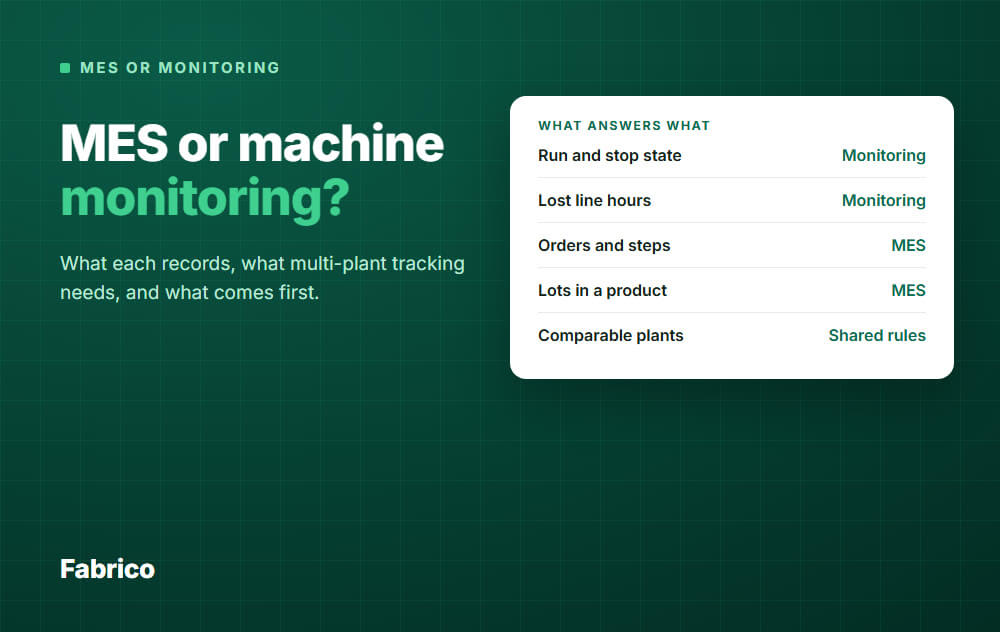
| Question | What answers it |
|---|---|
| Which plant lost the most line hours last week? | Monitoring |
| What are the top stop reasons on the same line type at each plant? | Monitoring, plus operator reason tags |
| Did the fix at one plant hold, and did it work when another plant copied it? | Monitoring |
| Is one plant running slower than another on the same product? | Monitoring, with a product label and one ideal cycle time rule |
| Which lots ended up in this shipped batch? | MES, or ERP with lot records |
| Was this order built with the right recipe and steps? | MES |
| Where is this order right now, and on which step? | MES |
| Can I trust that these plant numbers mean the same thing? | Neither. Only shared rules. |
If most of your questions sit in the first four rows, you have a measurement problem. If they sit in the next three, you have an execution problem.
A long list in both is normal for a large group. It still tells you which to do first at each plant.
What multi-plant tracking really needs
This is the part no purchase order covers. Buying the same system for every plant does not give you comparable numbers.
A system calculates what you configure. Whether it is called monitoring or MES, these decisions are yours:
- Time rules. What counts inside planned production time: changeovers, planned maintenance, breaks, no orders.
- Stop reasons. The same top level everywhere, with local detail allowed underneath.
- Ideal cycle time. One rule for setting it per product, such as machine rating or best proven rate.
- Scrap and rework. Where each plant counts them, and when.
- Names. The same plant, line and machine structure, so a line in one plant maps to its twin in another.
- Calendars. Shift patterns, and which date a night shift belongs to.
- An owner. One named person who approves any change to the rules.
We cover why this matters in single-plant vs multi-site OEE, and how to report the result in rolling up OEE across sites.
An example: three plants, one wrong headline
All numbers here are example data. Plant A leaves its 40 changeover hours out of planned time, and the other two plants count them.
| Plant | Fully productive hours | Planned hours | OEE |
|---|---|---|---|
| A, as reported | 288 | 360 | 80% |
| A, shared rule | 288 | 400 | 72% |
| B | 720 | 1,200 | 60% |
| C | 304 | 400 | 76% |
As reported, Plant A leads and the plain average of the three is 72%.
On the shared rule, Plant C leads and the plain average falls to about 69%. Weighted by planned hours, the group is at 1,312 of 2,000 hours, or about 66%.
The machines did not change. The rule moved the ranking and about 3 points of the headline, and weighting by hours moved the rest.
Monitoring or MES, either system would have reported the wrong number without complaint.
What comes first
Decide plant by plant, not once for the group. This order works when your main question is lost hours:
- Write the shared rules. One page, one owner, before any install.
- Connect the bottleneck line at one plant. Run it for a few weeks and test the rules against real stops.
- Connect a line at a second plant with different machines. This shows where the rules break, while they are still cheap to change.
- Roll out line by line. Add plants as each one can act on its own top losses.
- Revisit the MES question per plant. Look at what is still unanswered: orders, lots, steps.
When an MES should come first
- A plant makes food, drinks or pharma, where an as-built record tends to matter most, and paper no longer keeps up.
- A customer or auditor asks for lot genealogy that you cannot produce today.
- Complex routings go wrong on the floor, and wrong steps cost you more than stops do.
In those plants, do not delay the MES to finish a monitoring rollout. Apply the same shared rules there too, so the plant still fits the group view.
If one plant already has an MES
A merger or an old project can leave you with this mix. You do not have to replace anything to get one group view.
- Keep the MES for what it does: orders, steps and records.
- Check where its stop data comes from. Stops typed in by hand tend to miss short ones, so they are not comparable with machine-signal plants.
- If the data is manual, add a machine signal under it for the stop and cycle count.
- Convert its numbers to the shared rules before they reach the group report.
Common mistakes
- Buying one suite for every plant because it feels tidy. A plant with a stop problem then waits for a project built around orders.
- Rolling out before the rules exist. You pay later to redo the reason codes and the history.
- Ranking plants on one number. Compare like lines, and always keep the drill-down to the stop reason.
- Averaging plant OEE. A small plant then counts as much as a large one. Weight by planned hours, as in the example above.
- Forcing one reason list on all plants. Share the top level and leave local detail to the people who use it.
- Treating a screen as the goal. Each plant needs a named owner for its top losses and a regular meeting to act on them.
What good looks like
You are in good shape when the group review can do these things:
- Show plants side by side, with one written set of rules behind the numbers.
- Click from a group figure down to a plant, a line and its top stop reasons.
- Show how much stop time has no reason yet, plant by plant.
- Name who owns the top losses at each plant, and what changed since last review.
- Answer order and lot questions from the system that holds them, without a spreadsheet hunt.
How Fabrico fits
Fabrico is a light MES: cloud software for machine data, production monitoring, OEE and downtime, with ERP integration. It sits between plain monitoring and a full MES.
- Machine data comes from PLCs, IoT devices with sensors on older machines, and AI cameras where there is no machine signal. A plant can mix them.
- Stops are recorded where one of those signals exists. Operators tag the cause on a tablet or phone, from your own reason list.
- OEE is calculated for each line and shift, split into availability, performance and quality.
- A multi-plant view shows your plants side by side, with reports that compare them. Role-based access controls who sees what.
- The interface runs in English, French, German, Polish and Bulgarian, which helps when plants span countries.
- It connects to SAP S/4HANA, and to other systems through a custom integration, a REST API or webhooks. A maintenance module is in the same system if you want it.
Plan on about 1 month to install and connect devices, and 3 to 4 months for a full rollout.
What it does not do matters here. Job dispatching, BOMs, routings and genealogy stay in your ERP, and production planning and scheduling are not part of Fabrico.
So if a plant needs lot genealogy or order control on the floor, Fabrico does not solve that. It can still provide the performance layer for that plant.
The shared rules are still yours to write: software applies them, it does not decide them.
See the Fabrico MES and OEE overview for details. Request a demo or Contact us to talk through your plants.
What people ask next
Is machine monitoring part of an MES?
It can be. Data collection and performance analysis are commonly listed among MES functions.
The open question is how fine that data is. Ask if it comes from the machine signal or from manual entry, and if short stops show up.
Can machine monitoring grow into an MES later?
The machine connections and data can often carry over, if the later system can read them. The order, recipe and lot logic is new work, so plan it as a new project.
Before you buy, ask how the data can be exported or passed to a later system.
Do all plants need the same software?
One measuring layer makes group reporting far simpler. It is not a must, as long as every plant feeds the same rules into the group report.
Execution systems can differ by plant, because plant needs differ.
Can I track several plants with an ERP alone?
ERP is good for orders and stock. A typical order confirmation books quantities, dates and times, not the stops between those bookings.
So it can tell you that a plant missed its output. It rarely tells you which stops caused that.
Which plant should go first?
Pick the plant with the costliest bottleneck and a manager who wants the data. A keen team will find problems with your rules faster.
Avoid starting at your worst plant just because it is the worst, if nobody there has time to act.
Will monitoring replace the monthly plant reports?
The counting of hours and output, yes, wherever a machine signal exists. Machines without one still need manual entry, and so does scrap where no sensor counts it.
You will still want a short plant comment, because a number never explains context on its own.
Ready to see how your plants would compare? Request a demo or Contact us.






