TL;DR
Evaluating OEE software comes down to one test on your own line: does the product log every stop with its start, end and cause, and give an OEE number you can check by hand against one shift? Then score alerts, work orders, reports and integration, and build the ROI from the hidden minutes it finds.
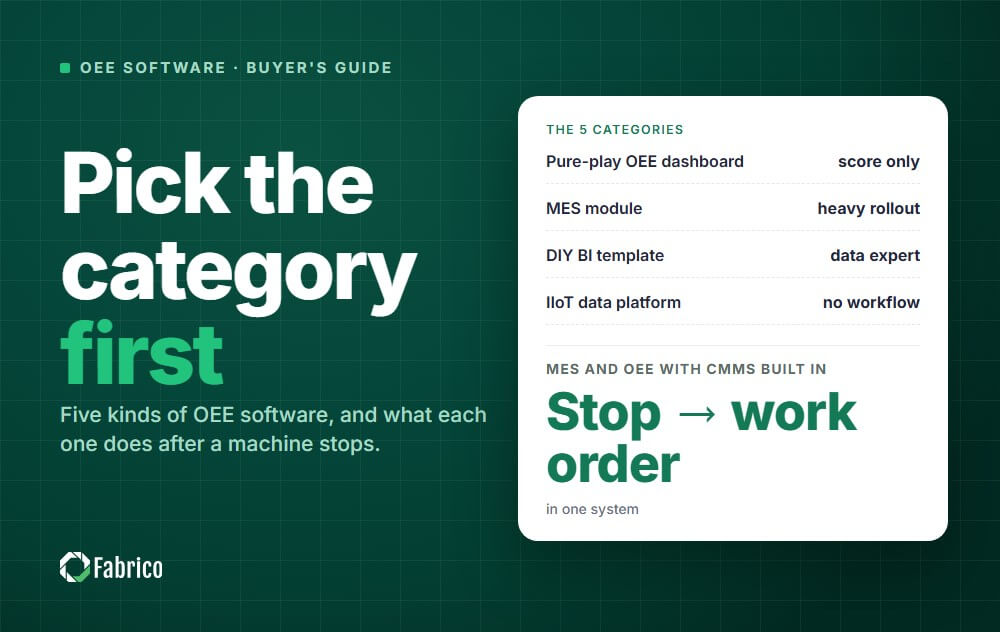
Still deciding what kind of tool you need? Our guide to the best OEE software sorts the market into five categories. This page shows how to test the products on your shortlist and prove the business case.
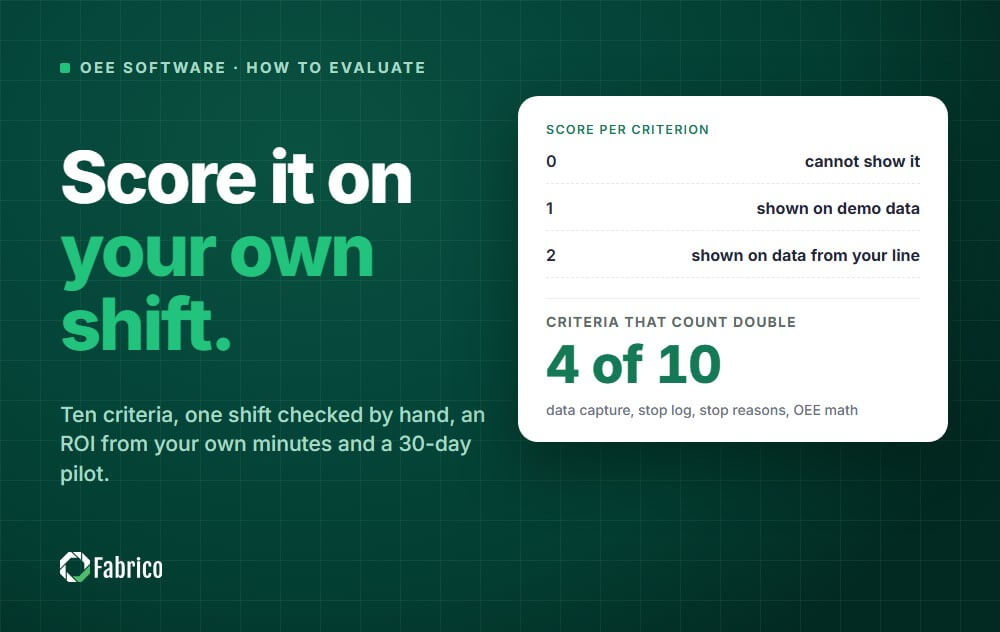
Most demos look alike, so score every product on the same criteria straight after each one. Use a three-point scale:
Count the first four criteria double. Every report and alert is built on them.
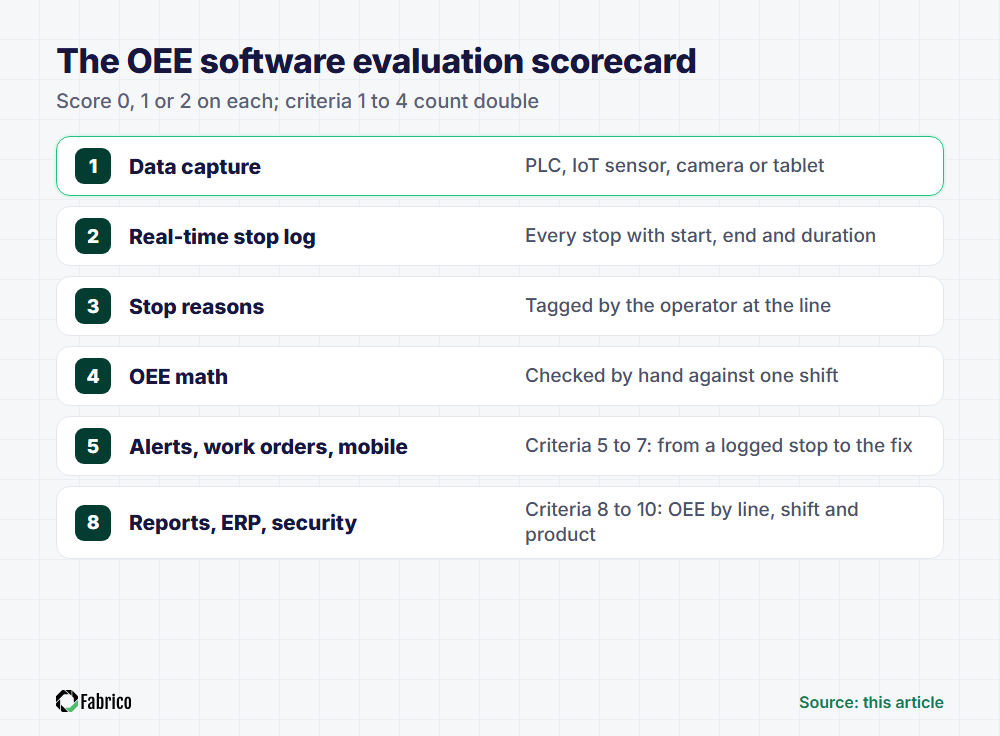
Send this table to each vendor a week ahead, as the demo script for your plant.
| Feature | What to check in the demo | Why it matters |
|---|---|---|
| 1. Data capture | The method per machine: PLC, IoT sensor, camera or tablet | Old and new machines rarely share one method |
| 2. Real-time stop log | Each stop within seconds, with start, end and duration | Short stops rarely reach a paper log |
| 3. Stop reasons | An operator tags the cause on a tablet, in a few taps | Without a cause, nobody knows where to send people |
| 4. OEE math | Your own shift entered live, with every step shown | Nobody acts on a number they cannot check |
| 5. Alerts | A rule set up live: which stop, after how long, to whom | A long stop costs most before the right person hears |
| 6. Stop to work order | A technician opens a CMMS work order from the logged stop | The repair keeps the stop's time and cause |
| 7. Mobile | Operator and technician screens on a tablet and a phone | Reasons typed after the shift come from memory |
| 8. Reports | OEE by line, shift and product, down to the stops | Averages blur the line or shift that loses most |
| 9. ERP integration | Which data moves each way, and who maintains the link | Products and orders need one source |
| 10. Security | Hosting region, access rights and ISO certificates | IT will ask before any machine is connected |
Everything later depends on this step: if the software misses stops, the dashboard is wrong in a way nobody on the floor can see.
Most plants need a mix: a filler's modern PLC can be read directly, while the old press beside it needs a sensor. Our guide to machine monitoring systems explains each method.
Four checks separate genuine OEE monitoring software from a report generator:
On a CNC cell, a 40-second stop to clear chips never makes the paper log, but twenty of them cost more than 13 minutes a shift. Our guide to micro stops shows how to cut them.
The signal says when a line stopped; only a person can say why: no material, a jam, a changeover. Ask for the reason at the line, during the stop, on a tablet.
Signal plus reason is what good downtime tracking software delivers. Without the reason, your downtime Pareto is guesswork.
Write down one real shift and ask each vendor to enter it and show every step. In this illustration (use your own numbers), a case packer has 450 planned minutes: a 480-minute shift minus a 30-minute break.
It stops for 45 minutes, its ideal rate is 10 units a minute, and it makes 3,240 units, 3,078 of them good.
| Factor | Calculation | Result |
|---|---|---|
| Availability | 405 min running ÷ 450 min planned | 90% |
| Performance | 3,240 units ÷ (405 min × 10 units a minute) | 80% |
| Quality | 3,078 good ÷ 3,240 total | 95% |
| OEE | 90% × 80% × 95% | 68.4% |
| Cross-check | 3,078 good × 0.1 min ideal cycle time ÷ 450 min | 68.4% |
If the software disagrees, ask how it sets planned time, ideal rates, the short-stop cut-off and changeovers. Each one moves OEE without changing anything on the floor.
For the full formula, see our OEE calculation guide and the Six Big Losses. New to the metric? Start with what overall equipment effectiveness is.
A correct OEE number is only a diagnosis. Test the path from a logged stop to the CMMS work order that fixes it.
Ask the vendor to build one rule live: if the filler stops for more than 10 minutes with a mechanical reason, notify the shift technician. Rules should target a line, reason and duration, not everyone.
This hand-off is where a stop usually loses its detail: the repair is requested by phone, and the record in the CMMS never links back to the lost minutes.
In the demo, open a work order from a logged stop and check that the machine, start time and reason carry over. Our comparison of integrated OEE and passive scoreboards explains why this link matters.
Operators and technicians work at the machine, so both need tablet and phone screens. Try the operator screen yourself in the demo.
Ask for last week's OEE by line, shift and product, then click from the worst number to its stops. If that needs a spreadsheet export, nobody will do it daily. For cross-site analysis, see our roundup of manufacturing analytics software.
Ask which data moves to and from the ERP and who maintains the link. Then ask where data is hosted, who sees which plant and which ISO certificates the vendor holds.
You do not need industry averages. The case comes from your own line: the minutes you lose without knowing it, and what an extra minute of output is worth.
Take the case packer above: its paper log shows 25 of the 45 stop minutes, and the other 20 are short stops nobody wrote down. It runs one shift a day, 250 days a year, at a real 8 units a minute.
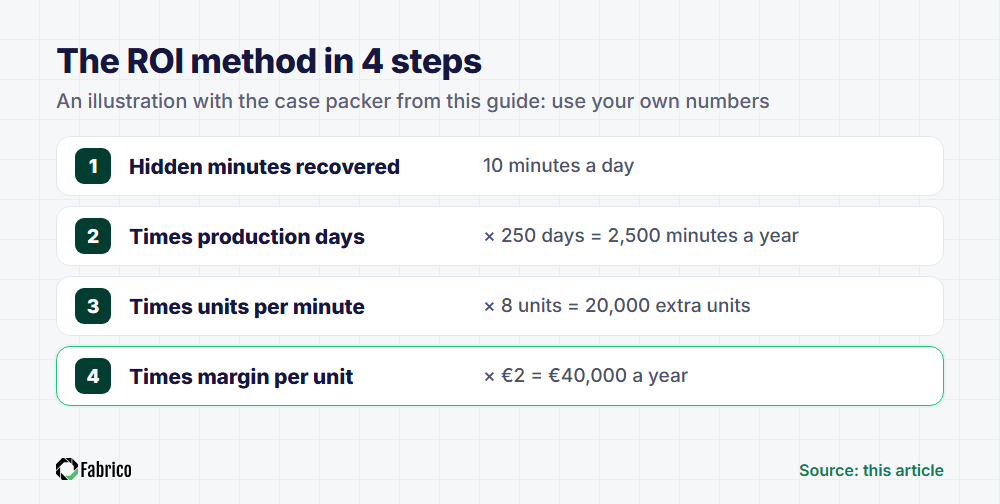
Set that against the full first-year cost: subscription, sensors, installation, integration and your team's time. Our guide to OEE software pricing explains what drives each part.
Count only the line that limits output, because a minute saved on a machine that waits for work produces nothing. Add maintenance savings only where stops become CMMS work orders and repeat causes get fixed.
Machine monitoring ROI uses the same arithmetic. Monitoring finds the minutes in step 1, but the value in step 4 only arrives when someone acts on each stop.
A demo shows what the software can do; a pilot shows what it does on your line, with your operators, on every shift. Agree the pass criteria in writing before day one.
An MES runs and records production across orders, materials, quality and labour. OEE software measures how well each machine uses its planned time and shows the losses. Fabrico combines both, with CMMS built in, and our MES software guide compares the options.
It depends mostly on how your machines connect. With Fabrico, a pilot site is operational in days; for OEE with hardware, connecting the machines takes about a month and the full rollout 3 to 4 months. Ask every vendor for a dated plan.
Yes, in most cases. Where the PLC cannot be read, an add-on IoT sensor on power draw, a stack light or a part counter gives run state and counts, and a camera covers manual stations. Operators add the reason on a tablet.
Pricing usually scales with the number of machines, lines or sites, mostly as a yearly subscription. The full cost adds sensors, installation, integration and your team's time. Compare vendors on the total first-year cost for the same pilot scope, against your own ROI.
Multiply the hidden stop minutes you expect to recover each day by the production days per year, the real output per minute and the margin per unit. Compare the result with the full first-year cost, and count only the line that limits output.
Automatically wherever possible: the PLC on modern machines, an add-on IoT sensor on older ones and a camera on manual stations. That gives every stop a start and end time, short ones included. The operator adds what no signal can give: the reason.
You need both jobs done: OEE software finds and measures the losses, and a CMMS manages the repairs and preventive maintenance that remove them. As two systems, stops get retyped into work orders, which is why Fabrico builds the CMMS into the same platform.
Fabrico is a cloud-based MES and OEE platform with maintenance management (CMMS) built in. It logs stops automatically from the PLC, an IoT sensor or a camera, operators tag stop causes on a tablet, and a technician opens the work order straight from the logged stop.
A pilot site is operational in days, and most customers see ROI within 3 to 6 months. Fabrico is hosted on AWS in an EU region, holds ISO/IEC 27001, ISO/IEC 20000-1 and ISO 9001 (DNV) and is an SAP Silver Partner.
Customer results: ABB, 20% less downtime; Ficosota, 14% more output and a 27% OEE improvement across 3 plants, 60 lines and 500+ machines. See the MES and OEE platform overview and how machines connect.
Bring one of your shifts to the demo and score Fabrico on the same criteria.
See how Fabrico works: an MES and OEE platform with maintenance (CMMS) built in.
Request a demo







 Login
Login
 Blog
Blog