








 Login
Login
 Blog
Blog
5 Best FMX Alternatives for Manufacturing (2026 Review)

Key Takeaways
-
The "Ticket" Trap: FMX is designed as a "Helpdesk" for facilities (schools, property management). It treats a broken CNC machine the same way it treats a broken projector.
-
The OEE Gap: FMX is less focused on the native ability to connect to machine PLCs or track Overall Equipment Effectiveness (OEE).
-
The Top Contenders: We review Fabrico, UpKeep, Limble, and others to help you find a system built for industrial maintenance.
FMX has gained popularity because it is incredibly simple. It uses a "Ticketing" interface that looks like an IT Helpdesk. If you manage a school district, a church, or a property management firm, FMX is a fantastic choice for tracking room bookings and lightbulb changes.
But a factory is not a school.
Manufacturers who use FMX often hit a wall.
If you need software that understands Machine Health, not just Work Requests, here are the 5 best FMX alternatives for 2026.
1. Fabrico: The "Manufacturing" Solution
Best For: Companies moving from "Facility Management" to "Factory Operations."
Fabrico replaces the "Helpdesk" model with a "Reliability" model. It is designed to prevent downtime, not just track it.
Why Manufacturers Switch to Fabrico:
-
Native OEE: Fabrico connects to the machine (PLC), and a stoppage reason can be configured to open a maintenance task automatically.
-
Industrial Asset Tree: FMX uses a flat list or simple location hierarchy. Fabrico supports complex Parent-Child structures (Line > Machine > Component > Part), allowing you to track costs down to the specific bearing.
-
Spare Parts: Consumption is tied to work orders, with min and max levels.
-
Digital SOPs: Fabrico allows you to embed technical manuals, schematics, and step-by-step guides directly into the work order, ensuring technicians have the engineering data they need.
The Verdict: If your assets are production machines, Fabrico is the specialized upgrade.
2. UpKeep
Best For: Staying simple, but adding inventory depth.
UpKeep is FMX’s direct competitor in the "User Friendly" space.
-
Pros: Extremely easy to use. The mobile app is excellent. It offers better inventory management features than FMX (like parts scanning and low-stock alerts).
-
Considerations: Like FMX, it is a generalist tool. It is heavily marketed toward facilities and fleets. It is less focused on the native OEE and deep industrial automation integrations of a dedicated manufacturing platform.
-
The Difference: UpKeep is a lateral move for usability, but a step up for inventory.
3. Limble CMMS
Best For: Reducing administrative clicks.
Limble is a CMMS with a focus on ease of use.
-
Pros: It is built for Maintenance Managers, not Facility Managers. The "PM Builder" is very fast. It calculates MTTR (Mean Time To Repair) automatically.
-
Worth checking: How it connects to production floor OEE data.
-
The Difference: Limble is for the Maintenance Shop; FMX is for the Front Office.
4. Fiix (Rockwell Automation)
Best For: Growing into an Enterprise.
If your manufacturing operation is scaling up and you need to comply with strict audits, Fiix is the enterprise answer.
-
Pros: Strong reporting and AI capabilities. It handles multi-site configurations and corporate compliance better than FMX.
-
Considerations: It loses the "Simplicity" of FMX. It takes longer to set up and requires more training.
-
The Difference: Fiix is for the Enterprise; FMX is for the SMB.
5. Asset Essentials (Brightly)
Best For: Public Sector and Government.
If you are using FMX because you are a municipality or utility, Asset Essentials (formerly Dude Solutions) is a well-known choice.
-
Pros: Designed for government workflows, budget tracking, and capital planning.
-
Worth checking: Check the fit for high-speed manufacturing lines.
-
The Difference: Asset Essentials is the "Big Brother" version of FMX for facilities.
Summary: Stop Using a Helpdesk to Run a Factory
FMX is great for ensuring the air conditioning works in a classroom.
-
Stick with FMX if: You are managing a school district, a church, or an office building.
-
Choose Fabrico if: You are a Manufacturer. If you need to reduce scrap, improve machine speed, and reduce unexpected stops on your production lines, you need a system built for industrial reliability.
Get the right tool for the job.
Book a Demo with Fabrico to see how we replace "Tickets" with "Engineering Solutions."
Turn downtime into a number your team can actually act on.
Request a demoRelated articles






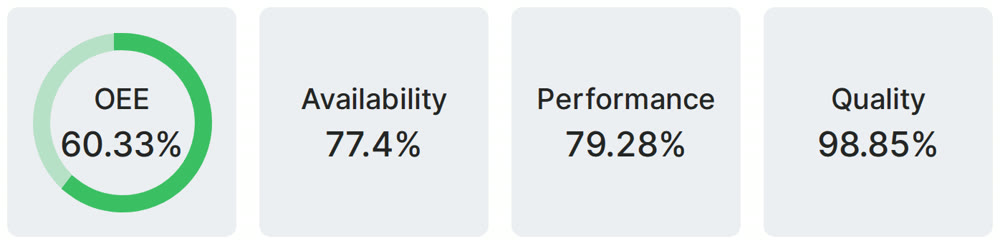
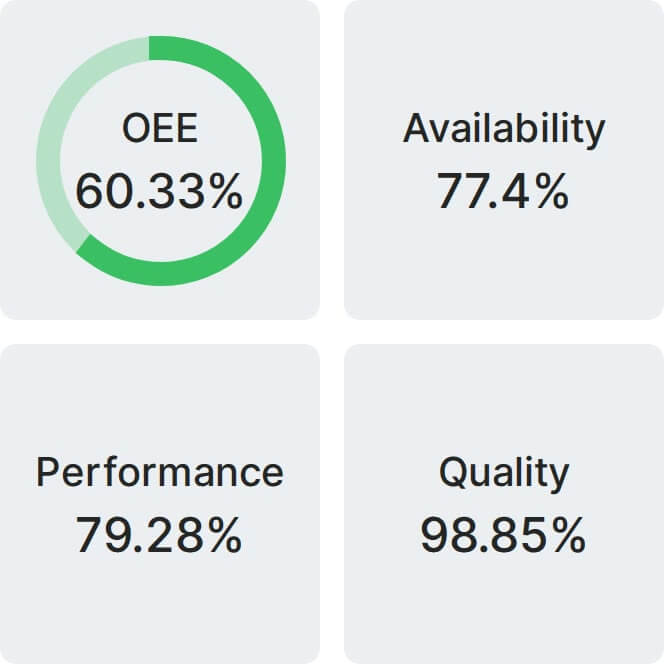
Real Fabrico tiles, sample data.