







 Login
 Blog
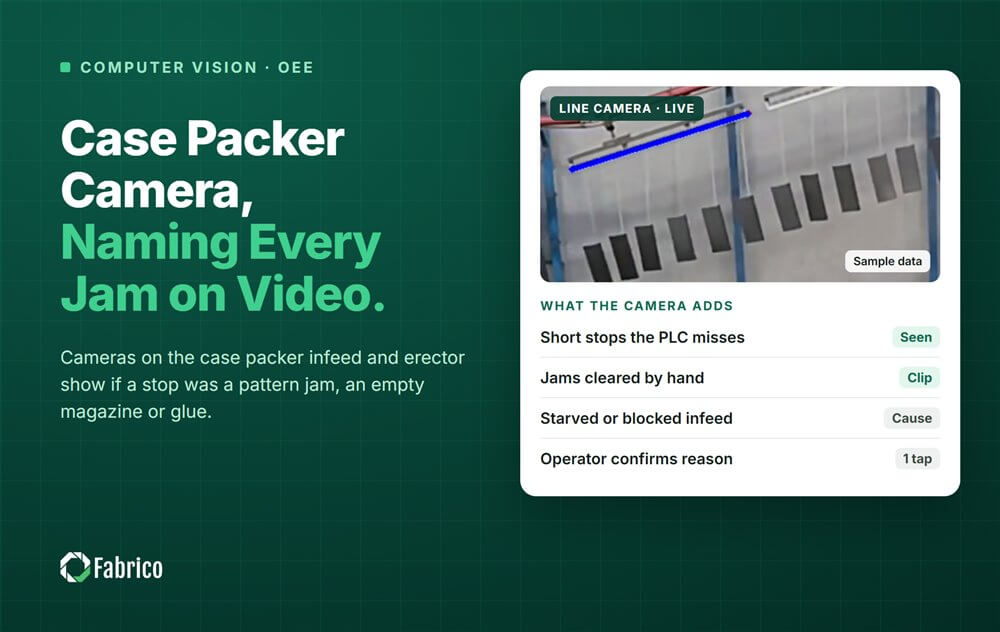
Case Packer Camera: Naming Every Jam on Video

Key takeaways
- Many case packers file different jams under one fault code, and starved and blocked time as "waiting".
- Two camera views do most of the work: the infeed lanes and the case erector with its blank magazine.
- Empty lanes mean starved. Full lanes and a stopped packer mean an own stop.
- Each stop gets a short clip, and the operator confirms the reason in one tap.
- On a sample shift, only warped blanks reached the filler, worth $252,000 a year.
A camera on a case packer tells you whose stop it was. A view of the infeed shows whether product was waiting. A view of the case erector shows whether the blanks were. Together they split the packer's own stops from the line's.
Fabrico is OEE (overall equipment effectiveness) and light MES (manufacturing execution system) software, with AI cameras as an add-on. Each camera event lands on the packer's timeline with a short clip and a reason the operator confirms in one tap. For the full OEE method, see our case packer OEE guide.
Why does the case packer downtime log blame the wrong machine?
Most case packers report a handful of PLC (programmable logic controller) codes. A tipped bottle, a wrong count and a glue skip can all arrive as one "packer fault". An empty infeed and a full outfeed can both arrive as "waiting".
On the shift report it all reads the same: case packer, stopped. The crew gets the blame, and the technician goes to the wrong station.
Starved and blocked sensors help when they are wired and mapped, and many are not. Our guide to starvation and blocking shows how to charge those minutes to the right machine.
Where do the cameras go on a case packer?
- Infeed and collation. Look down on the lanes and the pattern area. This view shows product present or missing, tipped product and a wrong count.
- Case erector and blank magazine. Look at the magazine, the pick and the forming station. This view shows an empty magazine, a double pick or a blank that caught.
Blocked time usually comes from the outfeed back-up sensor. If that sensor is missing, widen the infeed view to take in the discharge. Set both views on the machine, not on the crew.
How does the camera tell an own stop from starved or blocked time?
Look at what was there when the packer stopped:
| What the clip shows | State | Charged to |
|---|---|---|
| Infeed lanes empty, packer waiting | Starved | The upstream machine that stopped first |
| Lanes full, packer stopped, outfeed clear | Own stop | Packer: the clip shows the cause |
| Cases backed up at the outfeed | Blocked | Case sealer or palletiser downstream |
| Magazine empty, or a blank caught in the erector | Own stop, or material | Packer crew, or blank storage and supplier |
| Flap open on a closed case | Own stop | Glue or tape station |
The camera suggests the state and a reason, and the operator confirms in one tap. Then report two Availability figures for the packer: all causes, and own causes only.
Which own stops does the camera split apart?
Pattern jams
A tipped bottle, a missing unit or a wrong count stops the pattern. Each is cleared in under a minute, so it rarely reaches a paper log. The clip shows which lane jammed.
Empty magazine and blank misfeeds
An empty magazine is a refill routine, not a fault. A double pick or a blank that catches is often material: warped, damp or badly scored blanks. The clip shows the bowed blank, so the claim goes to the store or the supplier, not to the crew.
Glue and closing
The camera cannot see the glue temperature inside the gun. It can see the result: a flap that springs open, or a case that leaves unsealed. The glue alarm from the PLC plus the clip give the full story.
How does each case packer stop get a clip and a reason?
- The stop is marked. The packer signal or the camera marks its start and end.
- The clip is attached. A short clip from the matching camera stays with the stop as evidence.
- The screen suggests a reason, such as starved, pattern jam or blank caught.
- The operator confirms in one tap, or picks another reason.
- The stop joins the OEE timeline with its minutes, its owner and its cost.
Keep the reason list short enough to use in one tap. Our guide to operator friendly reason codes shows how.
Worked example: how does a camera split a sample case packer shift?
Sample line (illustrative numbers, not a customer): a case packer with a case erector at the end of a juice line. It packs 12 bottles a case and is rated at 25 cases a minute. The filler runs at 240 bottles a minute, or 20 cases a minute. Planned production time is 450 minutes a shift.
The PLC log shows 84 stopped minutes under three codes: erector fault 31, packer fault 15 and waiting 38. The clips, confirmed by the operator, split them like this:
| What the clip showed | Stops | Minutes | PLC code | Charged to |
|---|---|---|---|---|
| Infeed lanes empty, labeller down | 2 x 15 minutes | 30 | Waiting | Labeller (starved) |
| Cases backed up at the outfeed | 4 x 2 minutes | 8 | Waiting | Palletiser (blocked) |
| Warped blank caught in the erector | 4 x 5.5 minutes | 22 | Erector fault | Blank storage or supplier |
| Blank magazine empty | 6 x 1.5 minutes | 9 | Erector fault | Packer crew |
| Tipped bottle or wrong count | 24 x 0.5 minutes | 12 | Packer fault | Packer |
| Flap sprang open after gluing | 2 x 1.5 minutes | 3 | Packer fault | Glue station |
| Total | 42 | 84 |
- Availability, all causes = (450 minus 84) / 450 = 366 / 450 = 81.3%.
- Availability, own causes only = (450 minus 38) / 450 = 412 / 450 = 91.6%. So 38 of the 84 minutes were never the packer's.
- Of the 46 packer minutes, 22 were blank material, not the machine.
- The tables between filler and packer have room for 480 bottles. At 240 bottles a minute, that is 2 minutes of protection.
- Pattern jams, empty magazines, open flaps and the short blocks all end within 2 minutes. They cost the packer minutes, not line output, as long as the tables drain between stops.
- Each warped blank jam blocks the filler for 5.5 minus 2 = 3.5 minutes. Four jams: 14 minutes.
- 14 minutes x 240 bottles = 3,360 bottles, or 280 cases.
- At a contribution of $1.25 a case (or €1.25 in a euro plant): $350 a shift. Over 720 shifts a year: $252,000.
The code "erector fault" would have sent a technician to adjust the erector. The clips sent the problem to the warehouse, where a pallet of bowed blanks had stood by an open dock door.
That money counts only if the line is sold out, or the lost cases cost overtime to make up. Agree that rule with your controller first.
What can a camera on a case packer not see?
- Inside the machine. Glue temperature, servo faults and hidden mechanics stay with the PLC.
- Outside its view. Two cameras cover two stations, not the whole line.
- Through hands and bodies. An operator refilling the magazine hides it for a moment.
- Through bad light. Glare and big changes in light cause errors.
- A new format, unchecked. New lane dividers or a new case size change the scene.
- The cause on its own. It suggests, and the operator confirms.
How do you keep the camera on the cases, not the crew?
Point the views at the lanes and the magazine. Report OEE by line and shift, never by named operator. Use the clip to defend the crew: it shows a bowed blank, not a "slow" person.
In Germany, the works council co-determines any equipment that could monitor performance, even a camera that records nothing. Our works council approval guide covers the steps.
Where Fabrico fits
Fabrico is a computer vision enabled Manufacturing Performance Platform. OEE and light MES come first, and cameras are an add-on.
- Automatic downtime logging that keeps own stops, starved and blocked time apart.
- A camera clip as evidence for a stop, from the infeed or the erector.
- The operator confirms the reason in one tap.
- Losses priced in money and ranked, so the stop that blocks the filler rises to the top.
- A work order with its cost to the right technician, when a stop really is a breakdown.
Named result: ABB, a Fabrico customer, reports 20% less downtime.
You start with a pilot on one line, with a baseline and a decision date agreed in advance. There is no free plan and there are no tiers: each plant gets a quote. See the computer vision OEE and MES page, or read how to compare shifts with video evidence.
Frequently asked questions
Can a camera tell starved time from a packer fault?
Yes, from what was in the picture when the packer stopped. Empty lanes mean starved. Full lanes with a stopped packer mean an own stop. The camera suggests the state, the operator confirms it in one tap, and the clip stays as evidence.
Why does the case packer PLC show one code for different jams?
Many packers group several jams under one fault number and report starved and blocked as "waiting". The code shows that the packer stopped, not why. A clip from the infeed or the erector shows the cause, so each jam gets its own reason.
Can the camera prove a case blank problem?
It can show it. A clip of a bowed or damp blank catching in the erector is evidence for the store or the supplier. Code blank quality separately, so a material problem does not land on the packer crew.
Does the camera measure how fast the packer crew works?
No, and it should not. The camera watches the lanes and the magazine, and Fabrico shows OEE by line and shift. It records stops and their causes, not people. Per-operator metrics are a legal risk in Germany and France, and they kill trust on the floor.
Split your packer's downtime in a demo
Bring one packing line and a week of its downtime log. We will show which minutes were the packer's and which were the line's.
Latest from our blog




Real Fabrico tiles, sample data.