

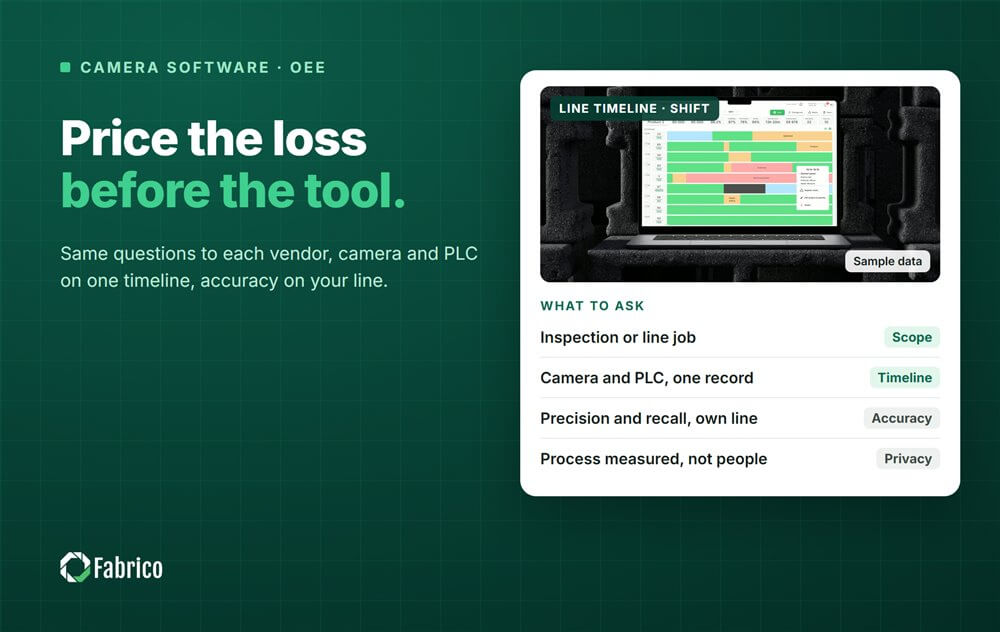

A plant manager sits through three vendor demos in one week. Each one shows a slick dashboard, boxes drawn around moving objects and an accuracy figure in large type. None of the vendors asks which loss the plant wants to remove, or how a camera event would join the OEE and MES data the plant already has. By Friday the demos blur together, and the shortlist is decided by who presented best.
Computer vision software for manufacturing covers very different products under one name. Some check parts, some watch the line, some time manual work, some watch safety zones. Buying well starts with knowing which job you are buying for, then asking every vendor the same questions and testing the answers on your own line.
This checklist is vendor neutral: the job, 12 questions, data, accuracy, EU law, the price of the loss, how to start and the red flags. If you already have names on a shortlist, our review of computer vision tools for OEE compares them.
Most buying mistakes happen before the first demo, when a plant asks for computer vision without saying what for. The jobs differ in where the camera sits, how it is lit, who buys it and whether it feeds OEE.
| Job | Question it answers | Where the camera sits | Feeds OEE? |
|---|---|---|---|
| Inspection | Is this part right? | A fixed point with controlled lighting, often before the reject station | Quality counts only |
| Line performance | Is the line producing, and if not, what happened? | Above a station or a stretch of conveyor, in normal hall light | Yes: stops, short stops, counts, evidence |
| Label and code reading | Is the code readable and correct? | At the labeller or the case coder | Quality counts only |
| Manual task timing | How long does each manual step take? | Above an assembly workstation | Rarely, and it raises the most privacy questions |
| Safety use cases | Is a person somewhere they should not be? | Over marked zones | No, it belongs to a specialist safety system |
If your problem is defects reaching the customer, start with an inspection vendor. If your problem is lost time on the line, the stops nobody logs and the counts nobody trusts, you need line performance software that feeds OEE. Our guide to computer vision for OEE explains that second job in depth.

Send these before the demo and ask for written answers.
A camera on its own produces events. The value comes when those events land on the same timeline as the machine data, so one stop has one record with its start, its length, its reason and its evidence.
| Source | Tells you | Misses |
|---|---|---|
| PLC run signal | Machine state at its scan rate | Why it stopped, and whether product actually moved |
| Counter or sensor | Pieces passing a point | The stop between pieces, jams upstream |
| Camera | Product motion, a line running empty, the clip of what happened | The state inside the controller, mechanics hidden from view |
| Operator | The confirmed reason | Stops too short to notice |
A simple rule keeps it straight: the PLC is the clock, the camera is the witness. Where no PLC exists, the camera can supply the state and the count itself. Integration matters more than any single feature: in a survey of 1,560 manufacturing decision makers in 17 countries, it was the top buying requirement for MES (ETMM).
One accuracy number is not enough, because a system can look accurate by flagging very little, or by flagging everything. Ask for two numbers. Recall is the share of real stops the system caught. Precision is the share of its alerts that were real stops.
Sample week (illustrative numbers, not a customer): the line has 100 real stops. The system flags 95 of them and raises 15 false alarms.
Many plants accept that trade, because a false alarm costs seconds of review and a missed stop costs the loss itself. That is also why each detection should carry its clip: the person reviewing it sees straight away whether it was real.
Vendor accuracy figures are self-reported, ours included. Ask for precision and recall measured on your own line, against your own log, using your own definition of a stop. And ask what lowers them: hands and bodies in the way, light that changes through the day, and a process that changed last week.
Cameras on a line film people, even when the purpose is the machine. In the EU that brings data protection, and in some countries labour law, into the project before the first camera goes up. This is general information, not legal advice: check your plan with your data protection officer.
The design rule that follows: point the camera at the machine and the product, report by line and shift, and never rank named people. Our guides to production line cameras without surveillance and works council approval for OEE monitoring go further.
Before comparing offers, put a price on the loss the camera is supposed to make visible. Use the value of a lost minute your controller agrees: contribution margin at the constraint when the plant can sell what it makes, the cost of catching up when it cannot.
Sample line (illustrative numbers, not a customer): a line is rated at 60 pieces a minute. It has 20 short stops of 15 seconds a shift that the current system filters out and nobody logs: 20 x 15 s = 5 minutes, or 5 x 60 = 300 pieces a shift. Over 660 shifts a year that is 300 x 660 = 198,000 pieces. At $0.40 of contribution a piece, €0.40 in a euro plant, it is 198,000 x $0.40 = $79,200 (€79,200) a year, from one jam type on one line.
That figure, not a feature list, tells you how much attention the project deserves. It also gives the decision date something concrete to be measured against: was the loss found, named and reduced, or not?
Many digital projects stall after the first trial. McKinsey found in 2018 that less than a third of manufacturers had moved their digital programmes from pilot to scale (McKinsey survey). A start that ends in a decision has a few fixed parts.
Fabrico is a computer vision enabled Manufacturing Performance Platform. It is built for the line performance job: OEE and light MES first, with automatic downtime logging, OEE live by line and shift, and losses priced in money and ranked by money.
Where a camera watches the station, a camera clip serves as evidence for a stop, a model suggests a likely reason and the operator confirms the reason in one tap. Reporting is by line and shift, not by person. When a stop is a breakdown, a work order goes to the right technician with its cost. Groups get one view across plants, and you can start on one line. More detail is on our computer vision for OEE page.
For part inspection, safety use cases or timing manual work steps, use a specialist tool. There is no free plan and there are no tiers: each plant gets a quote.
Software that turns camera images into events and measurements on the shop floor. The two main families are inspection, which checks parts, and line performance, which detects stops, short stops and counts and keeps a clip of what happened.
Decide the job first, inspection or line performance. Then ask every vendor the same written questions about detection, data, accuracy, privacy and how to start, and test the shortlisted product on one of your own lines against your current log.
Ask for precision and recall rather than one accuracy figure, measured on your line with your definition of a stop. Each detection should come with a clip so a person can check it quickly.
Yes, with conditions. GDPR applies, the EDPB expects short retention, and in Germany the works council must agree to equipment suited to monitor behaviour or performance. Measure the process, never the person, and check with your data protection officer.
Bring one line, its current downtime log and the questions above to a demo. We will answer them in writing and show where a camera fits on that line and what its losses cost.






 Login
Login
 Blog
Blog