





 Login
 Blog
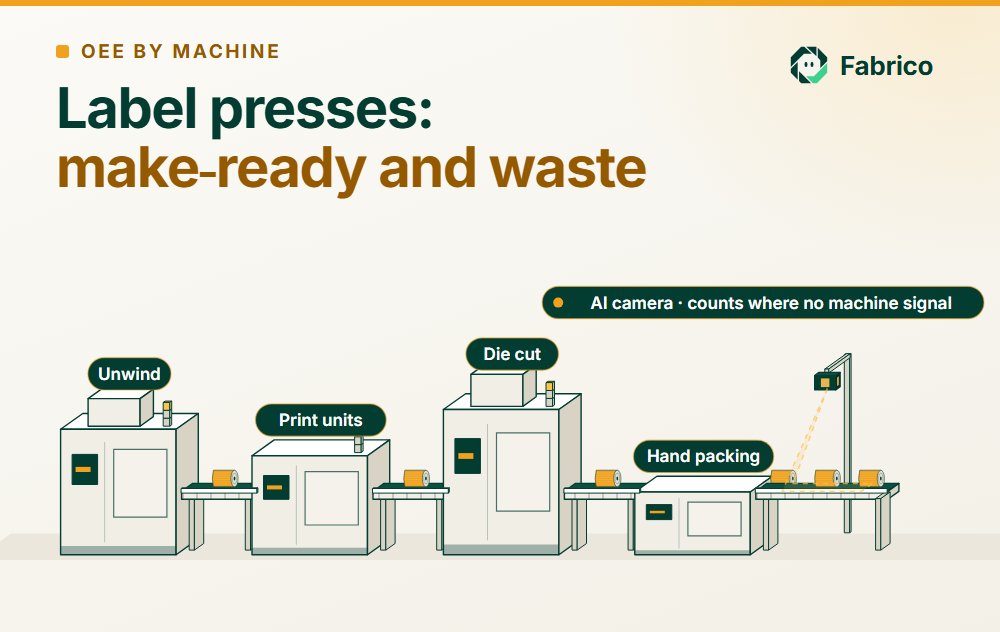
Label press OEE: make-ready, waste metres and what they cost

In short
- Output is in metres: count running metres at the press and derive labels from the repeat length and the number of labels across.
- Make-ready is a changeover: the time from the last good label of one job to the first good label of the next is an availability loss.
- Job length decides: with a 30 min make-ready, a 1,000 m job spends 77% of its time in make-ready; a 30,000 m job only 10%.
- Log waste in metres, by reason: make-ready, splices, colour corrections, die cutting, web breaks.
- Example in money: 8 minutes less make-ready per job is worth 80,640 EUR a year on one press in this example, if the gain holds.
OEE on a label press is measured like on any other machine: availability × performance × quality. What changes is the units. Output is in running metres, the ideal speed is set per substrate, make-ready is the changeover, and waste is every metre that never becomes a saleable label.
On narrow-web flexo, digital and hybrid presses running many short jobs, the first loss to measure is make-ready: plates, anilox, inks, die, colour and register. Below is how to measure it by press and shift, what it costs in euros, and which changes give time back fastest.
The numbers fit a label converter or the in-house print room of a food, beverage, wine or cosmetics producer. The finished labels then go to a labelling machine, which has its own article on labeller OEE.
How OEE maps onto a label press
Settle the five definitions in the table before the first shift of data. If each shift counts them differently, OEE from two shifts or two presses cannot be compared.
| Element | How it is measured on a label press | In the example below |
|---|---|---|
| Output | Running metres from the press counter or a sensor on the rewind | 26,400 m in the shift |
| Ideal speed | Rated speed for the substrate class: paper, film, thermal paper | Paper 130 m/min |
| Changeover | From the last good label of the old job to the first good label of the new one | 30 min per job |
| Quality | Run metres that do not become saleable labels | 1,300 m of waste |
| Planned time | The shift minus planned breaks | 450 min |
Metres or labels
Metres are the safer unit because the counter always gives them. Labels are derived: metres ÷ repeat length × labels across. With a 100 mm repeat and 3 labels across, 1,000 m gives 10,000 repeats, or 30,000 labels.
If customers pay per thousand labels, the sales report can stay in labels. OEE is still computed in metres. That keeps jobs with different formats and different numbers across comparable.
Ideal speed per substrate, not one for the press
One nameplate speed does not fit every substrate. Thin film, metallised paper or thermal stock may need a lower speed to hold register and curing. So set an ideal speed for each substrate class and review it once a quarter.
When operators run a difficult substrate below standard, the loss shows up in performance. That is where it belongs. Lowering the ideal speed to make OEE look better hides the cost of that substrate, and nobody raises it with the customer.
One press or the whole process
On a press with inline die cutting and matrix stripping, OEE is measured at the press. A separate slitter-rewinder and an inspection rewinder each get their own OEE.
If everything is rolled into one number, a rewinder stop looks like a print loss. The team then hunts for the cause in the wrong place.
Counting on an older press without a signal
Some older flexo presses have no usable counter output. There are three options: a sensor on the rewind, a manual counter reading at the start and end of each job, or a camera over the outfeed.
With camera-based output counting, the camera counts output and supplies metres or pieces for performance. It does not check colour and does not find print defects. That is the job of the press's own inspection system, where one is fitted.
One flexo shift in minutes
The figure shows the shift from the example below: 450 minutes of planned time and five jobs. Printing takes just over half. The rest is make-ready, waiting and stops.
Your minutes will differ. What matters is that every minute outside printing has a reason. Without one, 150 minutes of make-ready and 25 minutes of waiting look the same: "the press is not running".
A starting list of stop reasons for a label press:
- Make-ready: plates, anilox, inks, die, colour, register.
- Waiting for plates, ink, substrate or customer approval.
- Web break and matrix break.
- Splicing a new reel, if the press stops for it.
- Colour correction during the run.
- Wash-up and ink change at the end of the shift.
- No job scheduled.
Short stops under a minute, where the operator adjusts tension or clears something, are micro-stops. Without a logged reason, they show up as a lower average speed.
Why short runs will keep growing
The label carries the law, and every change in the law or the recipe means a new version. For food, Regulation (EU) No 1169/2011, Article 9, lists the mandatory particulars: name, ingredients, allergens, net quantity, durability date, food business operator, nutrition declaration and more (accessed 26.11.2026).
Article 13 of the same regulation requires an x-height of at least 1.2 mm, or 0.9 mm where the largest surface of the pack is under 80 cm². That sets how much text fits on the label and how often artwork changes with a new recipe.
For cosmetics, Regulation (EC) No 1223/2009, Article 19, requires a batch number, the product's function, precautions, an ingredients list and a durability date or period after opening (accessed 26.11.2026). One changed ingredient means a new label.
Regulation (EU) 2025/40 on packaging, as Article 12 reads, introduces a harmonised label on the material composition of packaging from 12 August 2028 or 24 months after the implementing acts, whichever is later (accessed 26.11.2026). That is one more wave of new versions.
FINAT, the European label association, wrote in September 2025 that digital printing is gaining ground in short-run and versioned work, while flexo stays dominant on long runs. Self-adhesive labels account for over 50% of label consumption in Europe (FINAT, accessed 26.11.2026).
In Bulgaria, Eurostat (table sbs_ovw_act) counts 954 enterprises in NACE C18, printing, in 2024, with 8,918 persons employed and a net turnover of 552 million EUR (accessed 26.11.2026). The division covers other print work too, not only labels.
Load swings fast. On preliminary, seasonally adjusted data from Bulgaria's statistics office NSI, the production index for printing fell 7.5% in May 2026 against April (accessed 26.11.2026). The takeaway for the print room: make-ready will happen more often, so it needs a measure and a standard.
Job length and make-ready: the table that decides
The table shows how much of one job's time goes to make-ready on the same press. Inputs: 30 minutes of make-ready, 140 m of make-ready waste and an actual running speed of 110 m/min. Only the job length changes.
| Job | Make-ready, % of job time | Availability on the job | Make-ready waste, % of metres | Jobs in 450 min |
|---|---|---|---|---|
| 1,000 m | 76.7% | 23.3% | 12.3% | 11.5 |
| 3,000 m | 52.4% | 47.6% | 4.5% | 7.9 |
| 10,000 m | 24.8% | 75.2% | 1.4% | 3.7 |
| 30,000 m | 9.9% | 90.1% | 0.5% | 1.5 |
The maths is simple. A 3,000 m job prints for 3,000 ÷ 110 = 27.3 minutes. With a 30 minute make-ready the job takes 57.3 minutes, of which make-ready is 52.4%. Waste is 140 ÷ (3,000 + 140) = 4.5% of the substrate.
First point: below 3,000 m the press spends more time in make-ready than printing. Cut make-ready to 15 minutes and its share on a 3,000 m job drops from 52.4% to 35.5%. The same 15 minutes barely shows on a 30,000 m job.
Second point: on short jobs, make-ready waste outweighs run waste. On a 1,000 m job, 140 m of make-ready is 12.3% of the substrate. Make-ready costs both time and material.
Third point: if most jobs are under 3,000 m, a minute of make-ready is worth more than a few m/min of speed. Work on make-ready first and speed second. On long runs it is the other way round.
A make-ready standard: checklist
The base is the SMED method: everything that can be done while the press prints the previous job moves outside the stop. Internal work is kept for what truly needs a stopped press.
In a study at a book printer (Indrawati et al., MATEC Web of Conferences, 2018), moving 45% of internal setup tasks outside and applying 5S cut internal setup by 46%, from 14 min 37 s to 7 min 59 s (accessed 26.11.2026).
- Plates are mounted on sleeves off press, with register checked on the mounting table.
- Anilox rolls for the next job are cleaned, checked and staged at the press.
- Inks are mixed and matched to the proof before the job, not on press.
- The die is checked for wear and staged at the press.
- The substrate is ready: the right reel, width and core size.
- Customer approval and the colour proof are in the job ticket. Without them, the job does not go on press.
- The colour target and tolerances are written in the job ticket.
- There is a standard time and a standard waste in metres for each changeover type.
On point 7: ISO 12647-6:2020 covers flexographic packaging printing, including labels. It sets colourimetric aims, recommends tolerances for critical process parameters and gives guidance on spot colours (accessed 26.11.2026). With the target written down, the operator does not chase colour by eye.
Standard times are set per changeover type, not one for everything. An illustration with example values:
- Die change only, same colours: 10 min, 40 m of waste.
- Colour change, same die: 20 min, 90 m of waste.
- Full change: plates, anilox, inks, die: 35 min, 160 m of waste.
Measure actual make-ready against these three standards for two weeks. The gap shows where the loss sits: in one step, on one shift or on one job type.
Worked example: one flexo press in euros
The numbers are an example, not a customer's. A narrow-web UV flexo press on paper stock, ideal speed 130 m/min. An 8 hour shift with 30 minutes of breaks gives 450 minutes of planned time, with five jobs per shift.
| Input | Value |
|---|---|
| Planned time | 450 min |
| Make-ready | 5 × 30 min = 150 min |
| Waiting for plates and approval | 25 min |
| Web breaks | 2 × 10 min = 20 min |
| Wash-up at end of shift | 15 min |
| Average running speed | 110 m/min |
| Run waste | 1,300 m |
| Make-ready waste | 5 × 140 m = 700 m |
| Press-hour value (example input) | 180 EUR |
| Substrate and ink per metre (example input) | 0.20 EUR |
- Run time: 450 - 150 - 25 - 20 - 15 = 240 min.
- Availability: 240 ÷ 450 = 53.3%.
- Printed metres: 240 × 110 = 26,400 m. Ideal: 240 × 130 = 31,200 m. Performance: 26,400 ÷ 31,200 = 84.6%.
- Good metres: 26,400 - 1,300 = 25,100 m. Quality: 25,100 ÷ 26,400 = 95.1%.
- OEE: 53.3% × 84.6% × 95.1% = 42.9%. Check: 25,100 ÷ (130 × 450) = 25,100 ÷ 58,500 = 42.9%.
Why make-ready waste stays out of quality: make-ready time is already an availability loss. Counting its metres in quality as well would count one loss twice. Those 700 m are logged separately, by job and reason, and priced in money.
What the loss costs
- Make-ready: 150 min.
- Waiting: 25 min.
- Web breaks: 20 min.
- Wash-up: 15 min.
- Speed: 240 × (1 - 110 ÷ 130) = 36.9 min.
- Run waste: 1,300 ÷ 130 = 10.0 min.
- Total: 256.9 min, or 4.28 h.
Time loss: 256.9 min ÷ 60 × 180 EUR = 771 EUR per shift. Substrate wasted: (700 + 1,300) m × 0.20 EUR = 400 EUR. Total 1,171 EUR per shift.
With 2 shifts and 21 working days, that is 42 shifts a month: 1,171 × 42 = 49,182 EUR a month. Over 12 months: 1,171 × 504 = 590,184 EUR a year.
That is the ceiling, not the target. A zero-minute make-ready does not exist. The real question is how much of that sum a specific change brings back.
The press-hour value is an example input. For scale: Eurostat puts the labour cost per full-time-equivalent employee in NACE C18 in Bulgaria at 15,910 EUR for 2024. A press hour also carries the machine, energy, overheads and margin, so it sits well above labour.
Scenario 1: 8 minutes less make-ready
Plates are mounted off press, anilox and inks are ready before the stop. Make-ready drops from 30 to 22 minutes and make-ready waste from 140 to 100 m per job.
- Time: 5 × 8 = 40 min per shift; 40 ÷ 60 × 180 = 120 EUR.
- Substrate: 5 × 40 m = 200 m; 200 × 0.20 = 40 EUR.
- Total: 160 EUR per shift, 160 × 42 = 6,720 EUR a month, 160 × 504 = 80,640 EUR a year.
- New availability: 280 ÷ 450 = 62.2%. OEE: 62.2% × 84.6% × 95.1% = 50.0%.
In this example, if the gain holds, the press gains 40 minutes of printing per shift. The value only lands if there are jobs to fill that time or overtime shifts fall away.
Scenario 2: grouping jobs by colour set and die
Two of the five jobs run back to back with the same colours and anilox. On those two changeovers, make-ready is 15 minutes instead of 30, and waste is 80 m instead of 140.
- Time: 2 × 15 = 30 min; 30 ÷ 60 × 180 = 90 EUR.
- Substrate: 2 × 60 m = 120 m; 120 × 0.20 = 24 EUR.
- Total: 114 EUR per shift, 4,788 EUR a month, 57,456 EUR a year.
- New availability: 270 ÷ 450 = 60.0%. OEE: 60.0% × 84.6% × 95.1% = 48.3%.
In this example, if the gain holds, grouping returns 30 minutes per shift. The two scenarios do not simply add up: a grouped job already has a shorter make-ready. Work each one out separately with your own numbers.
Waste metres: where they come from and how to log them
Log waste on every job, by reason. A monthly stock difference tells you how much substrate went missing, never why.
| Reason | When it appears | What reduces it |
|---|---|---|
| Make-ready: colour, register | The first metres of the job | Inks and plates ready in advance; a written colour target |
| Splices | At reel change | Flag the splice; a non-stop splice if the press allows it |
| Colour correction in the run | Colour drift, a new ink batch | Viscosity checks; the proof in the job ticket |
| Die cutting and matrix | Worn die, broken matrix | A die check schedule; correct web tension |
| Web break | Weak spot, tension, curing | A reason for every break; a standard restart |
| Reprint | Wrong text or wrong version | A version check before make-ready |
How to log waste without loading the operator:
- The operator notes the counter reading at the first good label. That is the make-ready waste.
- Run waste is logged by reason at each event, not at the end of the shift.
- Waste at slitting and inspection is logged on that machine, not on the press.
- Once a week: metres and euros by reason and by customer.
For the definition and formula, see the article on scrap rate. Labels add one detail: the matrix, the waste skeleton around the labels, is not scrap. It is planned waste from the layout and is counted separately.
A reprint is an expensive reason. If a job is printed again because of a wrong version, its whole make-ready and run are lost. That is why the version check belongs in the make-ready standard, not with the sales rep at the last minute.
Job sequencing: anilox, colours, die
The cheapest make-ready is the one that never happens. When two jobs share colours, anilox or a die, their order in the plan decides how much has to change.
- Jobs with the same die and format run back to back.
- Within the group: light to dark colours, or the same spot colours.
- Jobs on one substrate run together: fewer reel and tension changes.
- A job without customer approval stays out of the day's plan.
The plan is made in the MIS or ERP, or in a spreadsheet. An OEE system does not plan. It supplies measured rates: actual make-ready time by type, actual speed by substrate and waste by reason. With those, the plan stops being guesswork.
Scenario 2 shows the effect: two grouped jobs per shift return 30 minutes. Test it on two weeks of your own data before changing the planning rules.
Grouping has a price: some customers wait longer. So planning and sales set the rules together, not production alone.
Measurement options and who should pick which
Four options. The cost of the manual ones is derived from data-entry time; the systems have no public prices, so they come by quote.
| Option | What it gives | Cost per press | Who it suits |
|---|---|---|---|
| Paper job ticket | Time per job, waste from memory | about 1,224 EUR of labour a year | 1-2 presses, a first step |
| Press counter and spreadsheet | Metres, make-ready time, manual reasons | about 2,070 EUR of labour a year | Up to 3-4 presses with one analyst |
| MIS data collection module | Time and metres per job, into costing | By quote from the MIS supplier | A print room already on an MIS |
| OEE or light MES system | OEE by press and shift, stop reasons, waste by reason, camera counts on old presses | By quote, by machines and modules | 3+ presses or many versions |
How the manual costs are derived: Eurostat gives an annual labour cost of 15,910 EUR per employee in NACE C18 in Bulgaria for 2024. At 1,760 working hours a year, that is about 9.0 EUR an hour.
- Paper: 10 min per shift × 504 shifts = 84 h, plus 1 h a week to compile = 52 h. Total 136 h × 9.0 EUR = 1,224 EUR.
- Spreadsheet: 15 min per shift = 126 h, plus 2 h a week = 104 h. Total 230 h × 9.0 EUR = 2,070 EUR.
The hidden cost of the manual options is not the labour, it is accuracy. People round make-ready to 5 or 10 minutes and short stops disappear. Decisions are then made on rounded numbers.
A budget test: in the example, scenario 1 is worth 80,640 EUR a year on one press, if the gain holds. Compare every option against that sum and against how fast it helps you get there.
Who should pick which
- One or two presses, long runs: paper or a spreadsheet is enough to start.
- Many short jobs and versions, 3+ presses: an OEE system with stop reasons and waste by reason.
- Old presses without a signal: a sensor or a camera, otherwise the data stays manual.
- In-house print room at a food, wine or cosmetics plant: the same, plus a link to the labelling lines downstream.
More on choosing software in the sector: OEE software for printing and converting and MES for packaging manufacturers.
Questions to ask a vendor
- How are metres counted on a press without a counter output?
- Can make-ready be measured against a standard time per changeover type?
- How does the operator choose a stop reason, and how many taps does it take?
- Is waste logged in metres by reason and by product?
- Can the ideal speed be set per substrate class?
- How are losses priced in euros, and by which product?
- How is the price built: per machine, per module or per user?
How to start
Two weeks of data are enough for the first picture. The card shows the six steps from the first shift to the first decision.
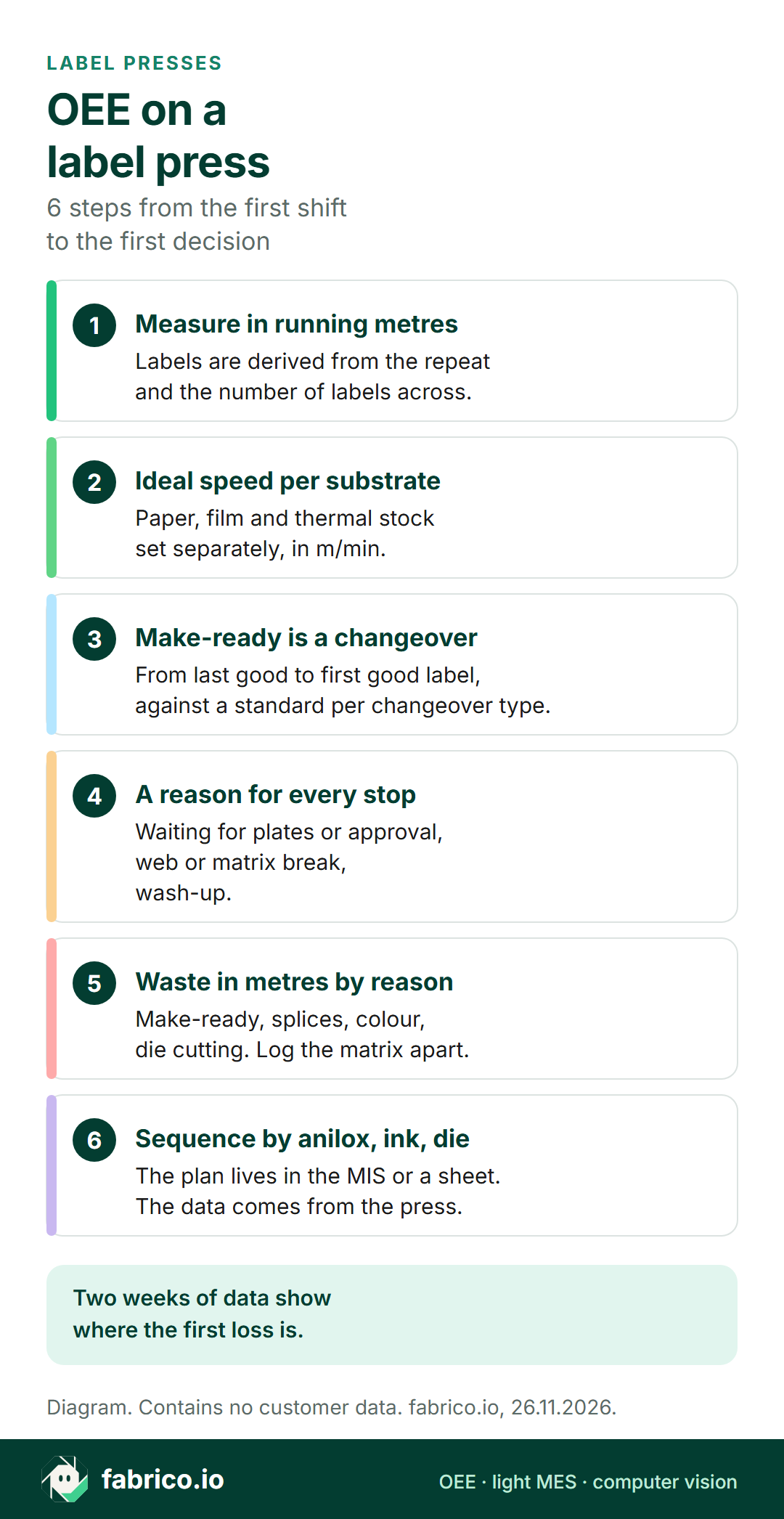
Text version of the diagram
- Measure in running metres: labels are derived from the repeat and the number across.
- Ideal speed per substrate: paper, film and thermal stock separately.
- Make-ready is a changeover: last good to first good label, against a standard per type.
- A reason for every stop: waiting for plates or approval, web or matrix break, wash-up.
- Waste in metres by reason: make-ready, splices, colour, die cutting. Log the matrix separately.
- Sequence by anilox, colours and die. The plan lives in the MIS or a spreadsheet; the data comes from the press.
Where Fabrico fits
Fabrico is an OEE platform and light MES. On a label press it shows OEE live by machine, line and shift, and operators choose a stop reason in a few taps. Changeovers are tracked against a standard time, and waste is logged by product and reason.
A top-20 stoppages table shows where the time goes, and losses are priced in money per SKU. Where a camera covers the press, it counts output. The minute of a stop opens from the shift timeline and is streamed on request, not stored. More: OEE and light MES system and pricing.
Frequently asked questions
How is OEE calculated on a flexo label press?
OEE is availability × performance × quality. Output is counted in running metres, the ideal speed is set per substrate class, make-ready is the changeover, and quality is the share of good metres in the run.
Does make-ready count in OEE?
Yes, as an availability loss unless it is a planned stop. Make-ready waste metres are logged separately and priced in money, so one loss is not counted twice.
What is a normal make-ready time on narrow-web flexo?
There is no public industry standard with a reliable source. Set your own standard per changeover type, such as die only, colour change and full change, and measure actual time against it for two weeks.
Should output be measured in metres or labels?
In metres, because the counter always gives them and jobs with different formats stay comparable. Labels are derived from metres, the repeat length and the number of labels across.
How is OEE measured on an old press without a counter signal?
With a sensor on the rewind, a manual counter reading at the start and end of each job, or a camera over the outfeed that counts output. The camera does not inspect the print.
Is the matrix counted as waste?
No. The waste skeleton around the labels is planned waste from the layout and is counted separately. Waste is the metres that should have become saleable labels and did not.
Does a digital press need its own OEE?
Yes. Ideal speed, make-ready and stop reasons differ from flexo. Separate OEE shows which jobs are cheaper to run on which press.
See your press's make-ready in minutes and euros. The demo shows OEE by machine and shift, stop reasons in a few taps and changeovers against a standard time.
Latest from our blog

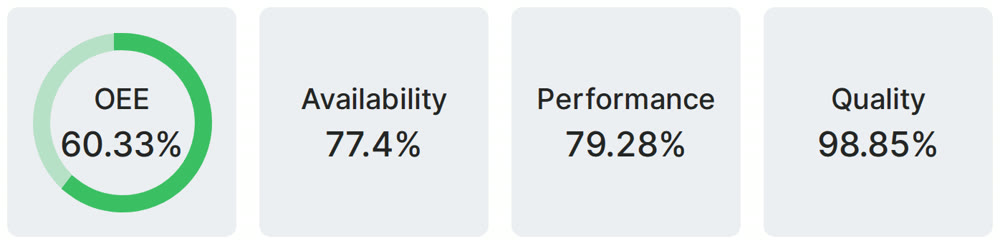
Real Fabrico tiles, sample data.