


 Login
 Blog
Lightweight MES for Small Manufacturers: Run It With No MES Team

In short: A lightweight MES covers machine data, stop causes and OEE, and leaves orders, BOMs and routings in the ERP. A small plant with no MES team can run one if the vendor helps connect the machines and one production person owns the numbers. Start with one line, and add the next only when it passes four checks.
- You run: stop reasons, tagging, daily and weekly reviews, and the fixes.
- The vendor runs: hosting, software updates, first training and support. Machine connection is shared with your electrician.
- Plan for about 4 hours a week across the team on the first line (example).
- Shortlist on your oldest machine and your newest operator, not on a sales screen.
You have no MES team, and you are not going to hire one. So the real question is not which features a lightweight MES has.
The question is who does the work on a normal Tuesday, once the vendor has gone home.
This guide answers that, then gets you to a shortlist. For the light vs full comparison, read our light MES guide first.
One note: we sell this kind of software, so read with that in mind. We also say below when it is the wrong choice.
What "small" means here
The EU counts a firm as small below 50 staff and medium below 250, with turnover limits too. Headcount is only a rough guide, though.
What matters more is this test: production has no spare engineer, IT is one person or an outside contractor, and nobody's job title includes MES.
If that is you, a system that needs a full time administrator will slowly die, however good it looks in the demo.
What you can run yourself, and what you cannot
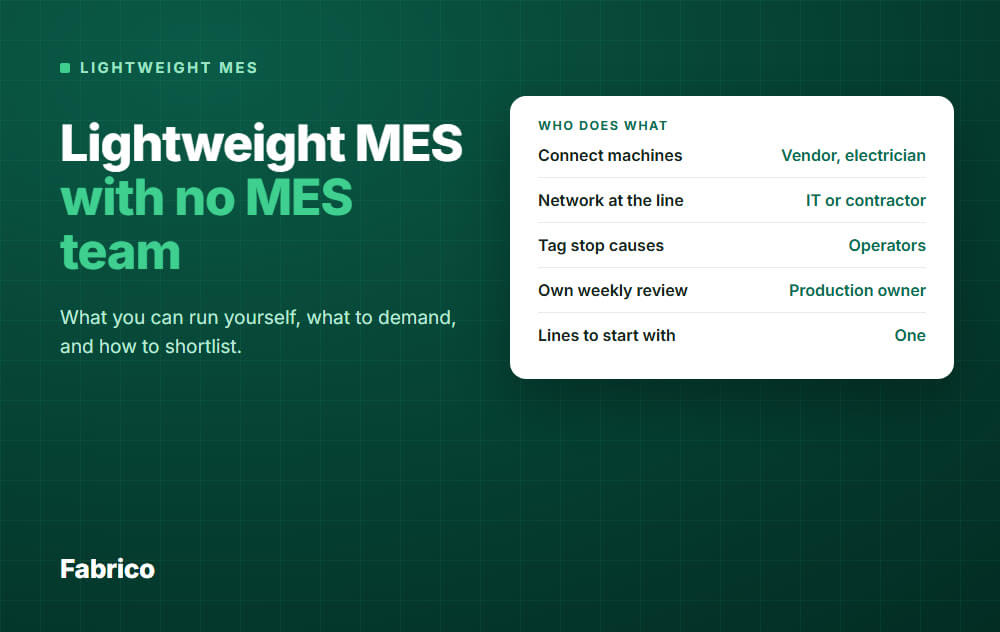
A lightweight MES splits the work in a way a small plant can carry. The table shows a typical split, so get yours in writing.
| Job | Who does it | How often |
|---|---|---|
| Connect machines | Vendor, electrician | Once per machine |
| Network at the line | IT or contractor | Once, then if it fails |
| Hosting and software updates | Vendor (cloud) | Not your job |
| First training | Vendor | At rollout |
| Stop reason list | Production owner | Set once, trim monthly |
| Tag stop causes | Operators | When a stop needs a reason |
| Chase untagged stops | Shift leads | Each shift |
| Own weekly review | Production owner | Weekly |
| Fix the top losses | Your team | Ongoing |
The top half is where small plants need help. The bottom half cannot be outsourced to any vendor, because it is how the plant runs.
What it costs in time: an example week
Licence cost is only part of the bill, because your team's hours count too.
Here is an example for one line, on 2 shifts, 5 days a week. These are planning numbers of ours, not a measured benchmark.
- Production owner, 2 hours: 10 minutes a day on the numbers, a 30 minute weekly review, and 40 minutes for follow up and small changes.
- Shift leads, 50 minutes: 5 minutes per shift to chase untagged stops, over 10 shifts.
- Operators, about 33 minutes: 20 tags per shift at 10 seconds each, over 10 shifts, shared across the crew.
- Maintenance, 30 minutes: a seat in the weekly review.
In this example, that comes to about 4 hours a week across the team, and only 2 of them fall on one person.
Who owns it day to day
Name one person before you sign. In a small plant, that is usually the production manager, a senior shift lead or a CI engineer.
It should not be IT, because the job is about losses, not servers. It should not be the vendor either, because the vendor will not be there when a crew skips its tags.
The job fits in five lines:
- Keep the stop reason list short and clear.
- Look at the numbers daily, and ask about anything that looks wrong.
- Run the weekly review. Our guide to the daily OEE meeting shows a short format you can adapt.
- Put a name and a date on the top three losses.
- Train new starters, and be the one contact for the vendor.
Name a deputy too. With no owner, small problems pile up and people start to work around the system, and a holiday or a job change is enough to cause that.
Write the routine on one page, so a new owner can pick it up quickly.
How many lines to start with
Start with one. Pick the line where a lost hour hurts most, usually your bottleneck.
One owner can learn a routine on one line. Spread over four lines in month one, all four get half a routine.
| Your plant | Start with |
|---|---|
| One line matters far more than the rest | That line |
| Several similar lines | One line, then copy the setup |
| A newer line and much older machines | One line, plus one old machine to test the connection |
| Only 2 or 3 lines in total | Still one, the next once the checks pass |
| Owner has no time for the routine | Free up the hours first |
Add the next line when the first one passes four checks. The thresholds are an example, our own rule of thumb, so set your own bar.
Also watch the owner's hours as you grow. In our example, the first line takes 2 hours and each added line about 45 minutes, so five lines would take 5 hours.
Around that point, make the deputy a real role, with a line of their own.
What to demand from a vendor
Our light MES guide lists eight general questions. The demands below test one thing: will this work with nobody on your side who knows MES?
Things to get in writing
- A split of work, machine by machine: who mounts, who wires, who tests, and who stops the machine to do it.
- A list of what your IT must do, including what the system needs from the network at the line and what happens when it drops.
- Dates for the first line, and a named person on the vendor side.
- Support hours, response time and the languages your team needs.
- How you get your data out, in a format you can open, including when a contract ends.
Things to see with your own eyes
- The oldest machine test. Walk the vendor to your worst machine, and ask how it gets connected.
- The count test. Make this an acceptance step for the first line: compare the system's count with a hand count for one shift. Ask them to explain any gap.
- The new operator test. Hand the screen to an operator who has never seen it. Can they tag a stop without help, on the shop floor, with gloves if your line needs them?
- The owner test. Have your owner change a stop reason and add a user, with the vendor only watching. If that needs a ticket, your routine waits for someone else.
- The reference call. Ask for a plant of your size with no MES team, and call its production manager, not its IT lead.
Warning signs for a small plant
- "You will want a dedicated administrator."
- Normal changes need custom work or a paid request.
- The demo only runs on sample data, and no one will talk about your machines.
- A promised OEE gain with no baseline behind it.
How to shortlist in three rounds
Round 1: desk check, down to three
Look at vendor types first: lightweight OEE and downtime platforms, modular MES products sold in pieces, and integrators who build a small system for you. The last one can fit, but then someone must pay for its upkeep.
Keep a vendor only if it covers your main loss, is hosted for you, and can name a way to connect your oldest machine.
Round 2: same script for all
Send each vendor your machine list and your top ten stop reasons. Ask them to show those, not their standard tour.
Bring the future owner and one shift lead.
Round 3: score on your floor
Have each finalist walk your line, then write a plan for it.
Score them the same way. The weights here are an example, so change them to suit.
| Test | Example weight |
|---|---|
| Connects your oldest machine, with a clear plan | 25 |
| New operator test | 25 |
| Owner test | 20 |
| Training and support in your language | 10 |
| First line plan with dates and names | 10 |
| Data export and ERP link | 10 |
In this example, half the points sit with the machine and the operator. Those are the two places a small plant cannot hide a weak fit.
Who offers lightweight MES software?
The three vendor types in round 1 all use these words, and Fabrico sells in this market too.
The label alone tells you little. "Light" can mean a narrow scope, a low cost or a simple install, so run the tests above on each.
When a lightweight MES is the wrong choice
- A customer or regulator requires full genealogy by batch or serial number.
- Your main pain is paper job dispatch or routing, not lost machine time.
- You need the system to guide each operator step by step through a build.
- Nobody can give it the time, about 2 hours a week in our example. Fix that first, or the screens will go stale.
- The line has no reliable network and you are buying a cloud system. Fix the network first, or look for a system that keeps working offline.
In the first three cases, look at a fuller MES, or at what your ERP can already do.
Common mistakes
- A stop list of 60 reasons. Operators pick the first one. Start short, for example 10 to 15.
- Not telling operators why. Tell them the data is about machines and losses, and show what got fixed because of their tags.
- A wall screen and no meeting. Data with no routine changes nothing.
What good looks like after a few months
The plant knows its top three losses without opening a laptop. Each one has a name and a date beside it.
The weekly review happens even when the owner is away. Shift leads argue about causes, not about whose numbers are right.
How Fabrico fits
Fabrico is a cloud-based light MES for OEE and downtime. See the Fabrico MES and OEE overview for the full picture.
- Machine data comes from the PLC, from an IoT device with external sensors on older machines, or from AI cameras where there is no machine signal.
- Stops are recorded where one of those signals exists. Operators tag the cause on a tablet or phone.
- You see OEE by line and shift, split into availability, performance and quality.
- It connects to SAP and to other systems through webhooks, a REST API or Zapier, and data exports to Excel.
Installing and connecting the devices takes about 1 month, and a full rollout takes 3 to 4 months.
Training is live and on site. Support responds by email or phone callback in under 2 hours.
Fabrico does not replace your ERP. Job dispatching, BOMs, routings and genealogy stay there, and Fabrico does not do production scheduling today.
It also will not run your review or fix your losses. Those jobs stay with your owner and team.
Fabrico is cloud software and the app has no offline mode, so the app needs a working network at the line. Check that network before the install. If the link drops, the gateway can store machine data offline for up to 30 days, with automatic recovery within 72 hours by default.
In the demo, ask the consultant what the rollout looks like for your plant, and which jobs fall on your side.
Request a demo or Contact us to talk about your first line.
What people ask next
What does MES lite mean?
It means the same as lightweight or light MES. Vendors stretch the term, so check the actual scope.
Can a team of 20 or 30 people run one?
Yes, if one person has the time (about 2 hours a week in our example) and the machines can be connected. If not, a simple manual log on your bottleneck may be the honest first step.
Do old machines rule it out?
Usually not, because sensors or cameras can stand in for a missing machine signal. See OEE monitoring without a PLC.
Do we need our own IT person?
Not for hosting, if the system is cloud. You still need someone, in house or a contractor, for the network and for the security questions.
How do we budget for it?
Ask for one written quote for the first line and one for the whole plant, and add your own team's hours. See MES cost, time and team for what drives the total.
Is OEE software enough, or do we need an MES?
If lost machine time is your main problem, measuring it is often enough to begin. Our guide to OEE software for small manufacturers covers what to skip.
Ready to plan your first line? Request a demo or Contact us.






