


 Login
 Blog
MES for Woodworking: Panel Lines, Edgebanders and Batch Size One

In short: An MES for woodworking shows what each machine is doing and where each order stands, while the work is still running.
A light MES covers the machine side only: states, stop reasons and counts, starting on one machine. Scheduling, nesting and part tracking stay in other tools.
- Woodworking loses time to changeovers, waiting for panels and short stops, not only to breakdowns.
- Batch size one can turn most orders into a changeover, so measure changeovers first.
- Start on the machine that sets your output: often the edgebander or the CNC router.
- Need to follow every part by barcode? That takes a full woodworking MES, not a light one.
What an MES does in a woodworking plant
An MES (manufacturing execution system) sits between the office and the machines. It records what actually happens on the shop floor, shift by shift.
On the machine side, that means three things: which machine is running or stopped, why it stopped, and how many good parts came out.
Full suites add routings, job costing, material tracking and traceability. Read what MES software covers for the full list.
A light MES keeps the first part only: machine data, downtime and OEE. A plant can start it on one machine without rebuilding its IT.
Why woodworking is different
Many metal and plastics lines repeat the same part for hours. Woodworking often does not.
- Batch size one. A kitchen or wardrobe order is cut to the customer's sizes. Each order can change the cut list, the edge band and the CNC program.
- Many short operations. A panel moves from saw to edgebander to router to sanding. Each step is short, so small stops add up fast.
- Material that varies. Boards differ in thickness, grain, moisture and surface. A tool that cuts one board cleanly can chip the next.
- Waiting is everywhere. The edgebander waits for the saw. The router waits for edged panels. Assembly waits for all of them.
So the question is rarely "is the machine broken?" It is "why was the machine not making good parts?"
Where the time goes: saw, edgebander, router, sanding
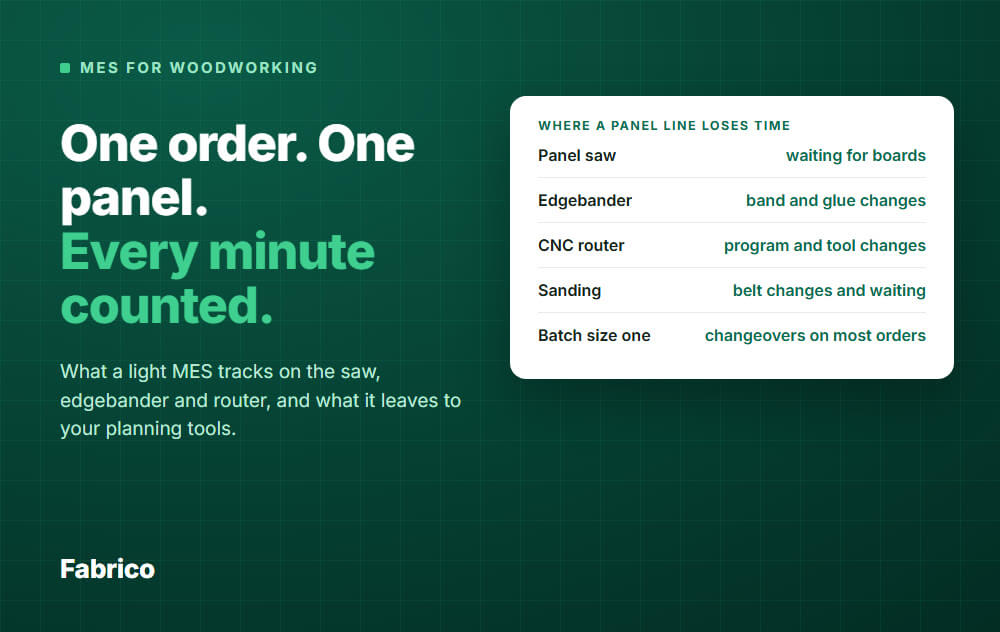
Panel saw
Typical losses: waiting for boards, swapping the stack, cutting a new pattern, and re-cutting a part that came out wrong.
Edgebander
Every change of edge band colour, thickness or glue costs time. The machine also stops for glue pot heating, jams and cleaning.
This is often the machine that sets the pace. Check it: look for where panels pile up.
CNC router or drilling machine
Losses come from program changes, tool changes, fixture set-up and loading. A router can also run below its rated speed to protect the edge, and that rarely gets recorded.
Sanding and finishing
Belt changes, grit changes and operator waiting. On hand-fed steps there may be no machine signal at all.
Solid wood lines
The machines change, the pattern does not. On a moulder or planer, look at knife changes, set-up for a new profile and waiting for stock.
What a light MES tracks on a woodworking line
- Machine state: running, stopped, or waiting, per machine and per shift.
- Stop reasons: picked by the operator from your own list, such as "edge band change" or "no panels".
- Short stops: the stops too short for anyone to write down. OEE counts them as performance loss. See micro-stops.
- Counts: good parts and scrap, entered on a tablet where no sensor counts them.
- OEE: availability, performance and quality, shown live. The method is in how to calculate OEE.
Changeovers deserve their own reason code. In batch size one work they are often the largest single loss, and you cannot shorten what you do not measure.
What a light MES does not do
Be clear about this before you buy anything. A light MES is not a full woodworking suite.
- No nesting. Cutting optimisation software decides how parts are laid out on a board. A light MES does not.
- No scheduling. It will not build your plan. It gives you true run times and changeover times so your plan is based on facts.
- No part tracking. It tells you how a machine ran, not where panel 14 of an order is right now.
- No board yield or offcut optimisation. It counts parts and scrap. It does not measure board utilisation.
- No routings or bills of material. Those stay in your ERP or your CAD/CAM tools.
What you get in return: real machine data on one part of the plant, and you keep the software that already works.
When you need a full woodworking MES
A light MES is the wrong tool if your main problem is lost parts rather than lost machine time.
- You need to follow each part by barcode from cutting through sorting to assembly.
- You want CAD/CAM to send cut lists and programs straight to the machines.
- You need software to dispatch jobs to each station.
Wood-specific products, such as Cyncly Insight and SCM WinMES, are aimed at this work. Ask each vendor to show it on machines like yours.
Yield and offcuts: what you can measure
Woodworkers care about yield because boards are often the biggest cost. Two things drive it: how well the cut is nested, and how many parts are rejected afterwards.
Nesting is done in your cutting software, and offcuts are not part of OEE. The rejects are where a light MES helps.
Count rejected parts and record why: chipping, wrong size, edge damage, surface defect. Each reject is a panel you paid for and machine time you spent twice.
That is the quality part of OEE. A panel that goes back for re-edging counts too, because it was not right the first time.
A worked example (hypothetical numbers)
Example: an edgebander has 450 planned minutes in a shift. These are the numbers from the chart above, worked through in OEE order.
- Stops: 55 changeover + 40 waiting + 25 faults = 120 minutes
- Run time: 450 - 120 = 330 minutes, so availability is 330 / 450 = 73.3 percent
- Short stops: 330 - 30 = 300 minutes, so performance is 300 / 330 = 90.9 percent
- Rejects: 300 - 12 = 288 minutes, so quality is 288 / 300 = 96 percent
- OEE: 0.733 x 0.909 x 0.96, about 64 percent (the same as 288 / 450)
Changeovers are planned, but OEE still counts them against availability. Some plants report waiting apart because the cause sits upstream: choose one rule and keep it.
This example leaves out slow running to stay simple. A real machine has some, and it pulls performance lower.
Waiting and changeovers are 95 of the 162 lost minutes. A technician could fix every fault and still leave most of the loss untouched.
Performance when every part is different
Performance needs an ideal rate, and in batch size one no two parts match. So use a rate that fits the machine: metres of edge per minute on the edgebander, program time on the router.
Ask any vendor to show how its OEE handles your mixed parts. If the ideal rate is wrong, the performance number means nothing.
Where Fabrico fits
Fabrico is a cloud-based light MES that reads machine data and adds the operator's stop reason. See Fabrico MES and OEE for the screens.
- Automated machines: data comes from the PLC, such as cycles, stops and output.
- Older machines: an IoT device with external sensors collects the signal.
- Hand-fed steps: AI cameras can count output where there is no machine signal. See camera-based OEE.
- Stop reasons: the operator picks the cause on a tablet or phone from your own list.
- Short stops and slow cycles: detected from the machine signal and counted as performance loss.
- Scrap: good parts and scrap can be entered on a tablet where no sensor counts them.
- Live OEE: availability, performance and quality per machine, line and shift, in a browser or the iOS and Android apps.
Fabrico does not nest. Production planning and scheduling are on the roadmap and are not part of Fabrico yet.
Job dispatching, BOMs, routings and product genealogy are not included. Plants that need them keep them in their ERP or another system.
With Fabrico, installing and connecting the devices on your machines takes about one month. Configuration, data checks and training follow, and the full rollout is complete in 3 to 4 months.
Request a demo or Contact us to talk through your line.
How to start on one line
- Pick the machine that sets your output, often the edgebander or the router.
- Write a short stop list of 10 to 15 reasons, with changeover and waiting as separate codes.
- Agree how long a stop must be before an operator tags it. A quick band change can look like a short stop.
- Connect the machine and let operators tag the stops for two weeks.
- Rank the reasons by minutes. Fix the top one.
- Add the next machine only when the first one is trusted.
Common mistakes
- Starting with every machine at once.
- Using 40 stop reasons. Operators will pick the first one.
- Treating waiting as "not a loss". Better scheduling and material flow can fix it.
- Judging operators by the numbers. Use them to fix the process.
- Forgetting dust. Sensors and cameras sit near saws and sanders, so agree mounting and cleaning before the install.
What people ask next
Is an MES the same as an ERP?
No. ERP handles orders, stock and money, while an MES records what happens on the machines. Read more about MES software.
Can it track each part by barcode?
A light MES does not, and neither does Fabrico. Part-level tracking belongs to a full woodworking MES or your ERP.
Can a small joinery shop use an MES?
Yes, if one machine clearly holds up the work. Where most steps are by hand, a stopwatch and a tally sheet can answer the same question first.
Do I need new machines?
No. The data comes from the PLC where there is a usable one, and otherwise from an IoT device with external sensors or a camera.
Does it handle batch size one?
It measures it. Each changeover is logged with a reason and a duration, so you see what one-off orders cost you.
How long does it take?
With Fabrico, about one month to install and connect the devices on your machines. The full rollout is complete in 3 to 4 months.
See your own line's losses
A demo walks through OEE, downtime by cause and short stops on the Fabrico screens. Request a demo or Contact us.






