


 Login
 Blog
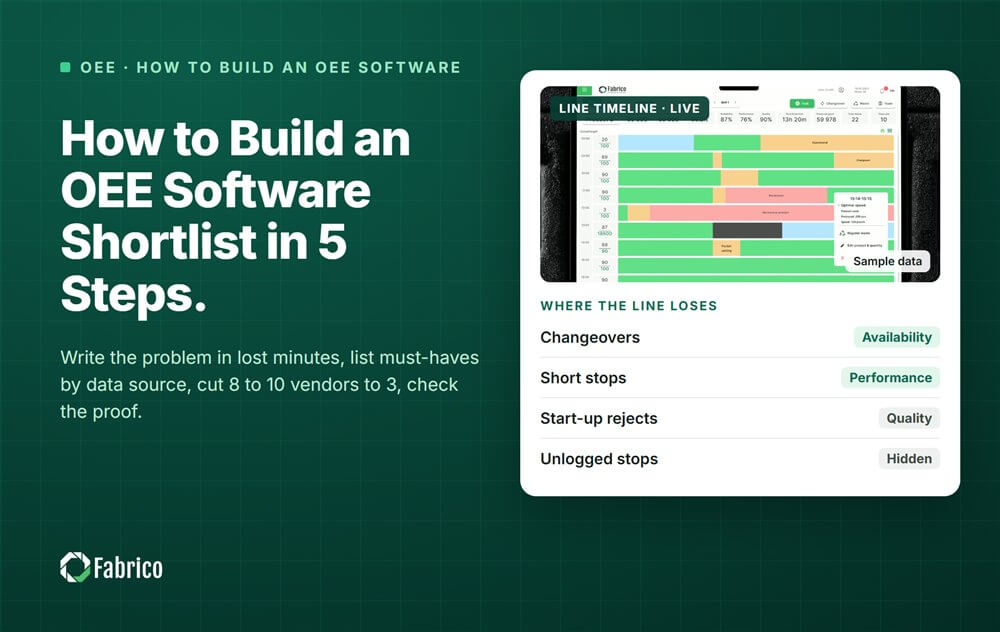
How to Build an OEE Software Shortlist in 5 Steps

Key takeaways
- Build an OEE software shortlist from your losses: set a few pass or fail must-haves, then cut 8 to 10 vendors to 3.
- Your must-haves come from how each machine can send data: PLC, IoT device, camera or manual entry.
- Show, not tell: score each vendor live, and any 0 on a must-have takes it out.
- Check proof two ways: a reference call at a plant like yours, and review sites read with care.
- Finish with a pilot on one line, with success criteria and a decision date agreed before it starts.
The short answer: build the shortlist from your own losses, not from vendor brochures. Count the lost minutes and list five or six must-haves. Screen 8 to 10 vendors down to 3, check their proof, then test the best one on one line. Each step removes a vendor that cannot fix your problem.
Picture line 2 on night shift. The wrapper jams again and again, and each jam is cleared in under a minute. The shift report says the line ran well. A demo full of dashboards will not tell you whether a tool would have caught those jams.
This guide is for plant managers and continuous improvement leads choosing OEE (overall equipment effectiveness) software. It comes from Fabrico, a vendor of OEE and light MES software with computer vision on stops, so read it with that in mind. The five steps are neutral and work for any tool.
Step 1: How do I write the problem in loss minutes?
Pick the one or two lines where the plant loses the most. Write down the lost minutes in a normal week, split by type:
- Breakdowns that needed a repair.
- Changeovers, from the last good unit to the first good unit of the next product.
- Short stops: jams and blocked sensors cleared in a minute or two.
- Slow running below the ideal speed.
- Rejects thrown away or reworked.
If you cannot fill in a row, write "unknown". That gap is often the real problem the software has to solve. Then write one sentence per line, such as: "Line 2 loses most of its time to short stops on the wrapper."
Put a rough price on the minutes. A 2024 industry report on the true cost of downtime puts a lost hour in fast-moving consumer goods at 36,000 USD, for large plants. Our guide to calculating OEE step by step shows the arithmetic.
Step 2: Which must-haves belong on the list?
Must-haves are the few things a vendor cannot miss. Keep them to five or six, and put the rest on a "nice to have" list. Start with how each machine on the line can send its state and count:
- PLC (programmable logic controller): the machine already has a running, stopped and count signal.
- IoT device: a small add-on sensor for a machine with no usable signal.
- Camera: shows what happened at a stop, where the signal only says "stopped".
- Manual entry: the operator types the stop, often the fallback for old machines.
Then add the must-haves that match your problem sentence. Typical ones: OEE by line and shift with your definitions, and fast stop reason entry. Add short stops kept visible, losses in money, and hosting IT can sign off.
Bring IT in now, not at the end. One industry survey of 1,560 manufacturing decision makers in 17 countries found integration was the top buying requirement at 44%. Security and compliance came second at 43%.
Step 3: How do I cut 8 to 10 vendors down to 3?
Build the long list fast from peers, machine builders, your controls integrator, trade fairs and review sites. Stop at 8 to 10.
Send each vendor the same short email: your problem sentence, the machine list with data sources, and your must-haves. Then score each one in a short call where they show, not tell. 2 means shown working, 1 means partly or only on a roadmap, 0 means no. Any 0 on a must-have takes a vendor out.
Two rules keep this honest. Do not count features: a long feature list with no answer for your old wrapper still fails. And ask how each quote is built, so you know what drives the cost later. Our overview of OEE software and how to compare vendors shows how tools differ by data source.
Step 4: How do I check the proof?
Each of the 3 vendors now has to prove it works at a plant like yours, and that people there still use it.
- A reference call. Ask for a plant in your industry, on a similar line, past its pilot. Speak to a line lead who uses it daily, not only the sponsor.
- Review sites. G2, Capterra, GetApp, Software Advice and Gartner Peer Insights each publish their own rules on how they check reviewers. Check the site's own rules, then read reviews by role, date and company size.
- Named results. Ask for the customer, the number and the period. A result with no baseline and no dates is a story, not proof.
Step 5: How should we plan the pilot on one line?
The pilot is the last filter. Run it on one line with the top vendor, or on two similar lines if two vendors are close. Agree these points in writing first:
- The baseline: current OEE and lost minutes, measured the way the software will measure them.
- The definitions: ideal cycle time per product, and what counts as a planned stop.
- Success criteria: what has to be true for a yes.
- Owners: who connects machines, trains operators and reviews the data.
- A decision date, with the meeting already in the diary.
Definitions decide the number. Our article on why OEE numbers go wrong lists the usual traps. McKinsey found in 2018 that less than a third, 30%, of manufacturers had moved digital programs from pilot to scale. Our guide to running an OEE pilot with cameras covers the setup.
Sample: how does a plant score 6 vendors on 5 must-haves?
Sample line (illustrative numbers, not a customer): line 2 of a snack plant loses about 600 minutes a week. About 250 of them are short stops nobody logs. Seven of its nine machines have a PLC. Two older wrappers have none. The team scored six vendors from 0 to 2 on five must-haves.
| Vendor | Old wrappers without PLC | Stop reason at the line | Short stops visible | Losses in money | IT signs off hosting and access |
|---|---|---|---|---|---|
| A | 2 | 2 | 2 | 1 | 2 |
| B | 2 | 1 | 0 | 2 | 2 |
| C | 1 | 2 | 2 | 2 | 1 |
| D | 0 | 2 | 1 | 1 | 2 |
| E | 2 | 2 | 1 | 2 | 2 |
| F | 2 | 1 | 2 | 0 | 2 |
- Short stops are 250 / 600 = 41.7% of the line's lost minutes, so "short stops visible" is the right must-have.
- Vendor A: 2 + 2 + 2 + 1 + 2 = 9, no 0, so it stays.
- Vendor C: 1 + 2 + 2 + 2 + 1 = 8, no 0, so it stays.
- Vendor E: 2 + 2 + 1 + 2 + 2 = 9, no 0, so it stays.
- Vendor F: 2 + 1 + 2 + 0 + 2 = 7, but the 0 on losses in money takes it out.
- Vendors B and D: a 0 on short stops and a 0 on old wrappers, so both are out.
Vendors A, C and E go on to step 4. A and E tie on 9, and that is fine. The reference calls and the pilot will split them, not one more point on a sheet.
Mistakes plants make with OEE software shortlists
- Starting from a vendor's feature list instead of your own losses.
- Leaving IT out until the contract, then losing months on the security review.
- Scoring what vendors say, not what they show.
- Skipping the operators. If entering a stop reason is slow, they stop doing it.
Where Fabrico fits
Fabrico is a computer vision enabled Manufacturing Performance Platform. OEE and light MES come first, so the shortlist questions above are the ones we expect to answer.
- Automatic downtime logging: a machine connects through a PLC, a Fabrico IoT device or an AI camera.
- The operator confirms the reason in one tap: the camera suggests a stop reason, and the clip stays as evidence.
- Every loss priced in money, with losses ranked by what they cost.
- OEE live by line and shift, using the definitions you agree.
Devices are connected in about one month, and the full rollout takes 3 to 4 months. You start on one line, with a baseline and a decision date agreed in advance. There is no free plan and there are no tiers: each plant gets a quote. See the camera side on our computer vision OEE page.
Frequently asked questions
How many vendors should be on an OEE software shortlist?
Three is a good number. It is enough to compare, and few enough that each vendor gets a proper reference call and a fair look. Start with 8 to 10 names, screen them on pass or fail must-haves, and keep the best 3 that pass.
What are the must-haves for OEE software?
They depend on your problem, but most plants need five. Every machine on the line connected, fast stop reason entry, short stops kept visible, losses in money, and hosting and access that IT accepts. A short list means a missing must-have clearly takes a vendor out.
When should IT join the shortlist?
At step 2, when you write the must-haves. IT will check hosting, user access and how data leaves the plant. Integration and security sit at the top of most buying lists, so bringing IT in late is a common reason a purchase stalls.
Can we skip the pilot if the demo was good?
A demo shows the software on the vendor's data. A pilot shows it on your line, with your machines, operators and definitions. Run one line, agree the baseline, success criteria and a decision date up front, and hold the decision meeting on that date.
Test Fabrico against your shortlist
Bring one line, its machine list and your must-haves. We will show how each machine would connect and what its losses look like in money.
Latest from our blog


Real Fabrico tiles, sample data.