


 Login
 Blog
Operator Downtime Reasons: How to Get Them Logged at the Line

Key takeaways
- Operators skip downtime reasons when entry is slow, the list is long, or the data is used against them.
- Keep the visible reason list short and in the operators' own words, with the detail one level down.
- Capture the reason at the line, at the time of the stop, in one tap, not from memory at the end of the shift.
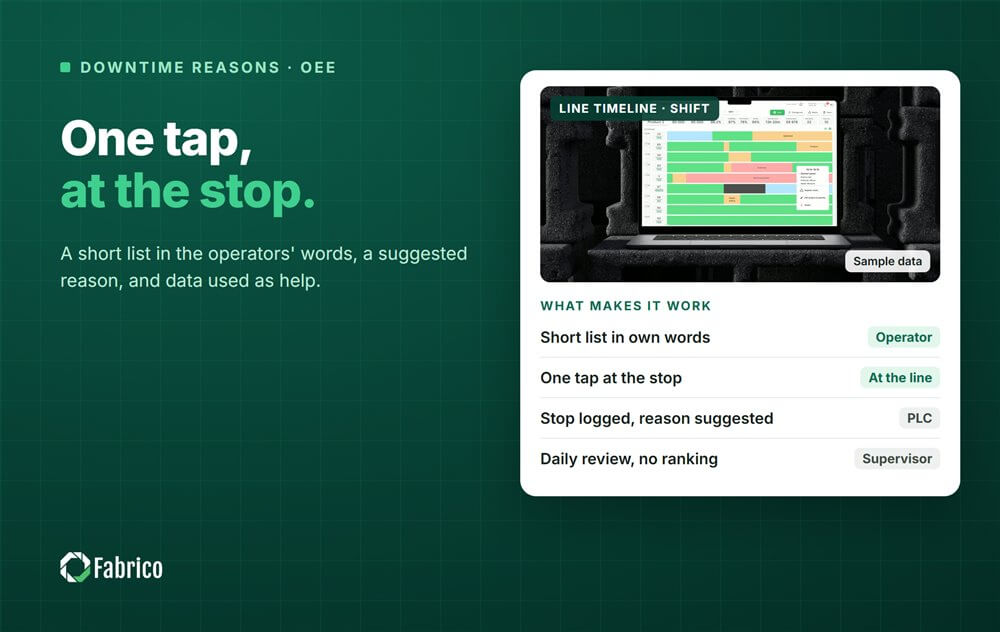
- Let the system log the stop and suggest a likely reason, and let the operator confirm or correct it.
- The data has to come back as help: a daily review, fixes and repairs, never a ranking of people.
It is 03:40 on the night shift. The flow wrapper stops for the fifth time in an hour, the operator clears the film with gloves on, and the terminal at the end of the line asks for a reason from a list of 48. The operator picks other and gets back to the machine. By morning, other is the biggest downtime reason on the OEE report, and nobody can act on it.
That is not an operator problem. It is a design problem: the reason entry was built for the report, not for the person standing at the wrapper. Fix the design and operators log reasons, because good reasons make their own shift easier.
This guide covers why operators do not log reasons, how to build a short list, how to make entry one tap at the line, how to confirm a suggested reason, how to keep blame out of it and what supervisors should do with the data.
Why operators do not log downtime reasons
Ask a crew why the reasons are empty and you usually hear the same five answers.
- It takes too long. A stop is cleared in a minute. Logging it takes longer than fixing it.
- The terminal is far away. If the screen is at the end of the line, short stops never reach it.
- The list does not fit. Codes named after asset numbers, written in an office, with no option that matches what happened.
- Nothing happens. The same jam is logged every night for a month and nothing changes. People stop telling a system that does not listen.
- It gets used against them. The first time a manager asks a shift why it logged so much downtime, the shift learns to log less.
Each of these has a fix, and none of the fixes is a poster or a reminder at the shift briefing.

Build a short reason list in the operators' words
Use two levels. The first level is a handful of categories the operator sees straight away. The second level holds the detail, and appears only after the first tap. Write the labels in the words the crew uses at the machine.
| First level | Second level, in the crew's words |
|---|---|
| Machine | Film jam at the wrapper, label web broken, glue gun clogged, starwheel jam |
| Material | Carton magazine empty, wrong film reel, caps not delivered, bad cartons |
| Process | Changeover, cleaning, adjustment after a product change |
| Quality | Waiting for QC, rejects being sorted, sample check |
| Upstream or downstream | Line starved, line blocked, waiting for pallets |
| Other | Free text comment, required |
Keep other, but ask for a short comment with it. At the weekly review, the most common other comments become real reasons. The list grows from the floor, not from a workshop in a meeting room. Our guide to operator-friendly OEE reason codes goes deeper, and downtime reason code design shows how to keep the list the same across lines.
One tap at the line, at the time of the stop
Put the screen where the operator stands when the stop is cleared, not where the office would like it. Make the buttons big enough for gloves. Ask for the reason while the stop is fresh, because a reason entered three hours later is a guess.
Decide which stops must be explained. A plant does not need a typed reason for a ten second jam if the system already groups short stops by machine. Set a length above which the operator is asked, and log everything below it automatically as short stops at that station. Then the operator's attention goes to the stops that matter.
Measure how quickly reasons arrive. The time from the start of a stop to the reason being entered tells you whether the data is live or rebuilt at the end of the shift. Agree a target for your plant and watch it by line and shift.
Confirm a suggested reason instead of choosing from scratch
The fastest entry is a confirmation. When the stop is logged automatically from the machine signal, the system can offer the most likely reason: a fault code from the controller, the reason that followed the same pattern last time, or, where a camera watches the station, what the camera model saw, such as no material or a jam. The operator taps yes, or picks the right one.
This keeps the person in charge of the answer. The camera or the logic suggests; it does not decide. A short clip from the moment of the stop sits next to the reason as evidence, so a supervisor reviewing the shift can see the jam rather than argue about it.
Track how often operators correct the suggestion. A high correction rate on one machine means the suggestion is wrong there, and that is useful to know as well.
No blame: the condition for honest data
Amy Edmondson's 1999 study of 51 work teams in a manufacturing company found that psychological safety, a shared belief that the team is safe for interpersonal risk taking, predicted learning behaviour, which predicted performance (Edmondson, Administrative Science Quarterly). On the line, the translation is direct: people report the stops they will not be punished for.
So the reason data describes the process, never the person. Report by line, machine and shift, not by name, and never rank operators. When a clip shows the line stopped because material arrived late, the operator has proof, and becomes the strongest supporter of the system. Our guide to production line cameras without surveillance covers how to set that up.
In Germany the works council co-determines any technical system that is suited to monitor behaviour or performance, even if the employer has no such intent. Talk to the council early; our works council approval guide explains what an agreement usually covers.
What supervisors do with the data
Reasons are worth logging only if someone acts on them. The supervisor's part takes a few minutes a day at the line meeting: look at yesterday's top reasons by minutes and by money, pick one or two to act on, and tell the crew what was done about last week's. A logged equipment reason should turn into a repair request the same morning.
Thank people for logging, and ask about the machine, not about the shift. The question is what made the film jam, not why the night shift had so many stops.
Sample line (illustrative numbers, not a customer): in one week the line has 2,100 minutes of downtime. Operators coded 1,860 of them, so reason coverage is 1,860 / 2,100 = 88.6%. Of the coded minutes, 190 sit in other, an other share of 190 / 1,860 = 10.2%. That leaves 240 minutes with no reason and 190 with a vague one, 430 minutes in total. At $15 a lost minute, €15 in a euro plant, that is 430 x $15 = $6,450 (€6,450) of loss in the week that nobody can work on yet.
Metrics that show whether reason entry works
| Metric | How to calculate it | What it tells you |
|---|---|---|
| Reason coverage | Coded downtime minutes / total downtime minutes | How much of the loss has a name |
| Other share | Other minutes / coded minutes | Whether the list fits the line |
| Reason latency | Typical minutes from stop start to reason entry | Live entry or rebuilt from memory |
| Shift coverage | Fully coded shifts / shifts run | A training gap on one shift, often nights |
| Correction rate | Corrected suggestions / suggestions | Where the suggested reason is wrong |
| Action closure | Actions closed by their date / actions raised | Whether the data leads to fixes |
Read these before you read the OEE trend. Rising OEE with falling coverage is not an improvement. It is missing data. The daily OEE meeting is the natural place to review them.
Mistakes that kill reason entry
- A 50-code list from engineering. Operators pick the first plausible code, and the data looks precise while being wrong.
- A reason required for each short jam. Group short stops automatically and ask only for the ones above the threshold.
- Training the day shift only. Nights get the least help, and their reason data shows it.
- Silence after logging. If nothing visible happens, logging fades.
- Reason data in appraisals. The moment it is used against people, the data stops being true.
Where Fabrico fits
Fabrico is a computer vision enabled Manufacturing Performance Platform. OEE and light MES come first: automatic downtime logging takes the start and length of each stop from the machine signal, so the operator only adds what the machine cannot know, the reason.
The operator confirms the reason in one tap. Where a camera watches the station, the model suggests a likely reason and a camera clip is kept as evidence for a stop, so the conversation is about the machine or the material, not the person. Losses are priced in money and ranked by money, and OEE live by line and shift shows the result without naming anyone. When a reason points to a breakdown, a work order goes to the right technician with its cost. Groups get one view across plants, and you can start on one line.
Each plant gets a quote after a review of its lines.
Frequently asked questions
How do you get operators to enter downtime reasons?
Make it fast and useful: a short list in their words, a screen at the machine, one tap to confirm a suggested reason, and visible action on what they log. Never use the data to blame people.
How many downtime reason codes should we have?
Few enough that the first screen fits a handful of categories, with detail on the second level. Grow the list from the most common other comments, not from a long list written up front.
Should operators log micro stops?
Usually not one by one. Log short stops automatically and group them by machine, and ask operators for a reason only above the length your plant agrees.
Can a camera choose the downtime reason?
It can suggest one, such as no material or a jam, where it watches the station. The operator confirms or corrects it, and the clip stays as evidence.
Is it legal to record downtime reasons by operator?
It depends on the country. In Germany the works council co-determines systems suited to monitor performance. Report by line and shift, not by person, and involve the council early.
See one-tap reason entry on your line
Bring a week of your downtime reasons to a demo. We will show how much of the loss has a usable reason today and what it looks like when the stop is logged for the operator.






