


 Login
 Blog

Retrocausal Alternatives: Step Guidance, Time Studies or OEE

In short: a Retrocausal alternative should match the copilot you would replace. For live step guidance, look at LightGuide. For always-on time study at fixed stations, look at Invisible AI. To check finished kits, use inspection vision such as Keyence. For output counts, stops and OEE, look at Fabrico or Factbird.
- Retrocausal sells three copilots: Assembly Copilot for step tracking and operator alerts, Kaizen Copilot for time studies from smartphone video, and Ergo Copilot for ergonomics.
- Its homepage covers assembly and packing, including kit packing, and says production managers often worry about missing components in packages.
- A guidance tool catches the bad kit at the table. An OEE tool finds the stop minutes. They are different jobs, often on the same table.
- Fabrico counts output with AI cameras and measures OEE from machine signals. It does not guide or check work steps. Vendor facts are as of 11.11.2026, per each vendor's own site, and Fabrico wrote this page.
- For a wider field, see our comparison of computer vision OEE software and our Cerrion alternatives.
A co-packer builds a promo kit at a hand table: a bottle, a sample sachet, a leaflet and a sleeve. If the sachet is missing, the retailer finds out. If the table waits 20 minutes for sleeves, the plant manager may never find out.
Retrocausal's homepage leads with the first problem: digital mistake-proofing for assembly and packing, including kit packing. Its Assembly Copilot page also says it collects timing data for every cycle. This page sorts the alternatives by job, starting from the Retrocausal module you would replace.
What Retrocausal sells, per its own site
As of 11.11.2026, per Retrocausal's site:
- Company. A corporate address in Redmond, Washington. A release dated 15 January 2026 named Steve Rodda as CEO, with co-founder Zeeshan Zia moving from CEO to President.
- Assembly Copilot. It tracks manual and semi-automated lines and gives operators real-time feedback. Its homepage describes digital mistake-proofing for assembly and packing, with kit packing as a use case: checking that an operator placed every part in the kit before packing it.
- Video traceability. Assembly Copilot captures and indexes a video of each assembly cycle, and MES integration links each video to a specific product.
- Kaizen Copilot. Time and motion studies from a single video of a cycle, and line balancing with Yamazumi charts.
- Ergo Copilot. Ergonomics assessments from smartphone video, including REBA, RULA and NIOSH lifting equations.
- Setting up a station. Its how it works page lists the key steps: write the SOP, record cycles, label one or more of them, then train and deploy a model. It says labeling usually takes about ten minutes, and training runs in its AWS cloud.
- Integrations. Its integrations page lists APIs and direct integrations with MES frameworks from Siemens, SAP and Rockwell Automation, and native OPC UA support for digital tools, with stopping a conveyor belt or activating an interlock given as poka-yoke examples. It says MES integration, where needed, usually takes 40 to 60 engineer-hours on its side.
- Cloud or on premise. Hybrid as standard: an edge PC for live video, a cloud portal for training and analytics. On premise needs at least 25 stations per site, per its cloud and on-premise page.
- Industries. Automotive, medical devices, aerospace and defense, appliances and hardware, and electronics.
Its January release also cites yield and scrap results and customer names. Those are vendor-reported, so we leave them out.
Which job are you buying for?
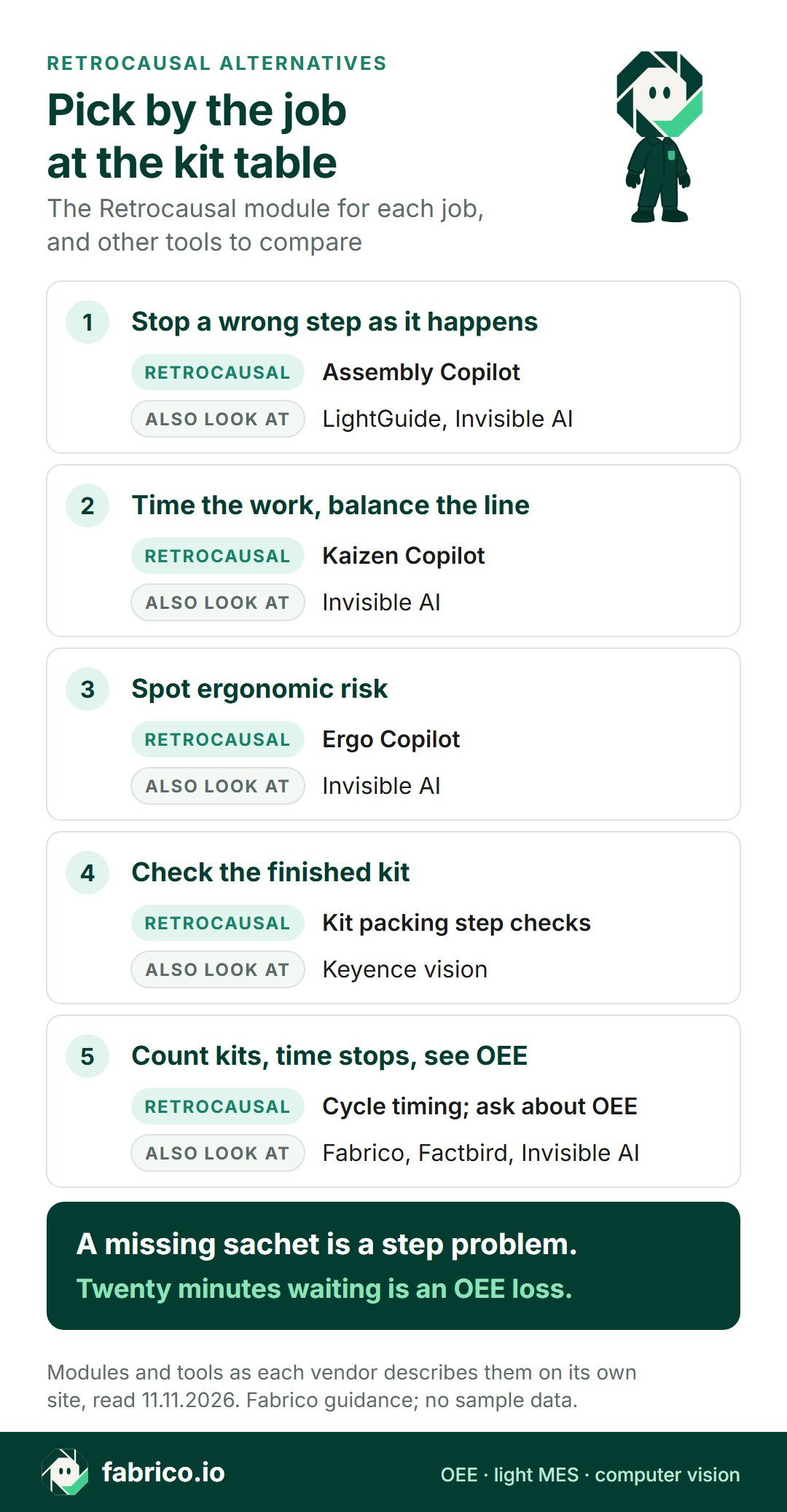
Map your job first, then the Retrocausal module, then other tools that do that job.
| Your job at the station | Retrocausal module | Other tools on this page |
|---|---|---|
| Track each step, alert the operator | Assembly Copilot | LightGuide, Invisible AI |
| Video of each cycle, found by product | Assembly Copilot video traceability | Invisible AI |
| Time studies and line balancing | Kaizen Copilot | Invisible AI |
| Ergonomic risk from video | Ergo Copilot | Invisible AI |
| Inspect the finished kit or pack | Kit packing step checks | Keyence vision |
| Count output, time stops, OEE | Assembly Copilot cycle timing; ask about OEE | Fabrico, Factbird; Invisible AI lists stoppage alerts |
Retrocausal alternatives compared
As of 11.11.2026, per each vendor's own site, with Retrocausal as the reference row.
| Tool | What its site leads with | Camera or input | Setup notes, per its site |
|---|---|---|---|
| Retrocausal (reference) | Step tracking and alerts, time studies, ergonomics | Webcam, PoE or GigE camera on a Windows PC | Record cycles, label one or more, train |
| LightGuide | Projected work instructions, each task confirmed | 3D sensors and smart cameras in its AR systems | Desktop, workstation or workcell system |
| Invisible AI | Cycle-level data on every station | Its own edge devices with 3D cameras | Label 1 good cycle per process variation |
| Keyence | Image inspection, including kit and count checks | Controllers up to all-in-one smart cameras | Rule-based tools or AI functions |
| Factbird | OEE and downtime management | IIoT devices and sensors, PLC, AI vision counts | Pre-configured edge devices |
| Fabrico | OEE and light MES, camera counts as add-on | Machine signal, AI cameras on request | Camera add-on on request |
Want to see the count and stop side of this table on a kit table like yours? Book a demo.
1. LightGuide: projected guidance at the workstation
As of 11.11.2026, per LightGuide's site:
- It projects step-by-step digital work instructions onto the work surface, in place of paper or monitor-based instructions.
- Its AI computer vision uses integrated 3D sensors and smart cameras to confirm each manual task. With its No-Faults-Forward logic, the site says it detects deviations and stops defects moving to the next stage.
- A Data Hub captures metrics from every workstation and links to ERP and MES.
Compared with Retrocausal: both aim to stop a missed step. LightGuide's pages lead with projected AR on the work surface, Retrocausal's with camera-based step tracking and alerts on a screen, signal tower or projector.
Ask in the demo: what the station needs on the bench, and how long a new kit variant takes to program.
2. Invisible AI: every cycle, from its own 3D devices
As of 11.11.2026, per Invisible AI's site:
- Its Vision Execution System captures cycle-level data across every station, on its own edge devices with 3D cameras, and deploys on premise (cloud for enterprise on request, per its FAQ).
- It splits cycles into work, wait, pick, walk, stand and unknown, flags outlier cycles against your golden examples, and lists detection of micro-stops, missed steps and downtime.
- Its precision search traces a part ID or serial number to video through all of its workstations. To start, its production page says you label 1 good cycle per process variation.
- For ergonomics, its sensors track 17 body joints in 3D. Its site lists automotive and aerospace as its industries.
Compared with Retrocausal: Retrocausal splits time studies (Kaizen Copilot) from per-cycle timing (Assembly Copilot). Invisible AI's devices record every cycle at fixed stations. Our page on video time study vs camera OEE covers where time study ends and OEE begins.
Ask in the demo: how many devices a station needs, and how it handles a table where the kit changes every week.
3. Keyence: checking the finished kit
A guidance tool watches the operator. Inspection vision looks at the result. As of 11.11.2026, per Keyence's site:
- Its vision range runs from modular high-speed controllers to all-in-one smart cameras, with inspection tools from rule-based to AI functions.
- Its quantity inspection page describes kitting inspections that check the correct parts are in a package, with counts, even when parts lie in different positions.
Compared with Retrocausal: Keyence's pages lead with what ended up in the kit. Retrocausal's lead with the steps that put it there.
How it links to OEE: the reject count from an inspection station can feed the quality part of OEE through its reject signal or counter.
4. Factbird: OEE from sensors, with AI vision counts
As of 11.11.2026, per Factbird's site:
- Its Production Insights covers OEE and downtime management, with a Pareto chart of downtime reasons.
- Data comes from pre-configured IIoT devices and sensors, PLC integration and OPC UA, and leaves through APIs, connectors and webhooks to ERP, MES and BI systems.
- Its homepage says its built-in AI can use AI vision to count what sensors otherwise miss.
Compared with Retrocausal: Factbird's pages lead with line output and downtime. Retrocausal's lead with how each manual step was done.
Ask in the demo: how a hand-built kit table gets a count, and how stop reasons are entered there.
5. How Fabrico does it: counts and stop minutes at the kit table
Fabrico is a cloud OEE and light MES platform that covers every line in a plant. What it does at a kit table and on the rest of the line:
- Machine lines: stops and counts come from the PLC, a sensor or a counter. The operator adds the reason for each stop on a tablet or phone at the line.
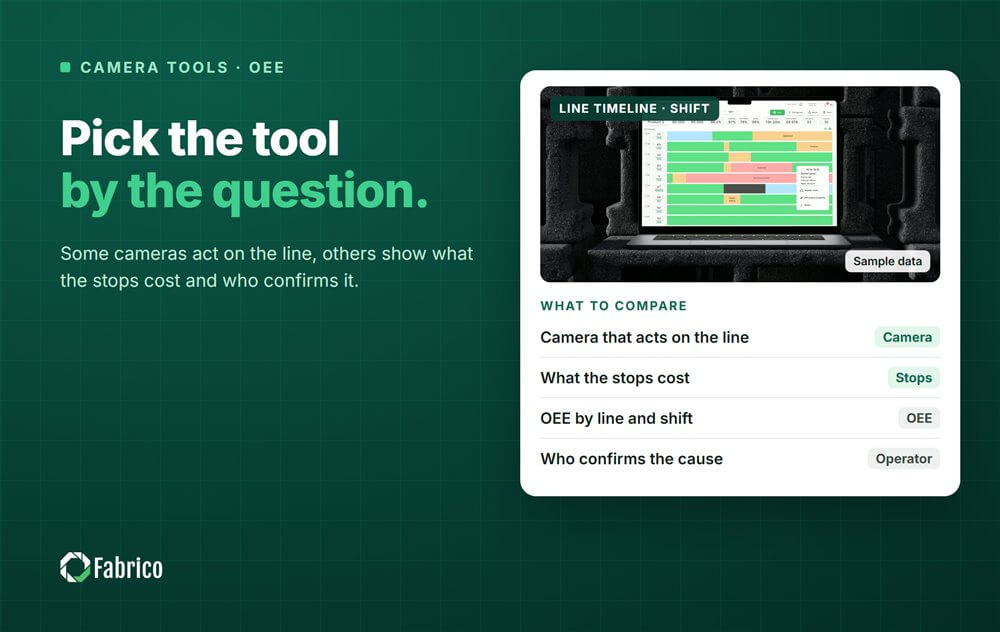
- Kit and hand tables: the computer vision add-on uses AI cameras to count output where there is no usable signal, and the team lead logs stops and reasons on a tablet. Click any minute on the shift timeline to watch that camera's video. The standard setup streams it on request and keeps no copy in Fabrico.
- What you see: OEE, downtime and losses by line and shift, with losses shown in money, on the web, iOS and Android. The MES and OEE overview shows the full picture.
- Data out: a REST API, webhooks, and Excel or CSV export.
- Roadmap, not live today: cameras that detect stops by themselves, jam zones, and a suggested likely reason for the operator to confirm.
- Not Fabrico: guiding or checking work steps, time studies, ergonomics and kit inspection.
One FMCG data point, with a caveat. Ficosota makes hygiene, tissue and household products in Bulgaria and runs Fabrico across 16 lines. Between June and September 2026 its OEE went from 53.11% to 59.62%, and good output from 10.49 million to 12.92 million units a month. Unclassified stop time fell from 3.20% to 0.40%. The caveat: Ficosota is also an investor in Fabrico, as we said when it invested. The case study covers OEE and stop reasons, not cameras.
Custom AI modules for one plant are possible as custom work on request.
Read on: line-level OEE for co-packers, changeover standards for FMCG, camera or sensor by machine and computer vision OEE for manual assembly.
Worked example: a promo kit table, two problems
This is sample data for one shift at a promo kit table in a co-packing hall. The numbers are made up for this page, and none of it is a Fabrico screen.
The shift is 480 minutes with a 30 minute break, so 450 minutes are planned. The ideal rate is 6 kits a minute.
The table has no usable signal, so the team lead logged each stop and its reason on a tablet, and an AI camera only counted the kits. The table stopped for 70 minutes: 36 for changeovers between three promo SKUs, 24 waiting for parts and 10 in short stops. It ran for 380 minutes.
- Availability: 380 of 450 minutes is 84.4%.
- Performance: 380 minutes at 6 a minute is 2,280 kits. The camera counted 2,050, which is 89.9%.
- Quality: 41 kits failed the end check and went to rework, leaving 2,009 good, or 98.0%.
- OEE: 84.4% x 89.9% x 98.0% = 74.4%. Check: 2,009 good kits of the 2,700 possible in 450 minutes is also 74.4%.
The 41 failed kits are a step problem: a missing sachet or a wrong leaflet. A step guidance tool such as Retrocausal or LightGuide works there, or an inspection check at the end.
The 70 stop minutes are a flow problem, measured in minutes, not steps. OEE puts those minutes next to the count for every line and shift, with a camera count where the table has no counter. Some station tools also log waits and stoppages, Invisible AI's production page among them, so ask each vendor how those minutes reach your OEE.
At an assumed contribution of €0.40 a kit, the 24 minutes waiting for parts cost 144 kits, about €58 a shift. Agree the costing rule with your controller first.
Four questions for any vendor of station-level vision
Ask the same four, us included. To test both jobs, run a guidance tool and an OEE count side by side on one promo job, and compare the failed kits and stop minutes each reports.
| Ask | How to test the answer |
|---|---|
| How long does a new kit variant take to set up? | Time it in the pilot, from the written SOP to a live station. |
| What happens when a step is skipped? | Plant ten known errors in a run and count the alerts. |
| Is video kept for each cycle, and for how long? | Get the answer in writing for the works council. |
| How does the station's count reach OEE? | Ask for count, stops and reasons on one shift timeline. |
See also AI visual counting in manufacturing and our manual packing station guide.
Hands on the table: privacy at station level
Step tracking records how each cycle was done. Retrocausal's Assembly Copilot page says engineers can compare cycles from day and night shifts and from different operators. Any camera at a hand table sees people at work, ours included, so the works council will want to see the setup early.
Retrocausal's privacy page says that in 80% of deployments the camera can be mounted to see only the operator's hands and the work surface. For the rest it offers face blurring, and it can pixelate fixed areas of the view before video is saved.
Get three answers in writing from each vendor, us included: what the camera sees, what video is kept and for how long, and who can open it. Our guide to GDPR and production line cameras lists what a works agreement usually covers.
Fabrico's cameras point at the kit, not the person. In the standard setup video streams on request and Fabrico keeps no copy. Wider automatic masking of people is a roadmap item.
Shortlist by the problem you have
- Kits leave with missing parts: Retrocausal or LightGuide at the table, Keyence at the end.
- Engineers need time studies and line balancing: Retrocausal Kaizen Copilot or Invisible AI.
- Ergonomic risk at manual stations: Retrocausal Ergo Copilot or Invisible AI.
- OEE and downtime across machine lines and hand tables: Factbird (devices, PLC, OPC UA and AI vision counts, per its site) or Fabrico (machine signals, camera counts at hand tables, losses in money). Compare both on the same kit table.
Some co-packers run a guidance or inspection tool on a few critical tables and one OEE system across the plant. Our FMCG page shows how Fabrico handles the OEE side.
What people ask next
What does Retrocausal do?
Retrocausal sells AI copilots for manual work. Per its site, Assembly Copilot tracks assembly and packing steps and alerts the operator, Kaizen Copilot runs time studies from video, and Ergo Copilot assesses ergonomics.
Who runs Retrocausal?
Its release of 15 January 2026 named Steve Rodda as CEO. Co-founder Zeeshan Zia moved from CEO to President. Its corporate address is in Redmond, Washington.
Does Retrocausal need special cameras?
Its site says it works with most webcams, PoE and GigE cameras, on a Windows PC at the station. Kaizen Copilot and Ergo Copilot work from smartphone video. Invisible AI's FAQ says its system runs on its own edge devices with 3D cameras.
Can Fabrico check that every part is in a kit?
No. That is a job for a step guidance tool at the table or an inspection system at the end. Fabrico counts the kits with an AI camera, takes stop times from the machine signal or the team lead's tablet, and shows OEE and losses by line and shift.
What drives the cost of station-level vision?
The number of stations, cameras or devices, mounting, network, integration and training. Ask every vendor to quote the same station list, so you compare like with like.
Want to see counts and stop minutes from a kit table like yours? Book a demo.
Related articles


Latest from our blog





Real Fabrico tiles, sample data.