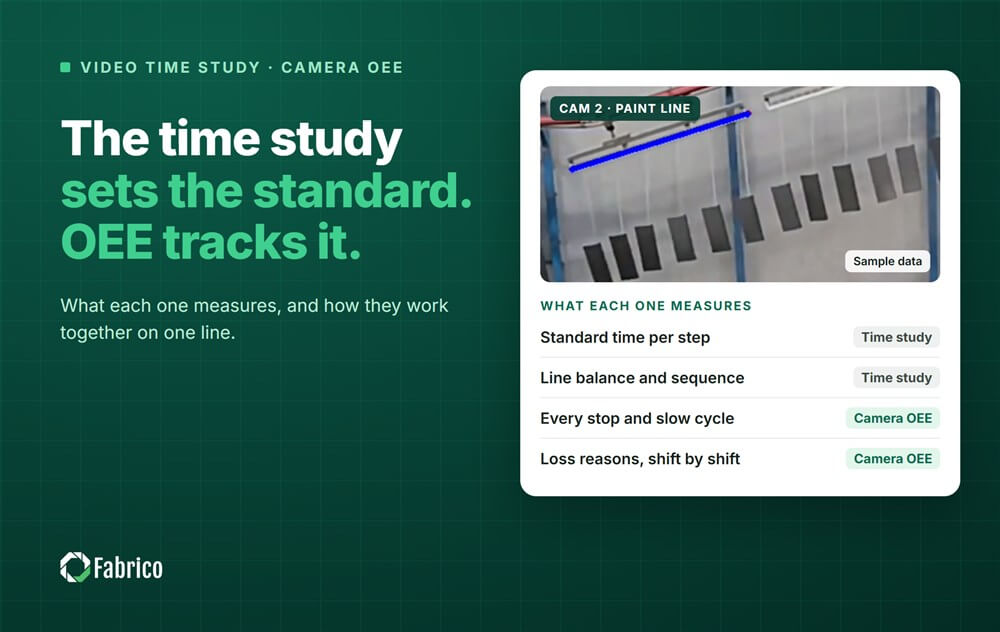

A time study answers one question: how long should this step take? OEE answers another: how much of the planned time did the line actually turn into good parts?
Cameras now help with both. That is why the two get mixed up, and why plants sometimes buy a time study tool when they wanted to see their downtime, or the other way round.
Video time study software records a station, splits each cycle into steps and compares the steps with a standard. An industrial engineer uses it to set the standard time, balance work between stations, find steps that add no value and check ergonomics.
The output is a better process design: a station layout, a work sequence and a standard time per step. Some tools work from a phone video of a few cycles; others record a station for a longer period.
Camera-based OEE watches the line while it runs. A camera shows what happened at the moment of a stop, so the stop gets recorded with its reason instead of being guessed at the end of the shift. Camera counts land on the same timeline as PLC and sensor data, so availability, performance and quality come from one calculation.
The output is a daily picture of losses: which stops cost the most time, which line runs slower than its ideal cycle time, and where good parts are lost.
| Video time study | OEE from cameras | |
| Question it answers | How long should each step take? | Where did the planned time go today? |
| Unit of analysis | One step of one cycle at one station | Every stop, slow cycle and reject on the line |
| Typical user | Industrial or process engineer | Production manager, shift lead, maintenance |
| How often | A study, then again when the process changes | All the time, shift by shift |
| Output | Standard times, balanced stations, a better sequence | Loss reasons, trends, actions for the next shift |
You are designing or rebalancing a manual line and need standard times per step.
One station keeps falling behind and you want to see which step causes it.
You are preparing a kaizen event and need a clean picture of the current method.
Short stops and slow cycles never make it into the shift report.
Older machines have no PLC signal you can read, so downtime is logged by hand or not at all.
You want to know every day which loss costs the most, not once a quarter.
The time study sets the standard. OEE shows every day how far the line runs from it. Run the time study on the bottleneck station, use its result as the ideal cycle time, and the performance part of OEE now measures the gap against a standard you trust.
When OEE shows the gap growing, the camera record of the stops and slow cycles tells you where to look, and a new time study on that station shows whether the method itself has to change. If you keep the study results in a structured way, our time study data model shows one layout that works.
Fabrico is an MES and OEE platform with maintenance built in, and computer vision is one of its data sources next to the PLC and IoT sensors. When a line stops, the footage, the machine record and the operator's reason sit in one place, connected with work orders and machine states. That is the daily side of the picture; a time study tool stays the right choice for designing the work itself.
Installing the devices and connecting the machines takes about one month. Full rollout across the lines you choose takes 3 to 4 months. If you are deciding how much MES you need around it, our guide to light MES walks through the functions closest to the machine.
Sometimes the same camera view serves both, but the software does different work: a time study tool breaks cycles into steps for an engineer, while OEE software turns stops and counts into a running loss picture for the people running the line.
No. You can start OEE with the ideal cycle time you have today. A time study makes the performance number more trustworthy, so it is worth doing on the bottleneck once OEE shows where the losses are.
No, it keeps the reason honest. The camera shows what happened at the moment of the stop, and the operator's reason sits next to that footage in one place.
Book a demo to see computer vision OEE on your own line.







 Login
Login
 Blog
Blog