






 Login
 Blog
PLC Connectivity for OEE Monitoring: Connecting Every Machine to Real-Time Data

Why Machine Connectivity Is the Foundation of Real OEE

Key Takeaways: OEE data quality depends entirely on how it's collected. Manual entry tends to produce numbers more optimistic than reality.
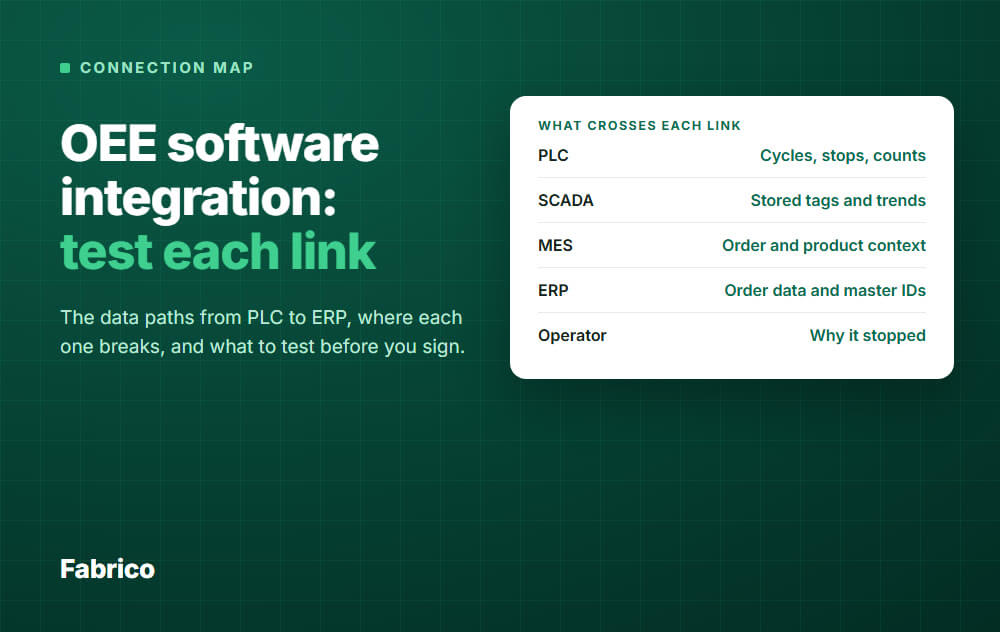
PLC-based automatic collection produces accurate, real-time data that reveals the true production performance. Fabrico connects to PLCs over OPC UA, Modbus, PROFIBUS, PROFINET, EtherNet/IP and EtherCAT, and IoT sensors cover legacy machines without digital outputs.
The most common OEE implementation question is not about software features or pricing, it's about machine connectivity. "Can your platform connect to our older PLCs?"
"We have a mix of old and new machines, how do you handle that?" "Our oldest press doesn't have any digital outputs at all, what do we do?"
These questions are the right ones to ask, because connectivity quality determines OEE data quality, and OEE data quality determines whether the numbers you see in the dashboard reflect what's actually happening on your production floor.
Manual OEE data entry, operators recording production counts and downtime at the end of each shift, tends to produce numbers more optimistic than the actual production performance. Operators report approximate numbers; supervisors round to the nearest 5 minutes; stops under 5 minutes often aren't reported at all.
The resulting OEE number provides false comfort and drives improvement investment toward the wrong problems.
Automatic PLC-based OEE data collection removes most of these errors. The machine reports its own state, count, and cycle time through its controller signals.
No human estimates, no rounding, no selective reporting. The OEE number reflects what actually happened, not what someone remembers or chooses to report.
Connectivity Options by Equipment Type
Modern PLCs with OPC-UA (post-2010 equipment): OPC UA is a standard protocol that many modern PLCs support, and it is one of the protocols on Fabrico's PLC link.
Where a controller has an OPC-UA server, this is often the cleanest path.
The practical limitation of OPC-UA: the specific OPC-UA server tags that expose machine state, production count, and cycle time vary by PLC brand, model, and application programmer.
For non-standard configurations, a qualified OT engineer may need to expose the required signals.
Legacy PLCs without OPC-UA (pre-2010 equipment): Older controllers often use other protocols. Fabrico's PLC link also covers Modbus, PROFIBUS, PROFINET, EtherNet/IP and EtherCAT.
Check those machines with us in a demo.
Machines without digital outputs (pre-digital or purpose-built equipment):
Not every machine has a PLC or digital signal that cleanly indicates run/stop state and production count. For these machines, Fabrico connects through a Fabrico IoT device. Three common sensor types:
- Current/power sensors: Clamp-on current transformers on the machine's main power feed detect when the machine is actively running vs idle based on current draw changes.
- Proximity/optical sensors: Sensors positioned to detect part presence at the machine output (a part passing a sensor = one production count). A direct way to count production.
- Vibration sensors: Accelerometers mounted on the machine frame detect operational vibration vs idle state. Often a better fit than current sensors for machines with variable load cycles.
Sensor-connected legacy machines then feed the same Fabrico OEE dashboard and analysis as PLC-connected machines.
Fabrico Computer Vision: Connectivity for Manual and Hybrid Stations
The connectivity options above handle machines with electronic control systems. A significant portion of manufacturing, particularly in high-mix, labor-intensive assembly operations, involves manual stations, semi-automated stations, and hybrid lines where human operators perform critical steps between automated processes.
PLC connectivity and IoT sensors don't capture what happens at these stations. They detect machine state changes but miss operator handling time, manual inspection steps, and the workflow inefficiencies that accumulate in human-machine interface zones.
Fabrico's computer vision, Inefficiencies Zoom-In, provides connectivity for these environments:
Camera-based production monitoring: Cameras positioned at manual or hybrid stations detect production events (part arrivals, operator interactions, product departures) and calculate actual cycle time per operation. No sensor installation, no electrical work, no machine modification, the camera observes and the computer vision algorithms interpret.
Anomaly detection and micro-stop capture: Beyond cycle time measurement, Fabrico's computer vision detects deviations from normal operating patterns, micro-stops, operator reaching into a machine to clear a jam, parts arriving in wrong orientation, quality inspection delays. These events are captured as video clips, categorized by type, and integrated into the OEE calculation as performance rate losses.
The combination of PLC connectivity for automated equipment, IoT sensors for legacy machines, and computer vision for manual stations brings them into a single OEE dashboard.
Network Path and OT Security: What to Ask
Connecting production machines to cloud-based OEE software introduces OT network security considerations that IT and OT teams appropriately scrutinize. Ask to go through the connection path in your demo, so IT and OT can review it.
The network path: A common pattern is a gateway in the DMZ between the OT network and the IT network, which reads machine signals on the OT side over protocols such as OPC UA or Modbus.
With that pattern, connections go outbound only over HTTPS, with no inbound connections from the internet to the OT network.
The aim is that the OT network is not exposed to the internet, and that no outside command can reach machine control systems.
Data handling: Raw PLC data may contain proprietary process parameters. Ask which data stays on the OT network and which leaves the plant network.
Link loss: If the link drops, the gateway can store machine data offline for up to 30 days, with automatic recovery within 72 hours by default. The Fabrico app has no offline mode, so it needs a working connection.
Plan an IT and OT security review before you connect machines, and ask for the network path and data flow in writing.
See Fabrico live. Book a demo.
Request a demoRelated articles





Real Fabrico tiles, sample data.