





 Connexion
 Blog

Revue de Siemens Opcenter OEE : OEE pilotée par le MES pour les sites de production Siemens

In short: Siemens Opcenter is Siemens' manufacturing operations management (MOM) portfolio: Opcenter Execution (MES), Opcenter APS (planning and scheduling), Opcenter Quality, Opcenter Intelligence, Opcenter X and more, which Siemens places between PLM and automation. This review walks through each part, the loop back to engineering, traceability and genealogy, and what Siemens documents about OEE, from siemens.com as of 14.11.2026.
- Opcenter Execution has six industry variants on Siemens' Execution page, from discrete job shops to semiconductor fabs.
- Siemens names forward and backward traceability of components as MES functionality, and lists genealogy for Opcenter X.
- For OEE, Siemens documents Opcenter Execution Foundation OEE and Opcenter Intelligence dashboards.
Plants that look up Siemens Opcenter tend to ask two things. Is this the MES and MOM suite for orders, quality and traceability? And if OEE is the first need, is a full MOM portfolio the route to it? Siemens' own pages answer the first; a worked example helps with the second.
Each Siemens fact links to its Siemens page, as of 14.11.2026.
What is Siemens Opcenter?
Siemens' Opcenter page calls it "a unified manufacturing operations management (MOM) solutions portfolio" (as of 14.11.2026). The same page describes MOM as "the real-time software layer that links product lifecycle management (PLM) to automation". Put plainly: above the PLCs and machines and below the ERP and engineering tools, MOM software runs and records production.
The layering follows ISA-95, standards that ISA describes as for "integrating logistics systems with manufacturing control systems." MES is the core of the MOM layer. Siemens' MES page says "MES software serves as a central hub for managing, controlling and optimizing manufacturing execution and processes." In the Opcenter portfolio, MES sits next to planning, quality, intelligence and logistics products, and together they make up MOM.
The Opcenter product family, as Siemens lists it
Siemens' overview page lists these products and capability areas (as of 14.11.2026).
| Product | What Siemens says it does | Siemens page |
|---|---|---|
| Opcenter Execution | MES variants for discrete, process, electronics, medical device, pharma and semiconductor | Execution |
| Opcenter APS | Planning and scheduling: Opcenter Planning, Opcenter Scheduling, Opcenter Scheduling SMT | APS |
| Opcenter X Quality | Cloud QMS: inspections, deviations, non-conformances and SPC | Quality |
| Opcenter Intelligence | Manufacturing intelligence, in cloud and on-premises products | Intelligence |
| Opcenter RD&L | Research, development and laboratory platform | Overview |
| Opcenter Intra Plant Logistics | Material flow from warehouse to shop floor | Overview |
| Opcenter X | Cloud SaaS MOM with a modular approach for the SMB market | Opcenter X |
| Opcenter X Intosite | Cloud-based digital twin connecting people, processes and data | Overview |
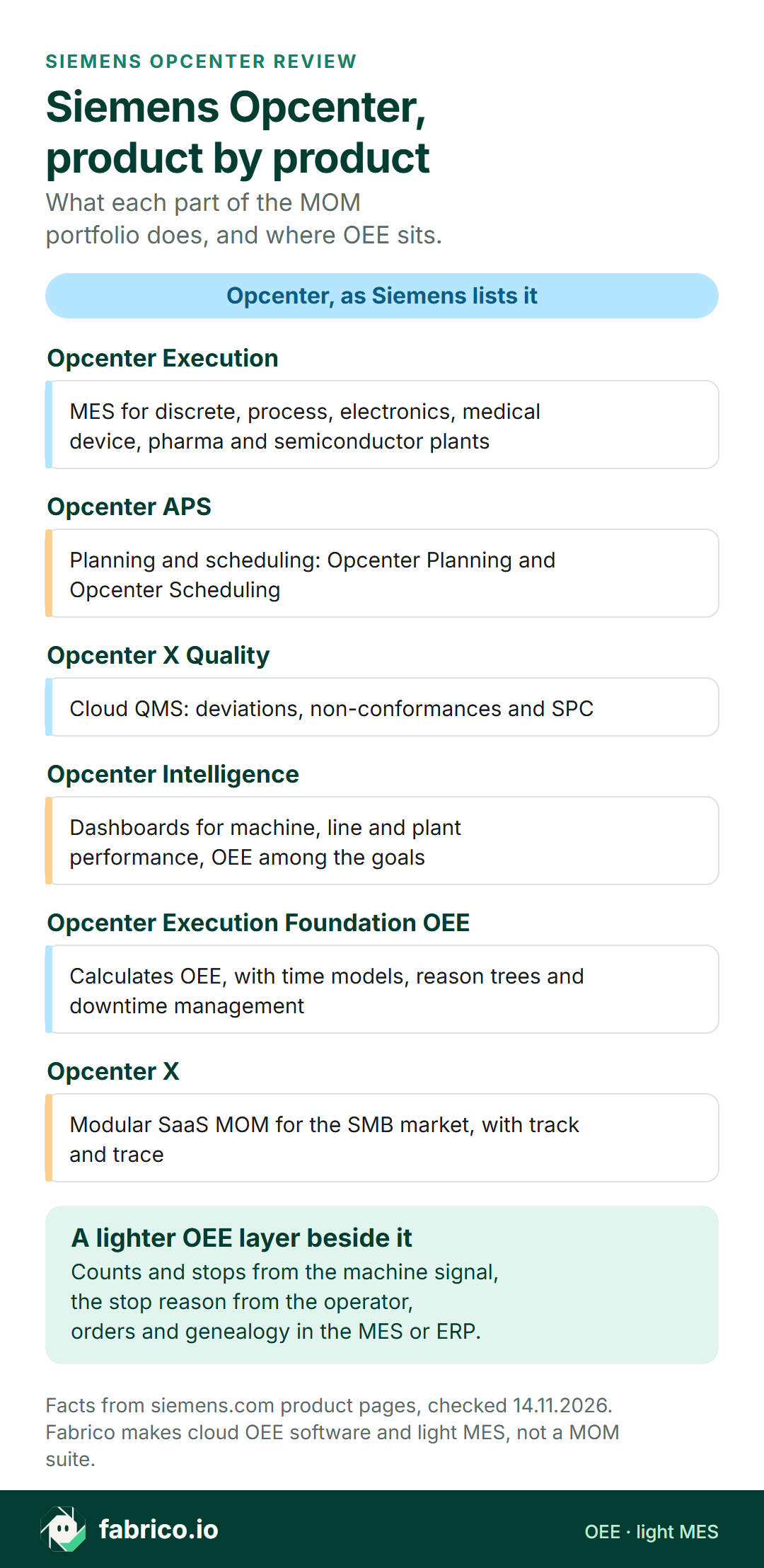
Text version of this infographic
- Opcenter Execution: MES for discrete, process, electronics, medical device, pharma and semiconductor plants.
- Opcenter APS: planning and scheduling with Opcenter Planning and Opcenter Scheduling.
- Opcenter X Quality: cloud QMS for deviations, non-conformances and SPC.
- Opcenter Intelligence: dashboards for machine, line and plant performance, OEE among the goals.
- Opcenter Execution Foundation OEE: calculates OEE, with time models, reason trees and downtime management.
- Opcenter X: modular SaaS MOM for the SMB market, with track and trace.
- A lighter OEE layer beside it: counts and stops from the machine signal, the stop reason from the operator, orders and genealogy in the MES or ERP.
- Facts from siemens.com product pages, checked 14.11.2026.
Opcenter Execution: one MES name, six variants
Opcenter's MES product line is Opcenter Execution. Siemens' Execution page lists six variants (as of 14.11.2026):
- Discrete: "a dedicated manufacturing execution system (MES) for discrete manufacturing job shops and complex assembly operations."
- Process: built "to ensure the perfect quality required of process-manufactured products."
- Electronics: for "printed circuit board, mechanical assembly and box-build production."
- Medical Device and Diagnostics: MES functionality "including electronic device history records (eDHR)".
- Pharma: "paperless manufacturing and electronic batch recording (eBR) of pharmaceuticals."
- Semiconductor: for "the particular needs of all semiconductor production operations."
Across the family, Siemens says "Opcenter Execution systems provide up-to-the-minute reporting of actual manufacturing operations and compare historical and expected results."
Opcenter APS in brief
Siemens' APS page says "Opcenter advanced planning and scheduling provides customizable product planning and scheduling" (as of 14.11.2026). It names three products. Opcenter Planning "considers forecast and long-term orders". Opcenter Scheduling "creates production schedules based on availability of resources". Opcenter Scheduling SMT "supports decision-making for resource allocation". Siemens lists goals such as "Detect bottlenecks, reduce setup time" and "Easily identify shortages".
For OEE, APS matters because the schedule sets planned production time, the base of availability. The OEE system has to use the same planned time.
How Opcenter closes the loop between manufacturing and engineering
Siemens comes back to this theme across its pages. Its Opcenter overview lists "Continuous, closed-loop improvement" and "Compare as-planned and as-is data to improve innovation", and describes MOM as "connecting the virtual world of product development with the real world of production" (as of 14.11.2026).
- Down from engineering. Opcenter Execution MES products "optimize manufacturing operations, accurately reflecting design, engineering and process data in the production of actual finished products."
- Into the machines. The same page talks of delivering "the comprehensive digital twin to the factory floor, accelerating production by digitally linking enterprise systems with automated manufacturing equipment."
- With PLM in assembly. On the Discrete page, "A closed collaboration with PLM software allows to successfully manage flexible and complex assembly processes".
- Back up as quality data. Siemens' quality page invites you to "Implement a digital closed-loop quality approach across the product lifecycle" and "Reuse engineering data, such as CAD models with product manufacturing information (PMI)". The same page names Teamcenter Quality for the lifecycle side.
Ask Siemens or its partner to show this loop on the exact products and versions you would buy.
Traceability and genealogy in Opcenter
Traceability is a core MES job, and Siemens describes it in several places (as of 14.11.2026):
- Execution page: "MES functionality enables forward and backward traceability of components and their use within each end product." The products also "manage and track the movement and storage of materials, in-process items and finished products".
- MES page: "Traceability and genealogy speed up access to product, production and supply chain data."
- Opcenter X page: genealogy is described as a way to "Provide a complete view of the activities performed to produce final material", next to track and trace and non-conformance management.
Genealogy is only as good as the lot data captured at each step, so list which steps record what.
OEE inside Opcenter: what Siemens documents
Siemens documents OEE in three places, as of 14.11.2026:
- Opcenter Execution Foundation OEE. Siemens' Foundation OEE page says "It calculates OEE and makes this information visible to all stakeholders." You can "Easily generate plant engineering algorithms, time models, reason trees and state transition table (STT) calendars", and "Opcenter Execution Foundation OEE supports Opcenter Execution Discrete and Opcenter Execution Process MES software." Siemens lists performance analysis, root cause analysis, alarms with corrective actions and downtime management.
- Opcenter Intelligence. The Intelligence page names the goal to "Improve overall equipment effectiveness (OEE), increase throughput and optimize resource utilization", says it "provides operators with KPI dashboards and real-time visibility into current downtime causes", and "enables both line and plant benchmarking".
- MES in general. Siemens' MES page lists the ability to "compute overall equipment effectiveness".
The arithmetic never changes: availability x performance x quality. The effort goes into the inputs: the time model, an ideal rate for each product, and the reason tree. Our OEE calculation guide walks through each input.
Who Opcenter fits, as Siemens frames it
Siemens frames Opcenter by industry and by scope (as of 14.11.2026). The Execution variants name discrete job shops and complex assembly, process plants, electronics, medical device makers, pharma and semiconductor. Opcenter X is described as a modular SaaS approach "for the SMB market", and Siemens' Opcenter X page lists SaaS, VPC and on-premises options.
Read together, the pages describe a buyer who wants execution, planning, quality and the engineering loop in one portfolio, often with regulated records such as eBR or eDHR.
Opcenter or a lighter layer: match the first job
Pick by the job you need done first, not by the size of the suite:
- If the first job is running orders, routings and electronic batch or device history records, look at Opcenter Execution in your industry's variant.
- If it is finite scheduling or long-term planning, look at Opcenter APS.
- If it is deviations, non-conformances and SPC, look at Opcenter Quality.
- If it is feeding as-built and quality data back to engineering, look at the loop Siemens describes between Opcenter and its PLM side.
- If it is OEE and stop causes on a few lines, with orders staying in the ERP, look at a lighter OEE layer.
- If you need both, run them side by side: an OEE layer on the lines, an MES project on its own plan, and one agreed owner of the OEE number.
Our light MES vs full MES guide sets out the split, and the MES software buying guide covers the wider field.
Where a lighter OEE layer fits
OEE needs a run or stop signal, a count, planned time, an ideal rate and stop reasons people trust. A lighter OEE layer collects those and little else.
Where regulators or customers require genealogy or electronic batch records, our light MES guide says to plan for a full MES or keep traceability in the ERP. For the software side, see our OEE software guide.
Where Fabrico fits beside Opcenter
Fabrico is cloud OEE software with a light MES. Per our MES and OEE overview and light MES guide:
- Signals first. Stops and counts are read from the machine signal: a PLC, sensor or counter.
- People add the why. Whoever runs the machine tags why it stopped, from a phone or a tablet.
- Camera add-on. The camera add-on counts output where a step is manual or a machine gives no usable signal (how the camera add-on works). A camera suggesting a stop reason is Roadmap. Video is streamed on request, not stored.
- Results. OEE, downtime and the money lost, per line and per shift, in a browser or the iOS and Android apps.
- Exports. Numbers can be pulled into an ERP or BI tool through the REST API or webhooks, or downloaded to Excel and CSV.
- Not Fabrico. Fabrico is not a MOM suite. Job dispatching, BOMs, routings and genealogy stay in your ERP, and production planning and scheduling are not part of Fabrico today.
So Fabrico sits beside an MES such as Opcenter, or comes first when OEE is the job. For consumer goods lines, our FMCG computer vision hub shows where the camera add-on counts.
To see the OEE side live, book a demo.
Worked example: one blow-moulding shift, scored for OEE
Sample data, invented for this page: an extrusion blow-moulding machine making 1 litre HDPE bottles over one 10 hour shift. It is not a real plant and not a Fabrico screen.
- Planned production time: a 600 minute shift minus 40 minutes of breaks = 560 minutes.
- Stops: 70 minutes in total (mould change 28, parison blockage 18, waiting for resin 14, unclassified 10). Run time = 560 minus 70 = 490 minutes.
- Availability: 490 / 560 = 87.5%.
- Performance: at an ideal 20 bottles a minute, 490 minutes could make 9,800 bottles. The machine counted 8,820. 8,820 / 9,800 = 90.0%.
- Quality: the line's reject signal counted 264 rejects, so 8,556 good bottles. 8,556 / 8,820 = 97.0%.
OEE is 87.5% x 90.0% x 97.0% = 76.4%. Check: 8,556 good bottles against 11,200 possible in 560 minutes is also 76.4%.
With Foundation OEE, Siemens describes time models and reason trees that classify these minutes, and the MES ties the shift to its order and lot. In a lighter OEE layer, the machine signal gives the 70 minutes and the 8,820 count, and the operator picks the reason. Either way, the 28 minute mould change is the biggest loss, and the 10 unclassified minutes need a reason before anyone can act.
Questions to ask Siemens or its partner about Opcenter
- Which Opcenter products does our scope need, and which Execution variant fits our plant?
- Where is OEE calculated in the proposed setup: Foundation OEE, Opcenter Intelligence, or both?
- Who builds and maintains the time model and the reason tree, and how do operators pick a reason at the line?
- How does each machine report run, stop and count: PLC tags, a gateway, or manual entry?
- Which PLM products and versions does the closed loop need, and what flows back from production?
- Which steps record lot and serial data for genealogy, and who confirms them?
What people ask next
What is Siemens Opcenter and how does it support MES and MOM?
Siemens calls Opcenter a unified manufacturing operations management (MOM) portfolio. MES is one part of it: Opcenter Execution comes in variants for discrete, process, electronics, medical device, pharma and semiconductor plants. Planning and scheduling (Opcenter APS), quality (Opcenter Quality), manufacturing intelligence and logistics products sit beside it, per Siemens, as of 14.11.2026.
How does Opcenter close the loop between manufacturing and engineering?
As Siemens describes it, Opcenter is the layer that links PLM to automation. Design, engineering and process data flow down into production, and as-is data flows back so engineering can compare it with the plan. Siemens also describes a closed-loop quality approach that reuses engineering data such as CAD models with product manufacturing information.
Does Siemens Opcenter include OEE?
Siemens documents OEE in more than one place. Opcenter Execution Foundation OEE calculates OEE and supports Opcenter Execution Discrete and Process, and Opcenter Intelligence names improving OEE among its goals, with KPI dashboards and current downtime causes, per Siemens, as of 14.11.2026.
What is Opcenter APS?
Opcenter APS is Siemens' advanced planning and scheduling family. Siemens lists Opcenter Planning, which considers forecasts and long-term orders, and Opcenter Scheduling, which creates production schedules based on resource availability.
How does Opcenter handle traceability and genealogy?
Siemens says its MES functionality gives forward and backward traceability of components and their use within each end product. Its MES page says traceability and genealogy speed up access to product, production and supply chain data, and the Opcenter X page lists genealogy.
Can Fabrico run next to Siemens Opcenter?
It can, as a separate OEE layer. Fabrico reads run, stop and count from the machine signal, operators pick the stop reason, and its numbers can be pulled out through the REST API or webhooks, or downloaded to Excel and CSV. Fabrico does not claim a built-in Opcenter connector, so decide up front whose OEE number is the official one.
Want OEE and stop reasons beside your MES? Book a demo.
Siemens Opcenter et OEE
Siemens Opcenter est une plateforme de gestion des opérations de fabrication qui couvre le MES, la gestion de la qualité et l'analyse de la production, y compris l'OEE.
Elle fait partie du portefeuille Digital Industries plus large de Siemens et s'intègre nativement au matériel d'automatisation Siemens, TIA Portal, automates SIMATIC et suite de production SIMATIC IT. Pour les fabricants ayant investi massivement dans l'automatisation Siemens, l'intégration OT/IT native d'Opcenter constitue une raison convaincante de l'évaluer aux côtés de plateformes OEE dédiées.
Opcenter OEE (anciennement partie de SIMATIC IT OEE Monitor) fournit une surveillance de l'OEE en temps réel, l'analyse des arrêts et des rapports de quart.
La force de la plateforme réside dans sa connectivité native aux automates Siemens et dans son intégration à la suite Opcenter MES, les ordres de production, la gestion de la qualité et l'OEE partagent le même modèle de données.
Cette profondeur d'intégration est difficile à reproduire avec une plateforme OEE autonome greffée sur un environnement d'automatisation Siemens.
Points forts et points faibles d'Opcenter OEE
Points forts: L'intégration native avec Siemens est le principal avantage. Pour les usines utilisant des automates S7 avec TIA Portal, Opcenter peut capturer les signaux machine avec une profondeur et une fiabilité telles que les outils OEE tiers doivent réaliser d'importants travaux d'intégration sur mesure pour atteindre la même connectivité.
L'intégration d'Opcenter MES fait que les données OEE sont automatiquement liées aux ordres de production et aux événements qualité. Le réseau mondial d'assistance de Siemens et son engagement à long terme envers le produit rassurent les grands fabricants qui doivent prendre une décision stratégique de plateforme.
Points faibles: Opcenter est un produit pour entreprises, avec une complexité d'implémentation et une tarification à l'échelle entreprise.
Ce n'est pas un outil que l'on déploie en quelques semaines: une mise en œuvre complète d'Opcenter est un projet de 6 à 18 mois nécessitant l'intervention des Siemens Professional Services ou d'un intégrateur certifié.
Pour les fabricants dépourvus d'infrastructure d'automatisation Siemens existante, les avantages en termes de connectivité ne s'appliquent pas et la prime de coût/complexité est plus difficile à justifier. La connectivité avec des automates non-Siemens requiert des travaux de configuration supplémentaires qui compensent partiellement l'avantage de l'intégration native.
Opcenter vs OEE autonome pour les usines Siemens
Le cas en faveur d'Opcenter est le plus convaincant dans les grandes usines fortement automatisées avec des équipements Siemens, déjà engagées dans l'écosystème Siemens Digital Industries et disposant des ressources nécessaires à une mise en œuvre complète d'un MES. Dans ce contexte, l'intégration native d'Opcenter et l'alignement à long terme avec le fournisseur justifient l'investissement.
Pour les usines Siemens qui ont besoin d'une visibilité sur l'OEE rapidement sans un projet MES complet, une plateforme OEE autonome avec connectivité Siemens S7 (Fabrico prend en charge S7 nativement) fournira des données OEE en temps réel en quelques semaines pour une fraction du coût.
De nombreux fabricants clients de Siemens trouvent cette approche « OEE maintenant, MES plus tard » plus pratique que d'attendre un déploiement complet d'Opcenter.
Voyez comment Fabrico réunit TRS et maintenance sur une seule plateforme.
Planifier une démonstrationArticles connexes




Dernières nouvelles de notre blog
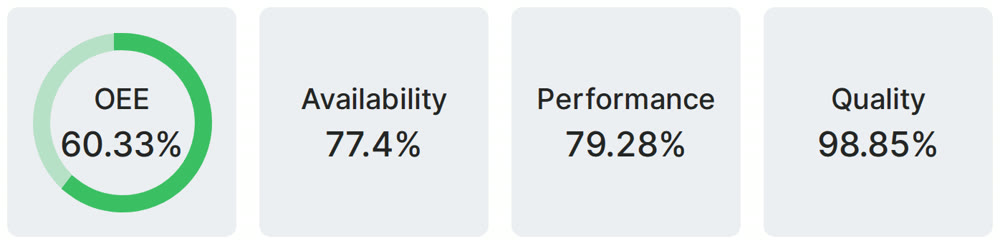
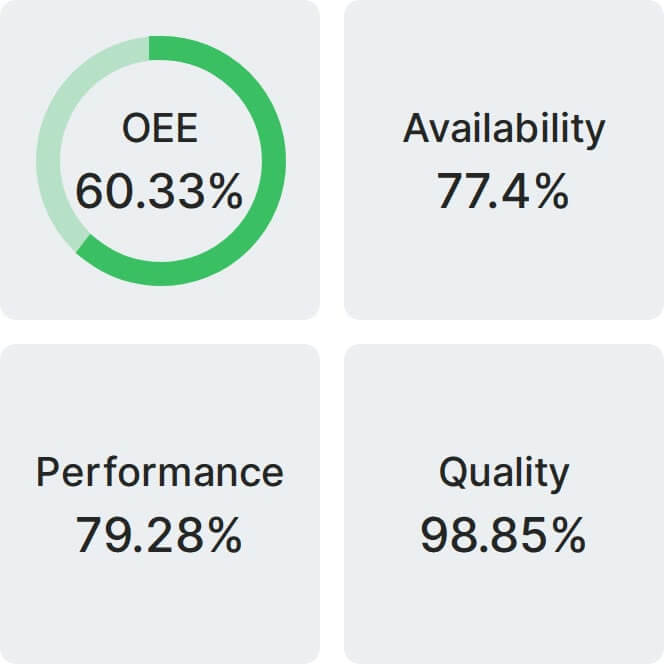
Tuiles Fabrico réelles, données d'exemple.