


 Login
 Blog
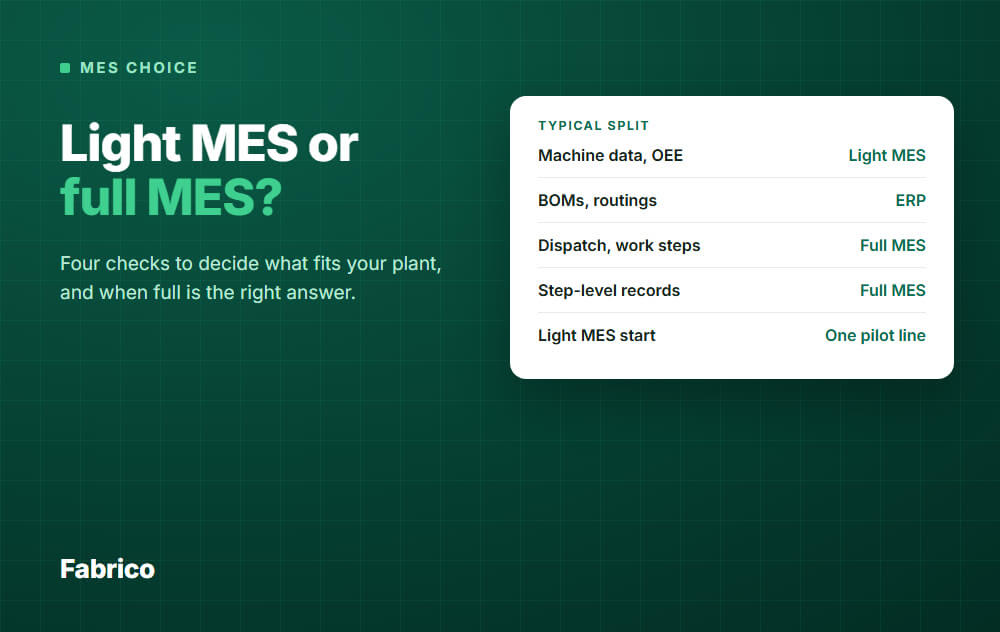
Light MES vs Full MES: Four Checks to Decide What Fits Your Plant

In short: Pick a light MES when most lost time sits at the machine and your ERP already handles orders well. Pick a full MES when rules or customers demand step-level records your current system cannot give, or when the wrong job on the wrong line is your daily pain.
- A full MES adds dispatching, enforced work steps, in-process quality checks and genealogy.
- A light MES leaves orders, BOMs, routings and genealogy to the ERP, so the ERP must be up to it.
- Scope, integration and master data drive the cost gap, not the plant's size alone.
- You can mix: full depth on the lines that need it, light on the rest.
One vendor tells you a light MES is all you need. Another tells you it will leave gaps.
Both can be right, depending on your plant.
This page gives you four checks to settle it: follow one order, test your ERP, tally one week of losses, and look for hard triggers.
One note: we sell a light MES, so read this with that in mind. We also say plainly when a full MES is the right answer.
The terms, in plain words
Lightweight MES and MES lite mean the same thing as light MES. Traditional MES and full-suite MES mean the same thing as full MES.
No standard draws the line between them. The ISA-95 standard defines the interface between business systems and control systems.
MESA International, which closed in June 2026 and passed its content to ISA, defined 11 MES functions in a 1997 white paper. The set is often called MESA-11. Neither says how many functions make a system "light".
So ignore the label and ask which functions a product really covers. The function-by-function list is in our light MES guide, and how to compare vendors is in MES software.
Check 1: follow one order through both setups
Feature lists blur together. One order, step by step, shows the real difference.
This is a typical picture, and products differ.
| Step | Plant with a light MES | Plant with a full MES |
|---|---|---|
| Order released | In the ERP | In the ERP, then sent to the MES |
| Job sent to the line | ERP list, planner or supervisor | MES dispatch list at the station |
| Setup and work steps | Paper, a document system or a station app | Shown by the MES, and often enforced |
| Materials used | Booked in the ERP | Scanned at the station, then sent to the ERP |
| Line runs | Output and cycles read from the machine | Operator confirmations, machine data if connected |
| Line stops | Stop time from the signal, cause from the operator | Depends on the product, so ask to see it |
| Quality check | Good and scrap counts for OEE, checks elsewhere | Checks inside the flow, with holds if they fail |
| A complaint months later | Lot records in the ERP or on paper | Unit or lot history from the MES |
A light MES watches the machine and asks why it stopped. A full MES directs the work and records that it was done right.
Check 2: can your ERP carry what a light MES leaves behind?
A light MES does not remove the order-side work. It leaves that work where it is today.
Answer these five questions about your ERP, or whatever does this job now:
- Orders: are released orders correct and on time, without a side spreadsheet?
- Dispatch: does the line know what runs next, and does it hear about changes in time?
- BOMs and routings: are they current, and does someone own them?
- Materials: are consumption and scrap booked close to the real figures?
- Lots: can you trace a lot back and forward in the time a customer or auditor allows?
Mostly yes? A light MES fits on top and adds the machine view an ERP rarely has.
A no is a gap that a light MES will not close. Your options are an ERP module, a station app, a better routine, or a full MES.
Price those before you decide.
Check 3: tally one week of losses
Ask supervisors to log one week of lost hours in two columns.
The first is machine losses: breakdowns, short stops, slow running, changeovers and scrap at the machine. The second is order losses: wrong job, wrong revision, waiting for instructions, rework from a missed step.
Nobody can log slow running by hand. Take the output gap, multiply it by the ideal cycle time, and add those hours.
Two plants, with example data. Both have 4 lines on 2 shifts of 8 hours for 5 days, so 320 scheduled hours.
| Example data | Plant A: long runs | Plant B: high mix |
|---|---|---|
| Machine losses | 64 hours (20 percent) | 48 hours (15 percent) |
| Order losses | 20 hours (6.25 percent) | 72 hours (22.5 percent) |
| What it points to | Light MES first | Fix the order side first |
Read the tally with care. Hand logs miss short stops, so the machine column is usually too low.
A light MES can show order losses as tagged stops, but it will not prevent them. That is why Plant B starts on the order side.
Waiting for materials does not count as an order loss on its own. It may be a planning or purchasing problem that no MES fixes.
To turn hours into money, use the field guide on pricing a stopped hour.
Check 4: when a full MES is the right answer
A full MES earns its scope when one of these is true:
- You must prove what happened at each step of each batch or unit, to a regulator or a customer.
- A wrong step causes a safety problem or a recall, so the system must block it, not just record it.
- High mix and frequent changes make dispatching and work instructions your main daily loss.
- Operators must follow instructions that change often, and paper cannot keep up.
- Material use must be scanned and booked at the station, by order.
Rules ask for records, not for a product
Do not assume a regulated plant needs a full MES, and do not assume it does not. Read what the rule asks for.
- US drug makers: 21 CFR 211.188 asks batch records to show each significant step, with dates, equipment, component batches, yields and who did or checked the work. It does not name a type of software.
- Electronic records in that setting: if you keep those records in a closed electronic system, 21 CFR 11.10 calls for system validation, computer-generated audit trails and authority checks. That is a big part of why these projects are heavy.
- EU food: Article 18 of Regulation 178/2002 works on one step back, one step forward: identify your immediate supplier and the business you supplied, and give that to authorities on request.
- Inside an EU food plant: EU guidance from 2010 says the regulation does not expressly require a link between incoming and outgoing products. Sector rules and customer contracts can ask for more.
- Automotive: we read a published summary of the IATF 16949 traceability section, not the paid standard. It describes an analysis of customer and regulatory needs, with plans based on risk.
- Automotive methods: that summary lists labels, job travelers and lot control, and serial numbers per part if the customer specifies them. Check the standard and your customer's own rules.
This is our plain reading, not legal advice. Your quality lead and your auditor decide what is enough.
Ask them what must be recorded, at what level, and how fast you must retrieve it. Then see whether your current records already pass.
Weak reasons to buy a full MES
- "We may need it one day." Scope you will not use for years still has to be configured and kept current.
- "One system for everything sounds tidier." Tidy on a slide, but each function needs an owner on the floor.
- "The checklist has more ticks." Count the functions you will use in the first year, not the ones on offer.
What drives the cost, without the price tags
Quotes are hard to compare because the two options spend money in different places. Use this typical picture to ask where each quote is thin.
| Driver | Light MES | Full MES |
|---|---|---|
| Software scope | A few functions | Many modules across several functions |
| Machine connections | The main technical work, more on older machines | The same work where machine data is in scope |
| ERP integration | Narrow, only what the use case needs | Wider: orders, BOMs, routings, materials, actuals |
| Master data | Stop reasons, ideal cycle times | Routings, instructions and quality plans by product |
| Floor hardware | Sensors, cameras, tablets where needed | Also station terminals, scanners, label printers |
| Validation | Small, unless it holds regulated records | Large where regulated e-records apply |
| People | Line champions, a process owner, some IT | Planners, quality, process engineers, IT and OT |
Two costs rarely show up on a quote.
The first repeats. With a full MES, each new product or route change means master data to build and test.
Ask who does that work after go-live, and how many hours it takes.
The second is delay. While a long project runs, the losses keep running too.
Our guide on MES cost, time and team covers the budget side.
What the rollout asks of your team
Most light rollouts start on one pilot line. Our light MES guide compares the starting points, so this table covers what your people must do.
| Question | Light MES | Full MES |
|---|---|---|
| Needed before go-live | Signal access, reason codes, a daily review owner | Agreed processes, master data, interfaces, test plans |
| Change for the operator | Tag the cause of a stop | New screens for steps, materials and confirmations |
| First useful result | Loss data once a line is connected and causes are tagged | Often after several functions are live |
Neither column is a promise. Ask any vendor for a dated plan, with what each side must provide.
Large programs tend to stall for organizational reasons more than technical ones. See why MES implementations fail before you sign.
The mixed plant: decide line by line
The choice does not have to cover the whole site. A plant may run one regulated line next to five packing lines with no such demand.
Put the depth where a requirement or a tally justifies it. Keep the other lines light.
Three rules keep a mixed setup from turning into a mess:
- One system owns each record. Decide where stop causes and OEE live for each line.
- Use one OEE definition across the site, or the numbers will not compare.
- Do not give an operator two screens for the same stop.
Where Fabrico fits
Fabrico is on the light side: a cloud MES and OEE platform built around the machine and its losses.
- Machine data comes from PLCs, IoT devices with sensors for older machines, and AI cameras for manual or hybrid steps.
- Stops are recorded where one of those signals exists, and the operator tags the cause on a tablet or phone.
- You see OEE by machine, line and shift, split into availability, performance and quality.
- It connects to SAP S/4HANA, and to other systems through custom integration, a REST API or webhooks. Ask what flows each way in your setup.
Now the plain part. Fabrico does not do job dispatching, BOMs, routings or genealogy.
Those stay in your ERP or another system. Production scheduling is not available today.
If Check 4 points you to a full MES, Fabrico alone will not meet that need.
Plan on about 1 month to install and connect devices, and 3 to 4 months for a full rollout. Details are in the Fabrico MES and OEE overview.
Request a demo or Contact us to go through these checks for your plant.
What people ask next
How long does each one take?
It depends on scope. A phased MES project can take a few months at a small plant and several quarters at a large multi-line site.
For Fabrico, plan on the times in the section above. Ask any vendor for a dated plan.
Can a light MES replace the ERP?
No. The ERP keeps orders, stock and finance, and a light MES adds what the machine did and why it stopped.
Can we start light and move to a full MES later?
Sometimes, and it depends on the product. You may have to change software.
Your reason codes and daily review habit carry over either way. Ask each vendor about data export before you sign.
Does a full MES already include what a light MES does?
On paper, usually. Depth varies by product.
Ask to see it live: how a short stop shows up, and how an operator tags the cause.
Is a light MES enough for a small plant?
Size is not the test. A small plant under strict batch record rules may need more than a large plant running long, simple runs.
What should I ask for in a demo?
Bring one real order and one real week of stops. Ask the vendor to walk through both, then compare the answers with the table in Check 1.
Want to talk through your own lines? Request a demo or Contact us.






