


 Login
 Blog
Ignition vs Tulip: Plant Apps, Operator Screens, MES and OEE

In short: Ignition and Tulip both put software in front of operators, but they start from opposite ends. Ignition, made by Inductive Automation, is server software that acts as a hub for plant-floor data, used to build SCADA, HMI, MES and IIoT applications. Tulip calls itself a frontline operations platform where teams build apps with no-code editing, and it offers a Composable MES App Suite. Both name OEE on their pages. In both, the cause of a stop still comes from a person at the line.
- Ignition is built on SQL, Python, OPC UA and MQTT, with modules such as Vision and Perspective for screens.
- Tulip apps are built in its App Editor from steps, triggers, tables and connected devices.
- For MES functions, Inductive Automation points to Sepasoft modules for Ignition; Tulip offers app suites from its library.
- Sources: inductiveautomation.com and tulip.co, read on 13.11.2026 and linked where used.
A typical shortlist: the controls team already runs Ignition for alarms and trends, and the operations team has just seen Tulip apps guide an assembly station step by step. Both can show a downtime screen on a tablet. But they come at the shop floor from different directions, and that changes who builds the app and who keeps it alive.
This page compares Ignition and Tulip by job: operator screens, plant apps, machine data, MES functions and OEE. Fabrico makes OEE software with a light MES and wrote this page; its own product is described in the section headed with its name.
Ignition vs Tulip at a glance
Each row paraphrases the vendor pages linked in the next two sections, read on 13.11.2026.
| Job | Ignition | Tulip |
|---|---|---|
| How it describes itself | Server software, the hub for plant-floor data | A frontline operations platform for people, machines and agents |
| Screens and apps | Vision module for plant-floor and desktop screens; Perspective for phones, tablets and touch panels | Apps built in the App Editor with no-code editing |
| Building blocks | SQL, Python, OPC UA and MQTT; hot-pluggable modules | Triggers, tables and connectors; custom widgets in HTML, JavaScript or CSS |
| Machine data | OPC UA module for most major PLCs; MQTT modules | OPC UA server or MQTT broker; Edge IO and Edge MC devices |
| MES functions | Production tracking, recipes, OEE; Sepasoft MES modules | Composable MES App Suite; electronic batch records |
| OEE | Listed under MES on the homepage; Sepasoft OEE Downtime module | OEE tracking that combines machine states with operator reason codes |
| What "Vision" means | A visualization module for screens | Cameras and detectors embedded in apps |
| Where it runs | On premises, Ignition Edge devices, Cloud Edition on AWS or Azure | Its security page names AWS and Microsoft Azure; ask about on-site parts |
What Ignition offers for plant apps and operator screens
Inductive Automation, the maker, is based in Folsom, California, according to its homepage. As of 13.11.2026, its pages describe:
- A server at the centre. The Ignition platform overview describes one server that ties the plant floor together, runs across operating systems and rests on SQL, Python, OPC UA and MQTT. The homepage says its modules are hot-pluggable, so they can be installed, removed and upgraded without disturbing operations.
- Two ways to draw screens. The modules page lists the Vision module for plant-floor and desktop screens and the Perspective module for mobile-responsive industrial applications. The Perspective page says it runs on phones, tablets and touch panels, and can scan barcodes and use the device GPS.
- Machine data and reports. The OPC UA module connects to most major PLCs, and MQTT modules from Cirrus Link set up message-oriented middleware. The same page lists SQL Bridge, a historian suite, PDF reporting and alarm notification.
- MES functions. The homepage groups production tracking, recipe management and OEE calculation under MES. For deeper MES, the partner pages name Sepasoft, a Premier Technology Provider. Its modules use Ignition's module SDK and cover OEE Downtime, Track and Trace, Batch Procedure, SPC, Settings and Changeover, and Document Management (Sepasoft on inductiveautomation.com).
- Edge and cloud. Ignition Edge has two products: Edge IIoT for moving data and Edge Panel for local screens and control. Both go onto plant-floor or field devices and sync to a central Ignition server. Cloud Edition is offered through AWS and Microsoft Azure; its page says it is not a SaaS version of Ignition.
For the Inductive Automation call: who writes the scripts and screens, which modules the first phase needs, and who supports a module bought from a technology provider.
What Tulip offers for frontline apps and MES functions
Tulip's homepage presents a frontline operations platform where people, machines and agents work together. As of 13.11.2026, its pages describe:
- Apps built without code. Tulip's App Editor and no-code authoring page says teams create apps, add logic and build connectors with no-code editing. Triggers guide operator workflows and write to tables and connected systems. Reusable widgets can be built with HTML, JavaScript, CSS or AI, and co-authoring agents help build solutions.
- Work instructions. The digital work instructions page describes guided steps with images, video, PDFs and STL models, and when-if-then triggers. Each completed job records step durations, the operator, the station and the app version.
- Station devices. The Edge devices page says USB scanners, calipers and scales connect to the computer or tablet through Tulip's device drivers. Edge IO adds USB, GPIO and ADC inputs; Edge MC adds wireless connectivity with Node-RED and native OPC UA; a Machine Kit uses current sensors to bring machine utilization into apps.
- Machines and systems. The same page describes connecting Tulip to an OPC UA server or MQTT broker to capture machine attributes. The connectivity page names ERP, PLM and other business systems, with Node-RED, MQTT and OPC UA.
- Composable MES. The composable MES page invites buyers to move beyond rigid, pre-defined MES screens, starting from a human-readable common data model and the Composable MES App Suite in the Tulip Library, with an open API. The electronic batch records page links materials, equipment status, operator actions and e-signatures to the batch record, and says the platform aligns with FDA 21 CFR Part 11 and EudraLex Annex 11.
- Cameras. The Tulip Vision page describes RGB and depth cameras, ready-made detectors embedded in apps, and scanning and validating labels during receiving and packing.
- Hosting. The security and compliance page names AWS and Microsoft Azure, with daily backups across redundant locations.
For the Tulip call: which apps come from the library and which are built for you, who edits them once operators use them daily, and how the first machine gets connected.
Ignition vs Tulip, job by job
Put the same shop-floor job to both, and the difference is mostly about the starting point.
Operator screens. Both put screens on tablets, phones and panels. In Ignition, engineers design them in the Vision or Perspective modules, bound to tags and database queries. In Tulip, an app is a sequence of steps and triggers around the operator's task. Ask each vendor to build the same downtime entry screen live, and time how long a change takes.
Who builds and maintains it. Ignition's pages lead with SQL, Python, and modules, some from technology providers. Tulip's pages lead with no-code editing, with HTML and JavaScript for custom widgets. Ask both who in your plant would own the app in its second year, and what training that person needs.
Machine data. Both vendors name OPC UA and MQTT. Ignition adds an OPC UA module for most major PLCs and a historian. Tulip adds Edge IO and Edge MC devices and USB station devices such as scales and scanners. Ask each to draw the path from one of your controllers to the screen, with every box named.
MES functions. Ignition lists production tracking, recipes and OEE under MES, and the deeper modules, such as Track and Trace or Batch Procedure, come from Sepasoft. Tulip offers the Composable MES App Suite and electronic batch records with genealogy. With both, the MES part is a project in its own right. Write down which functions the first phase covers before comparing quotes.
Manual work. Tulip's OEE tracking page says step-level timing, cycle times and completion rates are captured in the background, and that it tracks production on fully manual assembly lines. Ignition's Perspective module brings barcode scanning and touch control to mobile devices at the station. Ask how a manual station reports count and cycle time in each.
Same word, two jobs. Ignition's Vision draws screens; Tulip Vision works with cameras. Keep that straight in requirement documents.
Ignition, Tulip, or both: match the first job
If the controls team owns the job and you need SCADA, HMI, alarms and a historian on one server, Ignition's pages speak to that work: tags, SQL and Python on a central server, with screens drawn in the Vision or Perspective modules.
If the job is guiding people at stations, with work instructions, scanners and scales, batch records and checks, Tulip's pages speak to that work: apps built from steps and triggers with no-code editing, changed by the team that runs the stations.
Both can run side by side when machines already report into Ignition and stations need guided apps. Ignition's OPC UA module serves as an OPC UA server, according to the modules page, and Tulip's Edge devices page describes capturing machine attributes by connecting Tulip to an OPC UA server or an MQTT broker. So the tags can stay in Ignition and the station app can read them from there. Decide early which system owns the stop reason list, so the codes do not split in two.
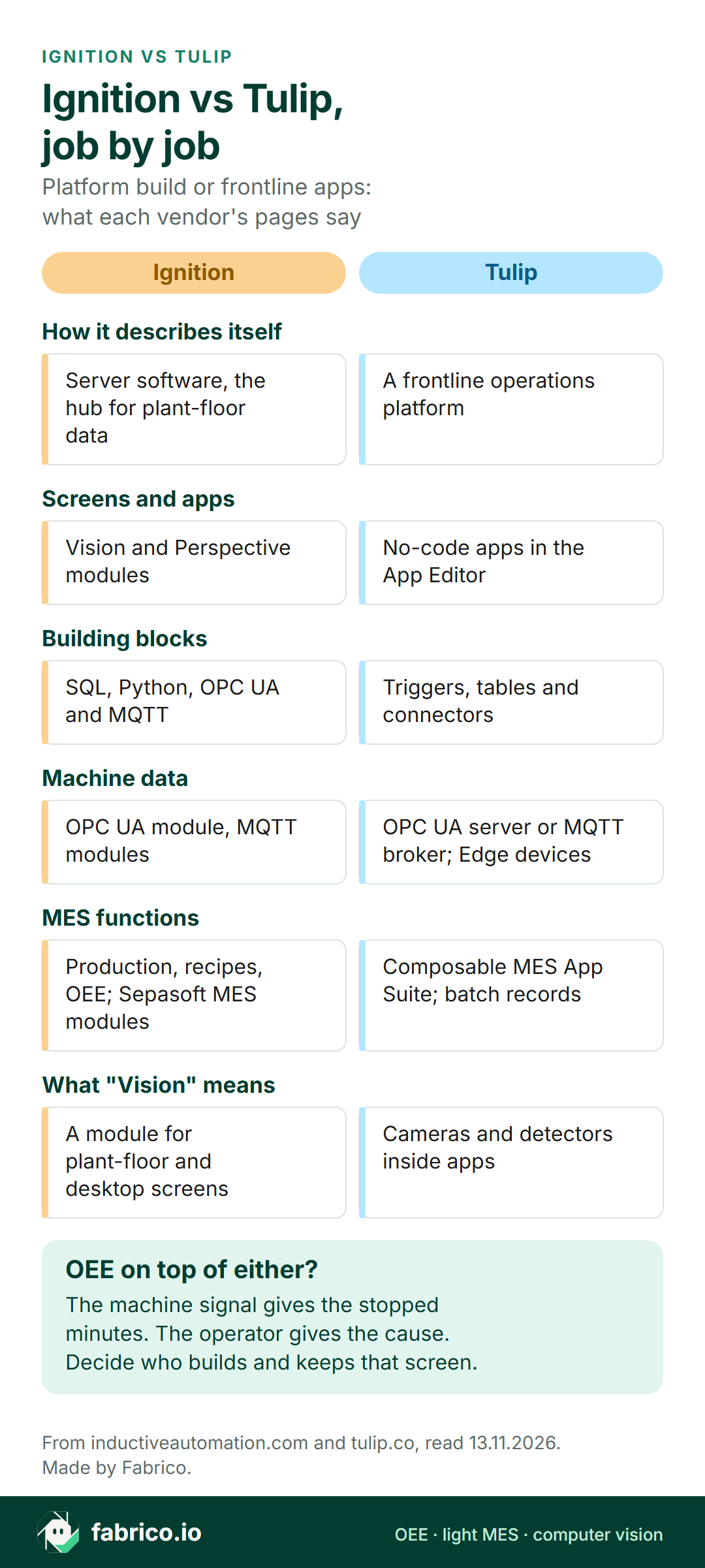
Text version of this infographic
- How it describes itself. Ignition: Server software, the hub for plant-floor data. Tulip: A frontline operations platform.
- Screens and apps. Ignition: Vision and Perspective modules. Tulip: No-code apps in the App Editor.
- Building blocks. Ignition: SQL, Python, OPC UA and MQTT. Tulip: Triggers, tables and connectors.
- Machine data. Ignition: OPC UA module, MQTT modules. Tulip: OPC UA server or MQTT broker; Edge devices.
- MES functions. Ignition: Production, recipes, OEE; Sepasoft MES modules. Tulip: Composable MES App Suite; batch records.
- What "Vision" means. Ignition: A module for plant-floor and desktop screens. Tulip: Cameras and detectors inside apps.
Where OEE fits beside Ignition or Tulip
OEE needs three inputs: when the machine ran or stopped, how much it made, and why it stopped. The first two come from a signal, a tag on the PLC or a sensor. The third comes from a person, because no tag knows that the line waited for a forklift.
Both vendors name OEE. Ignition's homepage lists calculating OEE under MES, and Sepasoft sells an OEE Downtime module for Ignition. Tulip's OEE tracking software page says it combines automated machine states with operator reason codes, with availability and performance coming from machine and PLC data over OPC UA or MQTT. So the real question is who builds the reason list, the screens and the shift reports, and who keeps them current when lines change.
| If this is you | Start by looking at |
|---|---|
| Controls team already runs Ignition and has time to build | OEE screens or the Sepasoft OEE Downtime module on that server |
| Operators already work in Tulip apps at the stations | Tulip's OEE tracking inside the same apps |
| Nobody has build time, and the ask is lost time by cause | A ready OEE product or light MES beside either |
| Manual stations with no machine signal | Station timing in apps, or a counting camera |
The split between the control layer and the operations layer has a standard behind it. ISA describes ISA-95, also known as IEC 62264, as defining the interface between control functions and other enterprise functions. Both products reach across that line.
Background on how the layers split: SCADA vs MES, PLC vs SCADA vs MES and OPC UA for OEE. Our light MES guide sorts products by what they record without anyone typing, which is a useful test for any shortlist.
Where Fabrico fits for teams building frontline apps
This part is our own view. Fabrico does not sell SCADA, HMI, a no-code app builder, connectivity or DataOps software, or inspection vision systems. It is cloud OEE software with a light MES. If the app at the top of your backlog is a downtime and OEE app, Fabrico is that app as a finished product rather than a build. From our MES and OEE overview:
- The signal sets the clock. Stops and counts come from the machine signal: a PLC, sensor or counter. Protocols on our connectivity page include OPC UA and MQTT.
- The operator adds the reason at the line on a tablet or phone. Micro-stops are picked up from the signal.
- Lost minutes and their cost per line and shift, next to OEE, in the browser and in the iOS and Android apps.
- The camera add-on, on request, counts output at manual steps where no machine signal exists. Video for a moment on the shift timeline opens from the camera add-on; in the standard setup it is streamed on request and not stored in Fabrico. A camera add-on that suggests a stop reason is Roadmap, not live (how the camera add-on works).
- Figures leave Fabrico by REST API, webhooks, or Excel and CSV export, so another dashboard can show them.
If you already run Ignition or Tulip, the screens, work instructions and MES apps can stay where they are. Pick the single system whose OEE number goes into the monthly report, so two dashboards never argue. For the Fabrico and Tulip comparison in detail, see Fabrico vs Tulip; for other options, our Tulip alternatives page.
Already sketched a downtime screen for Ignition or Tulip? Book a demo with that sketch and compare it with a finished OEE screen.
Worked example: a PLC press and a manual pack station
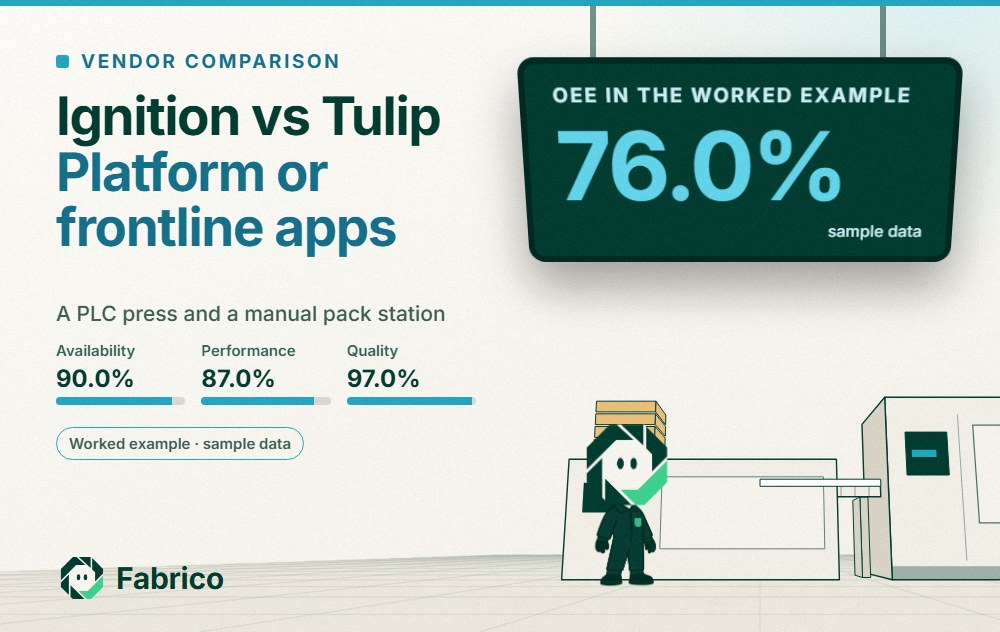
The numbers here are invented to show the method; they describe no real plant and no product screen. A press with a PLC feeds a manual pack station. The shift is 510 minutes with 40 minutes of breaks, so planned time is 470 minutes. At an ideal 10 parts a minute, the press could make 4,700 parts.
The press PLC logs 47 stopped minutes, so run time is 423 minutes and availability is 423 / 470 = 90.0%. In 423 minutes the ideal is 4,230 parts; the press made 3,680, so performance is 87.0%. The pack station rejects 110, leaving 3,570 good: quality 97.0%. OEE is 90.0% x 87.0% x 97.0% = 76.0%. Cross-check: 3,570 / 4,700 = 76.0%. Our OEE calculation guide walks through the same steps.
The PLC alone says only that the press stopped for 47 minutes. Operators split them into pack table full 18, tool change 16 and material short 13. The largest cause sits at the manual station, which has no PLC. A press tag alone would not have shown it, and neither would a station app on its own. The two systems have to share one reason list.
What to ask Inductive Automation and Tulip
Send both the same list, with the same three stations named.
- Ignition: which modules does phase one need, and which come from a technology provider such as Sepasoft?
- Ignition: who builds the Perspective screens for the stations, and who changes them when a line changes?
- Tulip: which Tulip Library apps, such as the Composable MES App Suite, run as they ship, and which are edited for us?
- Tulip: how does the first machine connect: Edge IO, Edge MC, a Machine Kit, or our OPC UA server?
- Both: if Ignition already holds the tags, does Tulip read them from Ignition or straight from the PLC, and who maintains that link?
- Both: show the stop reason screen live with a gloved operator, and count the taps.
- Both: what keeps a station working when the plant's internet link is down?
If the hand stations pack consumer goods, our guide to cameras on FMCG lines shows where the camera add-on takes the count at a station with no PLC. To compare ready OEE products, see the OEE software guide.
What people ask next
Is Tulip an MES?
Tulip calls itself a frontline operations platform and offers a Composable MES App Suite in its library, built on a common data model. Its pages also describe electronic batch records with genealogy. Ask which MES functions come ready and which are built per plant.
Can Ignition do MES functions?
Inductive Automation's homepage puts production tracking, recipes and OEE under its MES heading. For more, its partner pages name Sepasoft, whose Ignition modules include OEE Downtime, Track and Trace and Batch Procedure.
Which one calculates OEE, Ignition or Tulip?
Both name it. Ignition lists OEE under MES, with Sepasoft's OEE Downtime module as an option. Tulip's OEE page describes machine states combined with operator reason codes. In both, someone has to build and keep the reason list and the reports.
Is Ignition Vision the same as Tulip Vision?
No. In Ignition, Vision is a visualization module for plant-floor and desktop screens. In Tulip, Vision refers to cameras and detectors embedded in apps, for example to scan and validate labels.
Do I need Ignition or Tulip to measure OEE?
Not necessarily. OEE software such as Fabrico takes run, stop and count from a PLC, sensor or counter, and the operator picks the stop cause on a tablet or phone. For manual steps with no signal, Fabrico offers a camera add-on that counts output.
Want to bring the stop reason list your operators already use, on an Ignition screen, in a Tulip table or on paper? Book a demo with that list.
Related articles



Latest from our blog


Real Fabrico tiles, sample data.