


 Login
 Blog
MES vs DCS: Where the Boundary Sits in Dairy and Beverage Plants

In short: in MES vs DCS, the DCS controls the process and the MES manages and records the operation around it. In dairy, beverage and process food plants the DCS runs pasteurising, mixing, tanks and CIP, while the MES records runs, stops, output and losses. Check the handover from the process area to filling and packing first.
- ISA-95 puts the DCS at level 2 and the MES at level 3. They are layers, not rivals.
- The boundary that matters most is the handover from process to fillers and packers.
- A light MES or OEE layer next to the DCS is enough when the gap is visibility of runs, stops and losses.
- Scope a full MES only for steps that need dispatching, enforced work instructions or genealogy in one system.
Your process area runs on a DCS. Temperatures hold, recipes run, CIP cycles finish. Yet the plant manager still asks why the fillers packed less than planned last week, and nobody can answer without a spreadsheet.
Fabrico, which we make, is one candidate for the layer above the DCS. Read our view as a vendor's view and check each claim against your own filler data.
If you are still comparing control systems, read PLC vs DCS and SCADA vs DCS first. This page starts where those end: the DCS is in place, and the question is the layer above it.
MES vs DCS: what each one owns
A DCS is a control system. The NIST glossary, citing NIST SP 800-82r3, describes distributed control as control achieved by intelligence that is distributed about the process. An MES is an operations system: it manages and records what the plant made, when, and what was lost on the way.
| Question | DCS | MES |
|---|---|---|
| Main job | Control the process | Manage runs, record what happened |
| ISA-95 level | Level 2 | Level 3 |
| Typical area | Reception, pasteurising, mixing, tanks, CIP | Fillers, packers, palletisers, plant view |
| Time scale | Seconds, control loops | Shifts, orders, runs |
| Key data | Temperatures, flows, pressures, recipe steps | Runs, stops, reasons, counts, rejects, losses |
| Main users | Process operators, control engineers | Line leaders, CI, plant manager |
The two overlap less than the names suggest. Both show trends and both store history, so the question is not which one has a screen. It is which one owns the answer to a given question.
Where the boundary sits: ISA-95 levels 2 and 3
The ISA-95 standard page from ISA sets out the levels plainly. Level 2 "refers to programmable logic controllers (PLCs), distributed control systems (DCSs) and other control devices." Level 3 "describes manufacturing execution systems (MES)" and other systems that manage manufacturing operations. Level 4 covers running the business and includes ERP. ISA also notes that the standard primarily deals with the interface between levels 3 and 4. Where the line between 2 and 3 falls is a call you make for your own plant. Our guide to ISA-95 covers the full model.
Recipes add one more layer of detail. Batch control in process plants follows ISA-88, which ISA says brings clarity, structure and consistency to batch processing in food and beverage and other batch industries. Check where your recipe and batch logic runs, and which functions beyond control your DCS runs today, such as batch management or a historian. Whatever runs in the DCS stays with its owners.
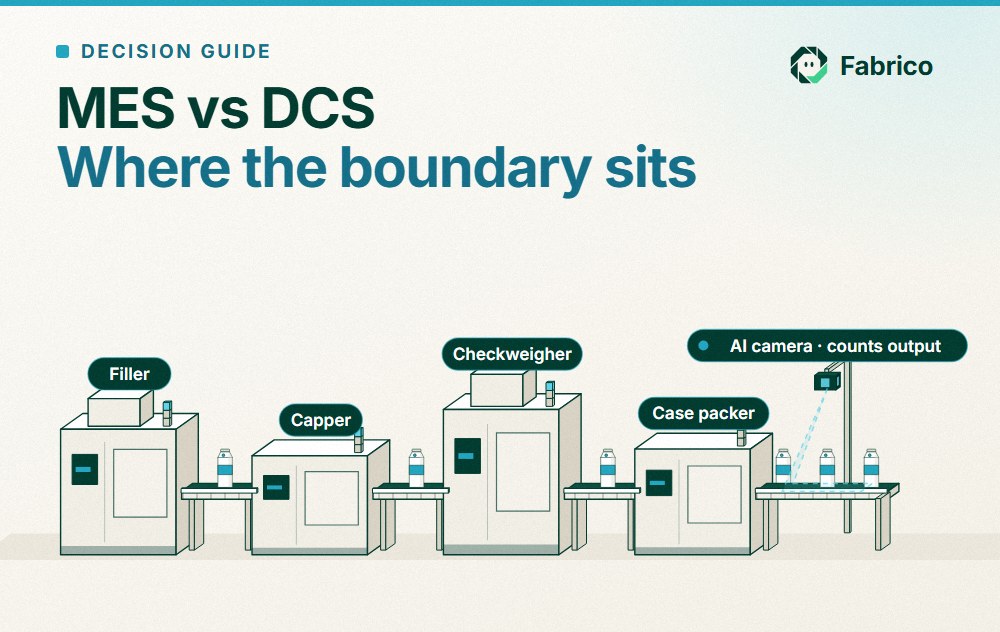
In a dairy, beverage or process food plant, a practical place to draw the 2 and 3 boundary is the handover from the process area to filling and packing:
- DCS side: milk or syrup reception, standardising, pasteurising or UHT, mixing, buffer tanks, CIP. Control and recipe steps.
- MES side: fillers, cappers, labellers, case packers, palletisers. Runs, stops, counts, rejects and the order and SKU on the line.
- The handover itself: the time a filler waits for product, or a tank waits for a filler. This loss sits between the two systems. Check who owns it in your plant.
For the wider map of control and operations systems, see PLC vs SCADA vs MES and SCADA vs MES.
What the plant wants to know that the DCS screens may not answer
Check whether your DCS screens and historian answer these questions today, without an export and an afternoon in a spreadsheet:
- Why did filler 3 stop for 25 minutes at 10:40, and who logged the reason?
- How many good units did line 2 pack this shift, against what it could have packed?
- What did the 1 litre to 2 litre changeover cost in output, by shift, this month?
- How long did the fillers wait for product from the process area?
- Which order and SKU were on the line when rejects rose?
- What did the losses cost in money, valued at the constraint?
If these take a spreadsheet, the gap is at level 3, not in the DCS. Ask whether adding DCS screens for packing questions would move operations reporting into a control system, and who would own it.
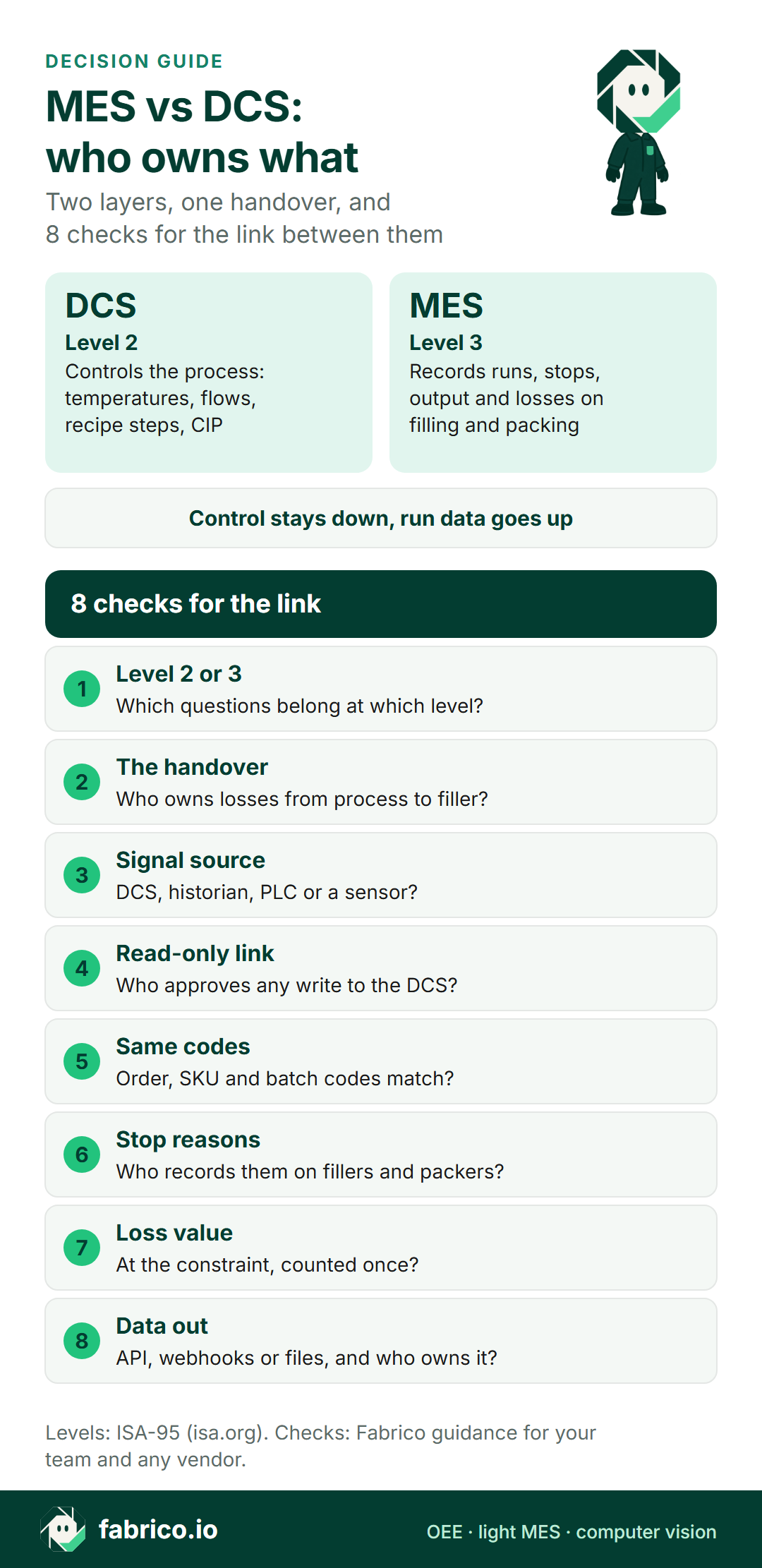
Text version of this infographic:
- Decision card titled MES vs DCS, who owns what.
- Two lanes:
- DCS at level 2 controls the process, MES at level 3 records runs, stops, output and losses, and 8 checks for the link between them.
DCS, MES or both: how to decide
Pick the DCS alone if your open questions are about the process: alarms, deviations, recipe steps, CIP cycles. And the output, stops and losses on filling and packing are already measured and trusted somewhere else.
Pick an MES layer if process control works but nobody can say what the fillers lost last shift and why. A light MES or OEE layer next to the DCS covers runs, stops, reasons, output and losses. Process control stays in the DCS. If you also need dispatching, enforced work instructions or genealogy in one system, compare scope with light MES vs full MES.
Do both if the biggest losses sit at the handover: fillers starved of product, tanks held for a filler, changeovers that start in the process area and end on the packing line. Then the DCS keeps control, the level 3 layer records the losses, and both share the same order, SKU and batch IDs.
| Situation | Lean toward | Why |
|---|---|---|
| Process deviations, alarms, recipe steps | DCS and its historian | Control questions stay at level 2 |
| Filler stops and output unknown by shift | Light MES or OEE layer | Visibility gap at level 3 |
| Fillers waiting for product | Both, with shared IDs | The loss sits at the handover |
| CIP holding a filler | Both, with shared IDs | CIP runs in the DCS; the filler time lost lands at level 3 |
| Product flush or rinse between SKUs | Both, with shared IDs | The flush starts in the process area; the lost output shows on the filler |
| Dispatching, enforced steps, genealogy | Full MES scope for those steps | More than a visibility gap |
| Packing lines with no usable signal | Light layer with sensors or cameras | Check whether your DCS reaches them |
| New DCS project under way | Agree level 3 scope now | IDs and signals are easier to agree up front |
Want to see a light MES layer next to a process area? Book a demo with one week of filler shift reports and your CIP schedule.
Worked example: one filler, one shift
Sample figures for illustration only. A dairy plant runs a cup filler after the pasteuriser. The filler is the line's constraint, so losses are valued at its rated speed. The DCS shows the pasteuriser held temperature all shift. The level 3 view shows what the filler did.
- Planned time: 480 minutes. Rated speed: 100 units a minute. Possible output: 480 x 100 = 48,000 units.
- Downtime: changeover 35 min, waiting for product from the process area 25 min, filler jams 20 min. Total 35 + 25 + 20 = 80 min. Run time 480 minus 80 = 400 min.
- Availability: 400 / 480 = 83.3%.
- Performance: 34,000 units counted against 400 x 100 = 40,000 possible in the run time: 34,000 / 40,000 = 85.0%.
- Quality: 680 rejects, so 33,320 good units: 33,320 / 34,000 = 98.0%.
- OEE: 0.833 x 0.850 x 0.980 = 69.4%. Check: 33,320 good units / 48,000 possible = 69.4%.
Now the losses in units, each counted once. Downtime: 80 min x 100 = 8,000 units (3,500 changeover, 2,500 waiting, 2,000 jams). Speed loss: 40,000 minus 34,000 = 6,000 units. Rejects: 680 units. Total lost: 8,000 + 6,000 + 680 = 14,680 units, and 48,000 minus 14,680 = 33,320 good units, which matches.
Read it this way. The 2,500 units lost waiting for product are 17.0% of all lost output (2,500 / 14,680 = 0.170). The DCS was right that the process held temperature; the filler was right that it had nothing to fill. Only a level 3 record with the time, the reason and the order on the line turns that into a fix, such as buffer tank sizing or the CIP sequence. See OEE calculation for the conventions used here. Replace each figure with your own shift data.
Illustrative, sample data: at a sample contribution of EUR 0.15 for each good cup, the 2,500 units lost waiting for product are 2,500 x 0.15 = EUR 375 in one shift, and all 14,680 lost units are 14,680 x 0.15 = EUR 2,202. Use your own contribution per unit at the constraint.
How MES and DCS integration works in practice
Settle these agreements before any vendor quotes:
- Shared IDs: order, SKU and batch codes come from one place and read the same in the DCS, the MES and the ERP.
- Read first: start with a link where the MES reads signals and never writes to the DCS. Sending orders or recipe data down is a control change with its own owner and tests.
- Signal source per signal: a filler's run state and count may come from the filler PLC; a tank-ready signal may come from the DCS or its historian. Pick the source per signal, not per system.
- Network path: keep the level 2 network separate and let your OT security owner approve how level 3 reads from it.
- Handover signals: agree how "product ready" and "filler starved" are recorded, so the loss lands on a reason and not on "unknown". For example, "filler starved" is the filler infeed low-level signal from the filler PLC or a sensor, while the tank-ready flag from the process side is off. Agree whether the reason is set from those two signals or tagged by the operator, and test any vendor on it.
If your fillers have HMIs but no clean signal, HMI data collection for OEE covers the options.
Questions to put to any vendor and to your own team
- Which questions in our plant belong at level 2, and which at level 3?
- Where exactly is the handover from the process area to filling and packing, and who owns the losses there?
- Which signals does the level 3 layer read, and from which source: DCS, historian, PLC or a sensor?
- Is the link read-only, and who approves any write to the DCS?
- Do order, SKU and batch codes match across DCS, MES and ERP?
- How are stop reasons on fillers and packers recorded, and by whom?
- How are losses valued: at the constraint, and counted once?
- How does the data leave the level 3 system: API, webhooks or files, and who owns that link?
Where Fabrico fits
Fabrico is an MES and OEE platform with maintenance built in. It is a candidate for the level 3 layer next to your DCS, while the DCS keeps process control.
- Fillers, cappers and case packers: Fabrico reads cycles, stops and output from the line's PLC, and on older packing machines a Fabrico IoT device with external sensors collects the production signal. Data sources, in short: a PLC or IoT device with sensors. How Fabrico would read data from your DCS is a question to settle with your control engineer and us.
- Hand-pack tables and old machines after the filler: where there is no machine signal, the camera add-on counts output. In the standard setup, camera add-on video is streamed when someone opens it and is not stored in Fabrico. Stop-reason suggestions from the camera add-on are roadmap. See computer vision for OEE.
- Filler starved, CIP and changeover stops: operators tag the cause of a stop on a tablet or phone from your own list of reason codes, such as waiting for product or CIP, and a technician opens a work order from the stop when it needs maintenance.
- For the plant manager and CI lead: the OEE dashboard updates while the line runs, with downtime by cause, losses shown in money, and push, in-app and email notifications. See the solution overview and our guide to OEE software.
- Next to the DCS and the ERP: a REST API and webhooks, a connection to your ERP scoped per customer, and Excel or CSV export. Job dispatching, BOMs, routings and genealogy stay in your ERP.
For sector detail, see MES for dairy processing, MES for beverage manufacturing and MES for food manufacturing. For cameras by sector, see computer vision for dairy processing, computer vision for beverage lines and the FMCG hub.
What people ask next
What is the difference between MES and DCS?
A DCS controls the process: it keeps temperatures, flows and recipe steps on target. An MES manages the operation around it: runs, stops, output and losses. ISA-95 places the DCS at level 2 and the MES at level 3.
Can a DCS replace an MES?
They do different jobs. Keep process control in the DCS, then check whether your DCS screens and historian answer the questions about runs, stops and losses on filling and packing. If they do not, a light MES or OEE layer next to the DCS is one way to close that gap.
Should the MES write setpoints to the DCS?
Decide that on purpose. A read-only link, where the MES reads signals and never writes to the DCS, keeps control where it is. If you want order or recipe data sent down to the DCS, treat it as a control change with its own owner and tests.
Where does the boundary sit in a dairy or beverage plant?
A practical place to draw it is the handover from the process area to filling and packing. The DCS owns reception, pasteurising, mixing, tanks and CIP. The MES or OEE layer owns runs, stops, counts and rejects on the fillers and packers, and the time a filler waits for product.
Is a light MES enough next to a DCS?
It is enough when the gap is visibility: runs, stops, output and losses on the packing side. If you also need dispatching, enforced work instructions or genealogy in one system, scope a full MES for those steps.
How does MES and DCS integration start?
Start with shared IDs: the same order, SKU and batch codes in both systems. Then agree which signals the MES reads, from the DCS historian or from the filler PLC, and who owns the interface. Ask any vendor to show that link on your own filler and tank signals.
Want your own filling line's losses split by owner? Talk to us with last month's filling line OEE or shift reports.
Related articles


Real Fabrico tiles, sample data.