


 Login
 Blog
Ignition vs Kepware: SCADA Platform or Connectivity Server?

In short: Ignition vs Kepware compares two different layers. Ignition, from Inductive Automation, is server software for building SCADA, IIoT and MES applications, with its own OPC UA server and PLC drivers. Kepware, now part of Velotic and formerly a PTC product, is a connectivity portfolio: Kepware Server turns device protocols into OPC UA and MQTT for other software, SCADA included. Plants run Ignition alone, Kepware under another application, or Kepware feeding Ignition.
- Ignition builds the applications: screens, alarms, history and reports. Kepware moves and normalises device data for applications.
- Both name OPC UA and MQTT on their pages, and both have an edge product: Ignition Edge and Kepware Edge.
- Using both is a documented pattern on paper: Ignition's OPC UA module can act as a client to third-party OPC UA servers.
- OEE needs more than tags: planned time, ideal rates and the operator's stop cause live in an OEE or light MES layer.
A controls engineer is specifying a new packing hall. The fillers run Siemens, the case packers Allen-Bradley, and two older wrappers talk Modbus. One colleague wants Ignition for the screens. Another already runs Kepware for the historian feed. The shortlist says "Ignition vs Kepware", but the two products sit on different floors of the same building, and the real decision is where one stops and the other starts.
Fabrico makes OEE software and sells neither a SCADA platform nor a connectivity server, so this page judges each product by the job its maker gives it. Kepware's own pages now live on velotic.com: Velotic's launch post says it was formed from Proficy from GE Vernova and ThingWorx and Kepware from PTC. All vendor facts below are as of 13.11.2026, linked where they appear.
Ignition vs Kepware at a glance
Seven jobs, summarised from inductiveautomation.com and velotic.com on 13.11.2026. Each row links back to the section with the source.
| Job | Ignition | Kepware |
|---|---|---|
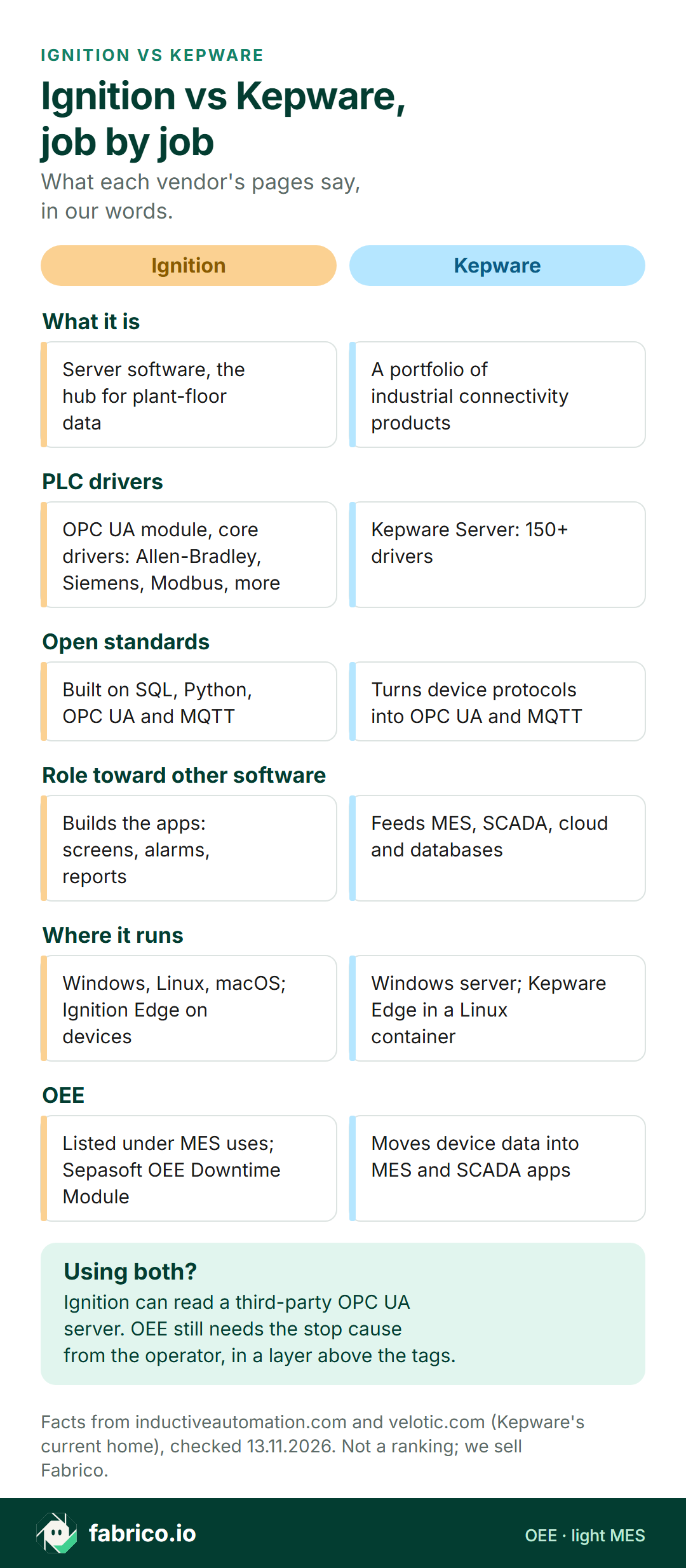
| What it is | Server software, the hub for plant-floor data | A portfolio of industrial connectivity products |
| PLC drivers | OPC UA module with core drivers: Allen-Bradley, Siemens, Modbus and more | Kepware Server: 150+ drivers |
| Open standards | Built on SQL, Python, OPC UA and MQTT | Converts proprietary protocols into OPC UA and MQTT |
| Role toward other software | Builds the apps: screens, alarms, reports | Feeds MES, SCADA, AWS, Azure and ODBC databases |
| Where it runs | Windows, Linux, macOS; Ignition Edge on devices | Kepware Server on Windows; Kepware Edge in a Linux container |
| Many sites | Edge syncs data to a central Ignition server | Kepware+ Manager: central monitoring and configuration |
| OEE | Listed under MES uses; Sepasoft OEE Downtime Module | Feeds device data to MES and SCADA applications |
What Ignition does, per Inductive Automation
Inductive Automation, of Folsom, California, makes Ignition. Its homepage calls Ignition a universal industrial application platform for connecting data, used for SCADA, IIoT and MES, and lists "calculate OEE" among the MES jobs. As of 13.11.2026:
- A server at the centre. The Ignition overview describes server software that acts as the hub for the plant floor, built on SQL, Python, OPC UA and MQTT. Applications built in the Designer web-deploy to industrial and mobile devices.
- Its own drivers. The OPC UA module page says the module adds OPC UA server and client functions. Its core drivers include Allen-Bradley, Siemens, Modbus Ethernet, Omron, Mitsubishi, BACnet, DNP3 and IEC 61850, with further drivers sold separately.
- Room for outside OPC servers. As a client, the OPC UA module makes outgoing connections to third-party OPC UA servers. The modules page also lists an OPC COM module for classic COM-based OPC servers, and the homepage says Ignition reaches PLCs through third-party OPC servers as well as its own OPC UA.
- Apps on top. The same modules page lists Vision for plant-floor and desktop screens, Perspective for mobile-responsive applications, SQL Bridge between OPC data and SQL databases, a historian suite, reporting and alarm notification. MQTT modules come from Cirrus Link.
- At the edge. Ignition Edge has two options, Edge IIoT and Edge Panel. It runs on devices where the data starts, supports OPC UA as server and client, publishes to MQTT brokers with Sparkplug, and syncs to a central Ignition server. For the trade-off, read edge vs cloud for shop floor data.
Check with Inductive Automation: which of your controllers the core drivers cover, and which would need an added driver module or an outside OPC server.
What Kepware does, per Velotic
The Kepware product page says Kepware "remains open and interoperable for connecting OT & IT" and is now part of Velotic. It calls Kepware a portfolio of industrial connectivity solutions and a common connectivity layer for PLCs, controllers, devices and industrial systems. As of 13.11.2026:
- Kepware Server. The Kepware Server page labels it industrial connectivity for Windows. It bridges legacy and modern equipment with 150+ drivers and converts proprietary protocols into open standards such as OPC UA and MQTT.
- Who consumes the data. Per the same page, Kepware Server integrates device data into applications including MES, SCADA, AWS and Azure, bridges PLC data to DCS, SCADA and HMI systems, and supports ODBC-compliant databases.
- Driver bundles. The page describes a Manufacturing Suite that packages 100 device drivers with OPC DA and OPC UA, and an Advanced Manufacturing Suite.
- Kepware Edge. The Kepware Edge page describes the same connectivity in a Linux-based container, with drivers for Siemens S7 Ethernet, Allen-Bradley ControlLogix Ethernet and Modbus Ethernet, and IT and OT integration over MQTT and OPC UA.
- Many servers. Kepware+ Manager is a SaaS control plane to view, manage and configure Kepware centrally.
Check with Velotic: which drivers your controller list needs, which driver package covers them, and what changes for existing installs under Velotic.
Ignition vs Kepware, job by job
Talking to PLCs. Both carry their own drivers. Ignition's OPC UA module lists its core drivers by brand; Kepware Server counts 150+ drivers. Put your controller list next to both, machine by machine.
Serving data to other software. This is Kepware's stated job: one server that normalises device data and hands it to MES, SCADA, cloud platforms and databases. Ignition also serves OPC UA, but its pages put the weight on what you build inside it.
Building screens, alarms and reports. This is Ignition's stated job, through Vision, Perspective, alarm notification and reporting. Kepware's pages describe feeding SCADA and HMI systems with data, so a Kepware project pairs with an application that draws the screens.
Open standards. Both name OPC UA and MQTT. The OPC Foundation describes OPC UA, released in 2008, as a platform independent service-oriented architecture; that common ground is what lets Ignition read a third-party OPC UA server. Our OPC UA vs MQTT guide covers when each protocol fits.
One, the other or both
Because the jobs differ, the choice is mostly about the setup, not the brand.
| Your situation | Setup to look at first |
|---|---|
| New SCADA, controllers on Ignition's core driver list | A: Ignition alone |
| Kepware already runs, and you want new screens | B: Kepware feeding Ignition over OPC UA |
| Several apps need the same tags: MES, cloud, historian | C: Kepware as the shared layer |
| Controllers on neither driver list | Ask both vendors, and check a gateway or sensor |
For how these layers stack, see PLC vs SCADA vs MES. If a full Ignition stack is on your list, our AVEVA vs Ignition comparison looks at it as a SCADA platform, and our Ignition OEE review looks at OEE on it. Weighing other connectivity platforms? See Litmus Edge alternatives.
Where OEE data and stop causes live
Ignition or Kepware gets you the tag: the filler is running or not, the counter went up by 412. That is the raw material for OEE, not OEE itself. The rest of the calculation needs context that no PLC holds.
| OEE input | Where it usually comes from |
|---|---|
| Run and stop state | PLC tag, through Ignition's drivers or Kepware |
| Output count | PLC counter tag, a sensor, or a camera |
| Rejects | Reject count or signal from the inspection system |
| Planned time | Shift calendar and planned stops in the OEE layer |
| Ideal rate | Per product, kept in the OEE layer |
| Stop cause | The operator at the line, picked from a set list |
So the question is which layer holds the last three rows. There are three honest answers. Build them into Ignition: its homepage lists OEE among its MES uses, and Inductive Automation's partner page lists Sepasoft's OEE Downtime Module for Ignition, which combines OEE calculations and downtime tracking. Send Kepware's data to an MES that owns them. Or run a light MES beside the stack that reads the machine signal and asks the operator for the cause.
Whichever you pick, name one owner for the stop-cause list and one system for the official OEE figure. Our OEE software vs SCADA page and SCADA vs MES guide go deeper on the split.
Where Fabrico fits on a connectivity project
Fabrico does not sell SCADA, HMI, a connectivity server or DataOps software. It is a cloud OEE platform with light MES that measures lost time by line and shift. If the project is about getting tags off the controllers, Ignition and Kepware are the products to compare. If it is about why the line stood still on Tuesday night, that is our part.
- Getting the signal. Per our machine connectivity page, automated machines connect through the PLC, over OPC UA, Modbus, PROFIBUS, PROFINET, EtherNet/IP or EtherCAT. Older machines get a Fabrico IoT device with external sensors. A machine review at project start picks the route per machine, so whatever already runs on site is an input to that review, not an assumption.
- Stations with no tag. The camera add-on counts output at manual steps or machines with no usable signal, and a supervisor can pull up the camera view for a given moment on the shift timeline; video is streamed on request and Fabrico does not store it in the standard setup. Stop-reason suggestions from the camera add-on are Roadmap, not live. See how the camera add-on works.
- The context above the tag. Operators add the stop cause on a tablet or phone at the line. Fabrico turns those causes into OEE, downtime and the cost of each loss per line and shift, on web, iOS and Android (MES and OEE overview).
- Data out. A REST API, webhooks, and Excel or CSV export, so OEE results can go back to whichever system the plant reports from.
- Not Fabrico: a tag server for other software, SCADA screens, supervisory or process control, and inspection vision.
For a packaged goods plant, our guide to cameras on FMCG lines shows where the camera add-on sits next to machine signals. Run a pilot on one line where the tags already reach Ignition or Kepware, and compare the stop list with the shift log.
Already have a tag list exported from Ignition or Kepware? Book a demo with that export and one week of downtime notes, and we will walk through which tags feed run, stop and count for OEE.
Worked example: one shift of packing hall tags turned into OEE
These are sample numbers, not a customer's data or a product screen: one packaging line, one 480 minute shift with 20 minutes of planned breaks, so planned time is 460 minutes. At an ideal 60 packs a minute, the line could make 27,600 packs.
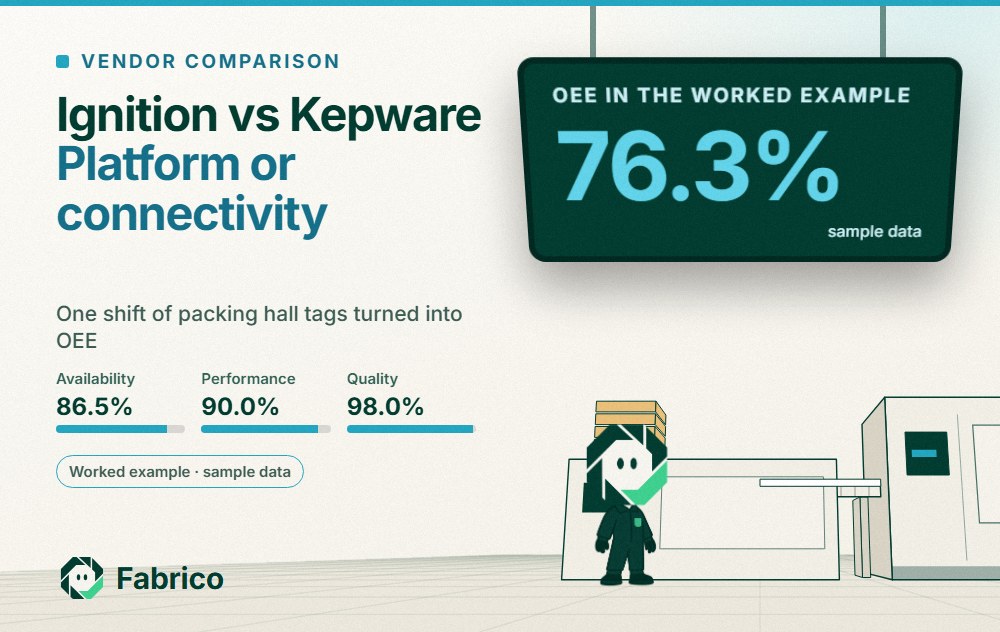
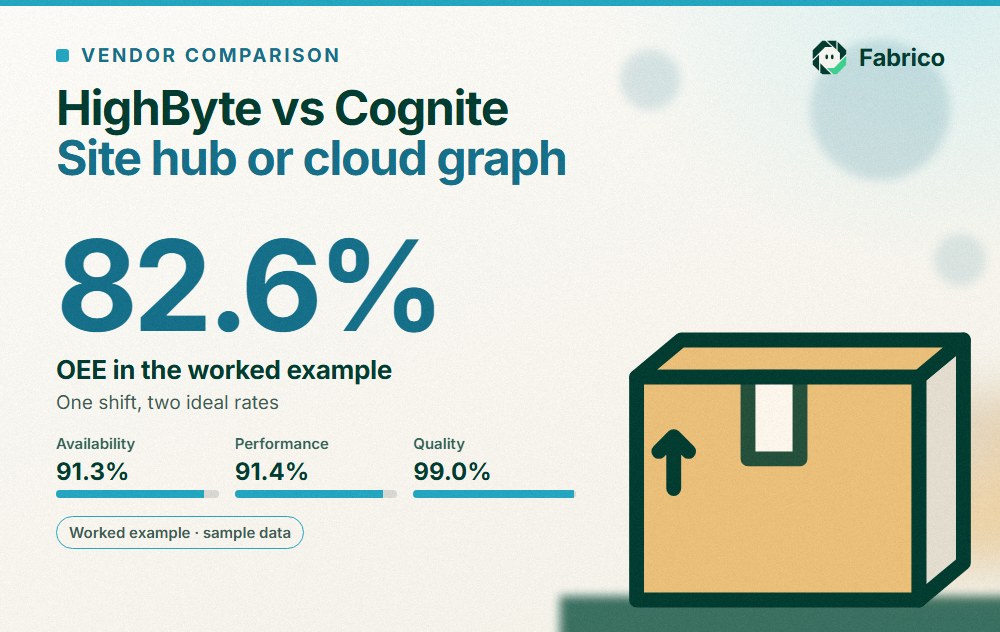
The run tag, whether it arrives through Ignition's drivers or through Kepware, shows 62 minutes stopped. Run time is 398 minutes, so availability is 398 / 460 = 86.5%. In 398 minutes the ideal is 23,880 packs; the counter tag shows 21,500, so performance is 90.0%. The checkweigher rejected 430, leaving 21,070 good, so quality is 98.0%. OEE is 86.5% x 90.0% x 98.0% = 76.3%, which matches 21,070 good of 27,600 possible (OEE calculation).
The tags cannot say why. Once operators add the causes at the line, the 62 minutes become changeover 24, film splice 15, case erector jam 11, waiting for pallets 8, and 4 left uncoded by the operator. Changeover is the biggest block, so the line team starts its fixes there.
Questions to ask both vendors
Ask Inductive Automation and Velotic, or the integrator quoting each, the same questions about the same controller list.
- Which of our controllers does your driver list cover today, model by model, and which need an extra driver?
- What is the tested setup if we run both, and which side supports which part?
- How are tags named and kept consistent across lines and sites?
- Where does the data go when the network drops, and what is buffered at the edge?
- How is security handled between the controllers, the server and the applications that read it?
- Who maintains the configuration after go-live: our team, an integrator or the vendor?
- How do you change your packaging or licensing when we add lines or sites? We compare quotes on the same scope, not list prices.
For the OEE side, our OPC UA for OEE guide and OEE software guide list what to check.
What people ask next
Is Kepware a SCADA system?
Velotic, which now owns Kepware, describes it as a portfolio of industrial connectivity solutions. Its Kepware Server page says the product integrates device data into applications including MES, SCADA, AWS and Azure. Ignition, by contrast, is a platform for building SCADA applications.
Does Ignition need Kepware to talk to PLCs?
Not by design: Ignition's OPC UA module ships core drivers for Allen-Bradley, Siemens, Modbus, Omron, Mitsubishi and more, and the homepage says Ignition reaches PLCs through third-party OPC servers as well as its own OPC UA. Check each controller against both driver lists.
Can Ignition read tags from Kepware?
Per both vendors' pages, the pieces exist: as an OPC UA client, Ignition's OPC UA module makes outgoing connections to third-party OPC UA servers, and Kepware Server converts proprietary protocols into OPC UA and MQTT. Ask both vendors, or your integrator, for a tested setup on your controller list.
Is KEPServerEX the same as Kepware Server?
The current Kepware pages on velotic.com name the Windows product Kepware Server, with Kepware Edge as the Linux container version. If a plant runs an older KEPServerEX install, ask Velotic which product and version it maps to today.
Which one calculates OEE?
Inductive Automation's homepage lists calculating OEE among the MES uses of Ignition, and its partner page lists Sepasoft's OEE Downtime Module for Ignition. Kepware's pages describe moving device data into MES and SCADA applications.
Can Fabrico work next to Ignition or Kepware?
Fabrico is a separate OEE and light MES layer, not a SCADA or a connectivity server. It takes machine data from the PLC, a Fabrico IoT device with sensors, or the camera add-on, and data leaves through a REST API, webhooks, and Excel or CSV export.
Want OEE beside the server you already run? Send your controller list and current tag export through contact, or book a demo.
Related articles


Real Fabrico tiles, sample data.